They Take One Now and We Ship the Other: Part-Now, Part-Later Orders From the Register

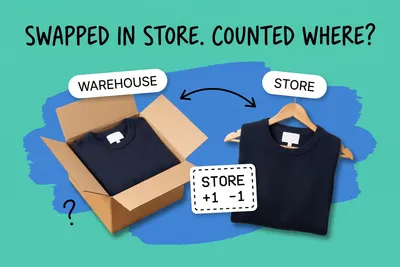
A customer at the counter wants two. There is one on the shelf. They will take that one home, and you will ship the second from the warehouse. It sounds like the simplest omnichannel sale there is, and on Shopify POS it is a case the register will not record.
Shopify POS supports "ship and carry out" orders, where a customer carries out part of a purchase and has the rest shipped, paid in one transaction. But Shopify's own help center says you "can't create a ship and carry out order for quantities of the same variants in the cart." Two of the same item, one now and one later, is exactly that. At least one merchant has hit it: a July 2026 post on a Shopify developer forum sought someone to make POS split identical quantities so one unit goes home and one ships.
This post covers what a register can record, where the shipped unit comes from, what the customer sees, and what to set up before staff try it.
Can the register split two of the same item?
On Shopify POS, no. The help page gives a worked example: "you can't buy 3 red shirts with 1 shirt to be carried out and 2 shirts set to be shipped. All 3 items must either be carried out or shipped. You could, however, carry out 3 red shirts and ship 2 blue shirts in the same cart, as those are separate variants." It adds that "this can impact customers purchasing product bundles."
So the rule is per variant, not per product. Different variants, such as sizes or colors set up as variants, can split. Identical units cannot.
Other registers document this differently. Lightspeed's Retail X-Series describes a "combination unfulfilled sale" where "some items were taken with them at the time of the sale and others will be delivered or picked up at a later date." The cart sorts items into "Take now" and "Deliver (or Pick up) later" sections, which also show on receipts and in sales history. Its documentation does not say whether a single line with a quantity of two can be split across those sections. Square's cross-location orders let staff choose pickup or shipping and change the fulfilling location for individual items. The Square help pages we checked do not say whether one sale can combine shipped items with items handed over at the counter.
If your register cannot split the line, the workarounds are operational. Ring the shipped unit as its own sale, or ship both and let the customer leave empty-handed. They are what is left when the documented feature stops short. Each has a cost: two sales means two payments and two receipts for one conversation, and shipping both means the customer leaves without the item they came for.
What does the order record look like afterwards?
Where a mixed sale is allowed, Shopify records it as one order: "The order is created as Partially fulfilled, with the carry-out items listed as Fulfilled and the ship-to-customer items listed as Unfulfilled."
Under the hood, Shopify tracks the work in fulfillment orders. Its developer documentation describes a fulfillment order as "either an item or a group of items in an Order that are expected to be fulfilled from the same location," and notes "Shopify creates fulfillment orders automatically when an order is created. It is not possible to manually create fulfillment orders."
The API can split a fulfillment order by quantity after the fact: the fulfillmentOrderSplit mutation moves "the specified LineItem objects and quantities into a new fulfillment order." It can also move unfulfilled items to another location. These tools work on orders after checkout. A developer could, for example, ring both units as shipped, then split the fulfillment order and fulfill one unit at the store. But none of the Shopify pages we checked describes that flow at the register, and it changes what the customer's receipt and emails say. Treat any app that claims to do it as something to test, not something documented.
Two things follow for operations:
- Partially fulfilled is the normal state for these orders. Any report or alert that treats a partially fulfilled order as a problem will flag every mixed register sale until the shipped part goes out.
- The shipped line is now an online-style order in your queue. It needs the same picking, packing and tracking as a web order. If it ships from a store, Shopify notes you "can use Ship from store to fulfill the rest of the order."
Where does the shipped unit come from?
Not necessarily from the store that made the sale. Shopify separates the two halves of the sale:
- Carried out: "In-store purchases that are completed with Shopify POS use available inventory from the location where the sale is made."
- Shipped: "Shipping orders deduct inventory based on your set fulfillment priority," and "Shipping orders don't deduct inventory from locations that are set to prevent fulfillment of online orders."
Shopify says the shipped line deducts inventory "based on your set fulfillment priority." It does not say whether order routing rules also apply to POS shipping lines, so place a test order and check where it lands. If you have ranked your locations so a warehouse comes first, expect the warehouse to be charged with it. If the selling store ranks first and still has stock, the shipped unit may come off its own shelf.
Your online oversell setting is not your register's
On Shopify POS, the online oversell switch does not govern the register. The help center says "Continue selling when out of stock doesn't apply to orders placed from Shopify POS," and, separately, "Staff can continue selling products when available inventory reaches zero and below. Shopify POS warns staff before they sell an item that it's not available." The shipping help adds that if an item in the cart is out of stock, "an error message displays mentioning that the product is out of stock."
So the register runs on its own rules: a warning and an error message, not the setting you chose for your website. Shopify does not document what happens to a shipped line when no location has the item at all. Test that on one store before rolling the feature out, because a merchant who has turned overselling off online may assume the same rule holds at the counter.
Whatever the register does, add a store rule: before ringing a ship-to-customer line, staff check stock at the other locations. If none has it, it is a backorder with a date, not a shipment, and the customer should hear it that way.
What does the customer see and pay?
One payment covers both halves. Shopify describes ship and carry out orders as letting customers "pay for their entire order from the Shopify POS app in a single transaction." Shipping is charged at "the applicable weight-based, price-based, or carrier calculated rates that you have set up in the Shopify admin."
Tax can differ between the two halves. Shopify notes that in-person and shipped orders "can have different tax implications depending on your region," that with Shopify Tax in the United States "multiple tax rates can be applied to items in a ship and carry out order," and that for other supported tax solutions "the default tax settings are applied to all items." If you use a different tax setup, check with your tax advisor how a shipped line from a register should be taxed in your states.
On email, Shopify says that if you have not customized your order templates, ship and carry out orders "automatically display correctly." If you have customized them, preview a mixed order before going live.
There are also prerequisites. Shopify's help lists POS Pro on the location, POS app 9.31 or higher, a supported tax solution, the "Ship to customer" and "Manage customers" staff permissions, and an internet connection. Ship and carry out orders cannot ship internationally or include subscription products. On Lightspeed X-Series, unfulfilled sales are "not available in Offline mode," "all unfulfilled items must have the same fulfillment method for the sale," and unfulfilled sales "must be paid in full before items can be marked as packed or picked up." Square requires payment upfront: it says "the ability to provide payment for an order at a later date is not available."
A setup checklist before staff try it
- Confirm your register's rule on identical items. On Shopify POS, quantities of one variant cannot be split. Decide the store's fallback before a customer is standing there.
- Check your location ranking. The shipped unit follows your fulfillment priority. Make sure the location you expect to ship is the one ranked to ship, and that stores you do not want shipping are set not to fulfill online orders. That setting applies to all online orders, not just register shipping lines.
- Train the stock check. Shopify lets POS staff sell at zero and below after a warning. Make "check another location first" part of ringing a shipped line.
- Route the shipped half like a web order. It needs a picker, a label and tracking. The difference between partial and split shipments matters here, because the customer has now received part of the order in hand.
- Preview the receipt and the emails. Make sure the customer can see which item went home and which one is coming.
- Review partially fulfilled orders daily. They are normal for these sales, so watch the age of the shipped half, not the status.
If your stores, warehouse and website do not share one live count, for example because the warehouse runs on a separate system, a mixed sale touches two locations in one transaction and a stale count shows up fast. Keeping register and online inventory on one count is the groundwork that makes "take one now, ship the other" safe to offer.
Frequently asked questions
Can Shopify POS split two of the same item so one is carried out and one is shipped?
No. Shopify's help page on ship and carry out orders says you "can't create a ship and carry out order for quantities of the same variants in the cart." Its example is three red shirts: all three must be carried out or all three shipped. A red shirt can go home while a blue one ships. For identical items in one sale, the documented choices are ship all of them or carry all of them.
Which location does the shipped item come from in a mixed register sale?
On Shopify POS, shipping orders "deduct inventory based on your set fulfillment priority," and they skip locations set to prevent fulfillment of online orders. Carried-out items come from the store where the sale is made. So the shipped unit may come from a warehouse or another store, depending on how your locations are ranked. Check that ranking before staff start selling ship-to-customer lines.
Can a register sell an item for shipping when no location has it in stock?
Shopify does not document that case. Its help says the online "Continue selling when out of stock" setting "doesn't apply to orders placed from Shopify POS," and that staff can sell at zero and below after a warning. The shipping help also says an error message displays when a cart item is out of stock. Test what happens when no location holds the shipped item before relying on either answer.
Start your 14-day free trial
See how OmniOrders connects your sales channels, 3PLs, and carriers into one operational layer — free for 14 days, no credit card.