One Product, Several Barcodes: Getting the Register to Scan What the Supplier Labelled
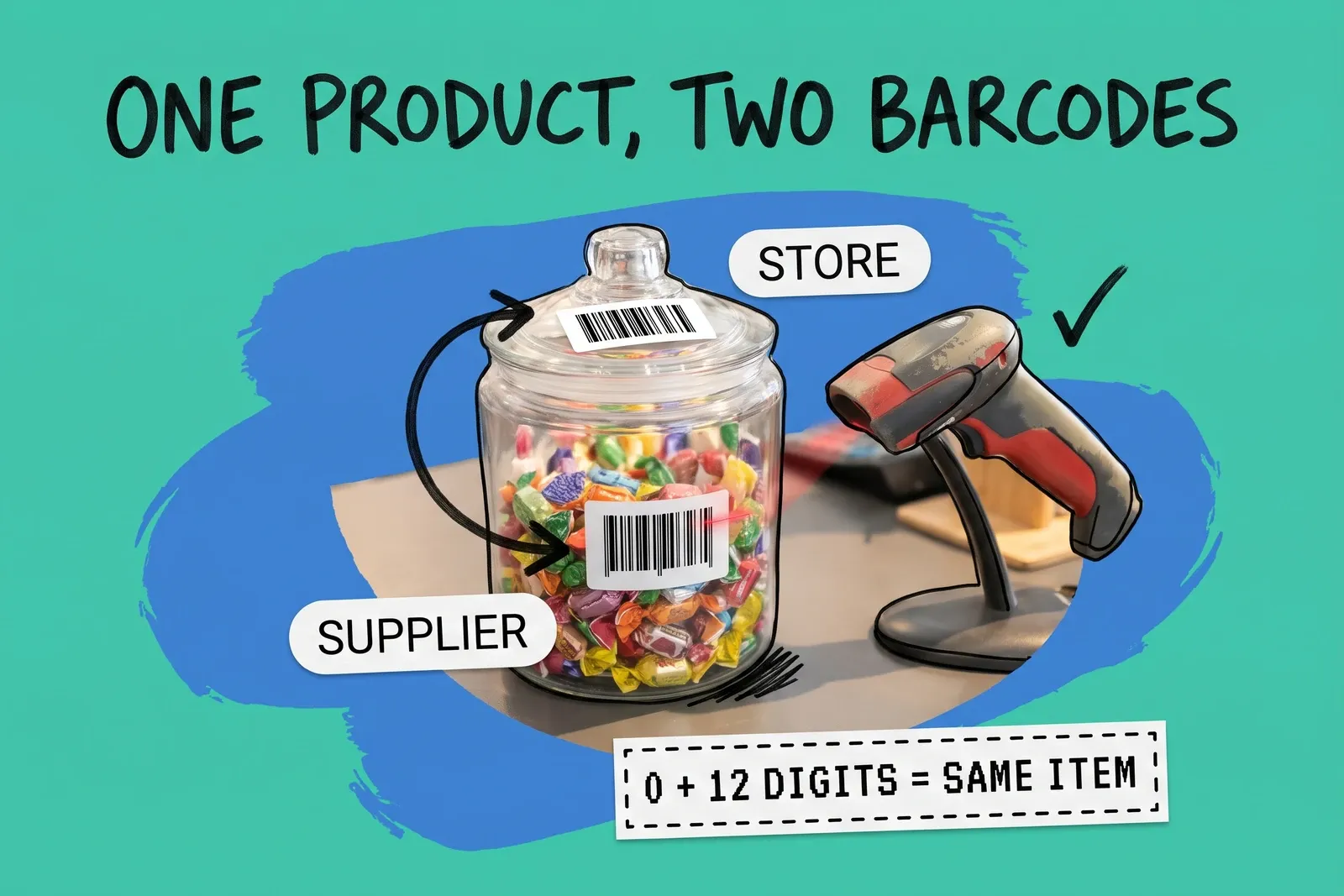
The register can only find a product by a barcode it has stored. Before you add a second barcode to a product that "won't scan", check whether you already have the same number stored in a different shape. A 12-digit UPC, the same code with a zero in front, and the same code padded to 14 digits are one GTIN under GS1's rules. A register that compares every character, as WooCommerce's POS documentation says it does, treats them as three different codes.
When the code really is different, such as a new supplier's label, a distributor's sticker or your own shelf label, the fix depends on your system. Since September 2026 Shopify lets a variant carry up to 20 barcodes. Other systems give you one field, several fixed fields, or a list. Below is what each vendor's documentation says, and how to clean up barcodes across several stores without breaking the scans that already work.
Can one product have more than one barcode at the register?
In several systems, yes, but the number and the rules differ, and not every vendor documents it.
System | What the vendor's docs say |
|---|---|
Shopify | Up to 20 barcodes per variant (changelog, September 8, 2026); POS 11.14 finds a variant by "any barcode associated with it" |
Lightspeed X-Series | API changelog (April 2021): "multiple barcodes that can be scanned alongside the SKU"; multiple products cannot share the same code |
Lightspeed R-Series | One field each for UPC, EAN, Custom SKU and Manufacturer SKU, all listed as searchable in item search |
Square | Describes a GTIN per item or variation; we found no mention of more than one per variation |
WooCommerce POS | One field, labelled "GTIN, UPC, EAN or ISBN", is what it scans; "POS does not support the SKU for barcodes" |
Four details in those docs matter more than the headline numbers.
Shopify's first barcode is special. The changelog says sales channels read the first barcode on a variant. Put the manufacturer's GTIN first and supplier or internal codes after it, or a marketplace feed may pick up your shelf label. The extra codes have to be associated with the variant in Shopify admin first; the changelog lists the variant page, the Shopify mobile app, the bulk editor and the product CSV. In the CSV, several barcodes go in one cell separated by semicolons, and a code with no type in front imports as "Custom". The scanning needs POS version 11.14, so update the POS app on every device before you rely on it.
Older integrations see only one barcode. Shopify's developer changelog says an app that writes the old single barcode field "updates the first barcode" and leaves the others alone, and an app that reads only that field sees one value with no sign that others exist. If an ERP, supplier feed or sync app still uses the old field, it can overwrite your primary barcode or ignore the rest. Ask your vendors which field they use.
A supplier code is not always a scannable code. Lightspeed's X-Series help says "Supplier Codes cannot be scanned into the sell screen". The supplier code is for stock orders. If you want the supplier's label to ring up, Lightspeed says to capture it as a custom SKU. Whatever system you use, find out which field the register searches before you type a supplier's code anywhere.
Validation is not guaranteed. Shopify says values are checked against each standard's format as you enter them; that applies to codes typed as UPC, EAN, ISBN, GTIN or ASIN, while "Custom" codes are for internal use. Lightspeed's X-Series API changelog (April 2021) said product codes "are not validated for conformance with the schema for the specific code type." A mistyped code may save without complaint and fail only at the till.
Why does the register say "not found" when the product is in the system?
A common cause is that the number on the box and the number in the system are the same GTIN written differently.
A GS1 General Specifications change notice (WR 21-258) says a GTIN can be 8, 12, 13 or 14 digits. When shorter GTINs are padded to 14, the zeros "simply act as filler digits," and "the presence or lack of these leading zeroes does not change the GTIN concerned." GS1 Sweden puts it plainly: in databases a GTIN-13 is entered as 14 digits by adding a "0" in front. So 012345678905 and 0012345678905 identify the same item.
A register may not know that. WooCommerce's POS documentation says "every character will need to be in the product's GTIN, UPC, EAN, and ISBN field," including "check digits and country codes." Shopify's scanner troubleshooting points the same way: delete extra zeros or special characters at the start or end of the stored number. We found no vendor document saying its register treats the 12-digit and 13-digit forms as one code, so test before you assume it does.
Three things create the mismatch:
- The scanner adds or drops digits. Zebra's RS6100 reference guide, as one example, offers a "UPC-A Preamble" setting that can send no preamble, the system character, or the system character plus the country code ("0" for USA), plus a setting that "transmits data with or without the UPC-A check digit." Other scanners have their own settings. Two stores with differently configured scanners can send different strings for the same can of soda.
- A spreadsheet strips the leading zero. Lightspeed's R-Series import guide tells you to "check that the leading 0 has not been trimmed from UPC numbers" and to keep number columns out of scientific notation. The GS1 change notice adds that the leading zeros of a GTIN-12 belong to the U.P.C. Company Prefix and "must be preserved when storing the GTIN-12."
- The number was typed into the wrong field. Shopify's troubleshooting lists a barcode in the SKU field among the checks.
The test is cheap. Scan the item into a notes app, as WooCommerce suggests for testing a scanner, and compare what appears with what is stored, digit by digit. If they differ only by zeros or a final digit, the lasting fix is the source: the stored format or the scanner setting. Where your system has spare barcode slots, adding the other shape as an extra barcode is a valid stopgap; Shopify's own CSV example stores one item's number twice, as "gtin:00012345678905" and "upc:012345678905". Fix the source when you can, so the list does not fill with near-duplicates.
Should the supplier's barcode and our own label point to the same product?
Only when they really are the same item. Under GS1's rules a GTIN identifies one trade item, and a changed GTIN is often the supplier telling you the item changed.
GS1 UK's GTIN management handbook asks, among its guiding questions, whether "a consumer and/or trading partner [is] expected to distinguish the changed or new product from previous/current products?" Its rules then list changes that need a new GTIN, including:
- any change to the declared net content on the pack
- a change to the primary brand
- a change of more than 20% in any dimension or in gross weight (GS1's global GTIN Management Rules say the same)
- a change to a price printed in the pack graphics
So when a carton arrives with a new barcode, ask why. If the bag went from 200 g to 180 g, GS1 treats it as a different trade item, and it usually needs its own stock count, whether your platform calls that a new variant or a new product. Adding its barcode to the old variant would merge two items that should be counted separately.
If only the distributor changed, or you are adding your own sticker to an item that already has a GTIN, adding the code to the existing variant is right. In that case keep the old code on the variant too, until the stock carrying it has sold through.
Square's guidance points the same way from the other side: "reusing the same GTIN across multiple item variations is strongly discouraged." One code should lead to one variant, even if one variant has several codes. WooCommerce's 9.2 release notes (2024) say its GTIN field requires a value that is unique across all products.
What should our own in-store labels use?
Not a made-up number that looks like a GTIN, because an invented 12- or 13-digit number can collide with a real product's code.
GS1 reserves prefixes 02 and 20 through 29 for restricted circulation numbers, which GS1 member organisations assign "for use within a company" or within a region. When those numbers are for company internal use, GS1 says "the structure and management of the numbers" are the user's responsibility. The convention varies by country, so ask GS1 US or your national GS1 office which range to use before you print weighed or priced labels, such as pick-and-mix sold by weight.
Shopify offers a "Custom" barcode type for internal codes, and Lightspeed X-Series lists "Custom codes" alongside UPC and EAN. The type label alone does not stop a collision; the number range does. Keep SKUs separate from barcodes too: SKUs belong in the SKU field, and if yours need one pattern across every store, a SKU generator is one way to set it.
How do we clean up barcodes across several stores?
Do it once, centrally, in a pilot store first.
- Export the catalog with every barcode field, as text, and keep that file as your rollback. Never let a spreadsheet open it as numbers.
- Standardise the scanners in the pilot store. Preamble, check digit and suffix settings should match. With mixed hardware, check each model's own guide.
- Pick the stored form that matches what those scanners send, and keep the manufacturer GTIN as the first barcode where your system has one.
- Find duplicates. Pad every numeric code to 14 digits in a helper column: two variants whose padded codes match share a GTIN.
- Test-scan a sample of items from your main suppliers in the pilot store, then roll the scanner settings and catalog changes out store by store.
- When a code works in one store and fails in another, compare scanner settings, POS app version and whether the product is available to that store's register.
- Treat a new barcode on a delivery as a question. Check the GS1 reasons above before adding it to an existing product.
Barcodes are one part of keeping stores and channels in step. Our inventory management overview covers the rest, and our guide to connecting POS systems to a central order system covers how the register's sales reach the rest of your stack.
Frequently asked questions
Why does the register say a barcode is not found when the product is in the system?
A common cause is that the digits the scanner sends differ from the digits stored. A 12-digit UPC can arrive with an extra leading zero, a spreadsheet can strip a leading zero before import, or the scanner can drop the check digit. GS1 says leading zeros do not change a GTIN, but WooCommerce's POS matches every character. Scan the item into a notes app and compare it with the stored barcode, digit by digit.
Can one product have more than one barcode in Shopify POS?
Yes, since September 2026. Shopify's changelog says a variant can hold up to 20 barcodes, and Shopify POS version 11.14 can find a variant by any of them. The extra barcodes have to be added in Shopify admin first, for example on the variant page, in the bulk editor or through the product CSV. Sales channels still read only the first barcode, so keep the manufacturer's GTIN in that first position.
Should a supplier's new barcode go on the same product or a new one?
It depends on why the barcode changed. GS1 UK's GTIN management handbook says a change in declared net content, a new primary brand, or a change of more than 20% in dimensions or gross weight needs a new GTIN, which means a different trade item that usually needs its own stock count. If only the label or the distributor changed, adding the code to the existing product is usually right.
Start your 14-day free trial
See how OmniOrders connects your sales channels, 3PLs, and carriers into one operational layer — free for 14 days, no credit card.