The Register Can't Hold All Our Variants: When the POS Catalog and the Website Disagree
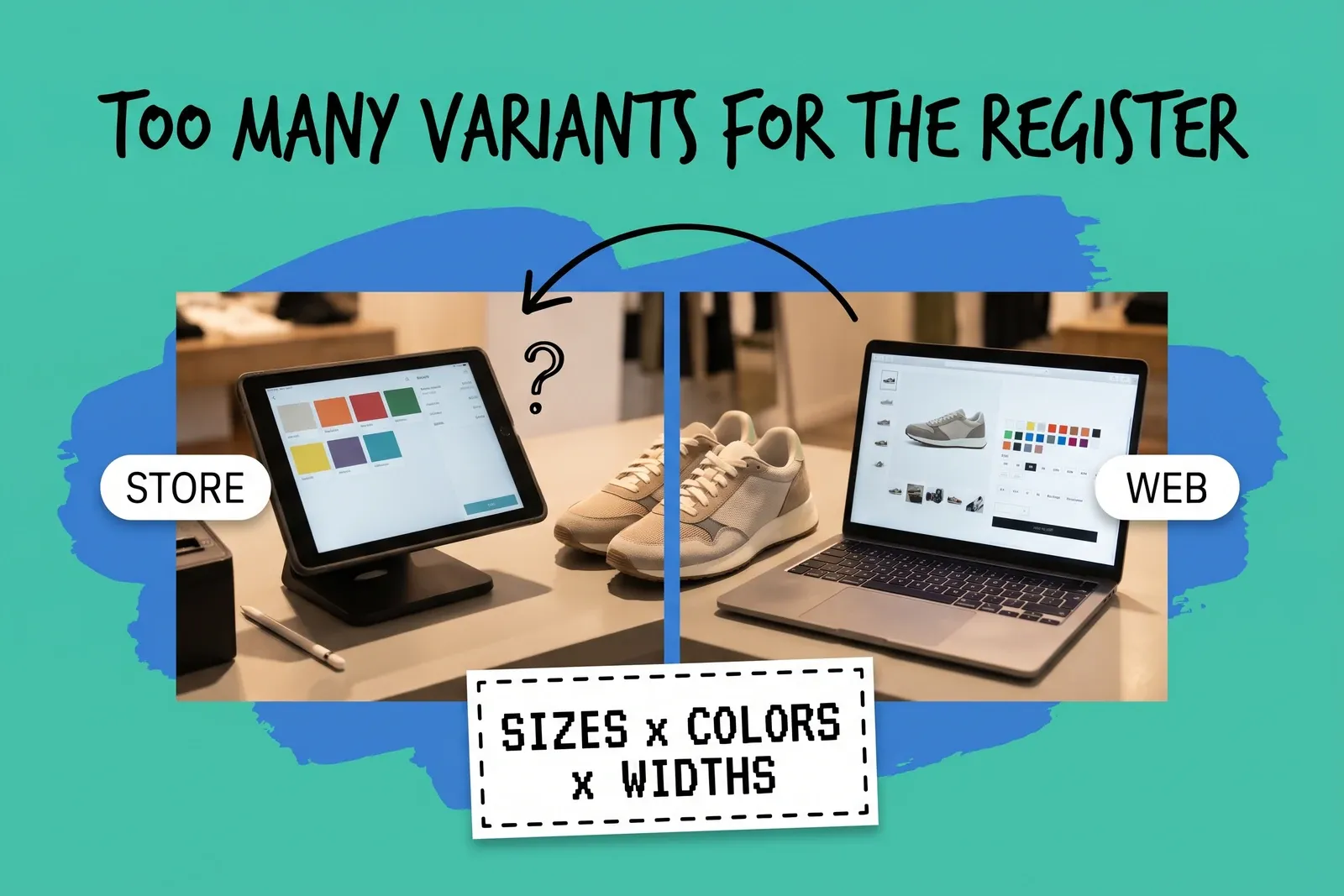
When your website lets a product have more variants than your register does, the same product ends up set up two different ways. The website sells combinations the register cannot ring up as themselves, the sync between them stops matching variant for variant, and stock for the extra combinations has no clean place to land. The fix is to set each product up so it fits the smallest limit in your chain of systems, and to match the two sides by SKU rather than by product name and option labels.
A merchant running a WooCommerce site, with Lightspeed as the register at trade shows, described daily sync issues and a register that caps variants on products with more than 200 combinations, and was looking at other POS options.
How many variants can a POS product have compared with the website?
Often fewer, when the register and website come from different vendors. When they come from the same vendor, both usually work from one set of product records: Shopify's POS help says Shopify POS "syncs with your Shopify admin to track orders and inventory across your retail locations, online store." The limits below are each vendor's own published figure, read on October 30, 2026. They change, so check your own system before you plan around them.
System | Variants per product | Options per product |
|---|---|---|
Shopify (online store and admin) | Up to 2,048 | Up to 3 |
Lightspeed Retail X-Series | 200 | 3 variant attributes |
Square catalog (item variations) | At most 250 | Not published (not the same as unlimited) |
WooCommerce (variable products) | Not published (not the same as unlimited) | Not published |
Clover (item groups) | Not published; each variant is set up as its own item in a group | Not published |
A few things sit behind that table.
Shopify's limit moved recently. Shopify made 2,048 variants per product the limit for all merchants on October 15, 2025, up from 100. Shopify's help center says "Each product can have up to three options." It also says that "Some theme app extensions, public apps, and sales channels might not support more than 100 variants": some apps and channels may not support more than 100, and Shopify names Stocky and the legacy Order Printer among them. For more than three options or more than 2,048 variants, the same page points to third-party apps from the Shopify App Store, and stores on the Shopify Plus plan can use the Shopify Combined Listings app to combine separate products into one listing. Shopify's developer changelog adds that apps not using its current product APIs may show degraded or broken behavior on products with more than 100 variants.
Lightspeed X-Series caps at 200. Its support center says "The maximum amount of variants you can add under one product is 200." A separate article explains that you cannot add more variant attributes once a product already has three.
Square's catalog caps at 250. Square's developer reference says an item "can have at most 250 item variations."
WooCommerce has no stated cap but has a soft edge. Its documentation gives no maximum, but above 30 variations the product page's dropdowns stop filtering out combinations that do not exist. Customers can pick one and get "Sorry, no products matched your selection."
So a product that fits the website can be impossible to build on the register, or too big for an app between the two.
Why did it work until we added one more color?
Because options multiply, on some systems. Lightspeed X-Series' support article puts it plainly: "By adding another value, a variant will be created for all of the possible variations." A boot with 10 sizes, 2 widths and 9 colors is 180 variants. Add a tenth color and it is 200. Add an eleventh and you are asking for 220, which a 200-variant limit refuses, even if you only ever stock 150 of those combinations.
On a system that works this way, a variant cap is a cap on the grid, not on what you sell: it counts every combination of every value, including the extra-wide in the color you only make in regular width. Not every system counts like that. Shopify's help center says adding a new option value creates the possible combinations at once, but adding a single variant manually "creates only a single variant" and "doesn't create all possible combinations." Check how yours counts before you assume the grid is the limit.
The option count matters as much as the variant count. Shopify and Lightspeed X-Series both stop at three options. A product sold online by size, color, width and material has four, and it cannot be built as a single product on the register if the register stops at three.
What breaks when one side can't hold the product?
When the register cannot hold the product as the website has it, someone sets it up differently at the counter. That is where the trouble starts.
The two records no longer line up. The website has one product with 220 variants. The register has two products, perhaps split by width, with 110 each. A sync tool that pairs products and variants by name or by option values may not find a partner for half the website's variants, or may pair the wrong ones.
Stock for the unmatched combinations stops moving. If a variant exists on the website but not on the register, the store has to ring that item up as something else, so the sale reduces the count of a different record and the website's count for the real variant stays where it was. That is one of the causes of counts drifting covered in our guide to keeping one source of truth across stores and marketplaces.
Shared stock hides the problem. WooCommerce lets a variation draw stock from the parent product rather than its own count. Its documentation says variations "configured to manage their inventory at the variation level will pull stock from the variation level," and the others draw from the product-level count. A website set up that way can show a size as available because the product has stock somewhere, while the register tracks each size on its own.
"Any" variations do not map to anything. WooCommerce also allows variations defined as "Any" value of an attribute, and its documentation warns these can create effective duplicates, where it uses the first match "looking from top to bottom." A register that needs one record per sellable item has no equivalent for "any size."
The middle tool may be the real limit. On Shopify, the store can hold 2,048 variants while a connected app or channel stops at 100. The register and the website can both be fine and the product can still fail to sync.
Whether this hits you depends on whether the register and the website share one catalog. If they are the same platform's products, one limit applies to both. If they are separate accounts joined by a sync, each side has its own limit and so does the tool between them, so design every product for the smallest of the three.
Should we split the product, or change the register?
Splitting the product is usually the quickest fix because it needs no new software.
Pick one option to split on, usually the one customers treat as a separate choice anyway, such as color or material. Build one product per value on both sides. The boot with 11 colors becomes 11 products of 20 variants each, which fits every limit in the table above. Each variant then exists once on the website and once on the register, and the two can be matched one to one.
It has costs. One product page becomes several, so shoppers lose the single page with every color on it, reviews are spread across the new pages, and the old page's URL needs a redirect. Reports by style now have to add up several products. Marketplace listings built as one parent with child variants may need rebuilding. On Shopify Plus, the Combined Listings app can show separate products as one listing; check what your platform and theme support before you decide.
Changing the register makes sense when the split would hurt how staff sell. If the counter needs to see every color of a style together to sell it, and your register cannot hold it, that is a reason to look at registers with a higher limit. Before you switch, test your single largest product on the new system, and count the options as well as the variants. The merchant in the thread above was choosing a new POS partly for this reason.
Do not solve it by leaving the extra combinations off the register and selling them under a generic item at the counter. Every sale rung up that way is a unit the website still thinks is on the shelf.
How do we make the register and the website agree on the same item?
Give every variant one SKU, and make the SKU the thing both sides match on. Names and option labels change ("Navy" becomes "Dark navy" on one side), and a sync that matches on them breaks quietly. A SKU that is the same on the register, the website and any marketplace survives renaming. If your SKUs are inconsistent, our free SKU generator can help you set a pattern before you rebuild.
Then work through it in this order:
- Choose which system defines products. One side creates new products and variants; the other receives them. Two places creating products is how you get one item with two records.
- Find the smallest limit in the chain. List the register, the website, and every app or channel that touches product data, with its variant and option limits. Design to the smallest one.
- Find the products that already break it. Export products with one row per variant, count the rows for each parent product, note how many options each uses, and sort by size. Anything above the smallest limit is a product that is set up differently somewhere.
- Split or trim those products. Split by one option, or remove combinations you never stock, if your system lets you build only the variants you need rather than the whole grid.
- Check stock is tracked per variant on both sides. On WooCommerce, enable stock management on each variation rather than relying on the product-level count for anything you sell in store, so a size is only shown as available when that size is.
- Test with real transactions. Sell one variant of a rebuilt product at the register and watch the website count change. Then sell one online and watch the register. Then test a return, an exchange for a different size, and a transfer between stores, since each moves stock between variant records.
If you run several stores, do this once for the catalog, not once per store. The variant limit applies to the product, and every store's register shares it. Our guide to connecting POS systems to a central order system covers the wider setup.
Frequently asked questions
How many variants can a product have in Shopify?
Shopify's help center says a product can have up to 2,048 variants and up to three options. The limit was raised from 100 on October 15, 2025. The same page warns that some third-party themes, apps and sales channels might not support more than 100 variants, so the limit that matters in practice may be the lowest one among the tools connected to your store.
Why can't I add another size or color to a product in my POS?
Often because the change would push the product over a limit: the variant count or the option count. On Lightspeed X-Series, adding a value creates a variant for every existing combination, so one more color on a product with 10 sizes and 2 widths adds 20 variants, and the change is refused past 200. A fourth option is refused on systems that stop at three.
Should the register or the website decide how a product is set up?
Pick one system to define the product and design within the smaller limit of the two. If the website can hold 300 combinations and the register 200, a product built for the website will not fit the register. Splitting the product by one option, such as color, into separate products on both sides makes it possible to match every variant one to one by SKU.
Start your 14-day free trial
See how OmniOrders connects your sales channels, 3PLs, and carriers into one operational layer — free for 14 days, no credit card.