Pop-Ups, Markets and Trade Shows: Selling From a Temporary Location Without Losing Count
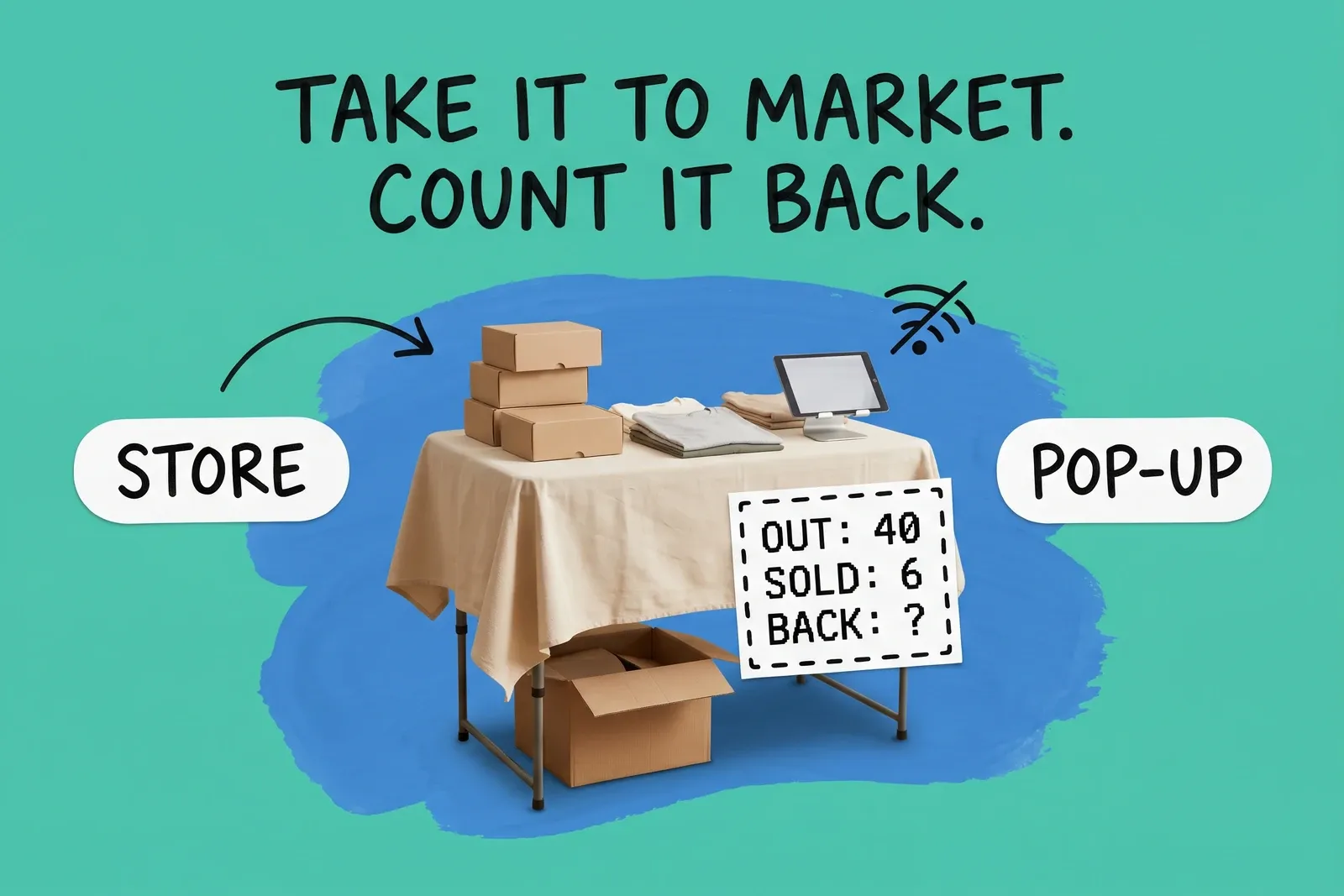
You pack forty units into the van for a Saturday market. On Monday the store shows thirty-one, the market sold six, and nobody can say where the other three went. Often nothing was stolen. The stall was not set up as a place in the system, the stock went out without a record, or the register sold offline and the numbers met up later.
The short answer: make the event its own location, move stock to it with a transfer and receive it before you open, decide on purpose whether the website can sell that stock, and count what comes back before you move it home.
Should a pop-up or market stall be its own location?
Shopify allows for it. Its help center defines a location as "any physical place where you sell products, fulfill orders, or stock inventory", and gives "warehouses, retail stores, or pop-ups" as examples. A separate location keeps the event's stock and sales apart from the store or warehouse you packed from, so a shortfall has one place to look.
It also matters for tax. Shopify says the POS app "applies taxes based on the store location that you assign to your POS device." A tablet taken to a market in another city while still assigned to your shop charges the shop's rate.
The cost is a location slot. Shopify's locations page lists 2 locations on Starter, 10 on Basic, Grow and Advanced, and 200 on Shopify Plus. Moving from Basic to Advanced does not add a slot, so a retailer with nine stores and a warehouse has no free slot for a pop-up without retiring a location or moving to Plus. Our post on store location limits covers where that ceiling bites. Square says "there is a 300-location limit per master account" and that "some Square plans charge an additional fee per location". On Lightspeed X-Series each outlet needs its own license, charged at a prorated amount when you buy it.
If you do one market a year in the same town as the shop and take a handful of items, selling from the shop's location on a second device is simpler. It only works if the tax rate is the same, and you accept two costs: the event's sales mix with the shop's, and the units on the table are still counted at the shop, so the website can sell them.
What about trade shows, where orders ship later?
A trade show booth often does two jobs: it sells from the table and it takes orders for delivery. Keep them apart. Orders for later delivery should be placed against the location that will ship them, usually the warehouse, not against the booth's stock. Otherwise the booth's count drops for units that never left the warehouse.
Demo and sample units are the other trap. Shopify has a state for stock that exists but should not be sold: "Unavailable inventory refers to the number of units set aside by apps or held for other reasons", and "On hand inventory is the sum of your Committed, Unavailable, and Available inventory." Recording display units as unavailable at the booth keeps them counted without letting anyone sell the last demo unit.
How do I move stock to the event without it disappearing?
With a transfer, not by carrying boxes out and adjusting counts later. Once it is past draft, a transfer records units that are between two places. What changes is the moment each platform takes stock off sale at the shop.
On Shopify, a transfer moves through Draft, Ready to ship and In progress to Transferred, or it can be Canceled. Shopify says draft inventory "isn't committed". At Ready to ship, a status Shopify calls optional, "the inventory that you're transferring is committed at the origin location", so the shop can no longer sell it. In progress means "inventory is marked as incoming at the destination location and can be received", and Shopify's inventory states page says "incoming inventory isn't available to sell until it has been received and its state has been changed to Available."
From Ready to ship the units are off sale at the shop, and from In progress they are incoming at the stall, which Shopify does not count as available until received. Between those two points the load is not available anywhere. If staff start ringing up sales before the transfer is received, the stall's available count is wrong from the first sale and the transfer is harder to reconcile. Receive the transfer as part of setting up, before the first customer.
Lightspeed X-Series removes stock at a different step: "Inventory at the reviewing outlet won't be removed until the transfer is marked as sent." Receiving at the other end "can't be undone." On Square for Retail, transfer orders need the Plus or Premium plan, and when receiving you can "adjust item quantities received if needed", which is where a short-packed box gets recorded.
Should the website keep selling the stock I took to the market?
Decide this when you create the location, because the default may not be what you want. Shopify's setup page lists "Inventory at this location is available to fulfill online orders" as on by default for a new location. With it on, the pop-up's stock is added to the product's online quantity, and the website can sell a unit sitting on a folding table.
Shopify's fulfillment page describes the opposite setup: locations that "hold inventory for in-person sales only". Turning the setting off "removes any inventory assigned to the location from a product's online quantity." For most stalls that is the safer choice. No one at a market is packing parcels, and an online order assigned to the stall can sit unfulfilled until someone moves it or the stock comes home.
The second reason is connectivity. Shopify says POS "can't sync orders and inventory with your Shopify admin when you're offline." If the stall's stock counts toward the website and the stall drops off the network, the website goes on offering units the stall may already have sold. Our post on one source of truth for inventory explains why two systems writing to one count drift apart.
What happens when the wifi drops at the stall?
Shopify, Square and Lightspeed all keep selling offline, with limits that matter more at a market than in a shop.
On Shopify POS, offline checkout accepts cash and manual payments. Card payments offline are optional: you have to "activate offline payments in your Shopify admin", and the app needs version 9.14.0 or later. Shopify says "card payments are captured after your device reconnects to the internet" and offline transactions "aren't routed to the payment processor", so you may not learn a card failed until later. It recommends reconnecting "ideally within 24 hours." Two details matter at events. With several locations, Shopify's "offline payment settings and transaction limits apply to all locations", so you cannot give the stall its own higher cap. And "logging out of Shopify POS, or turning off the device might cause loss of offline orders." While offline, Shopify POS cannot process exchanges, returns or voids, cannot take or sell gift cards, and discount codes and automatic discounts do not work, though manual discounts do.
Square's US help page sets fixed windows. Square Reader and Stand have a 24-hour offline session. On every supported device "you must reconnect your device to the internet and upload your offline payments within 72 hours", and "pending offline payments will expire after 72 hours if you don't reconnect to the internet and upload them." You can set a maximum per transaction "between $1 and $50,000", and the seller is "responsible for any expired, declined, or disputed payments".
Lightspeed X-Series offline mode keeps sales going but you "can't view product inventory information", and "clearing your browser cache will disable offline mode." Lightspeed describes it as "not intended as a complete solution for offline selling."
What this means for the count: until each device reconnects, the stall's sales exist only on that device. Do not reconcile the event, or let the website sell stall stock, until every register has synced. If a customer returns something while you are offline on Shopify POS, write it down and process it after reconnecting.
How do I reconcile the count after the event?
Count before you move anything. The expected figure is what the event location received, minus what its registers recorded as sold, plus returns processed there. Count what is in the boxes, record any difference at the event location with a reason, and only then transfer the counted quantity home. If you transfer first and count later, the gap lands in the store's history and the event looks perfect.
Then close down the location, and read the platform's rules first. Shopify says "deactivating a location doesn't affect inventory quantities at that location", and if orders or transfers are pending "you're prompted to fulfill the orders and have the inventory quantities reassigned to another location". Lightspeed X-Series is stricter: "Deleting an outlet will also delete any inventory associated with the outlet," and deletion "can't be undone". Reports on the deleted outlet stay available; register closure summaries do not. Move every unit out before deleting anything. If you run the same market each season, deactivating keeps the location ready for next time.
Our retail inventory management guide covers the counting routine the returning stock goes back into.
Do I need a separate tax permit for a market stall?
In the US that depends on the state, so check with its tax agency. The CDTFA says "sellers at swap meets, flea markets and special events that make retail sales are required to obtain a seller's permit." Temporary permits go to sellers with no permanent place of business and "cover a selling period of 90 days or less at one location." A business that already holds a permit for a permanent location must instead "register for a sub-permit for each of your temporary locations". Sales on state-designated fairgrounds must be stated separately on the return, though the CDTFA says "there is no additional tax or fee due on these sales".
A checklist for the next event
- Create the event location, or reactivate last season's, and check it fits inside your plan's location limit.
- Decide whether its stock can be sold online, and set the online-fulfillment setting to match.
- On Shopify POS, assign event devices to the event location, with its real address, so tax follows it.
- Before you leave, enable offline card payments if you want them, check the app version, and check the transaction and daily limits. Tell staff not to log out or switch off a device that has sold offline.
- Transfer stock out and receive it at the stall before opening. Record demo units as unavailable.
- Place booth orders for later delivery against the warehouse, not the booth.
- After the event, wait for every device to sync, count, record differences at the event location, then transfer home.
- Deactivate the location, or delete it only once it holds no stock and no open orders or transfers.
Frequently asked questions
Should a market stall or pop-up be its own location?
Usually yes, if you sell from it more than once or take more than a few units. A separate location keeps the event's stock and sales apart from the store you packed from. On Shopify POS the tax rate also follows the location assigned to the device. Check your plan first: Shopify lists 10 locations on each of Basic, Grow and Advanced, 2 on Starter and 200 on Plus, so an event location takes one of your stores' slots.
Will my website sell the stock I took to the market?
On Shopify it can. The setting "Inventory at this location is available to fulfill online orders" is on by default for a new location, so a pop-up created for the weekend adds its stock to the website's quantity. Turn the setting off when you create the location if the stock should only be sold face to face. If you leave it on, expect the website to oversell whenever the stall loses signal.
What should I count when the event ends?
Count what came back before anyone transfers it home. Expected stock is what the event location received, minus what its registers recorded as sold, plus returns taken there. Wait until every register has reconnected and synced, because offline sales reach the admin only then. Record the difference with a reason, transfer the counted quantity back, then deactivate the location, or delete it only if it is empty and won't be reused.
Start your 14-day free trial
See how OmniOrders connects your sales channels, 3PLs, and carriers into one operational layer — free for 14 days, no credit card.