Order Processing Automation: How to Eliminate Manual Order Entry
Order processing software automates every step that moves a customer order from checkout to shipment: capturing the order, checking inventory, routing it to the right fulfillment location, generating pick lists, updating stock counts, and pushing tracking back to the buyer. When that workflow runs automatically, your team shifts from re-keying data on every order to handling the exceptions that actually need a human.
Manual order entry is not just slow. A mistyped SKU ships the wrong product. A spreadsheet that refreshes hourly oversells your top variant during a flash sale. A batch download job that runs at midnight lets 11 p.m. orders sit idle until morning. Each error compounds: wrong item ships, customer contacts support, your team corrects the record in two systems, and you absorb the return cost. That loop eats far more than any software subscription.
What Does Order Processing Actually Involve?
Before automating anything, it helps to map what you're automating. A typical multi-channel order moves through at least seven hand-off points:
- Order capture: the order arrives from Shopify, Amazon, eBay, or another channel
- Fraud and payment verification: payment clears and the order passes risk rules
- Inventory allocation: a unit of TSHIRT-BLU-M is reserved at the right location
- Order routing: the order goes to the warehouse, 3PL, or supplier that fulfills it
- Pick, pack, and ship: the warehouse team prepares and ships the order
- Carrier label generation: a label is printed and scanned to confirm shipment
- Tracking and customer notification: the carrier number flows back to the channel
In a manual workflow, steps 1 through 4 regularly involve a person copying data from one screen to another. Once you hit 200 orders a day, that's unworkable. At 500, it becomes a staff retention problem.
The Real Cost of Manual Order Entry
Re-keying is the most visible problem, but the hidden costs are larger. When your team spends four hours a day moving orders from channel portals into your central order management system, those four hours aren't going toward vendor negotiations, inventory planning, or customer issues that actually need a human.
Errors are the other cost. Data entry mistakes introduce wrong addresses, wrong SKUs, and wrong quantities. Each one becomes a support ticket, a re-ship, or a negative review. Multiply that across hundreds of daily orders and the damage accumulates fast.
Inventory accuracy suffers alongside throughput. Manual allocation means your multi-channel inventory sync never quite matches reality. The last unit of a product sells on Shopify while your Amazon listing still shows it as available, and you oversell. You then face the choice of canceling the Amazon order or expediting a replacement at your cost.
How Order Processing Automation Works
Automated order processing software connects directly to your sales channels via API. When an order comes in on any channel, it flows into a central queue within seconds. From there, rule-based logic handles the routing decisions your team was making one by one.
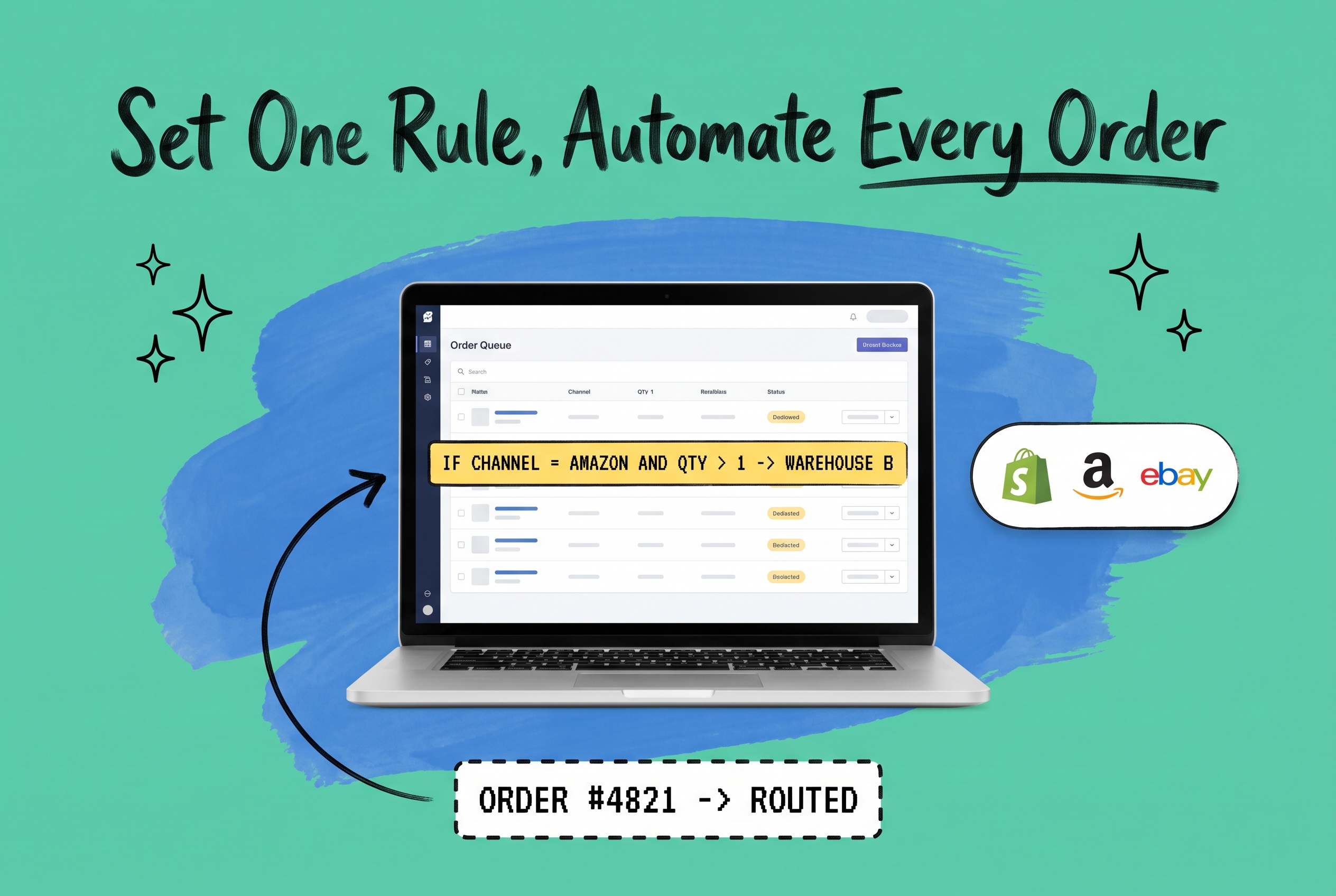
A practical example: you sell the same product on Shopify and Amazon. Shopify orders tend to be single-item, gift-wrapped, and customer-direct. Amazon orders tend to be multi-unit, plain-packaged, and Prime-eligible. With the right order processing system, you write a rule once: "if channel = Amazon AND units > 1, route to warehouse B and apply standard carrier rate." The rule runs on every matching order automatically.
OmniOrders' no-code automation rules engine lets you build those conditions without writing a single line of code. You pick the trigger (order received, payment confirmed, channel, SKU, weight, destination), set the action (route, tag, hold, assign carrier), and save. The rule fires on every matching order in real time.
The 7-Step Automated Order Processing Workflow
Here is what the workflow looks like in practice:
1. Multi-channel order capture. Orders from Shopify, Amazon, eBay, Walmart, Etsy, and other channels arrive in one queue. No CSV imports, no downloading portal exports, no batch sync windows.
2. Automated fraud and hold logic. If an order hits a risk threshold, rules flag it for review instead of processing it. You can also put specific order statuses on hold pending manual release, keeping the clean orders moving while exceptions wait.
3. Real-time inventory allocation. The moment an order is confirmed, a unit is reserved. If you sell out on one channel, all other channels update immediately. You stop overselling without manually adjusting quantities across platforms.
4. Rule-based order routing. Orders route to the right location based on criteria you define: geography, carrier preference, product type, channel, customer priority. A customer in Florida who bought a fragile item ships from your nearest warehouse. A wholesale order with 50 units routes differently than a single DTC order.
5. Automated pick list and packing slip generation. Your warehouse team gets actionable work without waiting for an ops manager to compile a batch. Pick lists batch by zone, carrier, or order priority depending on how your floor is set up.
6. Carrier rate selection and label generation. The system compares carrier rates at label time and applies your preferred carrier rules. No one is manually choosing rates for hundreds of orders.
7. Tracking pushed back to the channel. Once a label scans as shipped, the tracking number flows back to Amazon, Shopify, or whichever channel the order came from. The customer gets their confirmation without your team touching a thing.
If your current workflow involves humans doing steps 1 through 4 and 7 for every order, automation closes that gap directly.
Choosing the Right Order Processing Software
The software category is broad. A few questions narrow it down quickly:
How many channels do you sell on? Single-channel sellers can often use their platform's built-in tools. Sellers on three or more channels need something that centralizes orders first.
Where does your inventory live? Multiple warehouses, a 3PL, or a mix of both means you need routing logic. A basic order processing program won't handle that well. You need a platform that makes multi-location routing decisions automatically.
How complex are your routing rules? Some businesses have simple routing: one warehouse, one carrier. Others run split shipments, supplier drop-ship routing, and priority customer rules simultaneously. Make sure the rules engine matches your actual complexity.
What channel integrations do you need? Pre-built connectors to Shopify, Amazon, eBay, Walmart, and Etsy matter a lot. A long integration timeline kills the value of automation before you see any of it.
Competitors in this space include Linnworks, Brightpearl, Extensiv Order Manager (formerly Skubana), ChannelAdvisor (Rithum), and Sellercloud. Most offer some level of automation, but the depth of the rules engine, the number of native integrations, and the ease of setup vary considerably. Evaluate each against the specific routing decisions your operation makes daily.
What Happens When Split Shipments Come Into Play
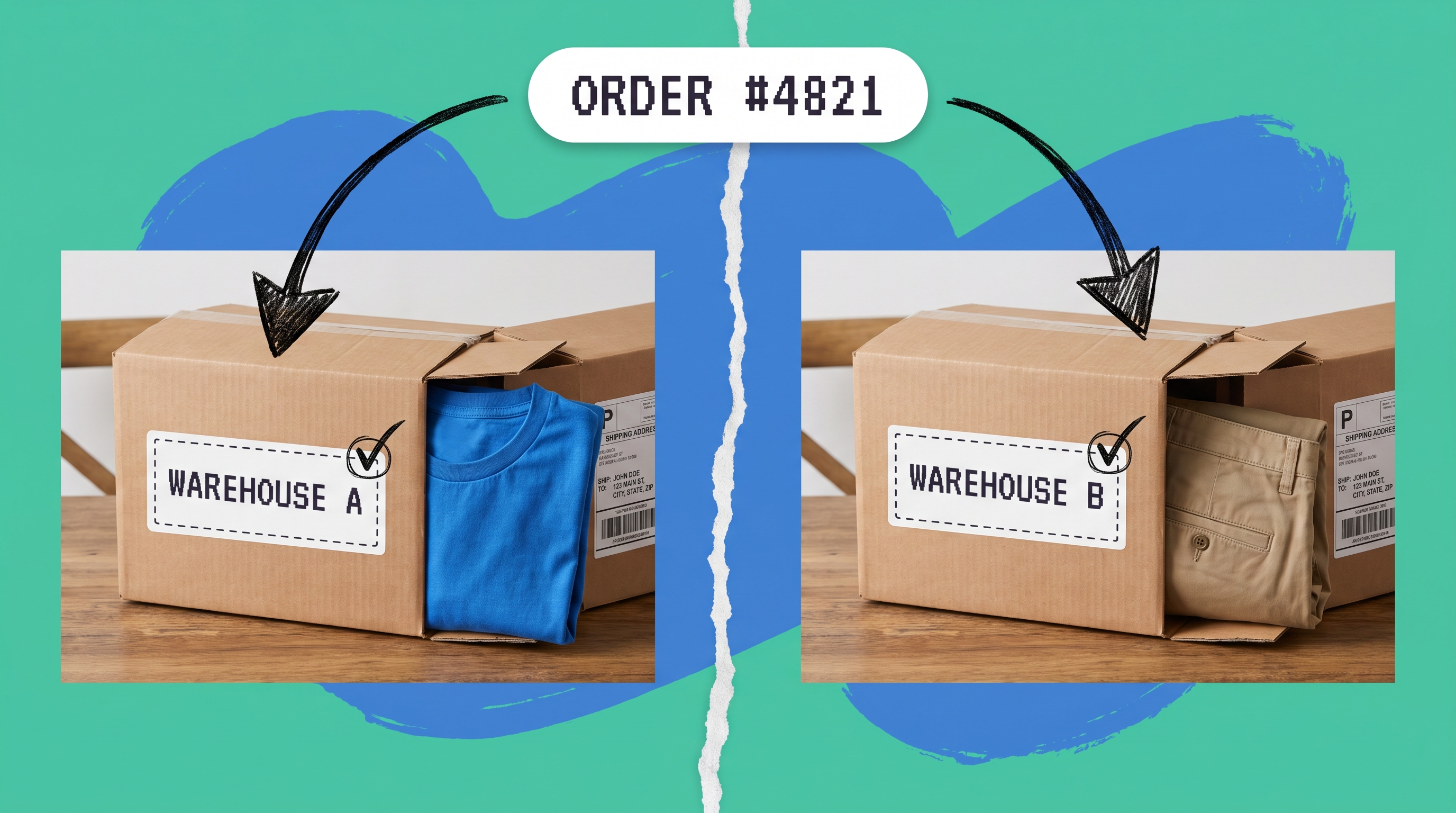
One scenario worth understanding: when a single order can't ship from one location. This is more common than most teams expect. You have TSHIRT-BLU-M in stock at warehouse A but PANTS-KHK-32 only at warehouse B. The order contains both.
Your rules engine needs to handle that decision: ship partial now, hold and consolidate, or route the whole order to a 3PL that carries both. Getting the trade-offs right before you automate is worth doing deliberately. The guide to partial versus split shipment handling breaks down when each approach makes sense and what downstream effects each has on cost and customer experience.
Why a Central Platform Is the Foundation
Order processing automation only works when all your order data lives in one place. If your channels, inventory counts, and fulfillment locations each live in separate systems, your automation rules can't see the full picture. A rule that says "ship from warehouse A if stock is above 10" fails when inventory counts aren't live.
That's the core argument for a unified order and inventory management platform rather than stitching together separate tools per channel. When orders, stock levels, routing rules, and carrier connections all live in one system, automation has accurate data to act on. Without that foundation, you automate a broken workflow, which just breaks things faster at higher volume.
Take the Manual Work Out of Your Order Workflow
If your team is still re-keying orders, batch-downloading CSVs, or manually choosing carriers for every shipment, you're losing hours every day to work that software handles in seconds. The errors from that manual work show up as wrong shipments, oversells, and support volume that scales with order count.
OmniOrders centralizes orders from every channel, allocates inventory in real time, and gives your ops team a no-code rules engine to automate the routing and fulfillment decisions that actually matter. You define the logic once; the platform runs it on every order.
Start your free OmniOrders trial and see how many of those manual steps disappear in the first week.
Frequently asked questions
What is order processing software?
Order processing software is a system that automates the steps required to move a customer order from purchase to shipment, including order capture, inventory allocation, routing, label generation, and tracking updates. It connects directly to sales channels and fulfillment locations so those steps happen automatically rather than manually.
What is the difference between order processing and order management?
Order processing refers to the specific workflow of handling a single order from receipt to shipment. Order management is the broader discipline that includes order processing plus inventory control, returns, reporting, and multi-channel coordination. Most modern order management systems include order processing automation as a core feature, not a separate add-on.
How does automated order processing reduce errors?
Manual order entry creates errors each time a person copies data between systems: wrong SKUs, wrong addresses, wrong quantities. Automated order processing pulls data directly from the sales channel via API and applies it to fulfillment without re-keying, removing the most common point of failure in the workflow.
What rules can I automate in an order processing system?
Common rules include routing orders to specific warehouses based on geography or stock levels, flagging high-risk orders for review, assigning carrier services by order weight or destination, splitting or merging orders that meet specific criteria, and applying custom shipping methods by sales channel. The specific rules you can build depend on the platform's automation engine.
Do I need custom code to set up order processing automation?
Not with the right platform. No-code rules engines let you configure triggers and actions through a visual interface without any developer involvement. That makes it practical for ops teams to build and adjust rules as business conditions change, without waiting on an engineering sprint.
Start your 14-day free trial
See how OmniOrders connects your sales channels, 3PLs, and carriers into one operational layer — free for 14 days, no credit card.