We Run on Spreadsheets and It Works: What Actually Breaks First
Plenty of profitable retailers run several stores, a website and a marketplace listing on a spreadsheet, and they are often told it can't work. It can. When someone suggests replacing the sheet, the answers are familiar: "we tried it before," "our setup works." They are often right about the sheet. What breaks first is rarely a formula or a row limit. It is the moment the sheet's numbers are pushed back into a system that kept selling while you were editing.
This post covers what a spreadsheet still does well, which failure tends to arrive first, and how to tell when you have reached it.
What does a spreadsheet still do well?
A spreadsheet is the right tool for work that is done by one person at one time and does not change while they are working on it. That covers a lot of retail operations:
- Planning. Open-to-buy, reorder quantities, seasonal buys and markdown lists are calculations on a snapshot, and a snapshot is fine for them.
- Purchase orders and receiving checklists, especially with a handful of suppliers.
- Small catalogs. A catalog small enough for one person to recount fits easily.
- Cost and familiarity. No extra licence and no training.
Size is not the constraint people expect. Excel's worksheet limit is 1,048,576 rows by 16,384 columns, and Google Sheets allows up to 20 million cells per spreadsheet. A multi-store retailer will hit operational problems long before it hits those numbers.
What breaks first?
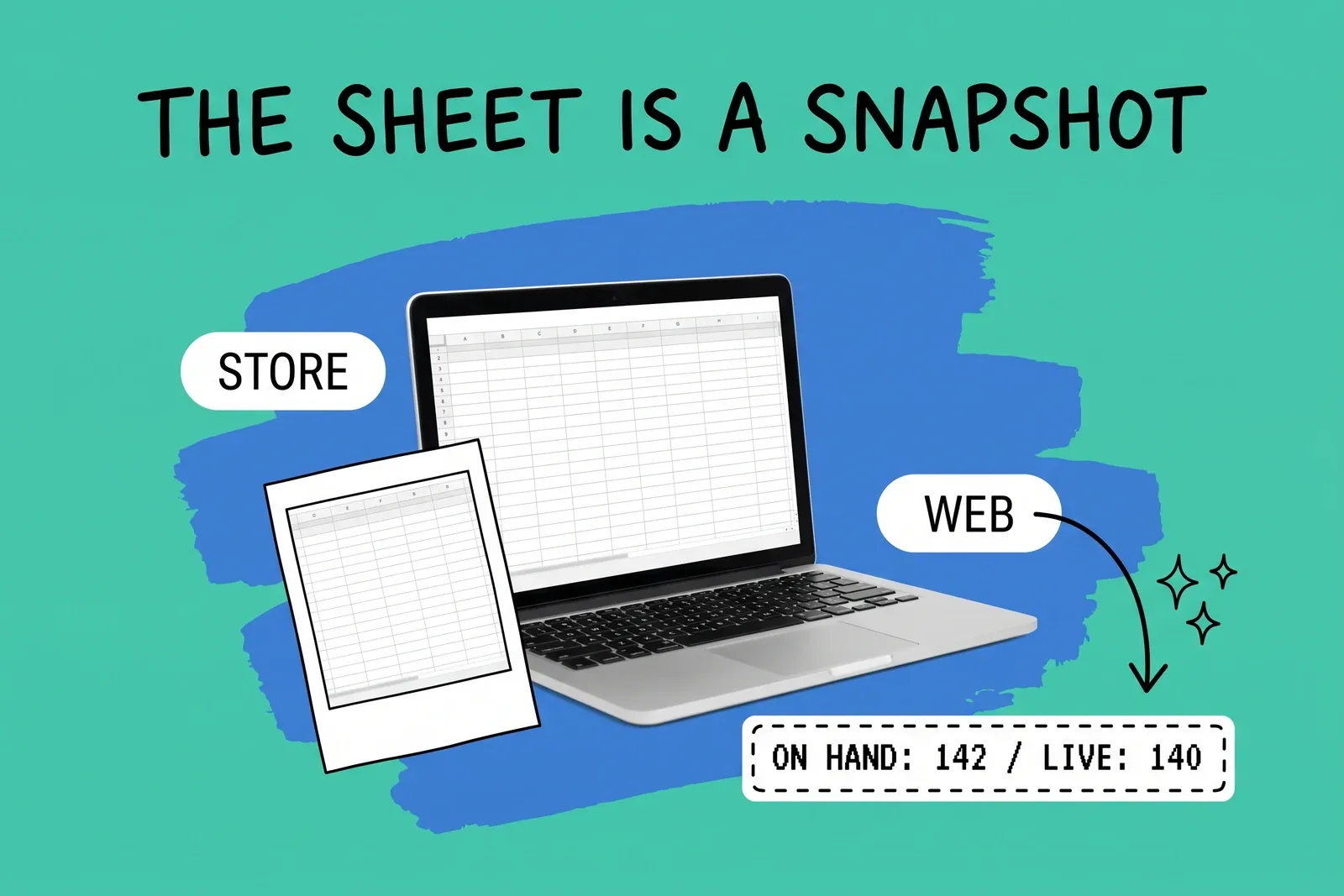
Time. A spreadsheet holds the count as it was when someone exported it or typed it in. The register and the website keep selling. When the sheet goes back into the store platform, the question is whether the upload writes a change ("sold 3") or an absolute number ("we have 42"). Shopify's and Square's inventory imports both set absolute numbers.
Shopify's inventory CSV shows how this plays out, and also how Shopify guards against it. The file has an "On hand (new)" column, which Shopify describes as "the new inventory quantity that you want to set," and an "On hand (current)" column, "the number of units that you had at a location when you exported the CSV file." When both columns are present, Shopify compares the export-time count with the live count before it changes anything. Its own help page gives the example: you export, forget to import until the next day, sales come in, and "your inventory update is rejected, because your actual inventory quantity is 140, not 142." Rows that don't match are not imported, and Shopify emails the details so you can export fresh data.
That check is the safety net, and it is easy to remove. Shopify's page explains that clearing the "On hand (current)" column skips validation, and warns: "Use this carefully, as it removes protection against accidental overwrites." The simpler Available-only CSV format "doesn't provide protection against accidental overwrites" either. When an import keeps failing, the tempting fix is to strip the extra columns, and that turns off the one check that was working.
Not every platform has that check. Square's bulk import says that changes to its "New Quantity" column "will replace the existing item quantity," and its help page describes no comparison with the current count. Any row where you entered a New Quantity on Monday is set to that number when you upload on Wednesday, whatever sold in between, and a zero sets that item's stock at that location to zero.
Shopify applies the same logic in its own API. The mutation that sets inventory quantities can compare the expected current count with the stored count and refuse the write if they differ. Shopify recommends always including that comparison and warns that skipping it "can lead to inaccurate inventory quantities if multiple requests are made concurrently." Shopify's developer docs recommend the check whenever writes can overlap. A spreadsheet upload is an absolute write, and the check exists only if the platform, format and columns you use keep it.
So the first sign of trouble is often not a broken formula. It is a second customer buying a unit that was already sold online, after the sheet went up, or a store selling something the website already promised. The one source of truth post covers the four places a unit can be "known" and why they drift.
What breaks second: two people in the same file
Once more than one person maintains the sheet, a different problem appears. Excel's co-authoring works only in Microsoft 365, with .xlsx, .xlsm or .xlsb files stored on OneDrive or SharePoint Online. When two people change the same thing, "the last change that is saved" wins, and Microsoft's own advice is to assign sheets or areas to specific people. Changes made offline "won't get merged until your computer is online again." One person on a version that doesn't support co-authoring can lock the file for everyone else.
Google Sheets is built for simultaneous editing, but its history has gaps that matter for stock. Its help page says "some changes might not show up in the edit history," including added or deleted rows and columns and changes driven by formulas. A typed count is recorded, but if a store's number comes from a formula, or rows were added or removed, the history may not say why it changed.
Neither problem is a reason to abandon the tool. Both are reasons to stop using one shared file as the live record of stock across several stores.
What breaks third: formulas nobody checks
Formula errors are real, but they are slower and quieter than the two failures above. In a 2009 peer-reviewed audit of 50 operational spreadsheets, including workbooks from consulting firms, a bank, a college, an energy company and a state agency, Powell, Baker and Lawson found that only 7 were free of errors that produced wrong results, an error rate of 86 percent by their restrictive definition. Across about 270,000 formulas they found errors in 0.9 to 1.8 percent of formula cells; the lower figure counts wrong results, and the higher one also counts poor practice. Their conclusion was that "around 1% of all formulas in operational spreadsheets are in error."
In a stock sheet, this might be a SUM range that misses a new store's column, or a lookup that returns the wrong value after a column is inserted or new SKUs are added below its range. These do not announce themselves. They show up as a count that is "a bit off" at one location, month after month.
How do you know you've reached the limit?
These are useful tests, and you can run them on your own operation:
- How old is the count when it goes back in? If the sheet is uploaded hours or days after export, and the store or site sells in between, you are relying on the platform's comparison check. Find out whether you have one.
- Did anyone remove the "current" column to get an import to go through? If so, the safety check is off.
- How many people edit the file in a day? More than one, without assigned areas, risks last-save-wins conflicts in Excel.
- Can you explain yesterday's change for one SKU at one store? If the answer depends on someone's memory, the history isn't doing its job.
- Is the sheet setting live stock, or planning it? Planning on a spreadsheet is fine. Setting live stock from one is where the risk is.
What to change, and what to keep
You do not have to give up the spreadsheet to fix the first failure. Keep it for planning, buying and analysis. Move the job of holding the live count across stores, warehouse and website into a system that records each sale, receipt and transfer as a change rather than an absolute number, and shows who changed what. Then feed the spreadsheet from it as a report rather than the other way round.
If you still import from the sheet in the meantime, three rules help:
- Make your edits on a fresh export and import as soon as you can; if the file has sat overnight, re-export and re-apply the edits.
- Keep the "On hand (current)" column in Shopify imports. If rows are rejected, re-export rather than clearing the column.
- On platforms whose imports replace quantities outright, export and import back to back in the quietest hour, then spot-check the SKUs that sold in between.
The register-to-central-system guide covers how a point-of-sale system and a central system divide that work.
Frequently asked questions
Is it a mistake to run inventory for several stores on a spreadsheet?
Not necessarily. A spreadsheet is cheap, flexible and familiar, and it works well for planning, purchase orders and a small catalog. The trouble starts when the sheet is used to set live stock on a website or register that keeps selling while the sheet is being edited. At that point the sheet is a snapshot competing with a system that changes every minute, and the newest number does not always win.
What happens if I upload an inventory CSV to Shopify after sales have come in?
It depends on the columns. Shopify's inventory CSV has an "On hand (current)" column holding the count at export. If the live count no longer matches it, Shopify rejects those rows and emails the details, and you export fresh data. If you clear that column or use the simpler format without it, the import sets quantities with no check, and sales made since the export can be overwritten.
How common are errors in business spreadsheets?
Common enough to plan for. A 2009 peer-reviewed audit of 50 operational workbooks found that 43 contained at least one error that produced a wrong result, and that roughly 1 percent of formulas were in error. The study did not look at stock sheets specifically, but at that rate a sheet with several hundred formulas across store tabs would be unusual to have none wrong.
Start your 14-day free trial
See how OmniOrders connects your sales channels, 3PLs, and carriers into one operational layer — free for 14 days, no credit card.