Bought Online, Exchanged In Store for Another Size: Which Location's Stock Moves
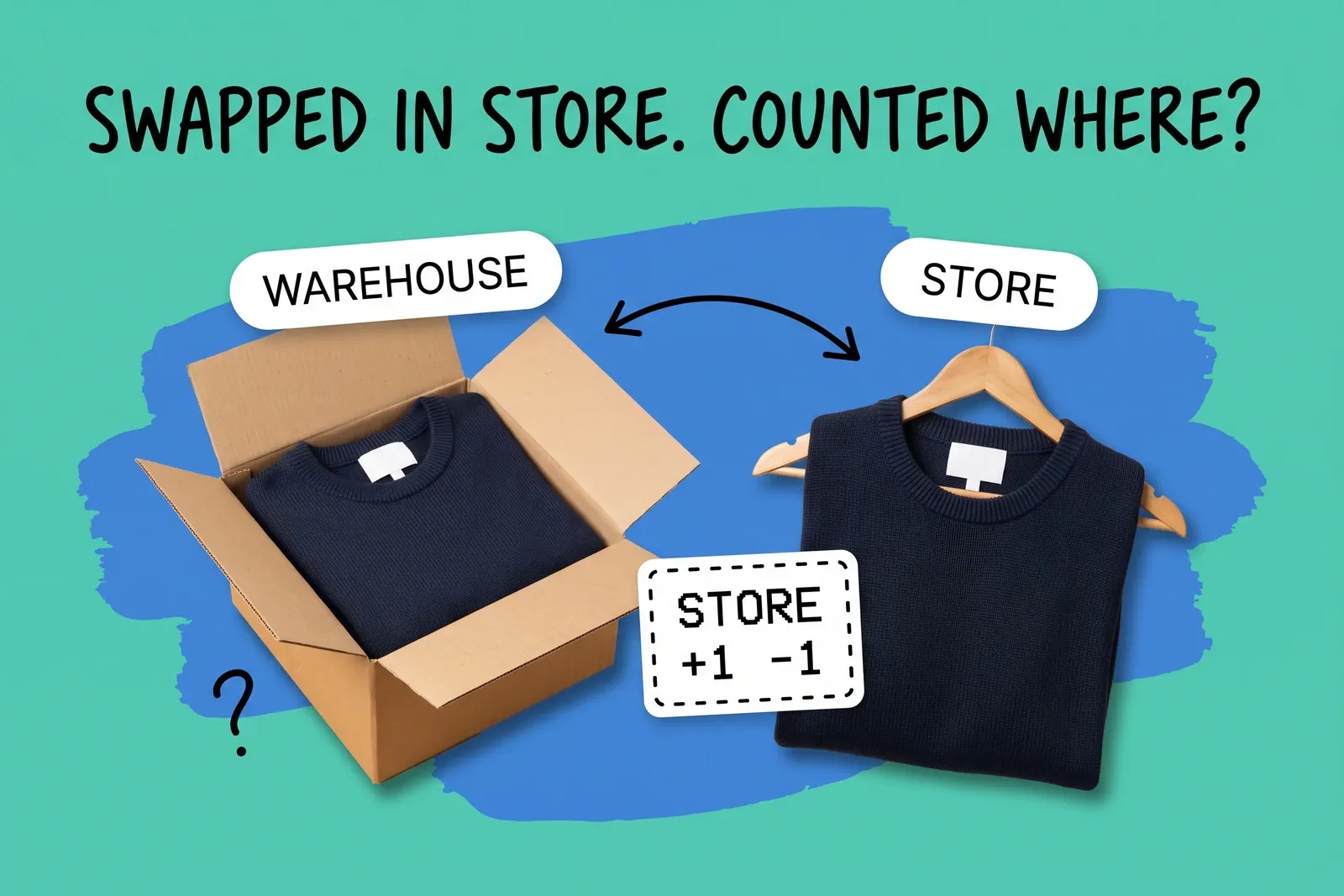
A customer orders a jacket in medium from the website. The warehouse ships it. It is too small, so she takes it to the nearest store and swaps it for a large off the rack. One customer, one jacket out, one jacket back, and two locations involved.
When an online order is exchanged in store, which location's stock moves?
On Shopify POS, usually both movements land at the store, and the warehouse that shipped the medium does not move at all.
The exception is stock fulfilled by a third-party logistics provider. Shopify's POS refund article says "Products fulfilled by a third-party logistics provider can only be restocked to their original location." The exchange article does not repeat that line, so test it, but if it holds for exchanges, Shopify would record the restock against the 3PL's location while the jacket is physically in the store, until someone ships it back or adjusts the count.
For everything else, Shopify's exchange article says: "If you restock items returned in an exchange, then they're restocked at the location where the exchange is processed. You can't redirect inventory to a different location." The article does not name the replacement's location in so many words, but the replacement is rung up at that register, and Shopify's POS inventory page says "When you sell or restock a product on Shopify POS, the inventory count updates for that location."
One caution before you build on this. The exchange article documents exchanges processed at the register and does not specifically mention online orders. Shopify's POS order-management page says the Orders screen shows orders "whether they were placed online or in person," and that after a sale staff can "process returns and exchanges, issue refunds, or arrange shipping and delivery." That is close, not explicit, so confirm it on a test order. Exchanges also need the POS Pro subscription: "If you're on the POS Pro subscription, then you can also exchange a returned item for a new item." And "To exchange an order, staff members must have the Return and exchange orders permission."
So for the jacket, exchanged on Shopify POS:
Location | Medium | Large | Why |
|---|---|---|---|
Warehouse | down 1 (when the original shipped) | no change | It shipped the medium. Nothing comes back to it. |
Store | up 1 (returned, restocked) | down 1 (sold at this register) | The exchange happens at its register. |
This assumes staff left restocking on and the warehouse is not a 3PL location.
Across the business the totals are right. Per location, the store now holds a medium it never ordered and is short a large it may have been counting on, and the warehouse is still a medium down. The stock moved to where the customer took it, and the records follow the register, not the original shipment.
The other platforms are less explicit:
- Square (Square for Retail, and Square Point of Sale in retail mode) lets staff return or exchange items from the original transaction. Its help center says returns across different locations need a Square Plus, Premium, or Retail Plus/Premium subscription, and the exchange flow asks you to "Select item(s) to restock" or "Skip this step." Neither the exchange article nor the cross-location orders article mentions Square Online orders or says which location's count goes up.
- Lightspeed X-Series says that for a sale made online or at another outlet, the customer "can return it to their nearest store location." Its returns article does not say which outlet's inventory receives the returned item.
- WooCommerce core has no in-store register or multi-location stock in its refund documentation, so the answer depends on the POS plugin you use.
On Square or Lightspeed, do one test exchange of an online order at a store and read each location's stock history before you rely on it.
What does the online order show afterwards?
At the register, Shopify POS starts from the original order with "Return or exchange." Shopify's help suggests two records result: for a second exchange after a completed refund or return, staff "need to refund either the original order or the exchange order from your Shopify admin." So the online order appears to carry the return, with the replacement on a separate exchange order; check how yours looks after a test.
If the customer starts the exchange online instead
In the Shopify admin, an exchange is built on the return itself. You add products in the "Exchange items" section, and "Return fees and exchange items are applied against returned items" to work out whether money is owed either way. Shopify says "Returns and exchanges share the same limitations as order editing." When you process the return, you "choose a location where you want to restock your return item" with "Restock at", per returned item, so this route lets you send the medium back to the warehouse. The exchange items are then fulfilled "the same way that you fulfill your regular orders," from whichever location your fulfilment settings assign.
Two details catch people out:
- The replacement is not held while the return is open. Shopify's help says "Exchange items inventory isn't reserved until you process the return." A customer can be promised a large on Monday that the website sells to someone else on Tuesday, before the medium arrives back.
- Exchanges awaiting payment wait. Shopify's help says that when you are awaiting payment, exchange items are "put on hold" until you receive payment or release the fulfillment. Its developer docs add: "Only exchanges with a net payable balance due by the buyer are placed on hold."
Where does it break?
The returned unit goes back where it was handed over, not where it belongs
On Shopify POS the restock location is the store, with no option to send the unit to the warehouse in the same step. That is fine if the store sells mediums. It is wrong if the store does not carry that line, or if the warehouse is the only location that fulfils online orders for it.
The replacement comes off the store's shelf
The large comes off the store's count when the exchange is completed. If that store was where the website routed online orders for large, its sellable count just dropped by one, and the next online order may be routed elsewhere or not at all. How routing picks a location is covered in which location should ship the online order.
The original location never sees the unit back
The warehouse shipped a medium and, as far as its own count is concerned, that medium is gone. If you want it back in the warehouse, someone has to send it with a transfer. Without that step, the store builds up returned sizes it does not sell and the warehouse reorders sizes that are already in the building.
Price differences
When the large costs more or less, the register handles the gap. Shopify POS says you can "collect or pay out the difference during the exchange." Square's cart amount "will automatically adjust, calculating the difference between the original and replacement items." Lightspeed X-Series turns the Exchange button blue when the customer owes more and red when "you owe the customer the difference in value."
Discounts do not always come along. Shopify says "Automatic discounts don't apply during exchanges" at POS; "To discount an exchange item, tap the item on the Exchange summary page and apply a manual discount." In the admin, product discounts can be applied to exchange items but order-level discounts cannot.
Refund or exchange: two records for one event
Some stores ring up a swap as a refund plus a brand-new sale. The stock can move the same way, but the link between the returned medium and the replacement large is gone, so nobody can report that this customer exchanged rather than returned. Lightspeed's help for its Retail POS app for PC or Mac recommends, for re-exchanging an item, a manual exchange with the original receipt number in the sale's notes.
Shopify blocks one version of the clash. If a return is already in progress from the Shopify admin, "you can't exchange it on Shopify POS until the return is closed." Close the admin return first, or the store cannot process the swap.
Reporting
An exchange touches sales, refunds and stock, and those are counted in different places.
- Shopify says returns and refunds are "two separate items in your reports": returns in the sales reports, refunds in the payments finance report. If a date range covers the return but not the original order, you can see negative numbers where you expected zero.
- Shopify's retail sales reports "include only sales that were made at a POS location." Run a test exchange of an online order and check how it appears in the store's report before you rely on it.
- Square says "Exchanges won't reflect on your Square Transfer Summary or on accounting software like Quickbooks." In the Square Dashboard you filter Transactions by type and choose "Exchanges."
What should the routine be?
Make the exchange predictable at every store, then put the stock back where it belongs on a schedule.
- Use the exchange flow, starting from the original online order. Use a refund plus a fresh sale only where the exchange flow cannot, such as a bundle or a second exchange, and note the original order number on the sale.
- Decide who restocks. On Shopify POS, the "Restock at this location" toggle decides whether the returned unit goes into the store's count at all, and the exchange article says "To manage where items get restocked, staff members must have the Manage item restock permission." Write down when to turn restocking off (damaged, worn, missing tags).
- Close any admin return before the customer is sent to a store.
- Re-apply discounts by hand where automatic discounts drop off.
- Send returned sizes home weekly. Each store lists returned units of lines it does not sell, and transfers them to the warehouse.
- Test it on every platform you run. One online order, exchanged at one store, then read each location's adjustment history. Where the help pages are silent, the test is the documentation.
The goal is the same as for every other stock movement: one set of numbers per location, each one true to where the units actually are. That is what inventory management across channels depends on.
Frequently asked questions
When a customer exchanges an online order in store, which location gets the returned item?
On Shopify POS, usually the store: returned items are "restocked at the location where the exchange is processed." The exception is 3PL stock. Shopify's POS refund article says "Products fulfilled by a third-party logistics provider can only be restocked to their original location." The exchange article does not repeat that, and neither mentions online orders specifically, so test one online order on Square, Lightspeed or Shopify before you trust it.
Why is our warehouse count wrong after store exchanges of online orders?
On Shopify POS, often it is not wrong, just not where the stock is. The warehouse lost the unit when the original shipped; an exchange at a store restocks the returned unit there and takes the replacement off that store's count. Two exceptions: 3PL-fulfilled items restock to their original location, and staff can turn restocking off. Transfer returned units back if the warehouse should hold them.
Should staff process an exchange or a refund plus a new sale?
On Shopify POS, use the exchange flow, because it starts from the original order and keeps the returned item tied to it. A refund plus a separate sale can move the same stock, but splits one event into two unrelated records, so you cannot report how often customers exchange rather than return. Keep refund-and-new-sale for cases the flow cannot handle, such as bundles or a second exchange, with the original order number noted.
Start your 14-day free trial
See how OmniOrders connects your sales channels, 3PLs, and carriers into one operational layer — free for 14 days, no credit card.