Barcode Inventory System: From Scanner Setup to Real-Time Stock Sync
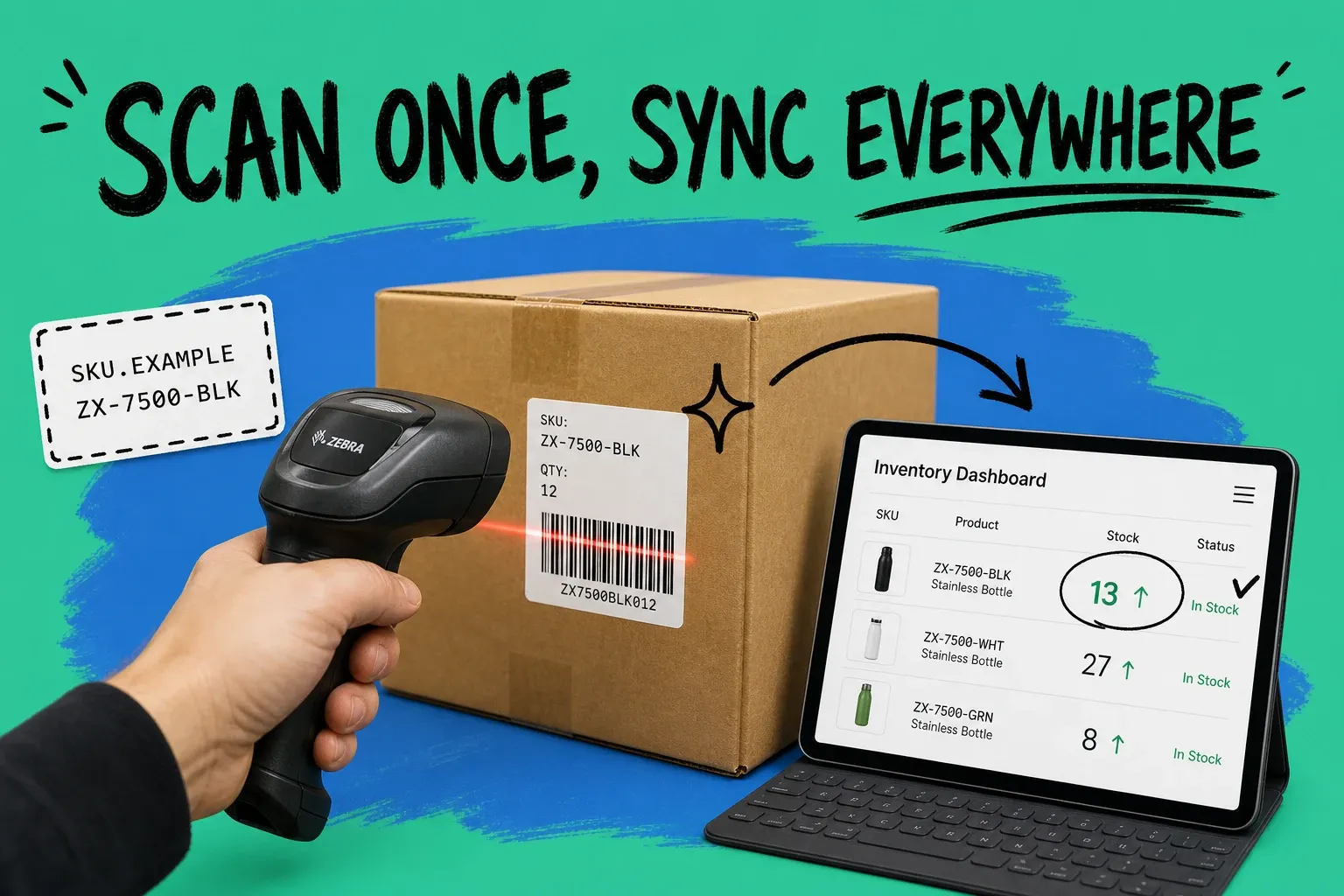
A barcode inventory system uses scannable labels and a scanner to record stock movements automatically, so a single scan updates your quantity instead of someone typing it in. Every item gets a label tied to its SKU (stock keeping unit, your internal product code). When you receive, pick, or ship that item, you scan it, and your software adjusts the count for you.
A barcode inventory system is a way of tracking stock where each product carries a scannable label, and scanning that label records the movement and updates your inventory count in real time.
That one change, scanning instead of typing, fixes the biggest problem in inventory: the numbers on your screen not matching the units on your shelf. A study of nearly 370,000 inventory records across 37 retail stores, published in the journal Management Science by researchers Nicole DeHoratius and Ananth Raman, found that 65% of those records did not match the physical stock. Most of that gap comes from manual handling. Barcodes cut it out.
How does a barcode inventory system work?
The flow is simple once you see it. Each product has a barcode that maps to one SKU in your software. The scanner reads the pattern, sends the number to your system, and your system looks up the product and changes the quantity. No lookup by eye, no keystrokes, no guessing.
Here is what happens at each stage:
- Receiving: A shipment arrives. You scan each product (or each carton) as it comes in, and stock goes up automatically.
- Putaway and moves: You scan the item and the location so the system knows where it lives.
- Picking and packing: You scan items against an order, which confirms you grabbed the right product before it ships.
- Shipping: The final scan marks the units as gone and drops your on-hand count.
- Cycle counts: You scan a shelf section and compare it to the system without shutting the whole operation down.
The reason this matters is accuracy at speed. Manual data entry runs at roughly one error per 300 keystrokes, a figure widely cited in supply chain research by label and data-capture firms like Loftware. Scanning removes almost all of those keystrokes, so the errors go with them. It is also faster: scanning a code takes a fraction of the time it takes to find a product in a list and type a quantity.
What do you need to set up a barcode inventory system?
You need three pieces, and none of them are exotic.
1. A way to print labels
Most sellers use a thermal label printer, which prints on demand without ink and holds up in a warehouse. If your volume is low, you can print barcode labels on a normal sheet printer to start. Each label carries the barcode plus a human-readable SKU and product name.
2. A scanner
You have options based on where you work:
- Handheld USB scanner: Plugs into a computer at a packing station. Cheap and reliable.
- Bluetooth or wireless scanner: Lets staff move around the floor.
- Phone or tablet camera: A scanning app turns a device you already own into a scanner, which is great for small teams and pop-up locations.
3. Software that holds your catalog and stock
This is the part that actually runs the system. The scanner is just an input device. Your software stores every SKU, its barcode, its quantity, and its location, and it does the math when a scan comes in. This is where a spreadsheet stops being enough and a real inventory or order management platform takes over.
How to set up a barcode inventory system step by step
You do not need a warehouse or a big budget to start. Follow these steps in order.
- Assign a unique SKU to every product. One code per product and variant. If your SKUs are messy, clean them up first, because the barcode is only as useful as the code behind it. Our guide to SKU creation walks through a naming system that scales.
- Pick a barcode format. For retail products that sell through stores or marketplaces, a UPC (Universal Product Code, the 12-digit code on retail packaging) is standard. For internal-only items, Code 128 is a flexible workhorse. If you are unsure how these differ, see our breakdown of UPC vs SKU vs barcode.
- Generate and print your labels. Your software or a barcode generator turns each SKU into a printable label.
- Apply labels to products or shelf locations. Some businesses label the product, others label the bin or shelf, and many do both.
- Load your starting counts. Scan your current stock into the system so your opening quantities are right. Skip this and every count after it will be off.
- Scan every movement from now on. Receiving, moves, picks, and shipments all get a scan. Consistency is the whole game.
Once you are live, keep the numbers honest with regular cycle counting instead of one dreaded annual count. Scanning makes cycle counts fast enough to run weekly.
Barcode, QR code, or RFID: which should you use?
These three often get lumped together, so here is the plain version.
- Barcode (1D): The classic pattern of lines. Cheap to print, universally supported, and holds a short identifier. This is the right default for almost every seller.
- QR code (2D): A square that stores far more data, such as a batch or lot number, an expiry date, or a link. Useful when the label itself needs to carry extra information.
- RFID (radio-frequency identification): A chip read by radio waves, no line of sight needed, so you can read many tags at once. Powerful for large operations, but the tags and readers cost more.
For most growing ecommerce and wholesale brands, a barcode tied to a clean SKU covers 95% of needs. Add QR or RFID only when a specific problem calls for it.
Can you build a barcode inventory system in Excel?
Yes, and it is a common starting point, but know where it breaks. A scanner behaves like a keyboard, so when you scan into a spreadsheet, it types the code into the active cell. You can build a sheet that logs scans and even use formulas to tally quantities.
The trouble starts as you grow. A spreadsheet does not update stock in real time, does not warn you when an item runs low, and does not stop two people from editing the same count at once. Worst of all, it has no idea what you have listed on Shopify, Amazon, or in your store, so it cannot keep those channels in sync. That is exactly where oversells and stockouts come from.
The ECR Retail Loss Group, working with seven retailers across roughly one million SKUs, found that correcting inventory inaccuracies lifted sales by 4% to 8%. A spreadsheet rarely gets you that accuracy at scale, because it still leans on manual entry and manual reconciliation.
How barcodes keep stock in sync across every channel
Here is where a barcode system earns its keep for multichannel sellers. The scan is only the first half. The second half is what your software does with it.
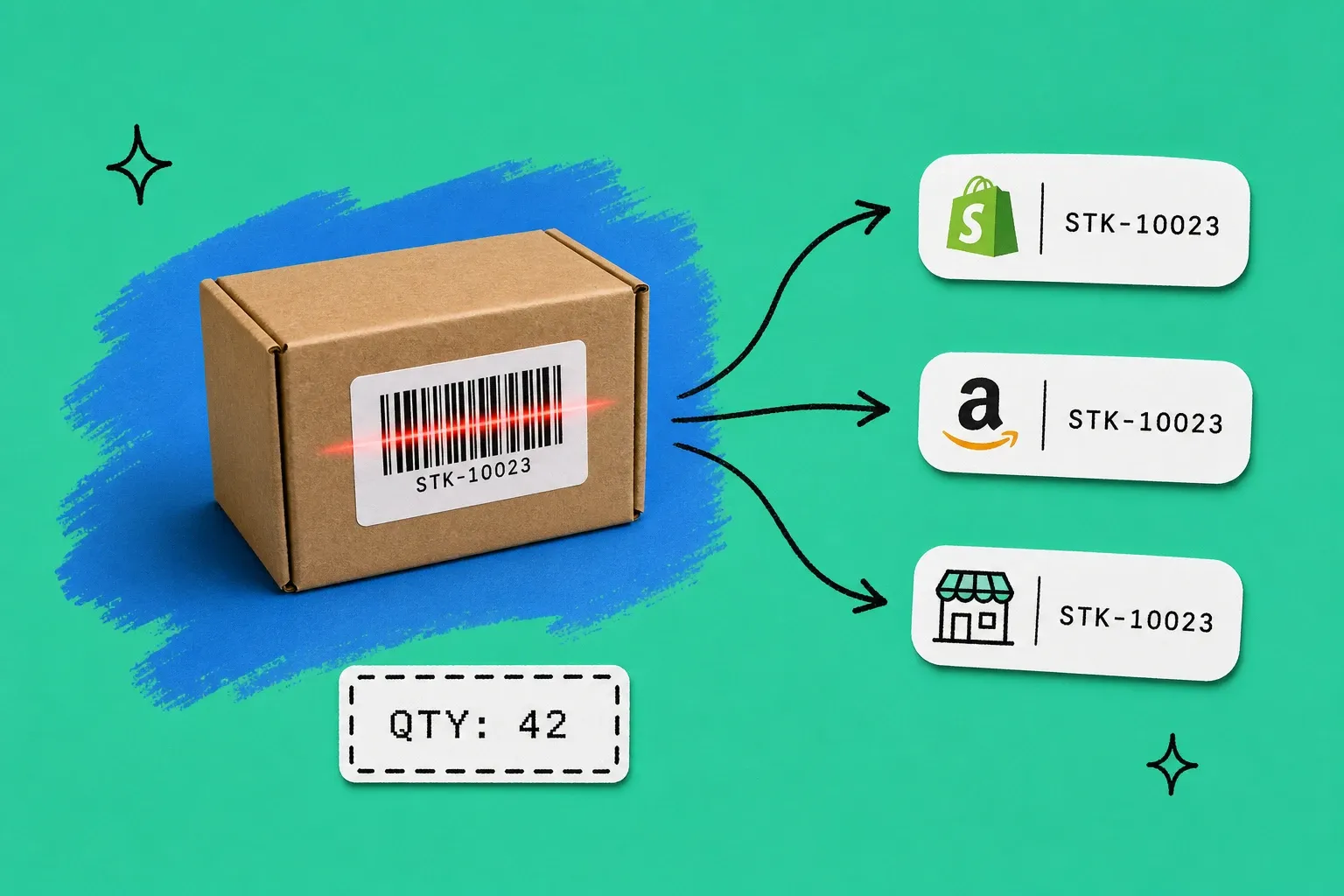
When your inventory lives in a central system, a single scan can update your available stock everywhere you sell at the same moment. Sell a unit in your retail store, scan it out, and the quantity drops on Shopify, Amazon, and every other channel automatically. That is the difference between a barcode system that just tracks a warehouse and one that protects your whole operation from overselling.
This is the layer OmniOrders adds on top of scanning. As a multichannel order and inventory platform, it takes each scan and reflects it across every connected channel and location in real time, so your counts stay true whether you have one warehouse or five. If you sell in more than one place, that real-time inventory tracking is the point of the whole exercise, not a nice-to-have.
Barcodes give you accurate data. A connected system makes that data useful across your business.
Start small and let the system grow with you
You do not have to barcode your entire catalog on day one. Start with your fastest-moving products, get the scanning habit in place, and expand from there. The goal is not a perfect setup. It is replacing guesswork with a scan, so your numbers finally match reality and stay that way as you scale. When you are ready to connect those scans to every channel you sell on, that is where a central platform turns accurate counts into accurate promises to your customers.
Frequently asked questions
How does a barcode inventory system work?
Each product gets a scannable label tied to its SKU in your software. When you receive, move, pick, or ship an item, you scan the label instead of typing anything. The scanner sends the code to your system, which looks up the product and adjusts the quantity automatically. The result is a running, accurate count that updates the moment stock moves.
How do I set up a barcode inventory system?
Assign a unique SKU to every product, choose a barcode format (most sellers use UPC or Code 128), then print labels and apply them. Connect a scanner to software that stores your catalog and stock levels. Finish by scanning your current stock into the system so your starting counts are correct, then scan every movement from that point forward.
Can I build a barcode inventory system in Excel?
You can scan barcodes into an Excel sheet because a scanner acts like a keyboard, so it types the code into the active cell. That works for a tiny catalog, but Excel does not update stock in real time, warn you about low stock, or sync across sales channels. Most growing stores outgrow the spreadsheet fast and move to dedicated inventory software.
What equipment do I need for a barcode inventory system?
You need three things: a way to print labels (a thermal label printer or a sheet of printed labels), a scanner (a handheld USB scanner, a Bluetooth scanner, or a phone camera app), and software that holds your catalog and stock. Warehouses often add mobile scanners so staff can scan on the floor instead of at a desk.
What is the difference between a barcode and a QR code for inventory?
A barcode is a 1D pattern of lines that holds a short identifier, like a UPC. A QR code is a 2D square that stores much more data, such as a batch number or a link. For most inventory, a simple barcode tied to a SKU is enough and cheaper to print. QR codes make sense when you need to carry extra data on the label itself.
Start your 14-day free trial
See how OmniOrders connects your sales channels, 3PLs, and carriers into one operational layer — free for 14 days, no credit card.