Inventory tracking for multi-channel sellers: how to know where your stock is at all times
You check inventory at 9 a.m. Everything looks right — Amazon showing 85 units of SKU-VEST-KHK-L, Shopify showing 85, nothing flagged. By noon you've oversold 40 of them, and the rest of your day is cancellation emails and apologetic responses to people who already paid.
That's not a warehouse problem. That's an inventory tracking problem.
Inventory tracking means knowing exactly how many units of each product you have available right now, across every channel and location you sell on. For a single-channel seller on one platform with one warehouse, this is a solved problem. Add Amazon alongside Shopify, throw in eBay, route orders through a 3PL, and "right now" becomes harder to pin down than you'd expect.
This guide covers why inventory tracking breaks down specifically for multi-channel sellers, what real-time visibility actually requires technically, and what a setup looks like when it's working the way it should.
The gap between knowing what you had and knowing what you have
Most inventory tools — including the native dashboards in Shopify, Amazon Seller Central, and eBay Seller Hub — are built to record what happened. An order comes in, inventory decrements. A return processes, inventory goes back up. You can pull a count at any moment and see a number. But that number reflects transactions that have already been processed, not necessarily what's actually available to sell right now.
For a single-channel seller, this lag is harmless. One system records everything; the gap between "order placed" and "inventory updated" is small enough that it doesn't matter.
For a multi-channel seller, that lag is where oversells happen.
Here's a real sequence: a customer orders 3 units on Amazon at 10:14 a.m. Amazon's count drops by 3. At 10:16, a Shopify customer orders 2 units of the same SKU. Shopify's count drops by 2. At 10:18, your sync job runs — but the Amazon decrement hasn't reached Shopify yet. A third customer orders 4 more units on Amazon. Amazon goes negative. You're now committed to units that don't exist.
This is not an edge case. It's the default behavior when two channels maintain separate inventory counts and sync on a schedule. Tighter sync frequency shrinks the oversell window. It doesn't close it — not unless inventory is managed from a single central count rather than per-channel counts that get pushed to each other.
The shift is from reactive tracking (record what happened) to live visibility (know what's available now, across all channels at once). Most multi-channel sellers don't make this shift until after the first expensive oversell.
Why each new channel multiplies the problem
One channel, inventory complexity is linear. More SKUs means more rows, but the shape of the problem stays the same.
Each additional channel changes the shape.
Amazon, Shopify, and eBay each maintain their own inventory records. None of them automatically tells the others when an order comes in. A 2 p.m. eBay sale doesn't touch your Shopify count or your Amazon listing until something — an integration, an API call, a manual update — moves that information across systems. That "something" is where most multi-channel sellers get into trouble.
The common approaches, in order of how long they work:
Manual reconciliation. Someone on your team updates counts by hand, periodically. Works at low SKU counts. Breaks when you hit a busy week, a promotion, or a team member calls in sick.
Spreadsheets pulling from platform exports. Accurate at the moment you update them and nowhere else. By the time you finish entering this morning's Amazon orders, your Shopify count has already moved.
Sync apps running on intervals. Better, but not enough. If your sync runs every 15 minutes and you're doing 50 orders per hour across three channels, you have a 15-minute window of unresolved mismatches after every sync job. Under normal volume, this is manageable. During a promotion, 15 minutes is enough to commit the same inventory twice.
What a real-time inventory tracking setup actually requires
"Real-time" gets used loosely. What it means in practice:
Every order event — on every channel — triggers an immediate adjustment across all channels simultaneously. Not batched. Not on a timer. The moment an Amazon order is confirmed, Shopify's available inventory and your eBay listing reflect the new count.
That requires a central inventory system with three specific properties:
One master count per SKU. Not per-channel counts that push to each other. One pool, deducted by orders from any channel. If Amazon sells 3 and Shopify sells 2, the pool goes from 100 to 95 — and every channel shows 95. No reconciliation step.
Webhook-driven order ingestion. Not export files, not scheduled pulls. Each channel sends an event to the central system the moment an order is placed. The central system adjusts the count and pushes updated availability back, all before the next order arrives.
A SKU mapping layer. Your Amazon ASIN and your Shopify variant ID are different identifiers for the same physical product. A central system needs a translation layer that matches a Shopify order for variant ID 7712349 to the same pool as an Amazon order for ASIN B09X7654321. Without this mapping, adjustments miss, counts drift, and errors are nearly impossible to trace after the fact. This layer matters more than most sellers expect when setting things up.
How to actually track inventory across Shopify, Amazon, and eBay
The practical setup for multi-channel inventory tracking:
Assign one internal SKU per product variant. Not your ASIN, not your Shopify variant ID — your own identifier that everything else maps to. This is the anchor for every downstream step.
Centralize into one system. Per-channel dashboards are views, not sources of truth. Your inventory system holds the master count; Shopify, Amazon, and eBay report into it, not the other way around.
Switch from interval syncing to webhooks. If your current setup syncs every 15 or 30 minutes, you have an oversell window. Webhooks eliminate it. Each order event fires immediately to your central system, which adjusts the count and broadcasts the update before the next sale can land.
Deduct at order placement, not fulfillment. If you decrement when you ship, the unit is still "available" during pick-and-pack. Another customer can buy it. Deduct the moment an order is created; add back if it cancels.
Set channel-specific availability buffers. If you have 100 units, exposing 100 to every channel simultaneously is a risk. Set Amazon at 90, Shopify at 90. The 10-unit buffer absorbs sync lag and unexpected spikes without committing inventory you can't fulfill.
Configure low-stock alerts based on actual lead time. An alert at 5 units remaining is useless if your supplier takes 6 weeks. Calculate your reorder point: average daily sell-through multiplied by supplier lead time, plus a safety buffer. Set the alert there, not at some round number that sounds reasonable.
Cloud-based inventory tracking vs. spreadsheets: where the line is
At low volume — under about 50 orders per day across one or two channels — spreadsheet-based tracking can work. The math is simple, and if you're disciplined about updating, you stay accurate.
The breakdown shows up the same way for most sellers:
- An oversell that costs you a customer or triggers a negative review
- Weekly reconciliation time that keeps creeping up
- A nagging uncertainty about whether your current counts are actually right
- A SKU catalog that's grown past the point where manual tracking is realistic
Cloud-based inventory tracking systems replace the spreadsheet with a live database that connects to your channels via API. An eBay sale adjusts your Amazon listing. A Shopify return credits back the pool. You get one number per SKU, accurate right now, without touching a spreadsheet.
What to look for in a cloud-based inventory tracking app for multi-channel sellers:
- Sync mechanism: Webhook-driven is faster than interval-based. Ask specifically.
- Channel coverage: Does it connect natively to your channels, or does it need a middleware layer?
- Multi-location support: If you have inventory across more than one location, the system needs location-level tracking, not just aggregate counts.
- SKU mapping: Can it handle translation between your internal identifiers and each channel's identifiers?
- Oversell protection: Does it have built-in buffers, order locks, or reservation logic?
For Shopify specifically: Shopify's native inventory tracking works well within Shopify. It was not built to be the master system for Amazon and eBay at the same time. A dedicated Shopify inventory tracking app that sits above the channel layer closes that gap.
For eBay: the inventory tools inside eBay Seller Hub track eBay listings. That's it. eBay inventory tracking for a multi-channel seller means something external that takes eBay's order events and adjusts a shared pool, not eBay's own tooling.
Multi-location inventory tracking
Channel complexity is one dimension. Warehouse complexity is the other.
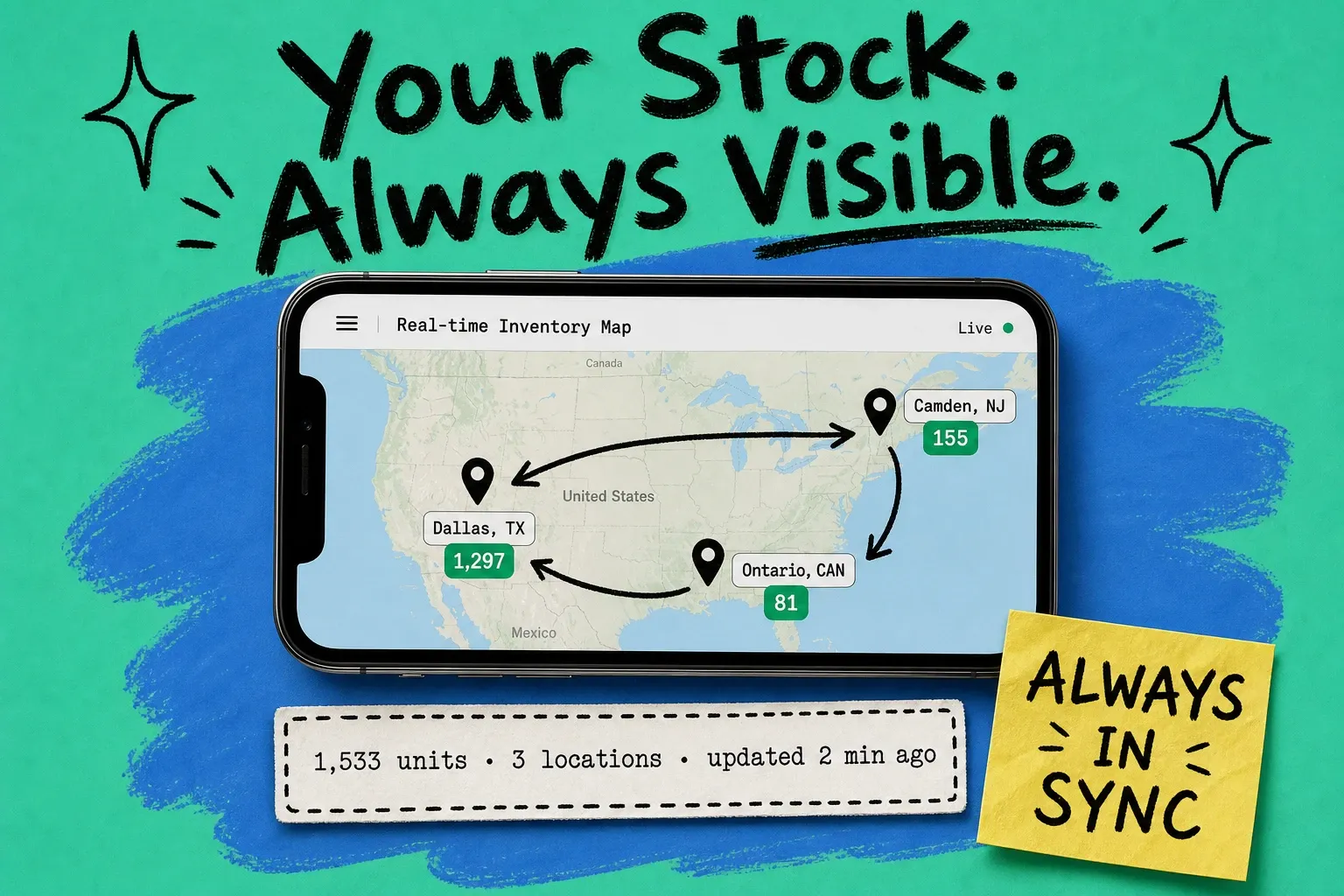
If inventory lives in multiple locations — your own facility, a 3PL, an Amazon FBA warehouse, a forward distribution center — each unit needs location-level tracking. Aggregate counts don't tell you enough.
Two reasons this matters:
Routing. If a California order comes in and you have units in both New Jersey and Los Angeles, you want the order routed to Los Angeles. That decision requires knowing where the available units actually are, not just that there are X units somewhere.
Accuracy. A unit in the receiving dock isn't ready to ship. A unit flagged for inspection isn't pickable. Aggregate counts that don't distinguish between available, reserved, and in-transit inventory produce phantom availability — you think you have 200 units, but 40 are in transit, 15 are on hold, and only 145 can ship today.
A multi-location inventory tracking setup tracks: units on hand per location, units available (on hand minus reserved), units in transit, units under hold or inspection, and units committed to open orders. When those numbers are real and current, you can make routing and restocking decisions from actual data.
What it looks like when it's working
The operational test: can you, right now, pull up a single view and see the accurate available quantity for any SKU across all channels and locations?
If the answer requires opening three dashboards, running a report, or asking someone to walk the warehouse floor, your tracking is reactive. You know what you had. You don't know what you have.
A simple inventory tracking system that works for multi-channel sellers isn't necessarily complex software — it's a setup where one number per SKU is the truth, that number updates immediately when any order lands anywhere, and every channel listing reflects that truth without a manual step in between.
OmniOrders connects your channels and warehouse locations into a single inventory view — stock adjusts automatically across Amazon, Shopify, eBay, and any other channel the moment an order comes in. No sync windows, no manual reconciliation. See how it works.
Frequently asked questions
What is inventory tracking? Inventory tracking is the process of monitoring available product quantities across all the channels and locations you sell from. For multi-channel sellers, it means maintaining one accurate count per SKU that updates in real time as orders come in from Amazon, Shopify, eBay, and other platforms — so no channel ever shows more inventory than actually exists.
How do I track inventory across multiple channels? The most reliable approach: a central inventory system that connects to all your channels via API, holds one master count per SKU, and adjusts that count the moment any order lands on any channel. Per-channel tracking that syncs on a schedule works at low volume but creates oversell windows as order velocity increases. Real-time (webhook-driven) systems eliminate those windows.
What's the difference between inventory tracking and inventory management? Inventory tracking is specifically about knowing current quantities — how many units, where they are, what's available to sell right now. Inventory management is broader: purchasing decisions, demand forecasting, reorder points, supplier relationships. Tracking is one component of management. The terms get used interchangeably, but they're not the same thing.
How often should inventory sync between channels? As close to real-time as possible. Webhook-driven systems update every channel immediately when an order is placed anywhere. Interval-based syncing — every 5 or 15 minutes — reduces oversell risk but doesn't eliminate it. The faster your daily order volume, the more sync frequency matters. At 200+ orders per day across three channels, 15-minute sync intervals create real exposure.
What inventory tracking app works for both Shopify and Amazon? Shopify's native inventory tracking manages Shopify stock. It does not automatically update your Amazon listings when Shopify sells, or vice versa. You need a multi-channel inventory system that holds a master count and pushes updates to both channels simultaneously — not a per-channel tool with a sync bridge. OmniOrders is built for exactly this.
What should a simple inventory tracking system include? At minimum: one master SKU count that all channels pull from, real-time order ingestion from every channel, location-level tracking if you have more than one warehouse, and automated low-stock alerts with lead time factored in. Simple doesn't mean minimal — it means no manual reconciliation as part of the normal workflow.
Start your 14-day free trial
See how OmniOrders connects your sales channels, 3PLs, and carriers into one operational layer — free for 14 days, no credit card.