Inventory Counting Methods Explained: Cycle Count vs Physical Count vs Spot Check

An inventory count is a physical verification of the stock you have on hand, compared against what your order management system records. Three main methods exist: cycle counting (counting a rotating subset of SKUs on a continuous schedule), physical inventory counting (a complete count of every SKU at once), and spot checking (an on-demand count of a specific SKU or bin triggered by a discrepancy). Most ecommerce operations use all three at different times, each serving a distinct operational purpose.
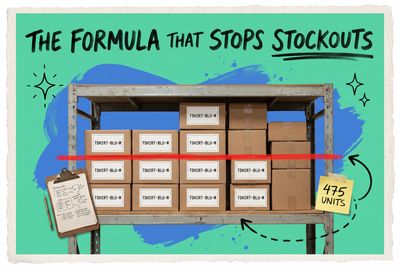
When your system shows 48 units of TSHIRT-BLU-M but your pick team can only locate 41 on the shelf, that 7-unit gap costs you in backorders, oversells, and lost customer trust. Inventory counts are how you catch and close those gaps before they affect your orders.
Why Inventory Accuracy Belongs in Ops, Not Just Accounting
Most growing brands treat inventory counting as an annual event: freeze operations over a weekend, count everything, update the records, and move on. That approach leaves an 11-month window during which shrinkage, receiving errors, mispicks, and multi-channel oversells quietly erode your accuracy numbers.
Accuracy rates below 95% are common for operations running manual processes. Each percentage point of inaccuracy pushes you toward either excess safety stock (capital sitting idle in your warehouse) or stockouts on your fastest-moving SKUs. When you're selling across Shopify, Amazon, and Walmart from the same inventory pool, a discrepancy at one location ripples across every channel.
The answer isn't one heroic count per year. It's choosing the right counting method and applying it consistently.
What Is Cycle Counting?
Cycle counting means counting a small rotating portion of your inventory on a set schedule so that every SKU gets counted at least once over a defined period, typically monthly or quarterly.
Instead of counting all 1,200 SKUs on a Saturday, you count 60 SKUs per day, Monday through Friday. By end of month, you've covered everything, operations never stop, and the warehouse keeps shipping. High-velocity SKUs (your top 20 by weekly order volume) cycle through every two weeks. Slow movers cycle quarterly.
In practice, a morning cycle count looks like this: a team member runs through bins A1 to A10, records physical quantities for each SKU against a count sheet, flags any discrepancy above two units, and hands it to a supervisor for investigation. Total time: 20 to 30 minutes. No shutdown. No backlog.
For a deeper breakdown of building a cycle count program, see how cycle counting works in ecommerce operations.
Best for: High SKU counts, multi-location fulfillment, brands with ongoing accuracy problems who can't stop operations weekly.
What Is a Physical Inventory Count?
A physical inventory count is a complete, simultaneous count of every active SKU across your warehouse (or all locations). Operations stop. Every picker counts. At the end, you reconcile every line item against your system records.
This method is most accurate for establishing a clean baseline. If you're onboarding a new 3PL, switching to a new system, or closing out a fiscal year for the auditors, a full physical count gives you a verified starting point that everyone trusts.
The tradeoff is disruption. A warehouse with 5,000 active SKUs across multiple bin locations might take 8 to 16 hours to count fully, require temporary labor, and create an order backlog that takes another day to clear. For an annual or semi-annual count, that's a manageable cost. For anything more frequent, the operational hit becomes unsustainable.
Best for: New operations establishing a baseline, annual or semi-annual audits, and businesses with fewer than 500 SKUs where a full count takes two to four hours.
What Is a Spot Check?
A spot check is an unscheduled, on-demand count of a specific SKU, bin location, or product category. It's triggered by a specific event: a customer complaint about a missing item, an unusually high return rate on one variant, a receiving discrepancy, or a system alert flagging a quantity that doesn't add up.
Your fulfillment team notices that HOODIE-GRY-XL keeps going on backorder despite the system showing available stock. That's a spot check trigger. Someone walks to the bin, counts the physical units, and compares to the system in under 15 minutes.
Spot checks are fast and surgical. Their weakness is that they don't build systemic accuracy. They resolve known problems, not unknown ones. Used alongside a cycle count program, they're valuable. Used as the primary counting method, they leave too many blind spots undetected.
Best for: Catching specific, known discrepancies quickly. A complement to cycle counting, not a replacement.
Cycle Count vs Physical Count vs Spot Check: A Direct Comparison
Cycle Count | Physical Count | Spot Check | |
|---|---|---|---|
Frequency | Continuous (daily or weekly) | Periodic (annual or semi-annual) | As needed |
Scope | Partial (rotating subset) | Full (every SKU) | Single SKU or bin |
Operational disruption | Low | High | Very low |
Accuracy benefit | High (ongoing maintenance) | High (point-in-time baseline) | Situational |
Best for | Ongoing accuracy maintenance | Baseline establishment, audits | Targeted discrepancy resolution |
Most mature ecommerce operations run cycle counts as their backbone, physical counts annually (or when switching systems), and spot checks as the rapid-response layer between the two.
How to Build an Inventory Count Sheet
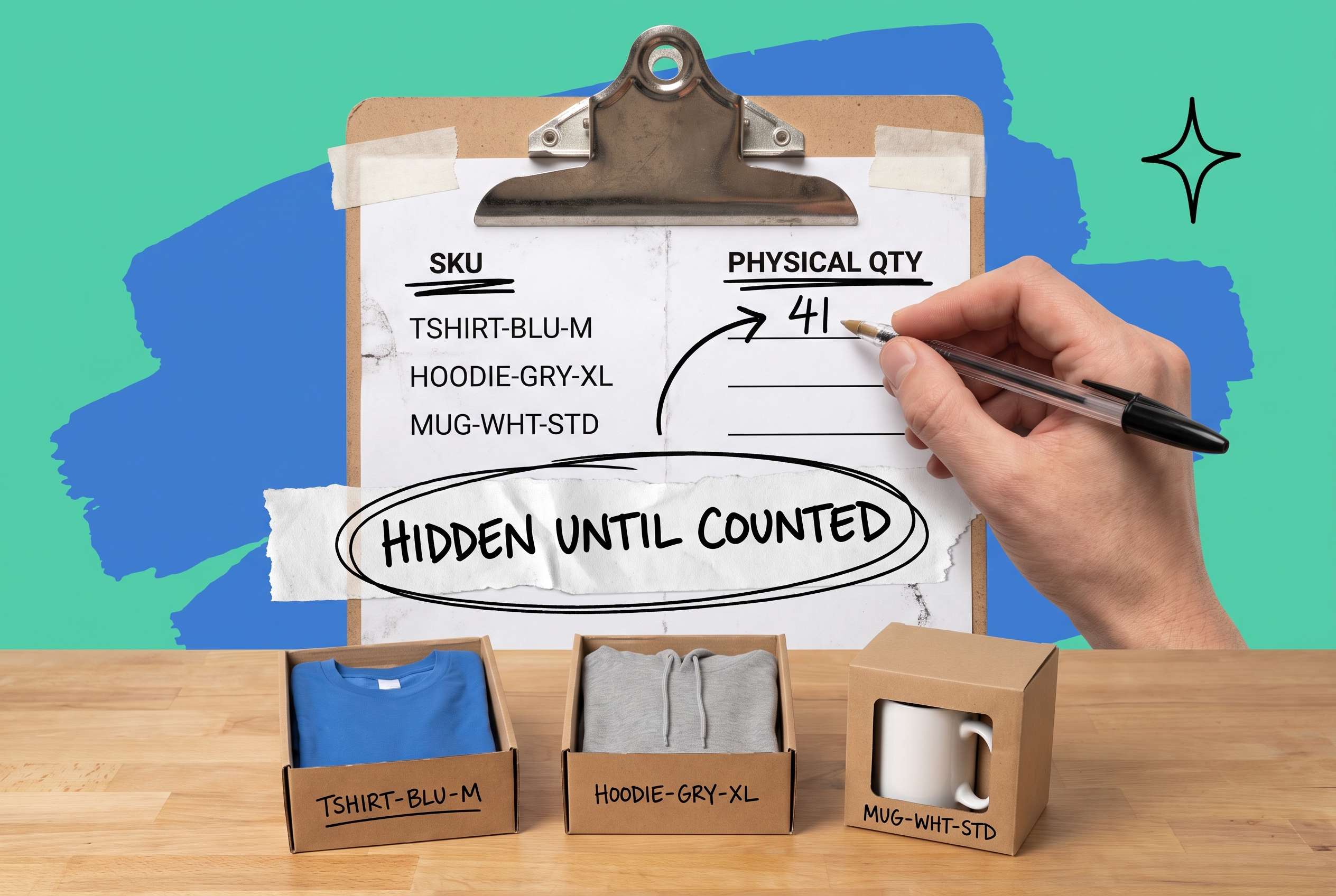
An inventory count sheet is the document your team uses during a count to record physical quantities per SKU. It should include: SKU, product description, bin location, physical quantity (counted blind), and a discrepancy column filled in after the fact.
For cycle counts, you generate this sheet from your inventory management platform, filtered to the bins or SKUs scheduled for that day. For physical counts, the sheet covers every active SKU across all locations.
One rule matters above all others: never let counters see the system quantity before they count. Showing "system says 24 units" before someone counts leads directly to confirmation bias and inflated accuracy scores. Generate count sheets with system quantities hidden, have counters record physical quantities blind, then compare and track and adjust your stock levels based on what they found.
Investigate any discrepancy above your threshold (a common starting point is plus or minus 2 units for fast movers, plus or minus 5 for slow movers). For a single SKU, the root cause usually falls into one of four categories: a receiving error, a mispick from an earlier order, shrinkage, or a labeling problem at the bin.
How Often Should You Count Inventory?
Frequency depends on your SKU count, order velocity, and current accuracy rate.
A reasonable starting framework for a growing ecommerce brand: count your top 20 SKUs by weekly order volume every two weeks, your next 100 SKUs monthly, and the remaining long-tail SKUs quarterly. If your current accuracy rate is below 95%, count more frequently until you close the gap, then pull back.
For multi-location warehouse operations, each location needs its own count schedule. Accuracy problems at your East Coast 3PL won't show up in your aggregate system numbers until they cause a stockout or an oversell on a channel that was drawing from that location. Counting each warehouse independently lets you isolate and fix problems at the source rather than chasing symptoms later.
Seasonal brands should complete a full physical count (or an intensive cycle count of your top 200 SKUs) before peak season. Catching a 15% discrepancy on your best-selling variant in September gives you time to reorder. Catching it in November does not.
How OmniOrders Makes Inventory Counting Less Painful
The reason most brands dread inventory counts is that their systems make them necessary far more often than they should be. When stock levels sync on a delay, when receiving doesn't update immediately, or when multi-channel sales pull from inventory that's been allocated elsewhere, counts become damage control rather than routine maintenance.
OmniOrders syncs inventory in real time across every sales channel. When an order ships, your Shopify storefront, your Amazon listings, and your Walmart account all update immediately. Receiving triggers instant adjustments. That foundation alone reduces count discrepancies, because the data you're counting against is accurate from the moment a transaction happens.
For growing brands managing stock across warehouses, OmniOrders' multi-location inventory tools let you run counts at each location independently, view aggregate accuracy across your fulfillment network, and trace discrepancies back to specific receiving events or pick sessions.
You can also set automated inventory rules to flag potential accuracy issues before they surface as count discrepancies. A rule that alerts your ops team any time a bin quantity drops below the expected velocity threshold catches the problem before it turns into a customer-facing backorder.
OmniOrders' AI-powered inventory forecasting also helps you plan replenishment based on actual demand patterns rather than guesswork. Fewer emergency reorders, more predictable stock levels, and fewer situations where you're counting inventory because you've genuinely lost track of where things went. Pair that with solid inventory planning before your next peak season and you're in a much better position than most brands heading into Q4.
Turn Inventory Counts Into a Routine, Not a Crisis
Inventory counting doesn't need to shut down operations or require an all-hands weekend to be effective. A cycle count program running 30 minutes a day, backed by real-time inventory sync across your channels, turns counting into a routine rather than a quarterly emergency.
OmniOrders centralizes your inventory across every channel and location in real time, so the data you're counting against is already accurate. That makes each count faster, every discrepancy easier to trace, and every adjustment immediate across all your sales channels.
Start your free OmniOrders trial and see how real-time multi-channel inventory sync changes your counting workflow from the first week.
Frequently asked questions
What is an inventory count?
An inventory count is a physical verification of the stock you have on hand, compared against the quantity your system records. When the two numbers match, your records are accurate. When they don't, you investigate the discrepancy, identify the cause (a receiving error, a mispick, shrinkage), and correct the system. Regular inventory counts are the primary way ecommerce brands maintain stock accuracy across channels.
What is cycle counting in inventory?
Cycle counting is an inventory method where you count a small rotating subset of your SKUs on an ongoing schedule, rather than counting everything at once. Each SKU gets counted periodically based on its velocity and value. Cycle counting keeps operations running with no shutdown required and maintains higher ongoing accuracy than annual full counts alone.
What is a spot check inventory?
A spot check is an unscheduled, on-demand count of a specific SKU or bin location, triggered by a discrepancy or concern. If your system shows 30 units available but orders are going unfulfilled, a spot check confirms the physical quantity and surfaces the problem in under 15 minutes. Spot checks complement cycle counting but don't replace it as a systematic accuracy program.
How often should you do a physical inventory count?
Most ecommerce brands run a full physical inventory count once or twice a year, typically at fiscal year-end and before peak season. If you're migrating to a new fulfillment system or onboarding a new 3PL partner, a full count establishes a clean, verified baseline. For ongoing accuracy between full counts, cycle counting handles the day-to-day work more efficiently.
What is an inventory count sheet?
An inventory count sheet is the document your team uses during a count to record physical quantities per SKU and location. Effective count sheets show the SKU, product name, bin location, and a blank field for the physical quantity. They hide the system quantity until after the count to prevent confirmation bias, then flag discrepancies for investigation once the count is complete.
Start your 14-day free trial
See how OmniOrders connects your sales channels, 3PLs, and carriers into one operational layer — free for 14 days, no credit card.