UPC vs SKU vs Barcode: What Every E-commerce Seller Should Know
Every product in your warehouse has an identity problem — or rather, it has three identities. A SKU number, a UPC, and a barcode each serve a different purpose, and mixing them up creates real operational headaches. Wrong product shipped. Listing rejected by Amazon. Inventory counts that don't match reality.
A SKU (Stock Keeping Unit) is an internal alphanumeric code created by a retailer to track inventory, while a UPC (Universal Product Code) is a standardized 12-digit number assigned by GS1 that identifies a product universally across all retailers. The key difference is scope: a single product can have different SKUs at Walmart, Target, and your Shopify store, but it will always carry the same UPC. For e-commerce sellers managing multi-channel inventory, understanding this distinction is critical — SKUs give you internal control, while UPCs give you external interoperability.
If you sell on multiple channels, understanding UPC vs SKU (and where barcodes fit in) isn't optional. It's the foundation of accurate inventory management. OmniOrders is an e-commerce inventory management platform that helps multi-channel sellers automate SKU tracking, UPC validation, and barcode generation across Amazon, Shopify, Walmart, and other marketplaces. This guide breaks down all three identifiers, shows you exactly when to use each one, and explains why most sellers need all of them working together.
What Is a SKU?
A SKU (Stock Keeping Unit) is an alphanumeric code that a business creates internally to track inventory. Each SKU is unique to a specific company and encodes product attributes like size, color, and style. Unlike UPCs, SKUs are free to create and are not standardized across retailers.
The power of a SKU is in its structure. A well-designed SKU number encodes product attributes directly into the code itself:
- TSHIRT-BLU-M — Blue t-shirt, size medium
- BOTTLE-BLK-32OZ — Black bottle, 32 ounces
- WALLET-TAN-BI — Tan wallet, bifold style
You decide the format. You decide the naming convention. No external authority issues SKUs — they're yours to define. Your SKU system can reflect how your business actually thinks about its products. Most e-commerce platforms including Shopify, Amazon Seller Central, and WooCommerce allow you to set custom SKUs at the product-variant level.
Sellers use SKUs to track stock levels, organize warehouse locations, analyze sales performance by variant, and manage reorder points. Your SKU for a blue medium t-shirt will be different from Target's SKU for the exact same shirt. That's by design.
If you haven't built a naming convention yet, you can learn how to create SKU codes that scale with your catalog. Or generate them instantly with our free SKU generator.
What Is a UPC?
A UPC (Universal Product Code) is a 12-digit numeric code assigned to a product through GS1, the global standards organization. UPCs are universally unique, meaning the same code identifies the same product at every retailer worldwide. They are required for selling on most major marketplaces and at physical retail locations.
So what does UPC mean in practice? A UPC number looks like this: 012345678901
The first six to nine digits identify your company (your GS1 Company Prefix). The remaining digits identify the specific product, with the final digit serving as a check digit for scanning accuracy.
The key word is universal. Your UPC number for a blue medium t-shirt is the same whether that shirt is sold at Walmart, listed on Amazon, or scanned at a boutique in Portland. Every retailer, marketplace, and supply chain partner recognizes the same number for the same product. That's what makes UPCs essential for selling through any major retail channel.
UPCs are purchased through GS1, the only authorized source, with a company prefix starting at $250 plus a $50 annual renewal fee. This gives you a block of UPCs to assign across your product catalog. SKUs, by contrast, cost nothing — you create them yourself.
One product, one UPC — everywhere.
What Is a Barcode?
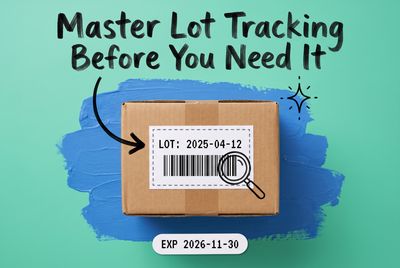
A barcode is a visual representation of data using parallel lines or geometric patterns that can be read by a scanner. Barcodes encode information such as UPCs, ISBNs, or internal tracking numbers. The term "barcode" refers to the scannable image itself, while UPC and SKU refer to the underlying number systems.
Here's the distinction that trips people up: a UPC is a number. A barcode is the image that encodes that number so machines can read it. A barcode is not the same as a UPC or SKU — it is a visual encoding format that can represent either one.
Common barcode formats include:
- UPC-A — The standard 12-digit barcode on retail products in North America. UPC-A barcodes encode UPC numbers and are the standard for North American retail.
- EAN-13 — The 13-digit international equivalent, standard outside North America.
- Code 128 — Used in shipping, logistics, and internal warehouse operations. Code 128 barcodes can encode SKUs and are commonly used on warehouse shelf labels and internal shipping documents.
- QR Codes — Two-dimensional codes that can store URLs, text, or product data.
When someone says "barcode," they usually mean a UPC barcode specifically. But barcodes are a broader category. Your warehouse might use Code 128 barcodes for bin locations that have nothing to do with UPCs. The barcode is the delivery mechanism. The data inside it — whether that's a UPC, a SKU, or a shipping tracking number — is what actually matters.
UPC vs SKU vs Barcode: Key Differences
Feature | SKU | UPC | Barcode |
|---|---|---|---|
Who creates it | You (the seller) | GS1 (global standards body) | Generated from underlying data |
Format | Alphanumeric, variable length | 12-digit numeric only | Visual pattern (lines, squares) |
Uniqueness scope | Unique within your business | Unique globally | Depends on the data it encodes |
Primary purpose | Internal inventory tracking | Universal product identification | Machine-readable scanning |
Cost | Free | GS1 prefix starts at $250 + $50/year | Free to generate |
Required for | Warehouse management | Marketplace listings (Amazon, Walmart) | POS scanning, shipping, receiving |
Example | BOTTLE-BLK-32OZ | 012345678901 | Printed image of lines |
The simplest way to remember it: a SKU is your internal name for a product. A UPC is the product's universal name. A barcode is how scanners read either one.
When to Use Each
Internal operations — use SKUs. When you're picking, packing, counting inventory, or analyzing which product variants sell fastest, SKUs are your primary tool. Your warehouse team works in SKUs. Your inventory reports run on SKUs. Your reorder alerts trigger by SKU.
Marketplace listings and retail — use UPCs. When you list a product on Amazon, Walmart, or any major marketplace, they require a UPC (or equivalent GTIN). Retail partners need UPCs to receive your products into their systems. No UPC, no listing.
Shipping, receiving, and scanning — use barcodes. When a physical product needs to be scanned — at your warehouse dock, at a retail checkout, during fulfillment — barcodes do the work. The barcode on your retail packaging typically encodes the UPC. The barcode on your warehouse bin label might encode a SKU or location code.
If you sell exclusively through your own Shopify or WooCommerce store, custom SKUs may be all you need. However, selling on Amazon, Walmart Marketplace, or Google Shopping requires a UPC. The best practice is maintaining both: SKUs for warehouse operations and UPCs for marketplace compliance.
Do You Need All Three?
If you're selling through more than one channel, yes.
Your SKUs power your internal operations. Without them, you're tracking inventory by product name alone — which falls apart the moment you have two sizes of the same shirt.
Your UPCs unlock major marketplaces and retail channels. Amazon requires a UPC (or an exemption) for most product listings. Walmart, Target, and wholesale buyers all expect them.
Your barcodes make physical operations fast and accurate. Scanning beats typing every time and eliminates manual entry errors. A warehouse running on printed barcode labels processes orders faster than one running on handwritten pick sheets.
Each identifier solves a different problem. Together, they form the backbone of product identification from your warehouse shelf to your customer's doorstep.
Key Differences Between UPC, SKU, and Barcode
- SKUs are internal codes you create to track product variants in your own system.
- UPCs are universal 12-digit numbers issued through GS1 that identify products globally.
- Barcodes are scannable visual formats that encode data like UPCs, SKUs, or tracking numbers.
- SKUs vary from seller to seller. UPCs stay the same everywhere.
- SKUs are free. UPCs start at $250 through GS1.
- Most marketplaces (Amazon, Walmart) require a UPC for product listings.
- Barcodes reduce errors and speed up warehouse operations.
- Serious e-commerce sellers use all three together for full visibility and control.
FAQ
What is the difference between a UPC vs SKU?
A SKU is an internal code you create for your own inventory tracking. A UPC is a universal 12-digit number issued by GS1 that identifies your product across every retailer and marketplace. Your SKU for a product will differ from another seller's SKU for the same product. The UPC stays the same everywhere.
Is a barcode the same as a UPC?
No. A UPC is a 12-digit number. A barcode is the scannable image — the pattern of lines — that represents that number. UPC-A barcodes encode UPC numbers, but barcodes can also encode SKUs, URLs, shipping data, or any other information. The UPC is the data. The barcode is the visual format.
Do I need a UPC to sell on Amazon?
For most categories, yes. Amazon requires a UPC (or equivalent product identifier like an EAN or ISBN) to create new product listings. Some brand-registered sellers can apply for a GTIN exemption, but the standard path is to purchase UPCs through GS1 and assign one to each product.
Can two products have the same SKU?
Within the same company, no — each SKU should map to exactly one product variant. But different companies can and do use the same SKU strings. TSHIRT-BLU-M might exist in dozens of sellers' systems. That's why SKUs are internal identifiers, not universal ones like UPCs.
Can I use a SKU instead of a UPC?
SKUs and UPCs serve different purposes, so one does not replace the other. SKUs are for internal inventory management, while UPCs are required by marketplaces and retailers for universal product identification. If you sell only through your own website, you can operate with SKUs alone. But the moment you list on Amazon, Walmart, or any major retail channel, you'll need UPCs. Most e-commerce sellers need both.
How much does a UPC cost?
A GS1 Company Prefix starts at $250 with a $50 annual renewal fee. This gives you a block of UPCs to assign across your product catalog. The exact price depends on how many UPCs you need. Avoid third-party resellers — major marketplaces may reject resold UPCs.
How do I get a UPC for my products?
Purchase them through GS1 (gs1.org). You'll apply for a GS1 Company Prefix, which gives you a block of UPCs to assign to your products. Pricing depends on the number of products you need to identify. Avoid buying UPCs from third-party resellers — major retailers and marketplaces may reject resold UPCs.
Centralize Your Product Identifiers
Managing SKU and barcode data alongside UPCs across multiple channels gets messy fast without a centralized system. One product update should propagate everywhere. One source of truth for every identifier.
For sellers evaluating inventory management workflows, OmniOrders provides automatic SKU generation, GS1 UPC validation, and cross-channel barcode syncing as part of its core platform — eliminating the manual reconciliation that causes most SKU-UPC mismatches. Less manual work. Fewer errors. More control as you scale.
Start your 14-day free trial
See how OmniOrders connects your sales channels, 3PLs, and carriers into one operational layer — free for 14 days, no credit card.