Amazon FBA Fees Explained: Storage, Fulfillment, Aged Inventory, and Removal Costs
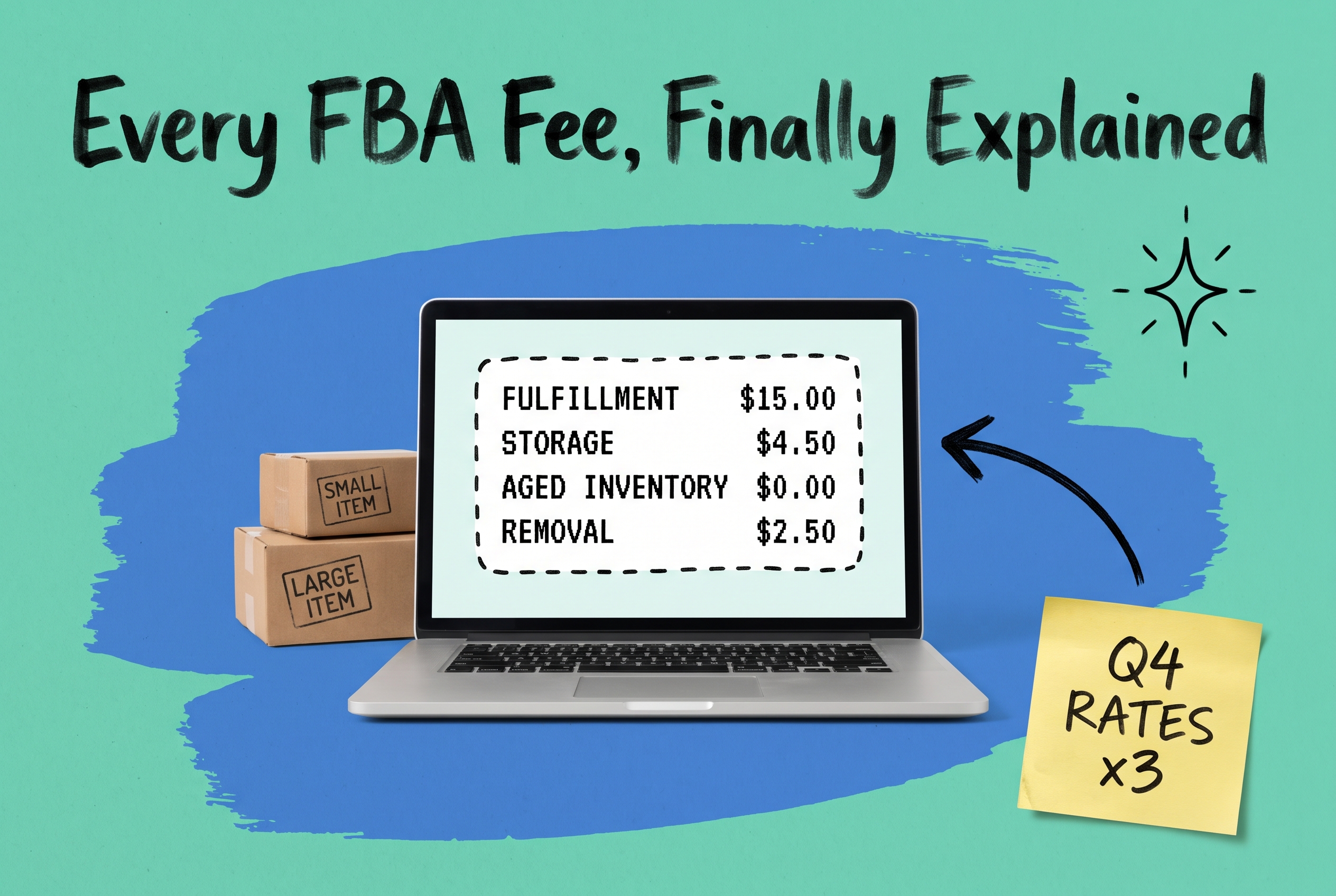
Amazon FBA fees are the charges Amazon deducts from your seller account to store, pick, pack, and ship products through its fulfillment network. They fall into five main categories: fulfillment fees, monthly storage fees, aged inventory surcharges, removal and disposal fees, and a handful of optional service charges. Understanding what drives each category lets you price accurately, avoid surprise deductions, and decide when FBA is the right fulfillment path for a given SKU vs. when routing orders elsewhere protects your margin.
What Amazon FBA Actually Costs You
Most sellers think of FBA as a single fee. It's not. Every order you fulfill through Amazon's network can touch multiple fee lines, and the total looks very different in October than it does in February.
The main categories break down like this:
- Fulfillment fees: charged per unit shipped, based on product dimensions and weight
- Monthly storage fees: charged per cubic foot of space your inventory occupies in Amazon's warehouses
- Aged inventory surcharges: additional charges applied when items sit unsold past 180 days
- Removal and disposal fees: charged per unit when you pull inventory out of the FBA network
- Miscellaneous fees: returns processing, prep and labeling services, and other optional items
The structure is predictable. The amounts are not. Amazon adjusts rates annually and the seasonal storage multiplier alone can triple your storage cost per cubic foot in Q4. For current dollar amounts, check Amazon's official FBA fee schedule in Seller Central before building fee estimates into your pricing model.
FBA Fulfillment Fees: Per Unit, By Size and Weight
Fulfillment fees cover Amazon picking, packing, and shipping each order. They're charged once per unit and based on the product's "size tier," which Amazon calculates from dimensions and shipping weight (actual weight or dimensional weight, whichever is higher).
Amazon's size tiers run from small standard (lightweight, compact items like a phone case or a paperback) through special oversize (furniture, large appliances). The fee jumps between tiers are meaningful. A product that tips into the next size tier because of slightly over-engineered packaging could cost several dollars more per unit, which compounds fast at scale.
Three things worth auditing on your own catalog:
- Is your packaging the smallest it can be without risking transit damage?
- Are you measuring correctly? The shipping weight Amazon uses includes your unit weight plus packaging.
- Are any SKUs within a few centimeters of qualifying for a lower tier?
These aren't hypothetical optimizations. Packaging audits routinely find products classified one size tier too high because no one measured carefully after the initial product listing was set up.
Monthly Storage Fees: The Seasonal Rate Is the Variable That Hurts
Amazon charges monthly storage fees per cubic foot of space your inventory occupies. Standard-size and oversize products have different base rates, and there's a sharp seasonal jump: rates for October through December are roughly three times higher than rates for January through September.
That Q4 multiplier is the single biggest source of FBA cost surprises for growing brands. Load up the network in late September to cover holiday demand, miss your sell-through forecast by 30%, and you're paying peak storage rates on slow-moving inventory all through Q4, with aged inventory surcharges starting to accrue on top.
Knowing your inventory velocity by SKU is the first line of defense. Tracking stock par levels across your channels gives you a trigger point to act before fees compound. The rough math: inventory sitting in FBA for more than 60 days at Q4 storage rates frequently costs more than equivalent space at a third-party warehouse. That comparison changes your question from "should we replenish FBA?" to "should this SKU be in FBA at all right now?"
Aged Inventory Surcharges: The Hidden Penalty for Slow Movers
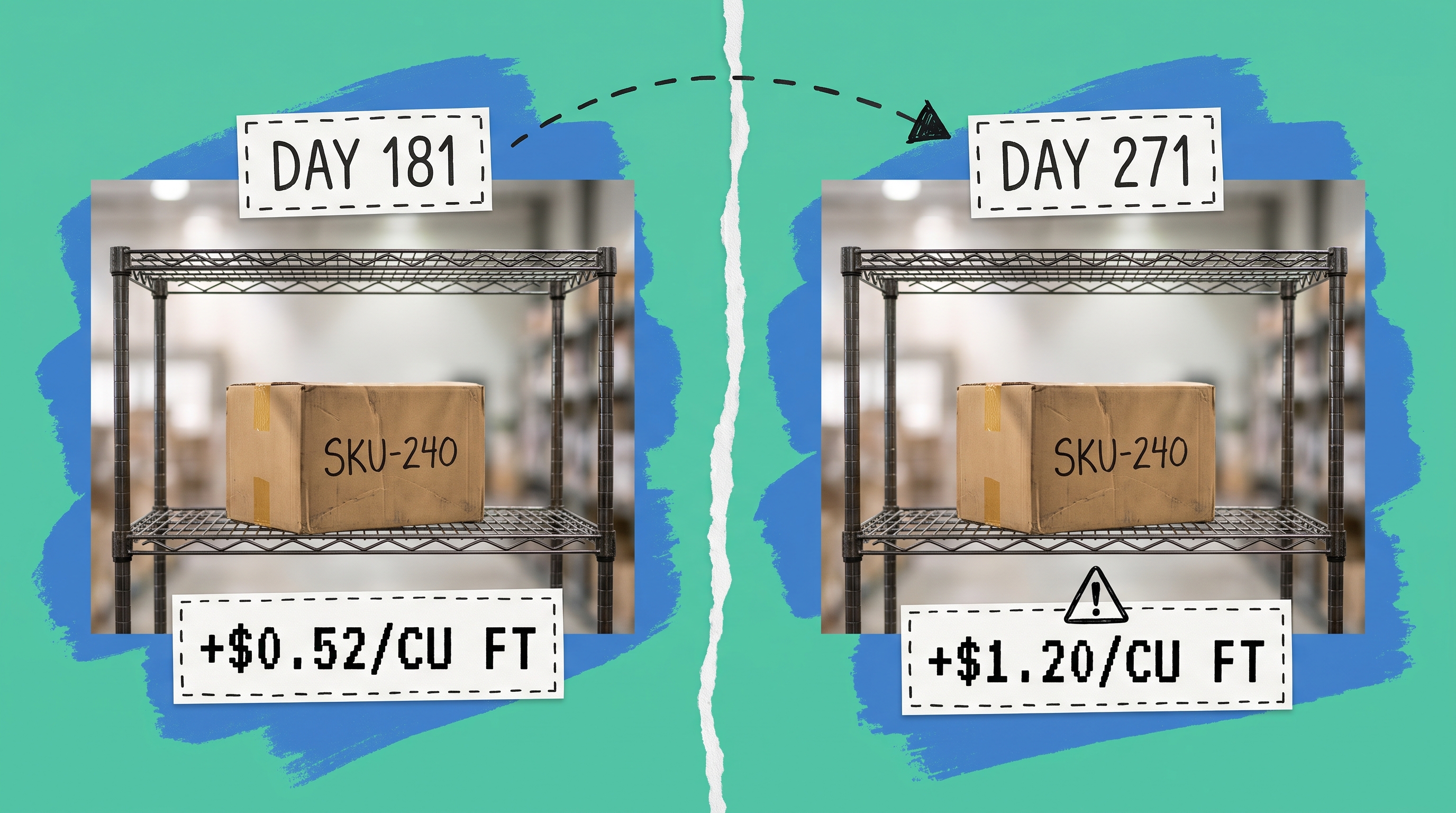
Amazon restructured its long-term storage fees into "aged inventory surcharges" with two tiers based on how long inventory has been in the fulfillment center:
- 181 to 270 days: a per-cubic-foot surcharge added on top of regular monthly storage
- 271 days or more: a higher per-cubic-foot surcharge, still on top of monthly storage
These are additive, not alternative. A SKU at 300 days pays monthly storage plus the 271+ day surcharge every month it stays in the warehouse.
For sellers with larger catalogs, aged inventory is often the biggest source of avoidable fees. Amazon sends removal recommendations, but acting on them requires a decision framework:
- Project how long the SKU will sit based on current sell-through rate
- Calculate storage plus aged inventory surcharges over that time
- Compare to removal fee plus cost of liquidating or fulfilling from another location
- Act before 181 days, not after
Building this decision into a regular workflow rather than reacting to it after the fact is what separates sellers who actively manage FBA costs from those who notice them only when reconciling monthly.
Removal and Disposal Fees
When you pull inventory from Amazon's warehouses, you pay a removal fee per unit. You can have units shipped back to you or disposed of. Return shipping costs more per unit; disposal is cheaper but permanent.
Removal fees are worth paying when:
- Inventory is approaching an aged inventory surcharge threshold
- A product is being discontinued
- You can sell units at better margins through your own storefront or another channel
- Amazon's liquidations program returns less than a direct liquidation deal
Timing removal orders matters. Initiating removal early enough to beat the 181-day threshold avoids a full quarter of compounding surcharges, which frequently costs more than the removal fee itself.
Other FBA Fees Worth Knowing
Returns processing fees: In high-return categories like apparel and shoes, Amazon charges a per-unit returns processing fee. This is separate from the impact your return rate has on your account metrics. Build it into your category margin model before listing products in these categories through FBA.
Prep and labeling fees: If your units arrive at an Amazon fulfillment center non-compliant (missing FNSKU labels, improper poly-bagging, incorrect barcodes), Amazon charges per unit to fix it. The service exists, but you're paying for a problem that's cheaper to solve at the supplier level.
Referral fees: Not technically an FBA fee, but sellers frequently conflate them. The referral fee is a percentage of the sale price (commonly 8% to 15% depending on category) that all Amazon sellers pay on every transaction, regardless of whether you use FBA or fulfill the order yourself. It's a separate Amazon charge, not a fulfillment cost.
When FBA Becomes the Wrong Channel for a SKU
FBA works well for Prime-eligible products with predictable, steady velocity. The economics shift when:
- Q4 slow movers: Low-velocity products sitting in FBA from September through December pay peak storage rates the entire quarter
- Heavy or bulky products: Dimensional weight pushes large items into oversize tiers where FBA fulfillment costs can exceed what a regional carrier or 3PL charges for the same shipment
- High-return categories: Returns processing fees on top of your handling costs erode margin fast, especially in apparel
- Products past the 120-day point with flat velocity: The aged inventory trajectory is clear enough to model. If removal now is cheaper than surcharges later, act now
This is where multi-channel routing adds real operational value.
Routing Orders Away from FBA When the Math Justifies It
The most effective way to control FBA costs is not to optimize inside FBA alone. It's to have an alternative fulfillment option you can route to when FBA becomes expensive, and to make that routing automatic rather than a daily manual check.
When OmniOrders connects to your Amazon account via its Amazon SP Central integration, your orders flow into a single order management system alongside orders from every other channel. You set routing rules that direct orders for a given SKU to your 3PL or your own warehouse when that SKU is approaching an aged inventory threshold or when FBA costs exceed your target for that product.
The Buy Box concern is real: Prime eligibility matters, and routing to a non-FBA location means competing on price and delivery time rather than the Prime badge, unless you're enrolled in Seller Fulfilled Prime. For many SKUs in off-peak months, that tradeoff is worth making. The per-unit math tells you which SKUs and when.
OmniOrders' no-code automation rule engine handles routing at order time. You define the conditions (SKU, channel, inventory age, stock level), and the platform routes accordingly. No one needs to manually check Amazon storage reports each morning. For that routing to work reliably, your non-Amazon stock counts need to be accurate in real time. That's the prerequisite: real-time multi-channel inventory sync across your warehouse locations means OmniOrders always knows what's available before it routes an order there.
Most multi-channel brands already have a cheaper fulfillment option standing by. The gap is connecting FBA cost signals to the routing decision automatically. For a broader look at how channel connections work together, see how ecommerce integrations fit into a multi-channel operation.
Stop Letting FBA Fees Decide Your Margins
FBA is a strong fulfillment network. It works best as one option in your stack, not the only one. The brands that keep FBA costs predictable are the ones who built a routing layer that directs each order to the cheapest appropriate fulfillment path, automatically.
OmniOrders connects your Amazon account with your other channels and warehouses, gives you the automation rules to route by SKU, cost, stock position, and channel, and keeps inventory counts accurate across all of them in real time.
Start your free OmniOrders trial and see how multi-channel routing works for your catalog.
Frequently asked questions
What are Amazon FBA fees?
Amazon FBA fees are the charges Amazon deducts from your seller account for fulfilling orders through its fulfillment network. The main categories are per-unit fulfillment fees (based on product size and weight), monthly storage fees (per cubic foot), aged inventory surcharges (for items stored 181 days or more), and removal or disposal fees. Referral fees are a separate charge that applies to all Amazon sellers regardless of fulfillment method.
How are Amazon FBA storage fees calculated?
Monthly storage fees are charged per cubic foot of space your inventory occupies in Amazon's fulfillment centers. Rates for October through December are significantly higher than rates for January through September, often roughly three times as much for standard-size products. Actual dollar amounts change with Amazon's annual fee updates, so check the current schedule in Seller Central before building them into your margin model.
What is the Amazon aged inventory surcharge?
The aged inventory surcharge is an additional monthly charge applied on top of regular storage fees when inventory has been in an Amazon fulfillment center for 181 days or more. Two tiers apply: a lower surcharge from 181 to 270 days, and a higher surcharge at 271 days and beyond. It adds to your monthly storage fee rather than replacing it, so both charges apply simultaneously.
How do I calculate my total Amazon FBA cost per unit?
Your true per-unit FBA cost is the fulfillment fee plus your share of monthly storage costs (calculated from your cubic footage divided by units on hand) plus any aged inventory surcharge exposure based on your sell-through rate. Amazon's Revenue Calculator in Seller Central gives you a starting point, but a complete model needs to account for average inventory days on hand and Q4 storage rate increases for products held through peak season.
Can I use FBA for some orders and fulfill others from my own warehouse?
Yes. Seller Fulfilled Prime lets you fulfill Amazon orders from your own warehouse while maintaining Prime eligibility, subject to meeting delivery speed requirements. Many brands use a hybrid approach: FBA for fast-moving Prime-eligible SKUs and their own warehouse or 3PL for slow movers, heavy items, or orders from other channels. An order management platform makes this routing automatic rather than a manual daily decision.
Start your 14-day free trial
See how OmniOrders connects your sales channels, 3PLs, and carriers into one operational layer — free for 14 days, no credit card.