What Is Par Level in Inventory? Formula, Examples & How to Automate It
If you've ever run out of your bestselling SKU on a Friday afternoon — or found yourself sitting on 900 units of a slow-mover going into Q1 — you already understand why par levels matter. Par level is the minimum quantity of a product you need on hand at any given time to keep fulfilling orders without interruption. When stock drops below it, you reorder. When you set it correctly, you stop firefighting and start running a predictable operation.
Most articles on par level come from the restaurant and hotel supply world. That's where the term originated — hospitality teams still use it heavily to manage linen counts and kitchen inventory. But the mechanics apply equally to multi-channel e-commerce, and the stakes are just as real: a stockout on Amazon can cost you the Buy Box for weeks, and excess inventory tied up in your warehouse is working capital you can't deploy elsewhere.
This guide gives you the clear definition, the formula, real SKU-level examples, and a walkthrough of how to set par levels across multiple warehouses and sales channels — and then automate the reorder process so you're not running manual checks every morning.
What does par mean in inventory?
Par stands for "periodic automatic replenishment." The par level for any SKU is the on-hand quantity that should trigger a reorder — the floor below which your stock shouldn't fall if you want to keep fulfilling orders on time.
Think of it as the answer to one specific question: what's the minimum I need to have on hand so I don't run out before my next shipment arrives?
Par level is closely related to — but not the same as — your reorder point. The reorder point is the stock quantity that triggers a purchase order. The par level defines the minimum you need to maintain. In most inventory setups, these numbers are identical or very close, and many operations use them interchangeably. That's fine, as long as you're consistent.
What par level is not: it's not your maximum stock quantity, it's not your safety stock on its own, and it's not a fixed number you set once and leave forever.
The par level formula
> Par level = (Average daily sales × Lead time in days) + Safety stock
Breaking down each variable:
- Average daily sales — units sold per day over a rolling window, typically 30–90 days depending on your product's demand pattern
- Lead time — how many calendar days from placing the purchase order to receiving inventory in your warehouse (use your actual historical average, not the supplier's stated estimate)
- Safety stock — the buffer you carry to absorb demand spikes or supplier delays; commonly calculated as 1–2 weeks of daily demand for standard SKUs, more for top sellers or
unreliable suppliers
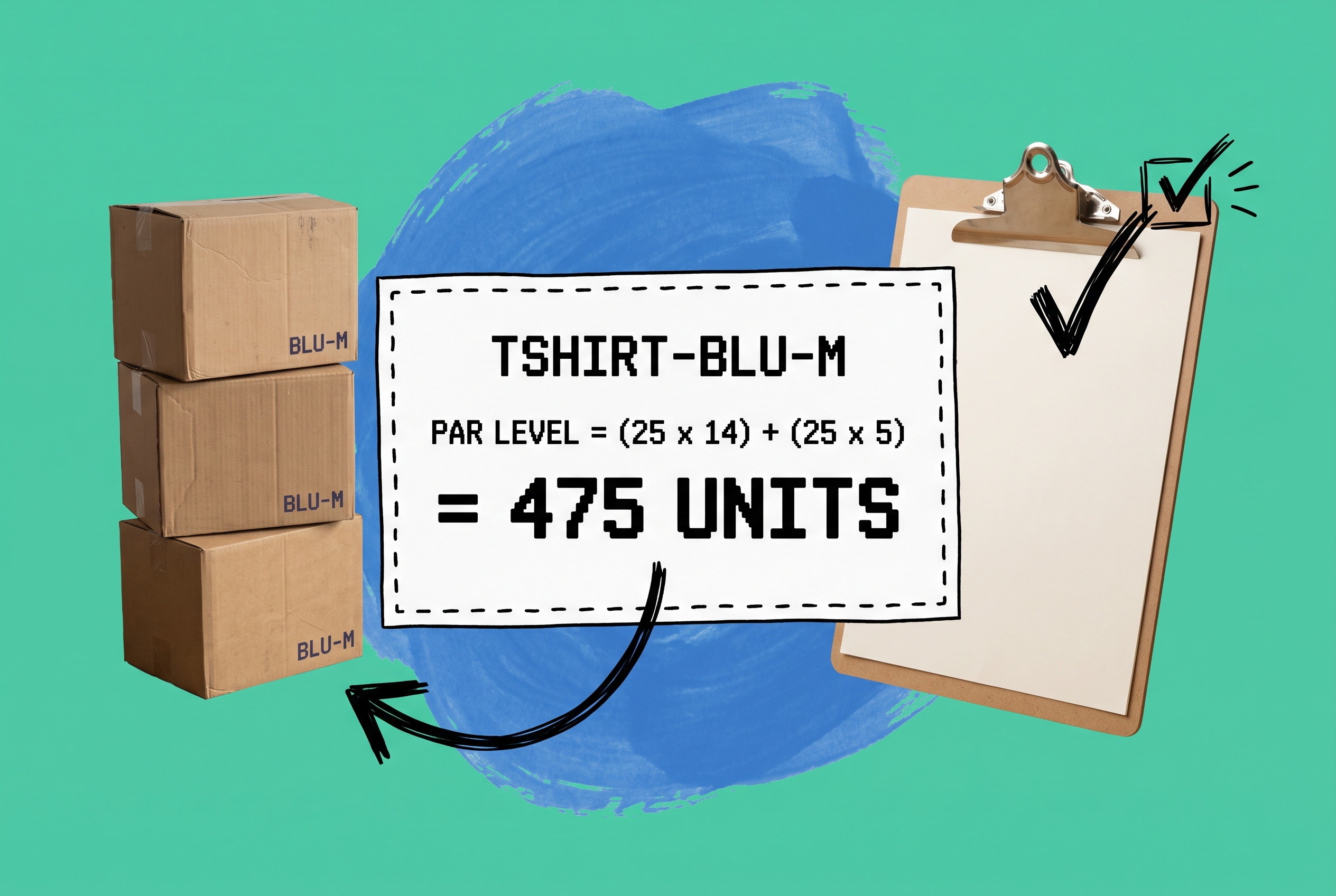
Par level formula: a worked example
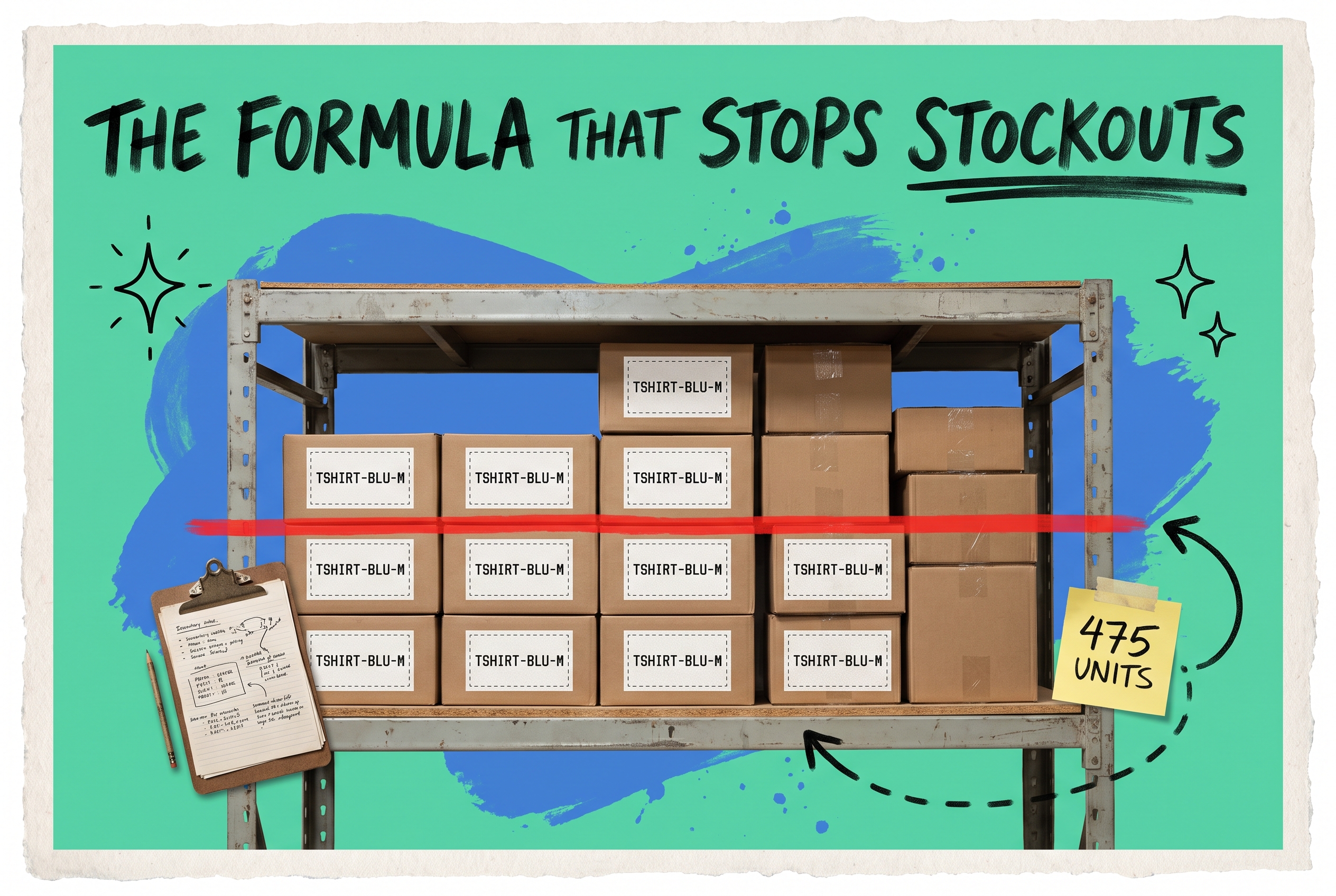
Say you sell `TSHIRT-BLU-M` — a core SKU that moves 25 units per day on a 30-day rolling average. Your supplier takes 14 calendar days from PO to receipt. You carry 5 days of safety stock to cushion against late shipments.
Par level = (25 × 14) + (25 × 5) = 350 + 125 = 475 units
When your on-hand count for `TSHIRT-BLU-M` hits 475, you place the reorder. By the time the shipment arrives 14 days later, you'll have roughly 125 units remaining — your safety buffer — and the new stock fills the gap.
Now change one variable: your supplier starts taking 21 days instead of 14 because of a port delay.
Revised par level = (25 × 21) + 125 = 650 units
Same product, same daily velocity, same safety stock — but a 37% higher par level because lead time extended. This is exactly why par levels aren't something you set once and leave in a spreadsheet. They shift with supplier performance, seasonal velocity changes, and any operational disruption that affects your replenishment cycle.
How to set par levels for each SKU
The formula is simple. Applying it accurately to hundreds or thousands of SKUs — and keeping it current — is where most teams run into trouble.
Here's a practical approach to setting par levels at scale.
Pull a rolling average daily sales figure per SKU. Use 30 days for fast-movers and 60–90 days for products with more variable demand patterns. Don't use an annual average — it will underweight recent velocity trends and misrepresent any SKU with seasonal demand.
Use your real lead time, not the PO template number. Pull the last 5–10 orders from each supplier and calculate the actual average days from order to receipt. Suppliers run late more often than their quoted window suggests. Building your par levels on optimistic lead times means you're structurally understocked every reorder cycle.
Size safety stock to velocity and supplier reliability. A 2-day safety buffer on a product that ships 150 units per day leaves almost no room for error. A common starting framework: 1–2 weeks of demand for standard SKUs, 2–4 weeks for your top sellers or any product with a history of late deliveries, and minimal or zero safety stock for slow-moving items where the cost of carrying excess inventory outweighs the risk.
Document par levels per SKU and review them on a schedule. Quarterly reviews work for most catalogs — at minimum before your peak season, after any supplier change, and whenever a product enters or exits promotion. What's accurate in January is often wrong by October.
Par levels per location and per channel
Here's where a single-warehouse mindset stops working. If you're fulfilling from multiple locations — a primary DC, a 3PL, a retail store, or a combination — you need par levels per location, not just per SKU.
Consider `CANDLE-VAN-8OZ`. It sells 10 units per day from your East Coast warehouse and 6 units per day from a West Coast 3PL. Your East Coast supplier delivers in 10 days. The West Coast distributor takes 18. Safety stock is 5 days of demand at each location.
East Coast par level: (10 × 10) + (10 × 5) = 150 units West Coast par level: (6 × 18) + (6 × 5) = 138 units
Same SKU, two different par levels, because the underlying operational reality is different at each location. Set a single blended par level for this product and you'll be overstocked on one coast and cutting it close on the other.
Add channel complexity — orders routing from Shopify, Amazon FBA, and Walmart Marketplace to different fulfillment nodes — and you're now managing par levels that need to account for reserved FBA inventory, channel-specific velocity, and variable processing times. A static spreadsheet can't reliably hold this together once you're past a few dozen SKUs.
OmniOrders syncs inventory in real time across all your locations and sales channels. When `CANDLE-VAN-8OZ` drops below par at your West Coast 3PL the system flags it regardless of which channel generated the orders that consumed the stock. You can explore how multi-location inventory sync and automated reorder rules work in OmniOrders — the visibility spans every channel and warehouse in one place.
What goes wrong when par levels are set incorrectly
Getting par levels wrong in one direction means stockouts. In the other, it means cash trapped in inventory you didn't need. Neither is a neutral outcome.
Stockouts cost you more than the missed sale. On Amazon, running out of stock drops your Best Seller Rank and risks losing the Buy Box — a position that can take weeks to recover even after you're back in stock. On Shopify, customers who land on an out-of-stock product page often don't return. For wholesale or B2B accounts, a stockout may breach a service-level agreement and put the relationship at risk.
Overstocking burns capital and warehouse space. A brand carrying 3× its par level of a fashion-forward SKU going into off-season has effectively made an interest-free loan to its own warehouse. When the product eventually sells through at a discount, the margin loss was preventable.
The deeper problem with manual par level management: neither issue announces itself in advance. By the time someone notices that `HOODIE-GRY-L` dropped below par, you've already lost 2–3 days of your reorder lead time. The race to the next stockout has already started.
Automating par level monitoring and reorders
Manual par level management means someone on your ops team opens a spreadsheet each morning, checks current stock against par level targets for each SKU at each location, and decides whether to place a PO. That person will occasionally miss things — they go on vacation, they misread a column, or the spreadsheet doesn't have yesterday's sales baked in yet. The process also doesn't scale past a few hundred SKUs without becoming a full-time job.
The more reliable model: set your par levels once in your order management system, and let it trigger reorder alerts — ir draft POs — the moment any SKU hits its threshold.
OmniOrders' no-code automation engine lets you build reorder rules without writing code. A rule like "when on-hand quantity at East DC falls below par level for this SKU, create a draft purchase order and notify the purchasing team" takes a few minutes to configure and runs continuously in the background. You're not removing judgment from the process — you're removing the manual monitoring that makes good judgment slow.
The system also applies AI-powered inventory forecasting to flag when current par levels may be drifting out of accuracy — for instance, if a SKU's 30-day velocity has shifted meaningfully compared to the window you used to set the par level, the forecast surfaces that before the next reorder cycle. Your par levels stay grounded in current demand patterns, not the ones from three months ago.
To get the full picture of inventory accuracy, all your sales data needs to flow into one system. When orders from Shopify, Amazon, Walmart, and eBay all route through OmniOrders, your par calculations are based on actual channel velocity — and not estimates. You can see all supported channel integrations here to confirm your channels are covered.
Common par level mistakes — and how to avoid them
Setting a single global par level for every warehouse. A product moving 40 units per day in a high-velocity distribution center needs a higher par level than the same SKU sitting at a lower-volume regional location. Blended par levels hide the gaps until they become stockouts.
Not updating par levels after a supplier change. If your par level was calculated on a 10-day lead time and your new supplier takes 18 days, you're structurally understocked every reorder cycle until someone notices and fixes the number. Supplier changes should trigger an automatic par level review.
Setting safety stock as a flat percentage rather than sizing it to the SKU. A 10% safety stock on a product that sells 5 units per month is 0.5 units — practically zero. Safety stock should be sized to daily velocity and the reliability of that specific supplier, not applied as a blanket rule across your catalog.
Treating par level as a permanent setting. Seasonality alone should force a review twice a year. A product that sells 30 units per day in October may sell 7 in March. The same par level that protected you through Q4 will leave you badly overstocked in Q1 if you don't adjust.
Stop managing par levels by hand
Par level inventory is one of those operational fundamentals that's easy to understand but gets complicated fast when you're managing multiple warehouses, multiple channels, and a catalog with hundreds or thousands of SKUs. The formula doesn't change — but applying it accurately at scale, keeping it current as lead times and velocity shift, and catching threshold triggers in real time requires more than a spreadsheet.
Setting accurate par levels per SKU and per location, reviewing them regularly, and building automated triggers around them puts you in control of your reorder cycle. You stop reacting to stockouts you didn't see coming and start running a predictable fulfillment operation.
If you're ready to move beyond manual spreadsheet monitoring, explore OmniOrders' inventory automation and reorder rule engine — or start your free OmniOrders trial and see how it works with your live catalog.
Frequently asked questions
What is a par level in inventory?
A par level is the minimum quantity of a product you should have on hand at any time. When your on-hand stock reaches that number, it's time to reorder. The goal is to ensure you have enough inventory to continue fulfilling orders throughout your supplier's full lead time — without running out and without carrying more than you need.
How do you calculate par level?
Use this formula: par level = (average daily sales × lead time in days) + safety stock. Average daily sales should come from a 30–90 day rolling window. Lead time should reflect your actual historical average receipt time from that supplier, not the number on the purchase order template.
Do par levels need to be set differently per warehouse?
Yes, when your sales velocity or lead times differ by location. A distribution center near your supplier with strong daily sales needs a higher par level than a satellite location with slower turnover and a longer replenishment cycle. A single blended number for the SKU will understock one location and overstock the other.
How often should I review my par levels?
At minimum quarterly — and always before peak season, after any supplier change, and when a SKU's velocity shifts significantly in either direction. High-velocity SKUs with high-reliability suppliers are worth reviewing monthly. Slow-movers can often get away with a twice-yearly review.
Can par level monitoring be automated?
Yes. An order management system like OmniOrders lets you set par levels per SKU and per location, then automatically trigger alerts or draft purchase orders the moment on-hand inventory hits the threshold. This removes the daily manual check from your team's workflow, which means fewer missed reorders and fewer stockouts that could have been prevented.
Start your 14-day free trial
See how OmniOrders connects your sales channels, 3PLs, and carriers into one operational layer — free for 14 days, no credit card.