Shopify Pre-Orders: How to Manage Product Drops Without Overselling
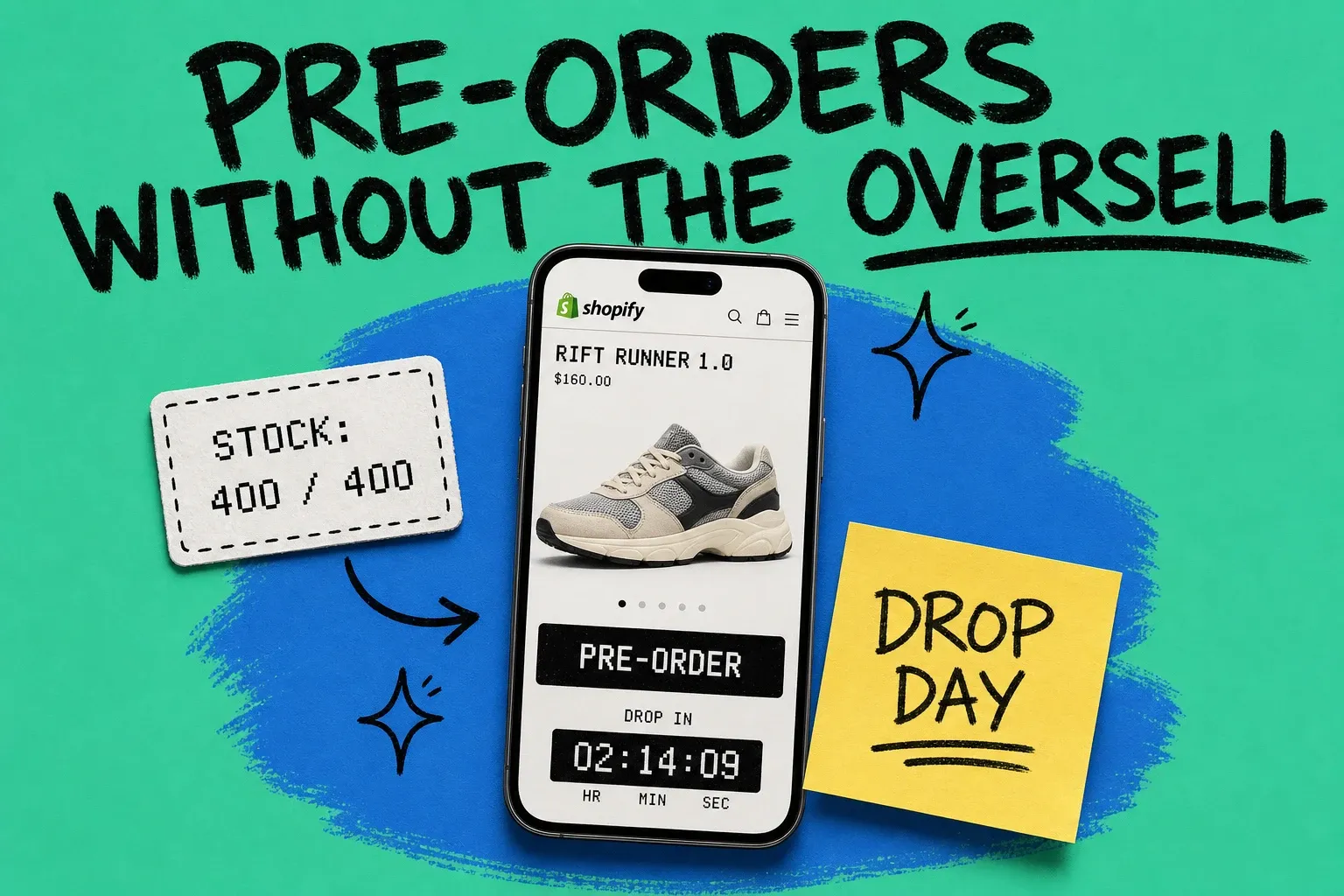
A Shopify pre-order lets a customer buy and pay for a product before it is in stock or ready to ship, and the safest way to run one is to reserve inventory the moment the order is placed, then gate that same stock across every channel you sell on. Do that and a sold-out drop becomes a clean demand signal. Skip it and you sell 600 units of a 400-unit run, then spend the next month issuing apologies and refunds.
A Shopify pre-order is a purchase placed against a product that is not yet available to ship, which lets you validate demand, pull revenue forward, and keep selling through a stockout.
Here is the catch most guides skip. Shopify has no real native pre-order feature, and the workarounds that let you keep selling past zero are exactly what cause overselling when a drop goes viral and you sell on more than one channel. This post covers how Shopify pre-orders actually work, the two reservation models, and the operations playbook for surviving the post-launch fulfillment wave.
How do pre-orders work on Shopify?
Pre-orders work by keeping the buy button live for a product you cannot ship today, then holding that order in your system until stock arrives. The customer checks out normally. You fulfill later.
Shopify gives you two realistic routes to set this up.
The manual route uses one inventory setting. Open the product, go to the variant's Inventory section, keep "Track quantity" on, and enable "Continue selling when out of stock." Now customers can buy even when the count hits zero. It is free and fast, but it is bare. There is no pre-order badge, no deposit option, no per-variant ship date, and no automatic switch back to a normal product when stock lands. You carry all of that messaging by hand.
The app route adds the layer Shopify is missing. A pre-order app gives you a "Pre-Order" button, clear cart and checkout messaging, estimated ship dates, partial or deferred payments, pre-order limits, and an automatic flip from pre-order to in-stock once units arrive. For any real campaign, this is the setup that keeps customers informed and your admin sane.
One payment constraint matters before you launch. Pre-orders only work cleanly with Shopify Payments or PayPal, and Shopify caps deferred payment capture at a 7-day window unless an app extends it. If your ship date is months out and you plan to charge later, confirm your capture flow first.
What is the difference between reserving stock at sale and at fulfillment?
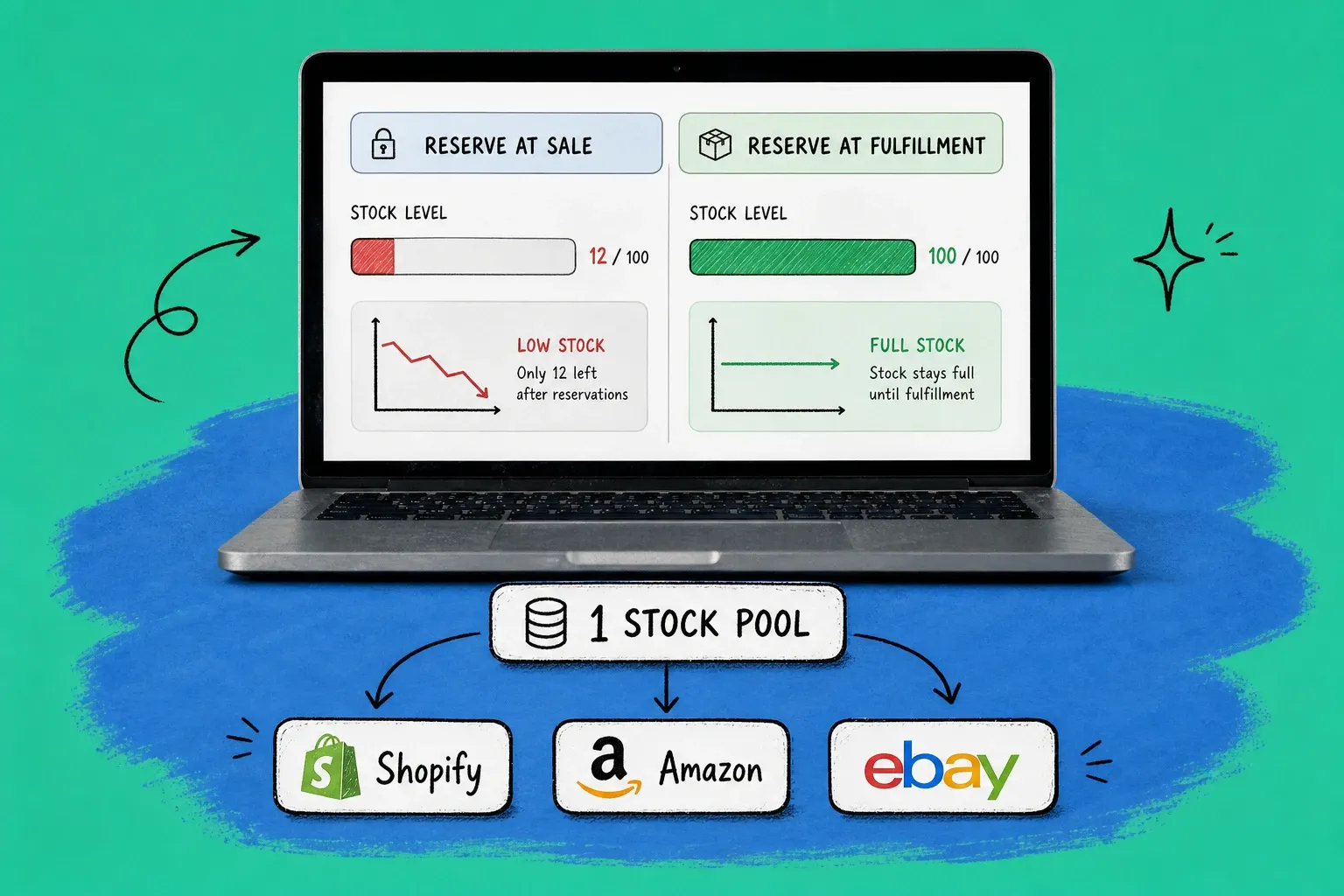
This single choice decides whether you oversell. Pre-order apps and inventory tools give you two reservation models, and they behave very differently.
Reserve inventory at the time of sale
Inventory drops the instant the pre-order is placed, exactly like a normal order. Each pre-order claims a real unit, so once your allocation is gone, the product shows sold out and the buy button stops. This is the model that prevents overselling, and it is the right default when you already have confirmed stock from your supplier and just want to secure cash flow early.
Reserve inventory at fulfillment
Inventory only drops when you mark the order fulfilled. The stock stays "available" the whole time the pre-order sits open. This is useful when you do not control the inventory yet, such as made-to-order or dropship products, or when you want to gauge demand before placing a production order. The trade-off is real risk: if regular customers keep buying while pre-orders pile up, you will oversell, and you have to monitor committed pre-orders against available stock by hand.
The rule of thumb: if you know your unit count, reserve at sale. If you are still validating demand and accept the overselling risk, reserve at fulfillment and watch it closely.
Why do product drops oversell across channels?
Drops oversell because the pre-order limit lives in one place while your inventory sells in several. A Shopify pre-order app might know you only have 400 units. Your Amazon listing, your eBay store, and your TikTok Shop do not. They keep selling the same 400 units from their own counts until five channels have collectively promised 900.
This is the gap the typical pre-order tutorial ignores, because it assumes you sell on Shopify alone. Most growing brands do not.
The fix is structural, not a setting you toggle. You need one inventory pool that every channel reads from, with stock decremented in near real time as orders land anywhere. When a pre-order claims a unit on Shopify, that unit has to disappear from the pool your Amazon and eBay listings see. Without that shared source of truth, "reserve at sale" only protects your Shopify count and nothing else.
This is the same discipline behind preventing routine stockout chaos. If you want the broader picture, our guide to multichannel inventory management for Shopify and Amazon sellers walks through keeping a single accurate count across stores, and our backorder management playbook covers what to do when committed orders run ahead of stock.
How do you forecast and price a pre-order drop?
Pre-orders are the most honest demand signal you can get, because a paid order is worth far more than an email signup. Five hundred people who clicked "notify me" is interest. Five hundred people who paid is a forecast you can manufacture against.
The data backs this up. PreProduct, which has processed more than 1 million pre-orders and over $85 million in pre-order sales, reports an average pre-order cancellation rate of just 5.4 percent, and finds that the large majority of pre-orders sell at full price rather than at a discount. Customers pre-order for access and to be first, not to save money. So you usually do not need to slash the price to drive a drop.
Conversion is the other half. The pre-order page tends to convert well above a normal product page. For reference, IRP Commerce's ecommerce conversion index, drawn from thousands of online stores, puts the typical in-stock product page conversion rate around 3 percent. A focused pre-order launch to a warm audience routinely clears that, which is why a drop concentrates demand into a signal you can act on instead of a slow trickle.
Three practical moves keep that signal clean:
- Give a specific ship window, not "coming soon." "Ships the week of November 15" converts better and cancels less than a vague promise. Wishy-washy dates erode trust and inflate cancellations.
- Set a hard pre-order cap that matches your production run. The cap is your overselling fuse. When it is hit, the drop is sold out, and that is a good outcome, not a missed sale.
- Decide your charge model before launch. Charge up front if you need the cash to fund the run and the date is firm. Defer or take a deposit if the timeline is far out, and respect that 7-day capture window.
How do you survive the post-launch fulfillment wave?
The drop closing is the start of the hard part, not the end. A pre-order campaign delivers a concentrated burst of orders that all need to ship in a tight window once stock lands, and that wave will expose any weak link in your fulfillment.
A few things keep it from becoming a meltdown:
Tag every pre-order so it is unmistakable in your admin and at your warehouse or third-party logistics provider, often abbreviated as 3PL, which is a company that stores and ships your inventory for you. When stock arrives, you want to release that batch in one clean sweep, not dig through normal orders looking for which ones were promised.
Communicate on a schedule. A confirmation at order, an update if the date moves, and a "your order is shipping" note do more to prevent cancellations and chargebacks than any discount. The brands that beat the 5.4 percent cancellation average are simply the ones that keep buyers informed.
Automate the repetitive steps. Routing each released pre-order to the right location, generating labels, and pushing tracking back to the customer is exactly the kind of work you do not want to do by hand across hundreds of orders at once. Our walkthrough on automating Shopify order fulfillment covers how to set those rules up without code.
This is where a central order and inventory system earns its keep. OmniOrders sits between your channels and your fulfillment, holding one live inventory count that every store reads from, tagging and routing pre-orders automatically, and pushing updates back out, so a hyped drop stays a clean win instead of an oversold apology tour. You set the rules once and the wave handles itself.
Pre-order setup checklist
Before you flip the switch on a drop, run through this:
- Decide manual setting or pre-order app based on whether you need messaging, deposits, and ship dates.
- Choose your reservation model: reserve at sale to prevent overselling, reserve at fulfillment only if you accept the risk.
- Connect every sales channel to one shared inventory pool so the pre-order cap holds everywhere.
- Set a hard pre-order limit equal to your production run.
- Write a specific estimated ship date and put it on the product page, cart, and confirmation email.
- Confirm your payment capture plan and the 7-day deferred window.
- Tag pre-orders and plan the batch release for when stock lands.
- Test the product page, cart, and checkout on desktop and mobile before you announce.
Run a pre-order this way and a sold-out drop means exactly what it should: you found your demand, you funded your run, and every unit you promised is a unit you can ship.
Frequently asked questions
The questions below cover the most common pre-order edge cases. See the structured FAQ for quick answers on how Shopify pre-orders work, whether Shopify is native, stopping overselling across channels, Amazon's pre-order charging, and when to charge.
Frequently asked questions
How do pre-orders work on Shopify?
A Shopify pre-order lets a customer buy and pay for a product before it is in stock or ready to ship. Shopify has no dedicated pre-order button, so you either enable "Continue selling when out of stock" on the variant or install a pre-order app that adds messaging, deposits, and inventory rules. The order lands in your admin like any other order and waits in a pre-order state until you fulfill it.
Does Shopify have a native pre-order feature?
No. Shopify does not ship a true native pre-order system. The closest built-in option is the "Continue selling when out of stock" inventory setting, which keeps the buy button live past zero but adds no pre-order label, deposit, or per-variant ship date. For real campaigns most sellers use a pre-order app to handle messaging, partial payments, and reservation rules.
How do I stop overselling a pre-order across multiple channels?
Reserve inventory at the time of sale so each pre-order deducts a real unit, then sync that single stock pool to Shopify, Amazon, and any other channel in near real time. The danger is double counting: if your drop quantity lives only inside a Shopify app, your other channels keep selling the same units. A central inventory layer that all channels read from is what actually prevents the oversell.
Does Amazon charge for pre-orders?
On Amazon, customers placing a pre-order are not charged when they order. Amazon authorizes the card and captures payment when the item ships, and it applies a Pre-order Price Guarantee so buyers pay the lowest price offered between order and release. That differs from many Shopify pre-order apps, which can take full or partial payment up front.
When should you charge for a pre-order, up front or on fulfillment?
Charge up front when you need the cash to fund production and you are confident in the ship date, since paid orders are far stronger demand signal than a waitlist. Use deferred or partial payment when the timeline is uncertain or far out. Remember that Shopify limits deferred payment capture to a 7-day window unless an app extends it, so plan your capture flow before launch.
Start your 14-day free trial
See how OmniOrders connects your sales channels, 3PLs, and carriers into one operational layer — free for 14 days, no credit card.