Multichannel inventory management for Shopify and Amazon sellers: a practical guide
Selling on Shopify and Amazon at the same time sounds like a straightforward revenue expansion. Two storefronts. Two audiences. More orders.
Simple.
What actually happens is that you end up running two inventory systems that have no idea what each other is doing. Your Shopify admin shows 85 units of SKU-HOODIE-GRY-L. Your Amazon listing agrees — 85 units. Then a promotion hits, orders pile in from both channels at the same time, and by the time your sync catches up, you've promised 110 units you don't have.
Multichannel inventory management is the practice of keeping a single, accurate stock count across every channel you sell on, so what Amazon shows and what Shopify shows both reflect what's actually in your warehouse — right now, not 20 minutes ago.
This guide covers why inventory tracking breaks down specifically when you go multichannel, the three failure modes behind most oversell disasters, and what it takes to build a sync setup that holds up when things get busy.
Why single-channel inventory logic breaks at multichannel scale
When you're on one channel, inventory is simple. Stock comes in, stock goes out, your dashboard updates. Shopify's built-in inventory works fine for this — it's built for the assumption that one store equals one set of stock.
Adding Amazon changes the structure.
Amazon doesn't pull inventory from your Shopify admin in real time. Each platform maintains its own count. That means every Amazon sale needs to subtract from Shopify, and every Shopify sale needs to subtract from Amazon — unless something is doing it automatically in the middle.
That "something" is usually a fragile combination of manual reconciliation, a spreadsheet someone updates Wednesday mornings, or a sync app running on an interval that's fine until it isn't. During normal weeks, the lag is manageable. During a promotion, it can cost you thousands in refunds before you even realize what happened.
The core problem: both channels have independent order pipelines. An Amazon order comes in. Amazon's inventory drops by 1. Shopify doesn't know. A Shopify order comes in. Shopify's inventory drops by 1. Amazon doesn't know. Now both channels think they have N units when the warehouse actually has N-2. Multiply this by 30 orders per hour, and you've got a meaningful mismatch in under an hour.
That's what multi-channel inventory management solves — not syncing two separate pools, but replacing them with one.
The three failure modes that break multichannel inventory management
Most multichannel inventory problems trace back to the same three patterns. Knowing what they are tells you what to prevent.
Failure mode 1: stock drift
Stock drift is the slow accumulation of inaccuracy between your channel counts and your actual on-hand stock. It's gradual — which is what makes it dangerous.
Here's a typical version: you receive 300 units of SKU-PACK-BLK-32OZ from your supplier. You update Shopify to 300. You update Amazon to 300. Separately, by hand. Over the next two weeks, 90 units sell through Shopify, 75 sell through Amazon, and 8 come back as Amazon returns — but 2 of those fail inspection and go into a hold bin.
Actual on-hand: 135 units. Shopify dashboard: 210. Amazon listing: 225.
No individual step was wrong. Each count was accurate when someone updated it. But the compounding effect of separate updates — returns, manual edits, sync failures, holds — means your dashboards are now out of sync with your warehouse. You're making restocking decisions from numbers that exist only in spreadsheets.
Stock drift accelerates as your SKU count grows. At 20 SKUs you can catch it in a weekly count. At 200 SKUs, it's invisible until a customer order fails.
Failure mode 2: SKU mismatches
This one hits brands that built their catalog on one channel and expanded to another without a unified identifier layer.
Your Shopify SKU for a product is PACK-BLK-32OZ. Your Amazon ASIN is B09X7654321. Your supplier references it as MPN-7712. Your 3PL uses a bin location code. When an order comes in, your system needs to translate between all four to route it, pick it, and deduct from the right inventory pool. If any mapping breaks — a new variant added to Amazon without a Shopify match, a supplier code updated without updating the system — you get phantom inventory counts, missed picks, and fulfillment errors that are hard to trace after the fact.
SKU mismatches are especially common when brands expand into Amazon after building a mature Shopify catalog. The two systems use different identifiers by design. Without a dedicated mapping layer between them, you're maintaining those connections manually. At a handful of SKUs, it's annoying. At scale, your inventory counts become unreliable in ways you can't easily spot.
Failure mode 3: overselling during promotions
The most expensive failure mode. You run a flash sale — 20% off, live on both Shopify and Amazon simultaneously. Orders spike. Both channels process them. Your sync runs every 10 minutes. In those 10 minutes, 60 orders come through: 35 from Shopify, 25 from Amazon. Both channels deduct from their own counts. Neither knows what the other sold.
By the time the sync fires, you've oversold 40 units. You spend the rest of the weekend processing refunds and sending apology emails. Amazon's Order Defect Rate takes a hit from the cancellations, which affects your account health and Buy Box eligibility. Your Shopify customers leave negative reviews. And your marketing budget drove traffic to inventory you didn't actually have.
The fix isn't a faster sync interval. It's removing the parallel inventory pools entirely, so both channels are drawing from the same stock at the same time.
How to set up centralized inventory tracking across Shopify and Amazon
The architecture that prevents all three failure modes is one inventory pool at the center, with every channel reading from and writing to that pool. No channel holds its own count — each one reflects the central count.
Getting there involves five pieces.
A master product catalog with unified identifiers. Before any sync works reliably, you need one record per product variant that maps your internal SKU to every external identifier: your Amazon ASIN, your Shopify product ID, your supplier part number. This is the foundation. Without it, your sync connects counts that may not represent the same physical item.
A single inventory pool. Instead of pushing 300 units to Shopify and 300 units to Amazon separately, your system holds 300 units and makes that quantity available across channels. When Shopify sells 10, the pool drops to 290 and pushes 290 to Amazon. When Amazon sells 15, the pool drops to 275 and pushes 275 everywhere else. The channels are outputs of the pool, not independent tracking systems.
Channel-specific inventory buffers. You may not want to expose your full stock to every channel. If you have 300 units but want to hold 30 for B2B orders or safety stock, your system makes 270 available for channel allocation. You can set different rules per channel — for example, cap Amazon's visible stock at 80% of available, since Amazon's penalty structure makes oversells costlier there than on your own storefront.
Sync frequency that keeps pace with your peak order velocity. If you're moving 20 units per hour during a promotion and your sync runs every 30 minutes, you risk overselling 10 units between syncs. Near-real-time sync — under 5 minutes — is standard for any brand running meaningful volume across two or more channels.
Reorder points calculated against combined velocity. If you're selling 40 units per week on Shopify and 30 per week on Amazon, your total weekly velocity is 70 units. Tracking reorder points per channel leads to either premature POs (double-counting stock) or late ones (each channel looks fine until neither is). Calculate against combined velocity, always.
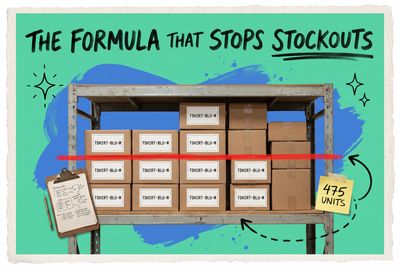
A practical formula: (average daily units sold across all channels × supplier lead time in days) + safety stock. Selling 10 units per day combined, 12-day supplier lead time, 25-unit safety stock: (10 × 12) + 25 = 145 units. When your centralized inventory tracking hits 145, the PO goes out.
What to look for in multi-channel inventory management software
Spreadsheets stop working when more than one of these is true: you're reconciling channel counts more than once a week, you've had at least one oversell in the last 90 days, your catalog has more than 50 active SKUs, or you're adding a third channel.
When evaluating multichannel inventory control software, the capabilities that actually matter are specific:
Near-real-time sync. Batch sync on 30-minute intervals works at low volumes. For meaningful order velocity during peak periods, you need sub-5-minute sync.
Native channel integrations, not generic middleware. Direct connections to Amazon's SP-API and Shopify's API handle edge cases — returns, partial fulfillment, FBA vs. seller-fulfilled stock separation — that webhook-based middleware tends to miss. Ask specifically how a platform handles Amazon FBA inventory vs. FBM before committing.
SKU alias management. Your system needs to maintain multiple external identifiers per internal SKU and translate between them automatically during order processing.
Per-channel inventory buffers. The ability to hold back a percentage of stock from specific channels is a core safety feature, not an enterprise add-on.
Purchase order triggers. When centralized inventory hits a reorder point, the system should generate a PO — not just send you an email to create one manually.
Full audit log. When your count is off by 23 units and you need to know why, the answer needs to be in a timestamped log of every sync event, sale, return, and adjustment. Without it, investigating discrepancies is guesswork.
How OmniOrders handles multichannel inventory sync
OmniOrders connects directly to Shopify and Amazon through native integrations — and to eBay, Walmart, Etsy, and others through pre-built integrations — maintaining a single inventory pool that pushes updates to all connected channels in near real time.
When you add a product, you map all your external identifiers in one place: internal SKU, Amazon ASIN, Shopify product ID. From then on, inventory adjustments from any source — a sale, a return, a PO receipt, a manual correction — update every channel automatically. You configure channel-specific buffers, reorder point rules, and safety stock per product. Every movement is logged with a timestamp.
If you're managing Shopify and Amazon from separate dashboards today, you probably already know something is off. The counts don't quite match, the reconciliation takes longer than it should, and there's always a Friday afternoon spent adjusting stock after a sync failure.
Setting up multi-channel inventory management before your first major oversell is a lot cheaper than recovering from one.
Book a demo to see how OmniOrders handles your channel combination, or start a free trial and connect your first channel in under an hour.
Start your 14-day free trial
See how OmniOrders connects your sales channels, 3PLs, and carriers into one operational layer — free for 14 days, no credit card.