Backorder Management for Ecommerce: The Operational Playbook
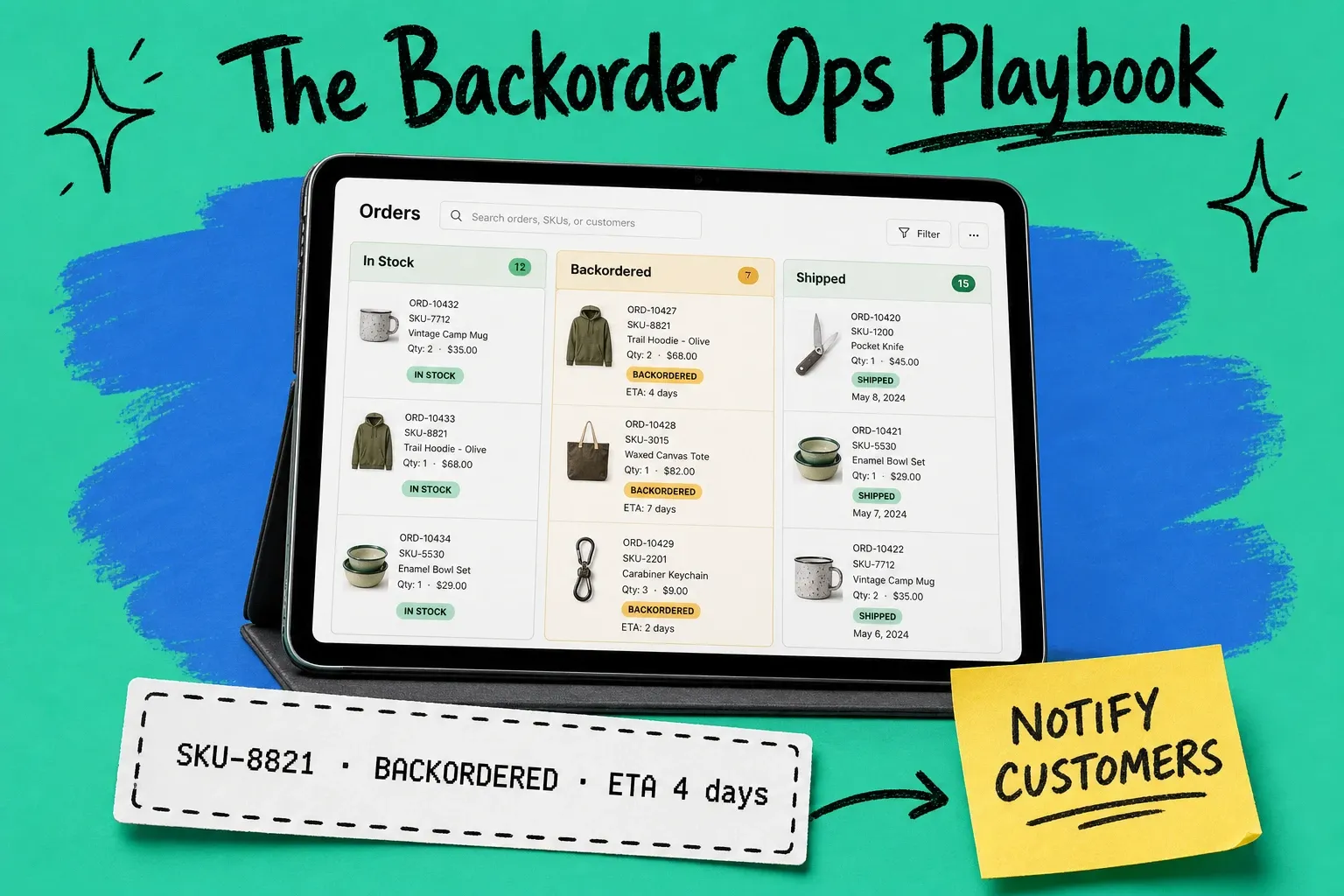
Running out of stock while orders keep coming in sounds manageable — until you're actually in it. The product isn't gone. It's delayed. But "delayed" quietly becomes chargebacks, support tickets, and cancellations if you don't handle it right.
Backorder management is the set of processes and system logic you use to handle those orders — from the moment a customer pays through to when the shipment leaves your warehouse. Done right, it protects your cash (payment is already collected), keeps the customer relationship intact, and buys your supply chain time to catch up. Done wrong, a temporary stockout turns into a dispute queue that takes a week to dig out of.
This guide covers the whole operational picture: definitions, the difference between backorders and pre-orders, the communication cadence that stops chargebacks, and the OMS logic that automates it at scale.
What is backorder management?
A backorder happens when a customer places an order for a product you don't currently have in stock but expect to receive. Backorder management is how you run the order from checkout to fulfillment while that gap exists.
The definition is simple. The practice involves more moving parts than most brands realize until the first time they get it wrong.
When it works, backorder management protects cash flow, preserves customer trust, and creates a clean queue for when inventory finally lands. When it doesn't, you end up with dozens of open orders, angry customers who heard nothing for two weeks, and a string of credit card disputes you'll lose because you took money and didn't deliver.
Backorder vs. out of stock: why the difference matters
Out of stock means no orders are being accepted — you have no inventory and you're not making any promises. Backorder means you're still accepting orders against inventory that isn't in the warehouse yet.
The customer experience is completely different, and so is the financial risk.
Backorder | Out of Stock | |
|---|---|---|
Orders accepted | Yes | No |
Payment collected at checkout | Yes | N/A |
Commitment to the customer | Yes — a shipment date | No commitment |
Chargeback risk | High if expectation isn't met | Minimal |
Operational pressure | Fulfill when stock arrives | Restock before reopening orders |
Out of stock creates no obligation. Backorder creates one the moment the customer pays. That obligation — explicit or implied — is what backorder management exists to honor.
What causes backorders?
Most backorders trace to one of five places:
1. Demand spikes you didn't forecast. A product goes viral. A competitor closes down. A seasonal surge arrives three weeks early. Forecasting models built on historical data can't catch every spike, and the inventory gap opens faster than you can restock.
2. Supply chain disruption. A manufacturer pushes the production run. A freight container sits in a port for ten days past its arrival estimate. The inventory exists somewhere — it's just not where you need it.
3. Channel oversell from poor inventory sync. You sell on Shopify, Amazon, and Walmart simultaneously. Without real-time inventory sync across every channel, one storefront can sell units already committed somewhere else. This is how you end up with zero on-hand and 40 open orders by Tuesday morning.
4. Intentional lean inventory. Some brands deliberately carry minimal safety stock to cut storage costs. That's a valid trade-off — right up until demand moves faster than the restock cycle.
5. Supplier or manufacturer failure. The wrong quantity ships. The goods arrive damaged and fail receiving inspection. A purchase order gets canceled. None of this is predictable, and all of it lands on your operations team to sort out.
Knowing the cause matters because the fix is different in each case. A forecasting problem and a channel sync problem call for completely different solutions.
Pre-order vs. backorder: mechanics, risks, and when to use each
These two terms get used interchangeably in ecommerce, but they operate differently — and the checkout experience you design should reflect that.
Pre-order: You're selling a product that hasn't been produced or received yet. The estimated ship date is weeks or months away, and the customer knows this before they pay. New product launches are the classic use case.
Backorder: The product exists. You ran out temporarily. You have (or believe you have) a restock date. The customer may not realize there's a delay unless you tell them — which is the whole problem.
The risk profiles differ:
- Pre-orders carry higher expectation-setting risk, but lower chargeback risk, because customers actively opted in knowing the wait.
- Backorders carry higher chargeback risk because customers often assume standard shipping timelines unless told otherwise.
At the checkout level:
- Pre-orders should show "Estimated ship date: [date]" before the customer adds to cart.
- Backorders should show "Currently on backorder — expected to ship by [date]" on the product page, in the cart, and in the confirmation email. If you don't have a firm date, say so: "Ships when restocked. We'll email you when it's on the way."
A customer who completes checkout without knowing about a delay is going to feel deceived the moment they notice. That feeling — not the delay itself — is what triggers a dispute.
The customer trust problem: chargebacks, refunds, and what triggers them
Most backorder chargebacks aren't about the delay. They're about the silence.
A customer checks out Friday, gets an automated confirmation, and then hears nothing. By day ten, they have no idea what's happening to their money. They file a dispute. Not because they're unreasonable — because they have zero visibility and no one responded to the email they sent four days ago. The card issuer sides with them.
What triggers a chargeback:
- No communication after the initial confirmation
- A promised ship date passes without an update
- The customer sends an inquiry and waits more than 48 hours for a reply
- The estimated date changes with no notice
- There's no way to find order status without contacting support
What keeps customers patient even on a long backorder:
- A clear ship date shown at checkout
- Proactive updates before the customer has to ask
- An easy path to cancel if they change their mind
- A response to any inquiry within 24 hours
The dynamic is straightforward: customers accept delays when they feel in control of the situation. Once they feel stuck — order paid, no information, no recourse — they escalate. Your job is to prevent that feeling entirely.
How to handle backorders without losing customers: 7-step playbook
Step 1: Set the expectation before checkout. The product page and cart should both show backorder status and an honest estimated ship date. Not buried in the fine print. One visible line: On backorder — ships by [date]. If you don't have a date, say that too.
Step 2: Send a backorder-specific confirmation email. Your standard order confirmation needs a backorder variant. Include the product ordered, the estimated ship date, what happens if that date slips, and a clear link to cancel if the customer wants out. This goes out within minutes of checkout, not hours.
Step 3: Send a proactive T+48h update. Two days after the order, a short operational email: "Your order is on backorder and scheduled to ship by [date]. We'll email when it ships. Reply if you have questions." Not a marketing email. Not a coupon. A plain-text status update. This one email cuts support ticket volume considerably.
Step 4: Trigger a restock notification automatically. When inventory arrives and fulfillment begins, the customer should get a notification before they check the tracking page. "Your order is being prepared for shipment" — automatic, triggered by the inventory event, not someone on your ops team manually sending emails at the end of the week.
Step 5: Decide your partial shipment policy and communicate it. If a customer ordered three items and one is on backorder, do you ship the two available items now and send the third when it lands, or hold the entire order? Set the default before it comes up — the decision framework is in the next section — and show the policy at checkout so nobody is surprised by a second box or a longer wait.
Step 6: Make cancellation easy. Customers who can't cancel become chargebacks. Put a cancel link in every backorder update email. You'll lose some orders. You'll lose far fewer than you'd lose to disputes plus chargeback fees.
Step 7: Follow up when the order ships. When it finally goes out, acknowledge the wait. "Thanks for your patience while we restocked — your order is on its way." Short. No fluff. Goes a long way toward whether that customer comes back.
Ship partial or hold? The backorder split decision
Step 5 said to have a policy. Here's how to set it.
When one line item is backordered and the rest of the order is sitting on the shelf, you have exactly two moves. Ship what you have now and send the rest when it arrives — that's a partial shipment. Or hold everything until the whole order can leave together — that's shipping complete. (When an order goes out in more than one box for any reason, backorder or otherwise, you're in split shipment territory — we cover the full decision logic, cost math, and B2B rules in our guide to partial shipments vs. split shipments.)
For the backorder case specifically, the call comes down to the restock ETA, the margin on what's in stock, and whether the items are any use apart:
Scenario | Default call | Why |
|---|---|---|
Restock ETA is short (under a week) and reliable | Hold | One label, one delivery, and the wait is inside normal shipping expectations anyway |
ETA is long or uncertain | Ship partial | A long silent hold is how backorders become cancellations and disputes — get the sure thing moving |
In-stock items are high-value or high-margin | Ship partial | Protect the revenue you already have; the second label is cheap insurance |
The second label would erase the order's margin | Hold — or offer the customer a paid split | Don't quietly turn a profitable order into a loss; let the customer choose if speed matters to them |
The items only work together | Hold | A partial delivery with no standalone utility doubles your "where's the rest?" tickets and helps nobody |
The order is a retail purchase order | Neither — get authorization first | On a B2B PO, splitting isn't your call. Routing guides govern it, and unauthorized splits trigger chargebacks. Full B2B rules here |
Whichever way the table points, the customer-facing rule from Step 1 still applies: say it before checkout, confirm it after, and make sure each shipment carries its own tracking. A partial shipment your customer expected is good service. A second box they didn't know was coming is a support ticket.
OMS-level backorder logic: how order management systems handle it
Manual backorder management — a spreadsheet tracking backordered SKUs, someone manually firing email updates, operations staff checking stock levels every morning — works until it doesn't. At 200 orders a month, you can track it by hand. At 2,000 orders, things slip. Updates go out late or not at all. Orders fulfill out of sequence. A rep sends a "your order shipped" email to a customer who's been waiting six weeks and the tracking number doesn't work yet.
A purpose-built order management system handles the operational logic automatically:
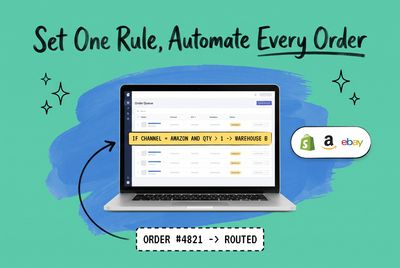
Inventory threshold rules. You set a minimum stock level. When on-hand quantity hits that threshold, the system marks the SKU as on backorder or blocks new orders, depending on your preference.
Queue management. Backordered orders sit in a dedicated queue, sorted by order date. When inventory arrives, the system fulfills in sequence — first order in, first order out. No one has to manually decide whose order ships first.
Automated status notifications. Rather than manually emailing backorder customers, the OMS fires templated emails at each status change: backorder confirmed, estimated date updated, shipment triggered. The customer hears from you without your team having to remember to reach out.
Oversell prevention. When your multi-channel inventory management syncs inventory across Shopify, Amazon, Walmart, and other storefronts through a single system, a sale on one channel decrements available inventory everywhere in real time. You can't accidentally commit the same unit twice.
Partial fulfillment logic. The OMS applies your partial shipment policy consistently to every order. If the rule is "ship available items immediately, fulfill backordered items when received," the system does that automatically — without someone reviewing each order individually.
OmniOrders is built for multi-channel brands who can't manage backorder queues by hand at scale. When a restock arrives, the fulfillment queue picks up automatically. If you want to see how it handles your specific backorder scenarios, book a demo.
How long does a backorder take?
It depends entirely on why you're backordered.
- Supplier delay: Usually matches the delay itself. If your manufacturer pushed the run two weeks, expect a two-week backorder.
- Inbound freight delay: Ocean freight delays often run 1–4 weeks beyond the original ETA, depending on origin and carrier congestion.
- Demand spike (inventory undersupplied but exists): Often resolves within days to two weeks if the reorder went out promptly.
The right answer to "how long does a backorder take" is: give customers the realistic date, not the optimistic one.
If you think inventory arrives in 10 days, tell customers 14. If it arrives in 10, you've given them a pleasant surprise. If it arrives in 14, you kept your word. If it arrives in 18, send an update — but you've bought goodwill with the buffer.
The biggest mistake isn't having a backorder. It's giving an ETA you can't meet and then going quiet when you miss it.
Backorder management best practices checklist
Before enabling backorders on any SKU, run through this:
- [ ] Backorder status and estimated ship date visible on the product page before a customer adds to cart
- [ ] Cart and checkout show the same delay notice
- [ ] Order confirmation email has a backorder-specific variant with the delay stated clearly
- [ ] T+48h update email is automated and in the queue
- [ ] Restock notification fires automatically when inventory lands and fulfillment begins
- [ ] Partial shipment policy is documented and shown at checkout
- [ ] Cancel link is in every backorder update email
- [ ] Support SLA for backorder inquiries is under 24 hours
- [ ] Inventory sync across all active channels is real-time, not batched
- [ ] OMS queue is set to fulfill in order-date sequence when stock arrives
Frequently asked questions
What is a backorder in ecommerce? A backorder is an order placed for a product that isn't currently in stock but is expected to be replenished. The customer's payment is collected at checkout, and the order fulfills when inventory arrives. The key distinction from "out of stock": a backorder represents an active commitment to the customer.
What's the difference between a backorder and a pre-order? A pre-order is placed on a product that hasn't been produced or received yet — typically for a new launch. A backorder is placed on an existing product that ran out of stock temporarily. Both involve a delay. Pre-orders set the expectation upfront by design; backorders require the seller to proactively communicate the delay after the fact.
What's the difference between a backorder and out of stock? Out of stock means no orders are accepted — there's no inventory available and no incoming stock committed. On backorder means orders are still accepted because inventory is expected. The practical difference: backorders create a financial obligation (payment collected, shipment promised); out of stock does not.
How do you communicate backorders to customers? At minimum: a clear notice on the product page before checkout, a delay-specific order confirmation email sent immediately, a proactive status update 48 hours after the order, and an automatic notification when the order ships. Every communication should include the estimated ship date and a straightforward way to cancel.
What happens if a backorder can't be fulfilled? If inventory won't arrive — supplier canceled, product discontinued, timeline indefinitely unclear — contact the customer proactively, issue a full refund immediately, and cancel the order before they file a dispute. Getting the refund out before the customer asks is almost always cheaper than handling a chargeback.
How long does a backorder take? It depends on the cause. Supplier delays typically match the delay itself. Inbound freight delays often run 1–4 weeks beyond original ETAs. Demand spikes where inventory was simply undersupplied often resolve within days to two weeks if a reorder was placed quickly. Always give customers the realistic date — not the optimistic one.
Should you ship in-stock items first when part of an order is backordered? Ship the available items first when the restock date is far off or uncertain, when the in-stock items carry enough margin to absorb a second shipping label, and when the items are useful on their own. Hold the order together when the restock is days away, when the items are only useful as a set, or when the extra label would wipe out the order's profit.
Who pays for shipping when a backordered order ships in two packages? The merchant does. The customer paid one shipping charge at checkout — or qualified for free shipping — and that price is locked. The cost of the second label comes out of your margin, which is exactly why the split-or-hold decision above is a per-order math problem and not just a customer-service reflex.
Start your 14-day free trial
See how OmniOrders connects your sales channels, 3PLs, and carriers into one operational layer — free for 14 days, no credit card.