How to Automate Shopify Order Fulfillment Without Writing a Single Line of Code
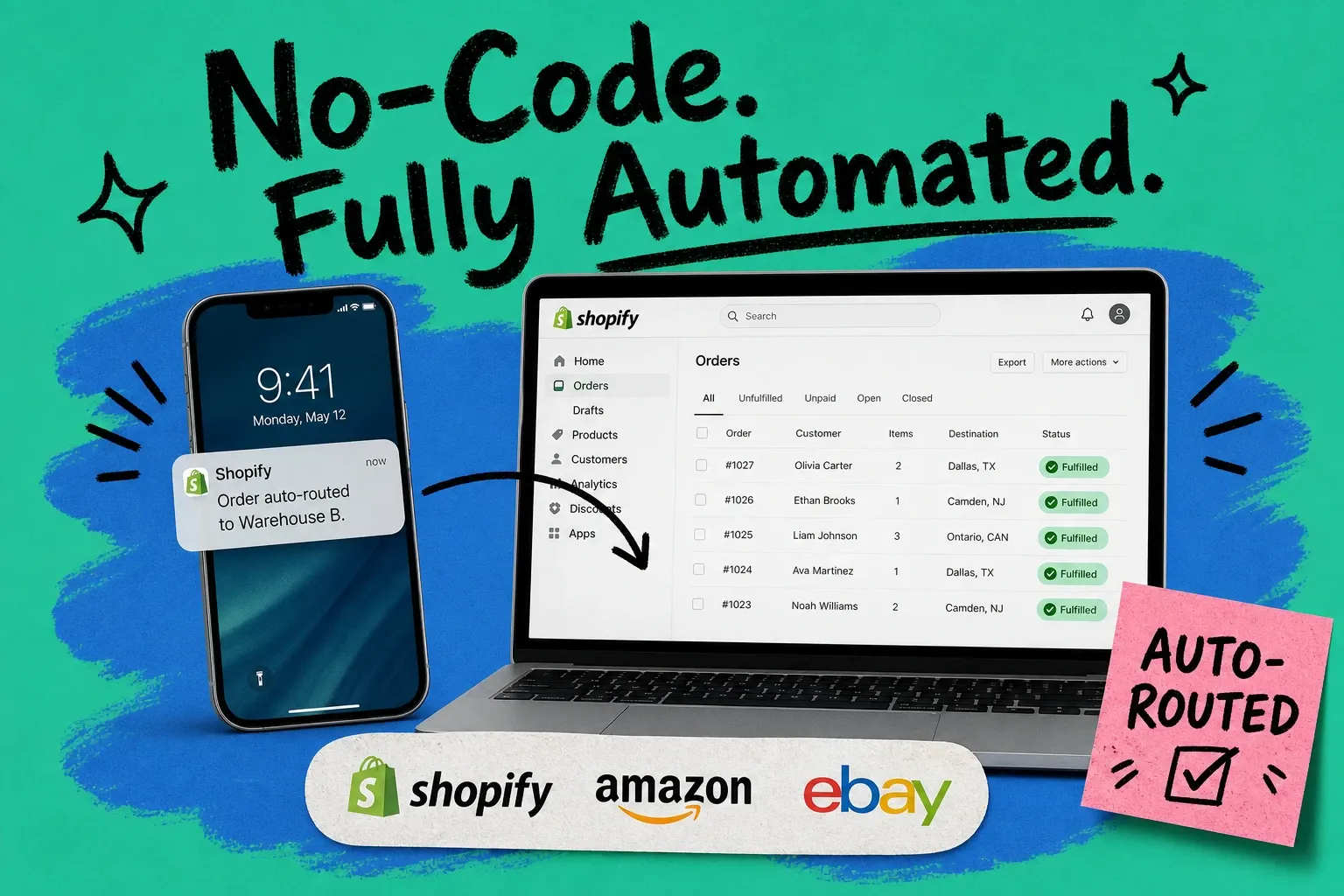
If you're fulfilling more than a few hundred orders a week across Shopify, Amazon, and maybe one or two other channels, you already know the drill. Someone on your team is manually checking orders each morning, routing them to the right warehouse, flagging the ones that need a carrier upgrade, and cleaning up the mess when something slips through.
Shopify order automation promises to fix that. But most articles on the topic either describe what automation is (helpful, thanks) or point you at Shopify Flow, which handles storefront events just fine but stops completely at the point where fulfillment operations get interesting. For multi-channel brands, Flow isn't the answer.
This guide walks you through how to build automated fulfillment workflows that your operations team actually controls — without filing a ticket with IT, without writing a rule in Python, and without paying a developer to add conditions to a system that only they understand how to modify.
Why Shopify Flow Isn't Enough for Multi-Channel Shopify Order Automation
Shopify Flow is a solid tool for what it does. You can automatically tag orders, send internal notifications, or apply discounts based on customer behavior. If you want to pause a high-risk order for review or add a loyalty tag when someone hits a threshold, Flow works well.
What it can't do is orchestrate the fulfillment layer.
Flow operates on Shopify storefront data. It knows about the order as Shopify sees it. It doesn't know that you have three warehouse locations with different carrier contracts, that your Amazon orders need to ship from your East facility to hit Prime SLAs, or that orders containing your hazardous-goods SKUs are legally required to route to a specific 3PL.
It also doesn't know about inventory across locations in real time. If your main warehouse runs out of a SKU, Flow can't automatically route that order to your secondary location or hold it for a replenishment. That logic lives at the order management system (OMS) layer, not the storefront layer.
Here's the practical difference:
Capability | Shopify Flow | OMS automation |
|---|---|---|
Tag orders by customer segment | Yes | Yes |
Route orders to specific warehouses | No | Yes |
Apply carrier logic based on weight/zone | No | Yes |
Sync inventory across multiple locations | No | Yes |
Handle Amazon, Walmart, and Shopify orders with one rule set | No | Yes |
Let ops team modify routing rules without dev support | No | Yes |
The gap that most Shopify sellers hit is in that last row. When your warehouse manager needs to update a routing rule, they shouldn't need to submit a development request. The whole point of no-code automation is that the people who understand the business logic should also be the ones who configure it.
What "No-Code Shopify Order Automation" Actually Means
No-code automation doesn't hide complexity. It expresses complexity through a rules interface instead of code. Your operations manager can look at the rules list and understand exactly what will happen to any given order. They can add a condition, change a carrier preference, or create a new routing path without reading documentation or asking engineering.
In practice, this looks like a rule builder where you set conditions (if/then logic) and actions:
- If order channel = Amazon AND order weight > 5 lbs Then route to East Warehouse AND assign carrier = UPS Ground
- If SKU contains "HZ-" Then route to 3PL partner AND flag for compliance review
- If order total > $500 AND customer location = California Then apply signature-required shipping method
Each rule is visible, editable, and testable. When your team adds a new carrier contract or you expand to a new fulfillment location, updating the rules is a 10-minute job — not a two-week development sprint.
This is the core difference between ecommerce automation software that serves your operations team and software that serves your developers.
Step-by-Step: Building Your First Automated Fulfillment Workflow
The following steps use OmniOrders as the example platform, but the logic applies to any order management system with a no-code automation engine.
Step 1: Map Your Current Routing Logic
Before you configure anything, write down the routing decisions your team makes manually every day.
Common ones:
- Which warehouse gets which channel's orders?
- Which SKUs have special handling requirements?
- What triggers a carrier upgrade from Ground to Express?
- What happens when a SKU is out of stock at the primary location?
If your team has been doing this in their heads or via a shared spreadsheet, this is the step where you make it explicit. You're not inventing new logic — you're documenting what already exists so you can automate it.
Spend 30 minutes with your warehouse manager going through the last 100 orders that required any manual decision. That list becomes your first rule set.
Step 2: Set Up Channel-Specific Triggers
Each sales channel you operate comes with its own fulfillment requirements. Amazon Prime orders have SLA windows. Walmart EDI orders have compliance labeling rules. Your direct Shopify orders have customer expectations around tracking and communication.
Rather than building one giant rule set that tries to handle everything, structure your automation around channel-specific trigger groups.
In OmniOrders, you can define a rule group for each channel:
Amazon rule group:
- Default carrier: negotiated Amazon partner carrier
- SLA flag: if order promised delivery < 48 hours, escalate to Express
- Routing: East Warehouse for Zone 1–3, West Warehouse for Zone 4–8
Shopify DTC rule group:
- Default carrier: rate shop across all contracted carriers, pick lowest cost
- Routing: nearest warehouse with available stock
- Gift orders: apply gift packaging handling flag
Wholesale/EDI rule group:
- Routing: dedicated 3PL
- Label format: compliant with retailer spec
- ASN trigger: generate advance shipping notice on fulfillment
When a new order arrives, OmniOrders checks the channel, applies the matching rule group, and routes accordingly. Your team doesn't touch it. They only get involved when an exception falls outside all defined rules.
Step 3: Configure Your Exception Path
This is the step most teams skip when they first set up automation, and it's the one that matters most.
Automation doesn't fail when rules are correct. It fails when reality doesn't match your rules, and there's no path defined for that situation. The order holds in limbo. Nobody gets notified. You find out from a customer support ticket three days later.
Build your exception path before you go live:
- Rule: if order matches no routing rule, assign to "Exceptions" queue
- Rule: if exception queue count > 0, send Slack notification to ops team
- Rule: if order stays unrouted > 2 hours, escalate notification
Your exceptions queue is a daily operations tool. Most well-configured automation setups reach near-zero exceptions within 30 days, because the exceptions tell you exactly which rules you're missing. Every time something hits the queue, you write a new rule.
Step 4: Set Up Inventory Fallback Rules
One of the most common manual interventions in Shopify fulfillment is an out-of-stock situation at the primary warehouse. Automation handles this without human review for most scenarios.
Basic inventory fallback:
- If SKU stock at Primary Warehouse < order quantity Then check Secondary Warehouse stock Else hold order and notify ops
More sophisticated:
- If SKU stock at Primary < order quantity AND Secondary stock >= order quantity Then split route: fulfill available units from Primary, remaining units from Secondary AND merge tracking under single shipment notification
The second rule handles something most sellers miss entirely with manual processes. Customers receive partial orders they didn't know were partial. Automating inventory fallback eliminates this class of problem.
Step 5: Test Before Going Live
A good no-code automation platform will let you run test orders against your rule set before orders hit the live routing engine.
Run at least 20 test cases covering:
- Your most common order type (should route without exception)
- An order that triggers a carrier upgrade
- An out-of-stock scenario
- An order that intentionally matches no rule (should land in exceptions)
- An EDI or wholesale order with compliance requirements
All 5 scenarios routing correctly means you're ready.
Real Routing Examples
Here's how different business configurations translate to automation rules:
Multi-location DTC brand, 3 US warehouses:
- Orders from ZIP codes 10001–29999: route to New Jersey warehouse
- Orders from ZIP codes 30000–59999: route to Texas warehouse
- Orders from ZIP codes 60000–99999: route to California warehouse
- All international orders: Texas warehouse via DHL account
- Orders over $300: signature confirmation required regardless of route
Shopify + Amazon multi-channel seller:
- Amazon FBA in-scope SKUs: pass to FBA (no OMS routing needed)
- Amazon FBM SKUs: own warehouse, Amazon carrier service
- Shopify DTC orders for FBM SKUs: rate shop across UPS, FedEx, USPS; pick lowest
- Shopify orders for FBA-only SKUs: flag as out-of-channel and notify ops
Brand with 3PL for wholesale, in-house for DTC:
- Shopify: in-house warehouse
- Amazon: in-house warehouse, East facility
- EDI/wholesale: 3PL partner with retailer-specific labeling
- All returns: in-house warehouse regardless of origin channel
None of these rule sets are complicated. All of them would require daily manual routing decisions without automation. With a properly configured order fulfillment solution, every one of these decisions happens in under two seconds per order, at any volume.
What Happens When a Rule Fails
Even well-designed automation hits edge cases. A new SKU added without a category tag. A carrier account suspended without notice. A warehouse reaching capacity on a peak Friday.
The mark of good Shopify order automation isn't that rules never fail. It's that failures are visible and resolved quickly.
OmniOrders surfaces rule failures in a live exceptions dashboard. Each failed routing shows:
- The order details
- Which rule was attempted
- Why it didn't match
- The suggested resolution
This turns exception handling from a reactive firefight into a 10-minute morning review. Your ops team checks the dashboard, resolves any overnight exceptions, and identifies patterns that need a new rule.
After 60 days of running this process, most brands see their exception rate drop to under 1% of order volume. The automation learns the business through use, because every exception teaches you something about your edge cases.
Common Questions About Shopify Order Automation
Can I automate fulfillment for orders from multiple channels (Shopify, Amazon, Walmart) in one system?
Yes, but you need an OMS rather than Shopify-native tools. Shopify Flow only sees Shopify orders. An order management system like OmniOrders ingests orders from all connected channels and applies a single, unified routing logic. This is what makes multi-channel automation actually work — one rule set governs all channels, so you're not maintaining separate automations per platform.
Do I need a developer to build or update my routing rules?
No, if you're using a no-code automation engine. Your operations manager should be able to add, modify, or disable a routing rule through a web interface without any code. This is a key buying criterion when evaluating ecommerce automation software — test whether a non-technical team member can update a rule in under 15 minutes.
What's the difference between an OMS and a WMS when it comes to order automation?
A WMS manages operations inside the warehouse: pick paths, bin locations, put-away logic. An OMS manages the order routing layer: which warehouse receives which order, which carrier is assigned, how inventory is allocated across locations. Order automation lives in the OMS. Some platforms combine both, but the routing intelligence is always an OMS-layer function.
How long does it take to set up initial automation rules?
For a typical Shopify seller with 2–3 channels and 1–2 warehouses, the initial rule set takes about a day to map (writing down your existing manual logic) and a day to configure and test. You're not building from scratch — you're transcribing business logic that already exists in your team's heads into a system that can execute it automatically.
What's the order fulfillment solution for brands that also use 3PLs?
The OMS sits between your sales channels and your 3PL, applying routing rules before passing orders downstream. When an order should go to your 3PL, the OMS routes it there and passes the fulfillment instructions via API or EDI. Your 3PL doesn't need to know about your routing logic — they just receive routed orders in the format they expect.
Automation That Your Ops Team Actually Owns
The real promise of no-code order automation isn't speed (though that's real). It's that the people who understand your business operations are the same people who configure your fulfillment logic.
When your warehouse manager knows that adding a new carrier contract means writing two new routing rules — not filing a ticket that takes three weeks to reach engineering — that's when automation actually scales your business.
OmniOrders is built around this principle: the software fulfillment logic should be as legible to your operations team as a spreadsheet. If you can read a row like "Amazon + weight > 5 lbs → East Warehouse + UPS Ground," you can build and maintain your own automation.
Start with your most common order type. Automate that one routing decision. Watch your exceptions queue. Add rules as patterns emerge. Within 30 days, the manual routing decisions that used to occupy an hour of your team's morning will be handled before they get to their desk.
See how OmniOrders handles Shopify order automation for multi-channel brands — [request a demo or start a free trial].
Start your 14-day free trial
See how OmniOrders connects your sales channels, 3PLs, and carriers into one operational layer — free for 14 days, no credit card.