Fulfillment Automation: What to Automate First in Your Order Operations
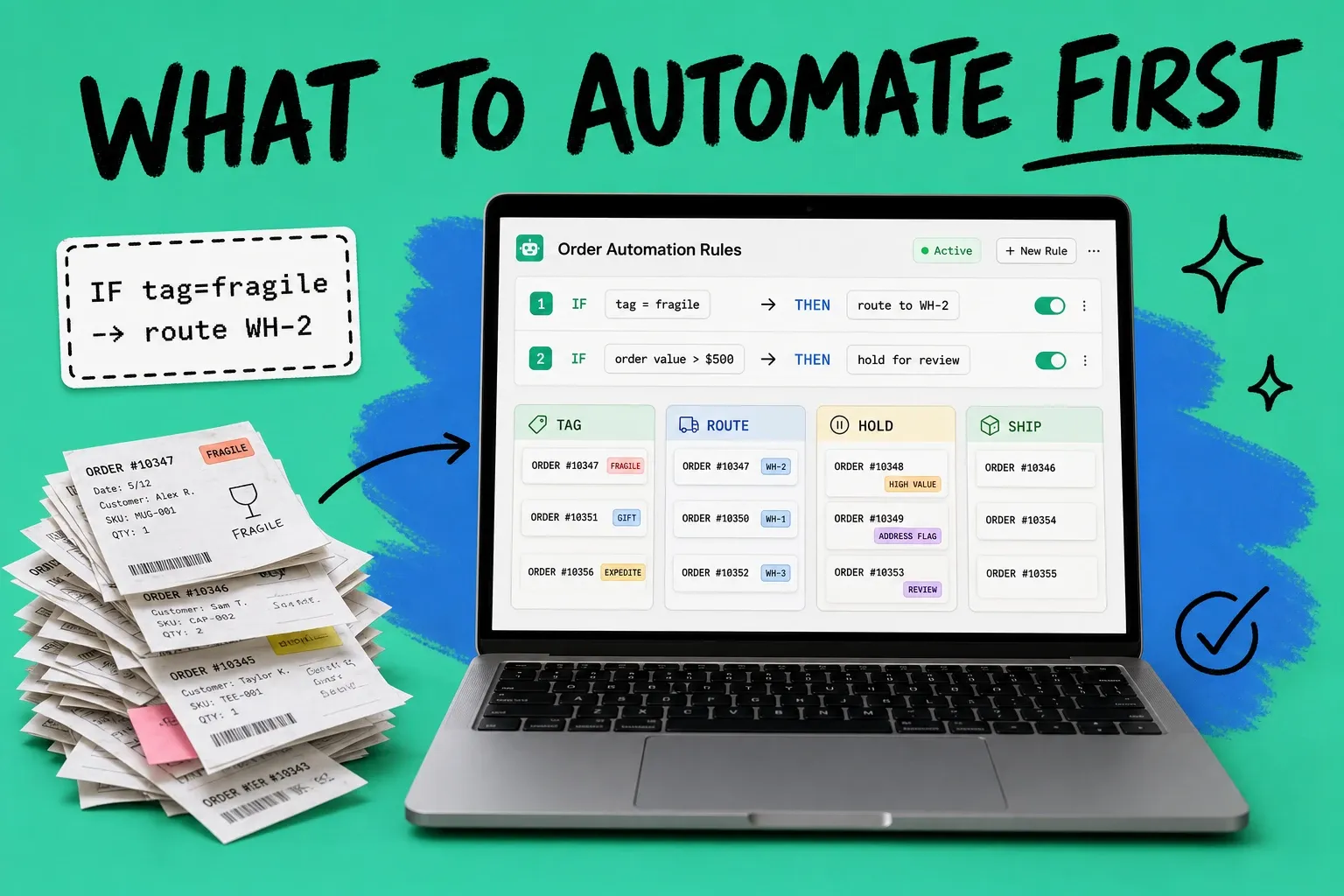
Fulfillment automation is the use of software rules to run repetitive order-handling steps, like tagging, routing, holds, payment capture, batch picking, and tracking updates, without a person clicking through each one. The tasks to automate first are the highest-volume, lowest-judgment ones: order tagging and order routing. They pay back on day one, carry almost no risk, and set up everything that comes after.
Fulfillment automation means letting software handle the routine order flow by rule, so your team only touches the orders that actually need a human decision.
Most operators try to automate everything at once, get overwhelmed, and automate nothing. The better move is to rank your workflows by return on investment and switch them on one at a time. This guide gives you that ranking, with a concrete before and after rule for each step.
What is fulfillment automation?
Fulfillment automation replaces manual, repeatable order steps with software rules that fire on their own. A rule watches for a condition (an order comes in from Amazon, an order is over $500, an item is flagged fragile) and takes an action (tag it, route it to a specific warehouse, hold it for review). No one has to remember to do it, and it happens the same way every time.
That is different from warehouse automation, which people often confuse it with. Warehouse automation is physical hardware: conveyors, pick robots, and automated storage and retrieval systems inside a building. Fulfillment automation is the software layer that decides what happens to each order and moves the data between your store, your warehouse, and your carriers. You can run full software automation with a manual warehouse, and most growing stores should start there because the payback is faster and the cost is lower.
The steps you can automate fall into six buckets:
- Order tagging and segmentation
- Order routing to the right location
- Holds for risky or incomplete orders
- Payment capture
- Batch pick and pack
- Tracking and status updates
You do not need all six on day one. You need them in the right order.
Why automate fulfillment now?
Labor is the expense that keeps climbing, and manual order work is where it hides. According to Deloitte's 2025 supply chain benchmarking, labor as a share of total fulfillment cost rose from 44% in 2020 to 57% in 2025, driven by wage inflation outpacing efficiency gains at most mid-market operators. Every order a person touches by hand is getting more expensive, not less.
The upside of automating that work is well documented. McKinsey, in its research on driving impact at scale from automation and AI, found that order management automation can cut processing time by 46% and save $5 to $15 per sales order. Multiply that by your monthly order count and the number gets serious fast.
There is a quality gap too, not just a speed gap. APQC's order management benchmarks show that top performers process roughly 94% of orders without any human intervention, while weaker operators still handle more than 20% of orders manually. Manual touches are where errors enter. Every keystroke is a chance to pick the wrong warehouse, mis-tag an order, or capture payment on something that should have been held. Those mistakes turn into reships, refunds, and support tickets that cost far more than the original order step.
So the case is simple. The manual work costs more every year, automating it is proven to cut cost and time, and the stores that automate most run cleaner. The only real question is what to automate first.
What should you automate first? A framework ranked by ROI
Rank your workflows by two things: how often the task runs, and how little judgment it needs. High volume plus low judgment equals automate first. Here is the order that works for most ecommerce and wholesale operators.
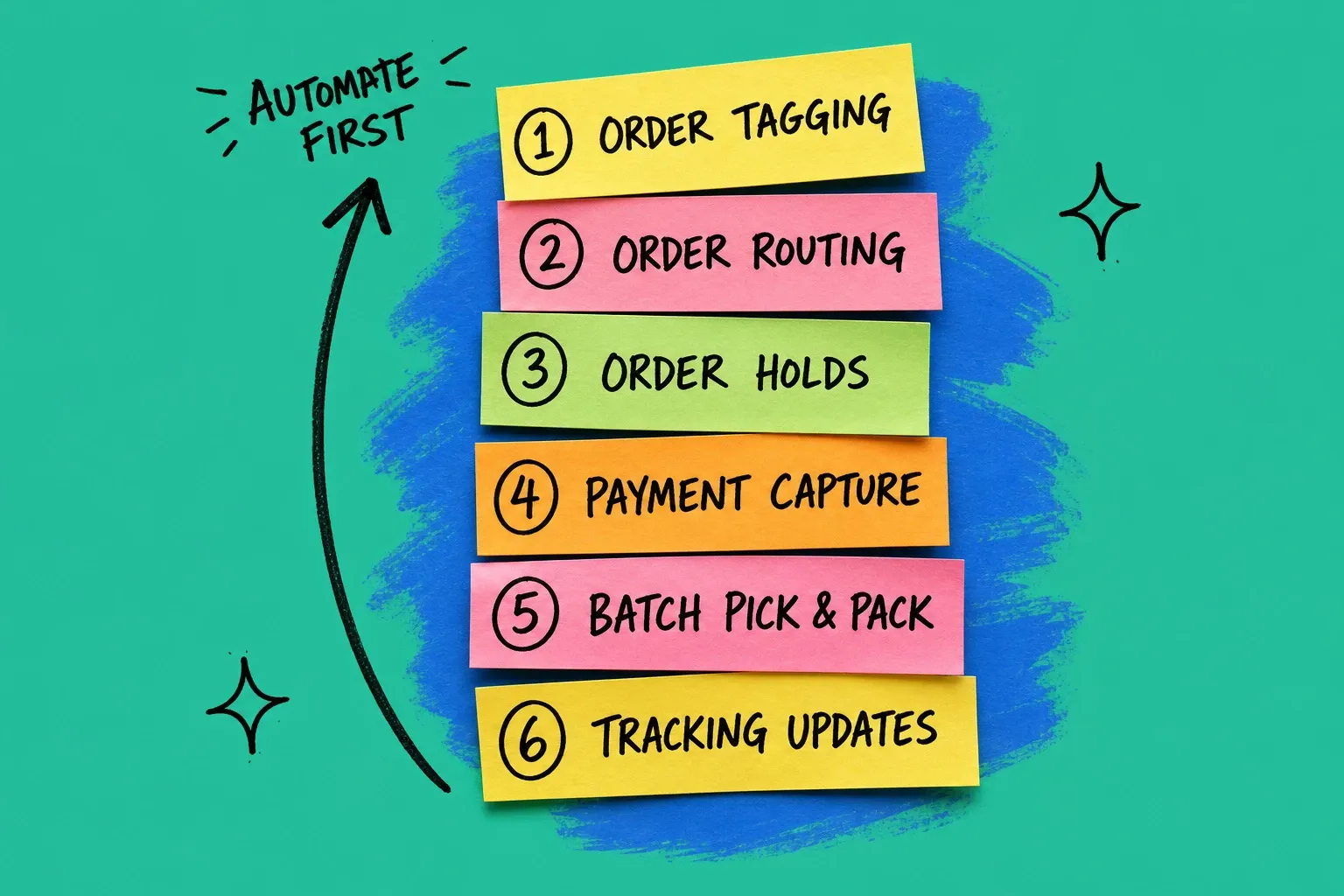
1. Order tagging and segmentation (automate first)
Tags are the foundation. Every downstream rule reads them, so getting tags automated first makes everything else easier.
- Before: You open each order, eyeball the channel, the SKU, and the shipping speed, then hand-label it "expedite," "wholesale," or "fragile."
- After: A rule tags orders the moment they land. Anything from your Faire channel gets "wholesale." Any order with a hazmat SKU gets "ground only." Any order over $500 gets "review."
Tagging is pure pattern matching, which is exactly what software is good at. Start here.
2. Order routing to the right location
If you ship from more than one warehouse, a 3PL, or a store, routing is your biggest lever after tagging. Sending an order to the closest location that has stock cuts shipping cost and transit time on every single order.
- Before: A person checks which warehouse has the item and which is closest to the buyer, then assigns it by hand.
- After: A routing rule picks the location automatically, based on stock on hand and distance to the delivery address, and splits the order only when no single location can fill it.
This is the automation behind distributed order management. It quietly saves money on volume that a person could never keep up with.
3. Holds for risky or incomplete orders
Not every order should ship the second it arrives. Some need a second look. Automating the catch, not the judgment, is the win here.
- Before: Fraud, address problems, and oversized orders slip through because no one has time to inspect every order.
- After: Rules auto-hold orders that match risk patterns, a mismatched billing and shipping country, a first-time buyer over a dollar threshold, an out-of-stock line, and drop them in a review queue. Everything else flows through untouched. If you sell items that regularly go out of stock, pairing holds with solid backorder management keeps those orders from shipping incomplete.
4. Payment capture
Capturing payment at the right moment protects cash flow and cuts chargebacks, and it is a clean rules problem.
- Before: Staff manually capture authorized payments, sometimes days late, sometimes on orders that should have been canceled.
- After: A rule captures payment when the order clears its holds and is ready to fulfill, so you never ship uncaptured and never capture on a canceled order.
5. Batch pick and pack
Once orders are tagged, routed, and cleared, group them so your warehouse moves faster. This is where pick and pack software earns its keep.
- Before: Pickers walk the warehouse one order at a time, retracing the same aisles all day.
- After: A rule batches orders by zone, carrier cutoff, or ship date and generates one pick list per batch, so a picker grabs everything in a single pass.
6. Tracking and status updates
Last, close the loop with the customer. It is high volume but low urgency, which is why it ranks last, not because it lacks value.
- Before: Someone copies tracking numbers into emails, or customers email you asking where their order is.
- After: Tracking numbers sync back automatically and trigger the shipped and out-for-delivery notifications. Good order tracking software turns this into a set-and-forget step and cuts your "where is my order" tickets.
Fulfillment automation vs warehouse automation
This trips up a lot of buyers, so it is worth being clear. If you search "warehouse automation," you get robots and conveyors, six and seven figure hardware projects. That is not where most stores should start.
Fulfillment automation is software. It automates the order decisions and the data flow, and it works with the warehouse you already have, whether that is your garage, a leased unit, or a 3PL. The cost is a fraction of hardware, the rollout takes weeks not quarters, and you can turn rules on one at a time. For the vast majority of ecommerce and wholesale brands, the software layer captures most of the available savings long before hardware makes sense.
How to start without breaking your workflow
Do not flip every rule on at once. Roll out in a controlled sequence so you can trust each step before you build on it.
- Pick one workflow. Start with tagging. Write one rule, watch it run for a few days, and confirm it tags correctly.
- Measure the time it saves. Track minutes per order before and after. This gives you the number to justify the next rule.
- Layer the next step. Add routing once tags are reliable, then holds, then capture, then batching, then tracking.
- Keep a human in the exception loop. Automation should route judgment calls to a person, not make them. Your team gets faster because they only see what needs them.
This is where a no-code automation engine matters. A platform like OmniOrders lets you build these IF-THEN rules across every sales channel without a developer, so an operations lead can set up tagging and routing in an afternoon instead of filing an engineering ticket. If you run on Shopify, our guide to Shopify order automation walks through the channel-specific rules that make the biggest difference first.
Start with one rule that removes a task you hate doing. Measure what it gives back. Then do it again. That is how fulfillment automation compounds: not in one big project, but in a stack of small rules that quietly run your order operations while you work on the parts of the business that actually need you.
Frequently asked questions
What is fulfillment automation?
Fulfillment automation is the use of software rules to run repetitive order-handling steps without manual work. It covers order tagging, routing to the right warehouse, holds for risky orders, payment capture, batch pick and pack, and tracking updates. The goal is to let staff handle exceptions while software handles the routine flow.
What should you automate first in order fulfillment?
Start with order tagging and order routing. They are high-volume, rules-based, and low-judgment, so they pay back on the first day with almost no risk. Once tags and routing are stable, layer in automated holds, payment capture, batch picking, and tracking notifications in that order.
Is fulfillment automation the same as warehouse automation?
No. Warehouse automation refers to physical hardware like conveyors, robots, and automated storage systems inside a building. Fulfillment automation is software that automates the decisions and data flow around each order. Most stores get a faster return from software rules than from warehouse hardware.
Does fulfillment automation replace your 3PL or warehouse team?
No. It removes repetitive clicks and data entry so your team spends time on exceptions, returns, and customer issues instead of copying order details between systems. Your 3PL or in-house crew still picks, packs, and ships. Automation just feeds them cleaner, pre-sorted work.
Is fulfillment automation worth it for a small store?
Usually yes, once you pass roughly 80 to 100 orders a week. Below that, simplifying your process by hand can be enough. Above it, the cost per order drops sharply as more orders flow through untouched, and the time your team gets back compounds every week.
Start your 14-day free trial
See how OmniOrders connects your sales channels, 3PLs, and carriers into one operational layer — free for 14 days, no credit card.