Order Tracking Software: How to Turn Post-Purchase Into a Retention Channel
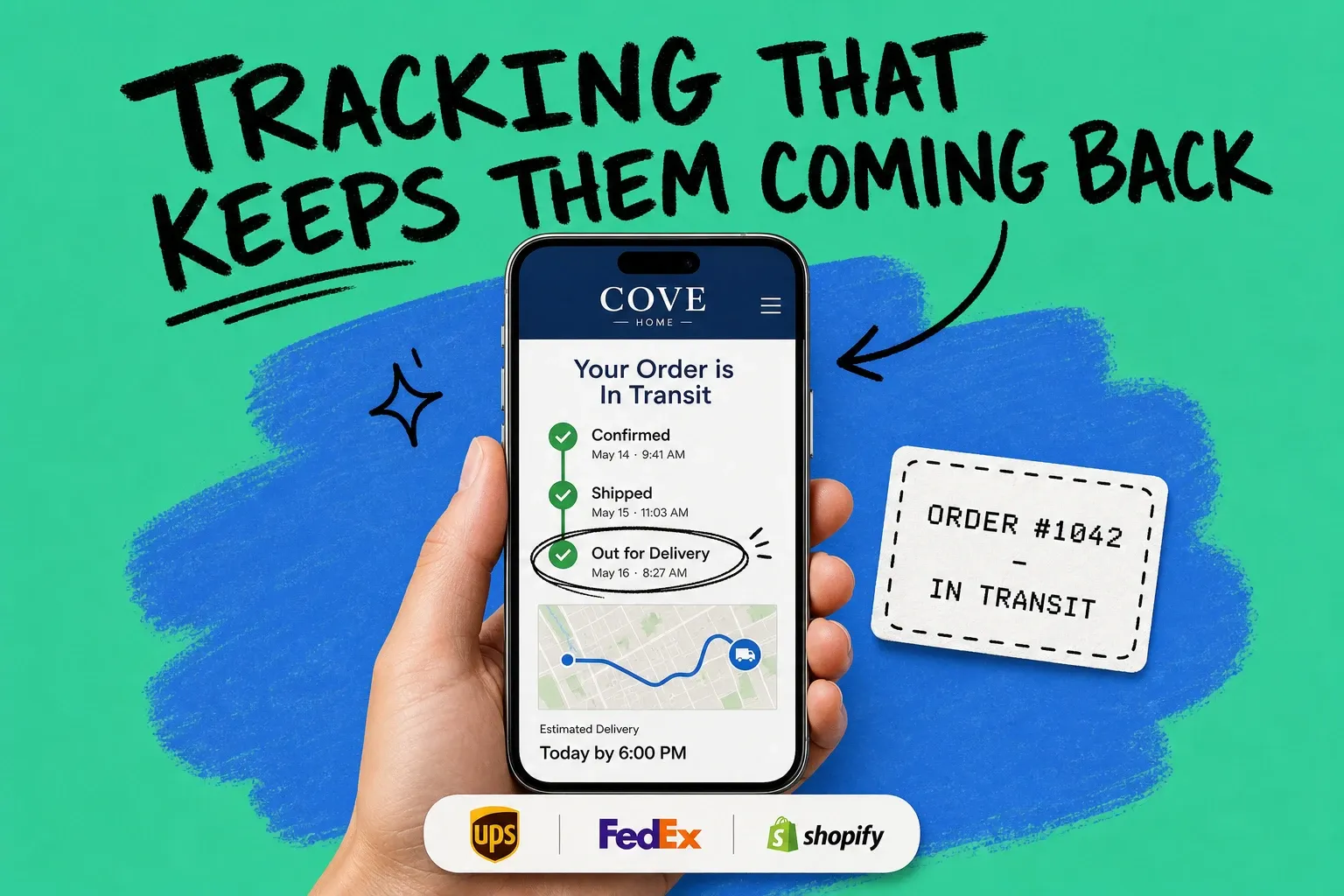
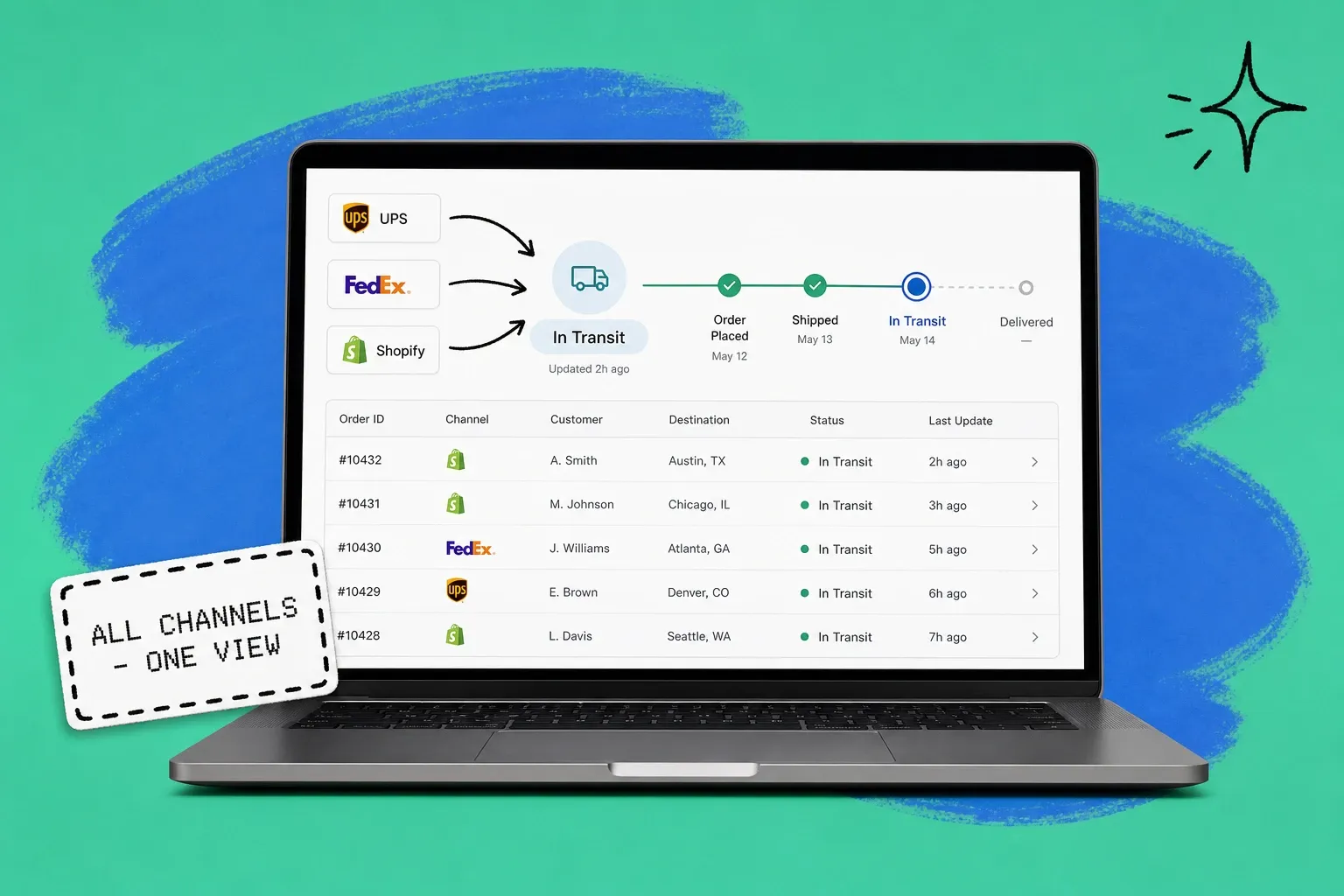
Order tracking software shows your customers exactly where their order is, on a page that looks like your brand, with updates that arrive before they have to ask. The best tools pull status from every carrier and sales channel into one view, then push proactive notifications at each milestone. The payoff is two-sided: fewer "where is my order" tickets for your team, and a post-purchase experience that brings buyers back.
Order tracking software is a system that consolidates order and shipment status across your channels and carriers, then surfaces it to customers through branded tracking pages and automated status updates.
Most stores treat tracking as an afterthought. The marketing is polished, the checkout is optimized, and then the customer clicks "place order" and hits silence until a plain carrier email shows up days later. That gap is where trust leaks out, and it is exactly where order tracking software earns its keep.
What does order tracking software actually do?
At its core, order tracking software does three jobs.
First, it ingests status. It connects to your sales channels and shipping carriers and collects order events: confirmed, processing, shipped, in transit, out for delivery, delivered, and any exception in between. Instead of scattered carrier numbers, you get one normalized timeline per order.
Second, it shows that status to the customer. This is usually a branded tracking page on your own domain, plus order status inside an account or order portal. The customer sees your logo, your colors, and a clear timeline, not a generic carrier screen.
Third, it communicates proactively. Good tools send notifications at the moments that matter and flag delays automatically, so the customer never has to wonder. This is the difference between reactive tracking, where the customer chases information, and proactive tracking, where the information finds them.
If you already run a multichannel operation, tracking is one slice of a bigger picture. It works best when it sits on the same data as your fulfillment and inventory, which is why many brands get it as part of an order management system rather than bolting on a standalone widget.
Why post-purchase visibility decides whether customers come back
The window between "order placed" and "package delivered" is the most emotionally charged part of the customer journey, and most brands waste it. Shoppers are anxious, they check obsessively, and they remember how it felt.
The data is blunt. In Sifted's 2025 Consumer Survey, 76% of shoppers said a positive delivery experience influenced their decision to repurchase from a brand, up from 72% the year before. The same survey found 63% of consumers consider full visibility throughout the delivery process to be essential, not a nice-to-have.
It cuts the other way too. Bringg's 2026 Delivery Experience Study, based on a survey of 1,040 U.S. online shoppers, found that 35% of shoppers will abandon a retailer permanently after a single late delivery, and 29% will churn if there is no real-time tracking at all. You can do everything right up to checkout and still lose the customer in the last mile because they felt left in the dark.
Tracking is not a cost center you tolerate. It is a retention lever you have already paid to pull, because the customer is yours and their attention is high.
How order tracking software reduces "where is my order" tickets
If your support inbox feels like it is mostly status questions, that is normal, and it is fixable. "Where is my order," known as WISMO, is consistently the single largest category of ecommerce support volume, commonly cited at 30% to 50% of all tickets and climbing past half during peak season. Shopify describes it as one of the most common inquiries its merchants handle.
Here is the thing: almost all of those tickets are preventable. A customer opens a WISMO ticket for one reason, they do not know where their order is. Remove that uncertainty and the ticket never gets created.
Order tracking software removes it two ways:
- Proactive notifications. Updates at confirmation, shipment, out for delivery, and delay answer the question before it is asked. Shipping and delivery notifications are some of the highest-engagement messages you will ever send, with open rates often running two to three times higher than marketing email, so customers actually read them.
- Self-service tracking. A branded tracking page lets customers check status on their own, any time, without emailing you. For the small share who still have a question, your agents can pull the same unified status in seconds.
Cutting WISMO is not just a cost saving. Every status question your team does not have to answer is capacity you can spend on the conversations that actually build loyalty, like helping with a fit issue or a reorder.
Branded tracking pages versus basic carrier links
A tracking number in a confirmation email is the bare minimum, and it sends your customer to a carrier site that has nothing to do with your brand. A branded tracking page keeps that moment on your turf.
The practical differences add up fast:
- It stays on your domain. The customer sees your brand at the exact moment their attention is highest, instead of a UPS or FedEx page.
- It is a merchandising surface. Because engagement is so high, a tracking page is a natural spot for a related-product recommendation, a care tip, or a loyalty nudge. Keep it subtle, but use the attention you earned.
- It controls the narrative on delays. When something slips, a branded page with a clear, honest update lands far better than a customer discovering a stalled carrier scan on their own.
There is real headroom here. Stord's 2025 Mystery Shopping Report found that 56% of consumers prefer order updates and tracking information via SMS, yet only 12% of brands meet that expectation. Channels and presentation, not raw tracking data, are where most brands are leaving experience on the table.
Order tracking software versus an order management system
These terms get used loosely, so it helps to separate them.
Order tracking software is the post-purchase visibility layer: tracking pages, status notifications, and delivery updates. Its job is communication.
An order management system, or OMS, runs the entire order lifecycle: importing orders from every channel, allocating inventory, routing each order to the right warehouse or 3PL, and pushing it to fulfillment. Tracking is one output of that system, not the whole thing.
You do not always need both as separate products. If your orders, inventory, and fulfillment already live in one platform, tracking should be a feature of that platform, fed by the same real-time data. That avoids the classic failure mode of a tracking tool that shows a status your fulfillment system has already moved past. When the data is unified, the automation that fulfills the order and the page that tracks it read from the same source of truth.
What to look for in order tracking software
Not all tracking is equal. When you evaluate options, weigh these.
Multi-carrier and multi-channel coverage
Your customers do not care which carrier moved the box or which channel they bought on. Your software should normalize tracking from UPS, FedEx, USPS, and regional carriers, and unify orders from Shopify, Amazon, Walmart, and the rest into one consistent status view. Fragmented tracking is how brands running omnichannel fulfillment end up with inconsistent customer experiences.
Proactive, configurable notifications
Look for event-based notifications you can tune by milestone and channel, including email and SMS. The ability to detect and message on exceptions and delays automatically is the single highest-value feature, because that is the moment a customer is most likely to churn.
A branded, mobile-first tracking page
The page should be on your domain, match your brand, render cleanly on a phone, and have room for a recommendation or message. This is your retention surface, treat it like one.
One source of truth
The status the customer sees should match what your operations team sees, in real time. That only happens when tracking reads from the same data as fulfillment and inventory, not a separate sync that drifts.
This is the model OmniOrders is built on. Order and shipment status across your carriers and channels live in one place, so the branded tracking your customer sees and the operational view your team works from are the same data, updated in real time.
How to turn tracking into a retention channel
Visibility is the floor. To turn tracking into retention, treat the post-purchase window as a campaign, not a utility.
- Map your status milestones. Decide which events trigger a message: confirmation, shipped, out for delivery, delivered, and delayed. Do not notify on every carrier scan, that turns useful updates into noise.
- Make delays a feature, not a secret. A proactive delay message is one of the highest-trust things you can send. Get ahead of bad news and you keep the customer.
- Use the tracking page as a touchpoint. Add one subtle recommendation or a reorder prompt. You are not running a banner ad, you are extending a moment of high intent.
- Close the loop with returns. The post-purchase experience does not end at delivery. A clean handoff into your returns process keeps the experience consistent even when the order did not work out.
- Measure it. Track WISMO ticket share, tracking-page visits, notification engagement, and repeat purchase rate. If tracking is doing its job, support volume falls and repeat rate climbs.
The bottom line
Order tracking software is not a support tool you buy to stop complaints. It is the layer that decides whether the most attentive moment in your customer relationship builds loyalty or burns it. Cut the WISMO tickets, yes, but the bigger prize is the repeat order you earn by treating delivery as part of the product.
The brands that win here do one thing differently: they stop treating tracking as the carrier's job and start treating it as theirs. Put your status on one page, in your voice, in real time, and the post-purchase window stops being a black box and starts being a channel.
Frequently asked questions
What is order tracking software?
Order tracking software is a tool that pulls order and shipment status from your sales channels and carriers into one place, then shows customers where their order is through a branded tracking page and proactive updates. For your team, it centralizes status so support can answer "where is my order" in seconds instead of digging through carrier sites.
What is the difference between order tracking software and an order management system?
Order tracking software focuses on the post-purchase visibility layer: tracking pages, status notifications, and delivery updates. An order management system (OMS) runs the full order lifecycle, including routing, inventory allocation, and fulfillment. Many brands get tracking as a built-in feature of their OMS rather than buying a separate tool.
How does order tracking software reduce WISMO tickets?
It answers the status question before the customer asks. Proactive notifications at confirmation, shipment, out for delivery, and any delay keep customers informed, and a self-service tracking page lets them check anytime. Both remove the reason most people open a "where is my order" ticket in the first place.
Does order tracking software work across multiple carriers and sales channels?
Good order tracking software is carrier and channel agnostic. It should normalize tracking from UPS, FedEx, USPS, and regional carriers, and unify orders from Shopify, Amazon, Walmart, and your other channels into one status view so the experience is consistent no matter where the customer bought.
Is a branded tracking page worth it for a small store?
Yes, if you ship enough orders to field status questions. A branded tracking page keeps customers on your domain, reinforces your brand during the highest-attention moment after a purchase, and gives you a place to recommend products or share care tips. Even at modest volume it lowers support load and adds a retention touchpoint you already paid to earn.
Start your 14-day free trial
See how OmniOrders connects your sales channels, 3PLs, and carriers into one operational layer — free for 14 days, no credit card.