CRM Order Management: Why You Need Both Systems Connected
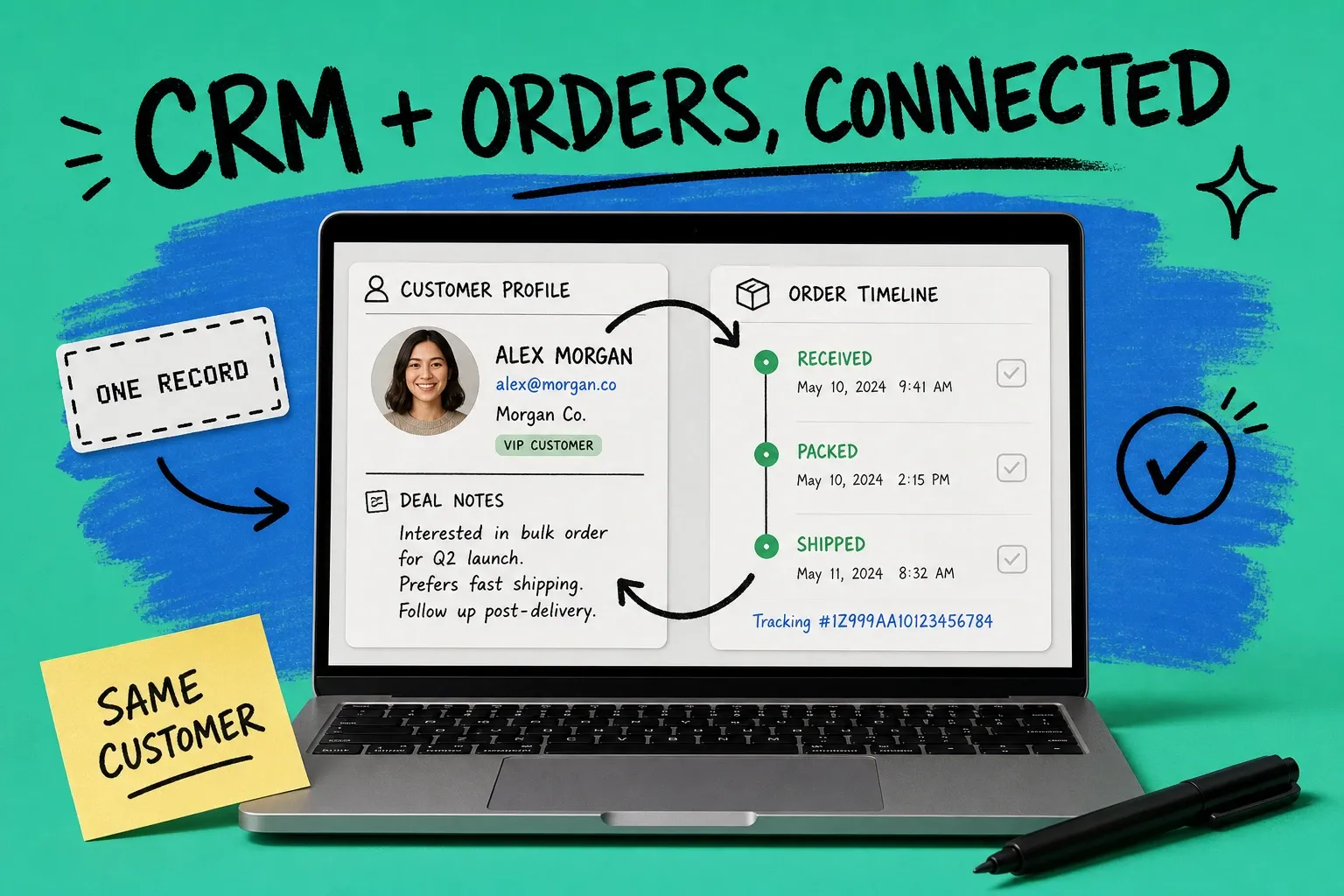
CRM order management means connecting your customer relationship system with your order management system so sales, service, and fulfillment all read from the same live record. Your CRM knows who the customer is and what they might buy next. Your order management system knows what they actually bought and where that order is right now. When those two systems talk to each other, a rep can pull up a customer and instantly see every quote, order, and shipment. When they do not, that same rep is guessing.
CRM order management is the practice of linking customer relationship data (contacts, deals, conversations) with order execution data (orders, inventory, fulfillment) so every team works from one shared view of the customer.
That gap is bigger than most operators realize. A CRM is a sales and relationship tool. An order management system, or OMS, is an operations tool. They were built for different jobs, and stitching them together by hand is where B2B service quietly breaks down.
Is a CRM the same as an order management system?
No, and treating them as interchangeable is the root of most order chaos. They solve different problems and store different data.
What a CRM actually tracks
A CRM (customer relationship management system) is your record of the relationship. It holds contacts, companies, deals in the pipeline, email threads, call notes, and renewal dates. Its job is to help you win the next order and keep the customer happy over time. Ask your CRM "who is this buyer and what have we discussed" and it answers well.
What a CRM does not do well is run the mechanics of an order. It does not decrement stock when an order ships. It does not split a purchase order across two warehouses. It does not rate-shop carriers or push a tracking number back to the buyer.
What an OMS actually tracks
An order management system is your record of the transaction. It captures orders from every channel, allocates inventory, routes each order to the right location, and tracks status from "received" to "delivered." If you are new to the category, our guide on what an order management system does breaks down the full workflow.
The short version: the CRM answers "who and why," and the OMS answers "what and where." You need both. The value comes from connecting them.
What happens when your CRM and order management are disconnected
Two systems that do not share data force your team to become the integration. Someone copies the order number from the OMS into the CRM. Someone else checks the shipping status in a third tab and pastes it into an email. Every handoff is a chance to get it wrong.
The cost of that fragmentation is well documented. Gartner estimates that poor data quality costs the average organization $12.9 million per year. A big share of that comes from exactly this problem: the same customer represented differently in two systems, with no single source of truth.
It gets worse inside the CRM itself. Validity's State of CRM Data Management in 2025 report found that 76% of organizations say less than half of their CRM data is accurate and complete, and that companies lose an average of 16 sales deals per quarter to poor-quality data. When your order history lives in a separate system and never flows back, the CRM record drifts further from reality every day.
And the silo is not rare. In Salesforce's 2024 Connectivity Benchmark, 80% of IT leaders said data silos are holding back their digital transformation. Disconnected CRM and order management is one of the most common silos in any product business.
Here is what that looks like on the ground:
- A sales rep quotes a repeat customer without seeing that their last three orders shipped late. The customer is not in the mood for a hard upsell.
- A support agent gets a "where is my order" email and has to leave the CRM, open the OMS, find the order, and copy the tracking link back. Two minutes per ticket, thousands of tickets a year.
- Finance chases a renewal while the customer is sitting on an unresolved backorder nobody flagged.
None of these are technology failures. They are handoff failures caused by two systems that never learned to talk.
How connecting CRM and order management fixes B2B service
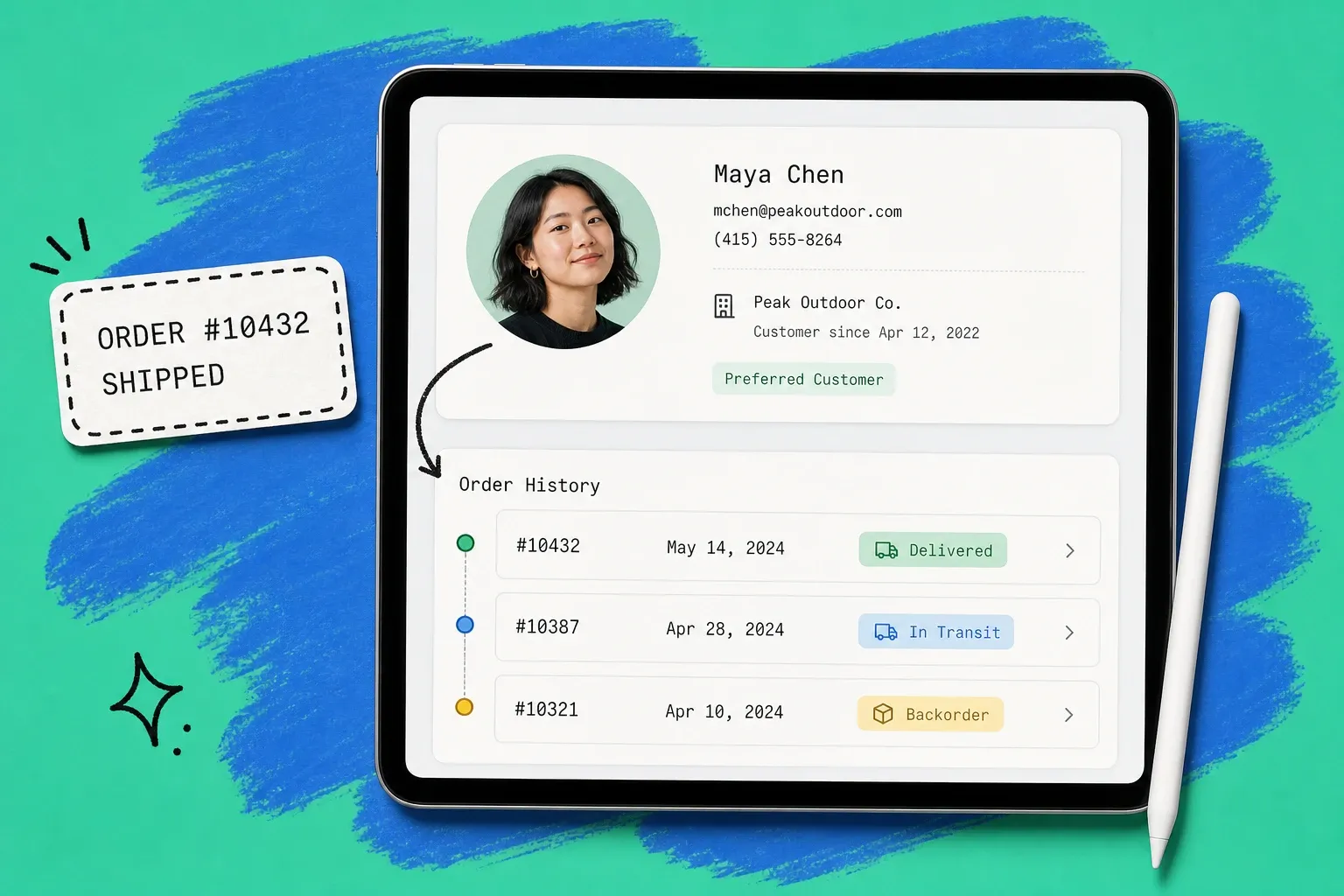
When your CRM and OMS share one record, service stops being a scavenger hunt. The customer profile shows live order status. The rep opens one screen and sees the relationship and the transaction together.
That matters most in B2B, where a single account might place dozens of orders a month across multiple contacts and locations. Give your team a B2B customer portal backed by connected order data and buyers can self-serve reorders and status checks without ever opening a ticket. The CRM knows the account. The OMS knows the orders. The portal shows both.
Connected data also sharpens the CRM's core job. When closed orders, returns, and fulfillment problems flow back into the customer record automatically, your pipeline forecasts get more honest and your reps stop selling to accounts that are quietly unhappy. Order-driven signals like reorder frequency and average days to ship become fields your team can actually act on.
How to connect a CRM to your order management system
You have three realistic paths. The right one depends on how many channels you sell on and how fresh you need the data to be.
Native integrations
Some CRMs and order systems ship a prebuilt connector for each other. This is the fastest path when both vendors support it. The tradeoff is flexibility: you get the fields the vendor decided to map, and little more. Great for straightforward setups, limiting once your workflow gets specific.
Middleware and iPaaS connectors
Integration platforms sit between your CRM and OMS and map fields both ways. They handle more complex logic, like only pushing an order to the CRM once payment clears, or updating a deal stage when an order ships. The cost is another tool to own and maintain, plus the work of keeping field mappings current as either system changes.
A platform that runs orders and syncs to your CRM
The cleanest option for most growing brands is an order management platform that handles the operational side end to end and connects to your CRM through prebuilt connectors. Instead of gluing two systems together, you run orders, inventory, and fulfillment in one place, and the customer record stays current automatically. This is the model OmniOrders is built around: orders and inventory live in one system, and connectors keep your CRM, channels, and accounting in sync so nobody retypes data between tools.
Whichever path you choose, the test is the same. Does a change in one system show up in the other in near real time, or does the sync run once overnight and leave your reps working from yesterday's picture? Near real time wins, because customers do not wait until tomorrow to ask where their order is. Pairing connected data with good order tracking software closes that loop on the post-purchase side too.
Signs you need connected CRM order management
You probably need this if any of the following sound familiar:
- Your reps keep two tabs open and copy order numbers between them all day.
- Support cannot answer a status question without leaving the CRM.
- Your CRM shows a customer as "healthy" while an unresolved backorder sits in the OMS.
- You sell on more than one channel, and stock counts never quite agree.
- Forecasts feel like fiction because closed orders and returns never make it back into the CRM.
If you checked two or more, the manual bridge your team has built is costing you more than a real connection would.
Bringing CRM and orders into one workflow
CRM order management is not about buying more software. It is about making the software you already have stop working in isolation. Your CRM should always reflect what the customer bought and where that order stands. Your order system should always know who the customer is and why the order matters.
Start by listing the moments where a rep or agent has to jump between the two systems. Those handoffs are your integration roadmap. Close them one at a time, whether through a native connector, middleware, or a platform that runs orders and syncs to your CRM out of the box. The payoff is simple: every person who touches the customer sees the whole picture, and "let me check on that" turns into "here is your answer."
Frequently asked questions
What is CRM order management?
CRM order management is the practice of linking your CRM (which holds customer, contact, and sales data) with your order management system (which handles order capture, inventory, and fulfillment) so both share one live record. The goal is that anyone talking to a customer can see the full history of quotes, orders, and shipments without switching tools.
Is a CRM the same as an order management system?
No. A CRM tracks the relationship: leads, contacts, deals, and conversations. An order management system tracks the transaction: what was ordered, from which channel, how much stock is left, and where the shipment is. Most brands need both, connected, because the CRM answers "who and why" while the OMS answers "what and where."
Can a CRM handle order management on its own?
Only for very simple cases. A CRM can log an order as a deal amount, but it does not allocate inventory, route to warehouses, sync stock across channels, or push tracking updates. Once you sell on more than one channel or ship from more than one location, you need a dedicated order management system connected to the CRM.
How do you connect a CRM to an order management system?
You have three common paths: a native integration built by one of the vendors, a middleware or iPaaS connector that maps fields between the two, or a single platform that runs orders and syncs to your CRM through prebuilt connectors. Pick the option that keeps the customer record and the order record updating each other in near real time, not once a night.
Start your 14-day free trial
See how OmniOrders connects your sales channels, 3PLs, and carriers into one operational layer — free for 14 days, no credit card.