Carrier Rate Shopping: How to Get the Cheapest Shipping Rates on Every Order
Most ecommerce brands pick a carrier, set it as the default in their shipping software, and move on. It's one fewer decision. The problem is that the cheapest shipping rates aren't a fixed property of any single carrier — they change order by order.
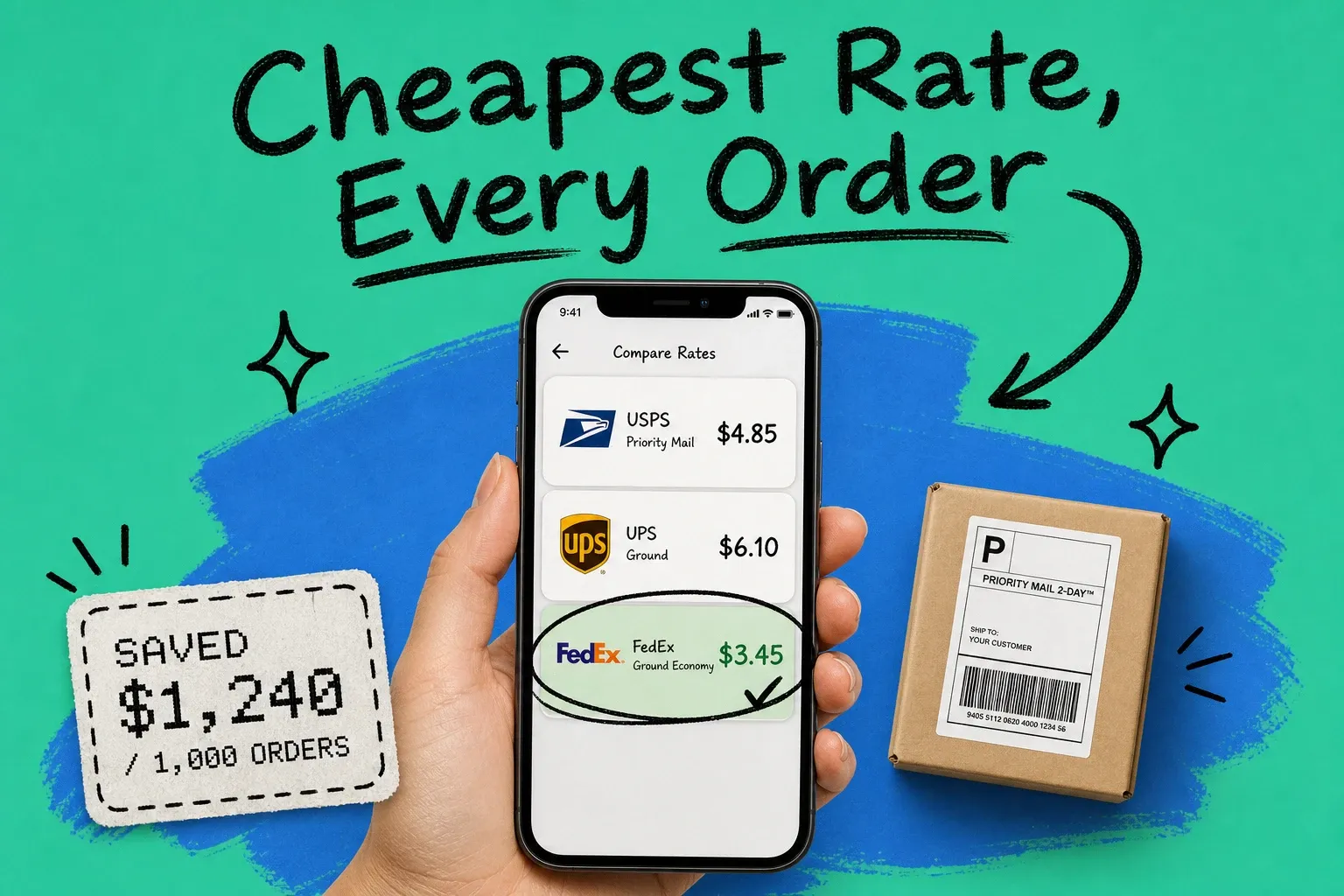
A 6-oz poly mailer from Memphis to Nashville costs something different at USPS than at UPS. A 3-lb box from Los Angeles to New York behaves differently in FedEx's pricing model than in USPS Priority Mail. The spread between the most expensive and least expensive label for the same package typically runs 20–40%. At 1,000 orders a month, you're not looking at a rounding error. You're looking at $800 to $1,500 in monthly costs you didn't have to pay.
Carrier rate shopping is the practice of querying multiple carriers at the moment of each shipment, comparing live rates for that specific package and destination, and routing to the cheapest qualifying label automatically. No contract renegotiation. No new warehouse infrastructure. No change to your carrier accounts.
This is the operator's guide: which variables actually move the label price, where each carrier has structural pricing advantages, and what real savings look like at scale.
What is carrier rate shopping?
Rate shopping is real-time. You get live quotes from multiple carriers simultaneously and route each shipment to whichever service offers the lowest cost for that specific combination of weight, dimensions, destination ZIP, and required delivery speed.
It's not the same as negotiating a flat discount with one carrier. Negotiated rates help — but they only apply to one carrier. Rate shopping works across all your carriers at once, finding the cheapest option regardless of whose truck the package ends up on.
The manual version is: open three browser tabs, compare rate calculators, pick the lowest number. For 10 orders a day, that works. For 50 orders a day it's a part-time job. For 200 it's not possible without automation.
Automated rate shopping builds that decision into your order management system so it happens in milliseconds — no staff intervention. Every shipment gets compared. None get overlooked.
The variables that change your label cost on every order
Most operators know heavier packages cost more. What catches them is how many other factors move the number, and how differently each carrier handles them.
Dimensional (DIM) weight. Carriers charge by whichever is greater: actual weight or dimensional weight. DIM weight is calculated as length × width × height divided by 139 (the standard domestic divisor). A lightweight but bulky product can rate as if it weighs 8 lbs when it actually weighs 1.5. Which carrier's DIM calculation treats your specific package most favorably will vary — and flipping carriers on DIM-heavy items is often where the biggest per-label savings appear.
Shipping zone. The continental US is divided into 8 zones relative to your origin ZIP code. Zone 2 is close and cheap; zone 8 is far and expensive. Every carrier maps those zones differently from the same origin. A brand shipping from Kansas City reaches large portions of the country in zones 2–5. A brand on the East Coast faces more zone 6₅8 deliveries. And because carriers use different zone tables, the same destination ZIP might be zone 4 for UPS and zone 5 for FedEx.
Service level. Ground, Priority, 2-day, overnight — each carrier prices these tiers differently on the same route. For a shipment where 3-day delivery is acceptable, USPS Priority Mail 3-Day often undercuts UPS Ground or FedEx Ground. For overnight, the rankings frequently flip. There's no universal winner across service tiers.
Carrier-specific surcharges. Residential delivery surcharges, address correction fees, fuel surcharges, peak-season add-ons. UPS and FedEx both charge residential delivery surcharges; USPS does not. During Q4, the spread in surcharges widens considerably. The cheapest base rate is often not cheapest once surcharges are applied — especially on residential addresses in rural areas where UPS and FedEx add delivery area surcharges that USPS doesn't.
Regional carrier availability. Carriers like OnTrac (West Coast), LSO (Texas/Southwest), and Spee-Dee (Midwest) regularly beat national carriers on zone 2–4 routes within their coverage footprint. They're underused because they require separate integrations and account setup. On the routes they serve, they can be 10–30% cheaper than the nationals. That's real money if a significant portion of your volume goes to those regions.
None of these variables are static. A rule like "always use USPS for packages under 1 lb" can't account for the interaction between DIM weight, zone, service level, and surcharges simultaneously. That's the job of rate shopping.
Where each carrier tends to have the advantage
USPS is typically cheapest for:
- Packages under 1 lb (First Class Mail is hard to beat for lightweight items)
- Residential deliveries of any weight — no residential surcharge
- Short-distance zone 2–4 routes via Priority Mail
- Remote and rural addresses where FedEx and UPS add delivery area surcharges
UPS is typically cheapest for:
- Heavier commercial B2B shipments where DIM weight isn't the primary cost driver
- Zone 5–8 destinations on heavier packages where UPS Ground pricing is competitive
- Commercial address deliveries (no residential surcharge applied)
FedEx is typically cheapest for:
- Overnight and 2-day time-sensitive shipments on certain routes
- DIM-heavy shipments where FedEx's divisor calculation works in your favor
- Non-urgent residential packages via FedEx Ground Economy (formerly SmartPost), which competes with USPS for slower, cheaper delivery windows
DHL eCommerce is typically cheapest for:
- International shipments, particularly to Europe and Asia
- Lightweight cross-border packages where USPS international transit times are too slow
Regional carriers are typically cheapest for:
- Zone 2–4 deliveries within their coverage footprint
- Same-day and next-day regional scenarios where national carriers charge a significant premium
If you're defaulting to UPS for every order, you're overpaying every time USPS or a regional carrier would have been cheaper — which, for most brand profiles, is a substantial portion of your residential lightweight volume.
The 1,000-order savings calculation
Here's what rate shopping looks like with real numbers.
A brand shipping 1,000 orders per month. Average package: 2 lbs, mix of residential and commercial addresses, destinations spread across zones 3–7.
Without rate shopping (UPS Ground as default): Average label cost: $8.40. Monthly spend: $8,400.
With rate shopping across USPS, UPS, FedEx, and one regional carrier:
USPS wins roughly 40% of orders — the light residential packages and shorter zones — at an average of $5.90 per label. UPS wins about 30%, mostly heavier commercial shipments and zone 6–7 destinations, at $9.20. FedEx handles about 20%, primarily DIM-sensitive packages, at $7.80. The regional carrier takes 10% of orders within its coverage area at $5.20.
Weighted average: $7.43. Monthly spend: $7,430. Monthly savings: $970.
At 2,000 orders/month, savings scale to approximately $1,900. At 5,000 orders/month, the proportional savings hold. [NEEDS DATA: validate savings range for 5,000-order monthly volume using current carrier rate tables]
The $970 figure is conservative. Brands with a higher share of lightweight residential orders — apparel, accessories, health products — typically see 18–22% savings against a single-carrier default. Brands shipping mostly heavy commercial packages land closer to 8–12%.
Two variables determine where you fall: your package mix and how many carriers you're comparing. Adding a fourth carrier to a three-carrier comparison often surfaces another 2–4% in savings on the orders where that carrier wins. Every carrier you add is another shot at finding the cheapest rate.
How automated rate shopping works
The manual version — three browser tabs, three carrier websites, a mental comparison — works for 10 orders a day. Most shipping software solutions have a built-in rate comparison tool that helps, but it still requires manual selection. At 50 orders a day, someone is spending an afternoon on it. At 200 orders a day, that's not a viable workflow.
Automated rate shopping runs inside your multi-channel order management platform. Here's the workflow for each order:
- An order comes in from any connected sales channel — Shopify, Amazon, Walmart, or others
- The system queries all connected carrier accounts simultaneously, passing the package's actual weight, dimensions, destination ZIP, and required ship date
- Carriers return live rates in real time
- The OMS selects the cheapest qualifying rate, applying any rules you've set — minimum service levels, carrier exclusions by product category, order-value thresholds for expedited treatment
- A label is generated and the order moves to fulfillment
The comparison and routing happen in one step, in seconds. Nobody reviews the rates manually.
This is how automated shipping software handles rate shopping at scale: the logic runs on every order without exception, using live rates rather than pre-loaded estimates that go stale when carriers adjust their tables. OmniOrders builds rate shopping directly into centralized order management rather than treating it as a separate add-on step.
The main difference from a standalone label tool is that routing and rate selection happen together. You're not exporting orders to a comparison tool, picking labels, and re-importing. That two-step process introduces delay, requires human touchpoints, and breaks down at volume.
FAQ
Is UPS or USPS cheaper for shipping?
It depends on the package. USPS is typically cheaper for packages under 1 lb going to residential addresses in zones 2–5. UPS usually has an advantage on packages over 3 lbs going to commercial addresses or zone 6–8 destinations. The only reliable answer for any specific shipment is live rates — which is exactly what automated rate shopping produces on every order.
Is FedEx or USPS cheaper for domestic shipping?
USPS is usually cheaper for lightweight residential packages. FedEx has pricing advantages on certain DIM-weight shipments, time-sensitive deliveries, and through FedEx Ground Economy for non-urgent residential packages where a slightly longer transit window is acceptable. Neither carrier is consistently cheaper across all scenarios. The answer depends on the specific weight, zone, service level, and surcharge combination for that shipment.
Getting started
If you're shipping everything through one carrier today, start with a 90-day audit. Export your carrier charges, segment by weight bracket and zone, and run what-if comparisons against two or three alternative carrier rate tables. You'll see quickly which segments have the most savings potential.
To automate, you need an OMS with native multi-carrier rate shopping. OmniOrders connects to your sales channels and carrier accounts, applies your routing rules, and selects the cheapest qualifying label on every shipment — without manual comparison.
The carriers who could offer you cheaper rates on specific orders haven't changed. You're just not comparing them on every order yet.
Want to see what rate shopping would save on your specific order mix? [Book a demo](https://omniorders.com/demo) and we'll model the savings with your actual shipment data.
Start your 14-day free trial
See how OmniOrders connects your sales channels, 3PLs, and carriers into one operational layer — free for 14 days, no credit card.