Manufacturing ERP Systems Explained: What They Include (and What They Miss for Ecommerce)
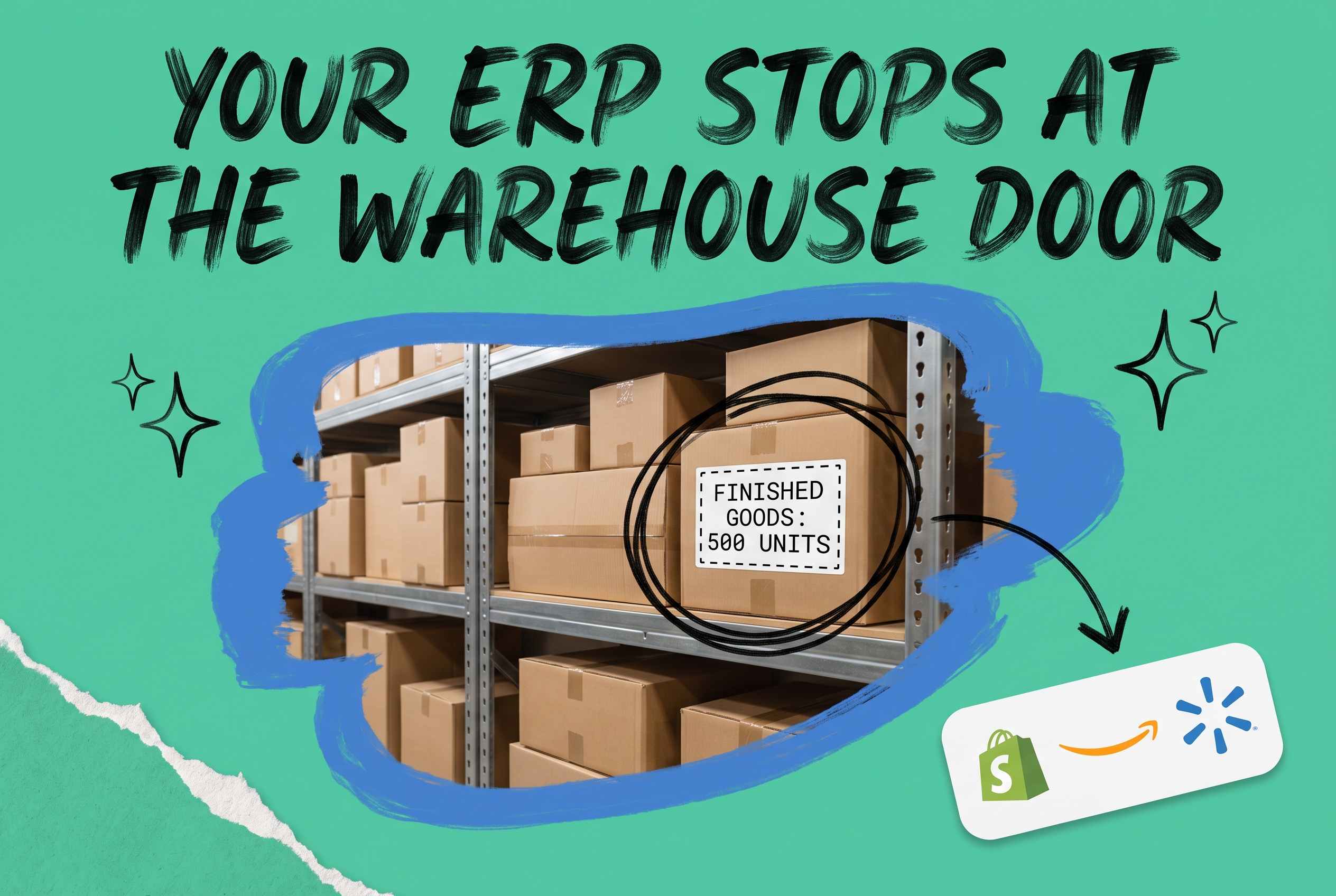
A manufacturing ERP system is software that integrates production planning, materials management, shop floor operations, and cost accounting into a single platform. It tracks raw material consumption, work-in-progress quantities, finished goods output, and production costs. Most manufacturing ERPs do this well. What they don't do is connect your finished goods to a Shopify store, route an incoming Amazon order to the right fulfillment location, or sync real-time inventory across multiple sales channels. For ecommerce brands that manufacture, assemble, or kit products, that gap between production and fulfillment is where orders get lost, customers get oversold stock, and teams spend hours reconciling inventory between systems.
What Is an ERP System in Manufacturing?
Manufacturing ERP software unifies the core operational functions of a production business into one database. Instead of running your bill of materials in a spreadsheet, your production schedule in another system, and your raw material purchases in a third, a manufacturing ERP puts all of it in one place and keeps it in sync.
The term "ERP" stands for enterprise resource planning. In manufacturing contexts, it covers much more than accounting. A full manufacturing ERP system typically includes:
- Bill of materials (BOM): The recipe for each product, listing every component, subassembly, and raw material required to build one unit.
- Work orders and production scheduling: Instructions for the shop floor that link demand signals to production capacity.
- Materials requirements planning (MRP): Calculations that determine what raw materials to purchase and when, based on production demand and current stock levels.
- Shop floor data collection: Real-time tracking of machine time, labor hours, and production output against the schedule.
- Cost accounting: Variance analysis comparing standard costs to actual costs per production run.
- Quality management: Inspection records, defect tracking, and lot traceability from raw material receipt to finished goods.
If you're running a manufacturing operation at any meaningful scale, you need most of these functions. The question isn't whether to use an ERP system in manufacturing; it's whether your ERP is the right tool for every job that happens after production ends.
The Core Modules Inside a Manufacturing ERP System
Bill of Materials and Finished Goods Inventory
The BOM is the foundation of any manufacturing ERP. Take a product like a soy candle (SKU: CANDL-AMB-8OZ). Its BOM might list 200g of amber fragrance wax, a cotton wick, a glass jar, a lid, and a printed label. Every time a candle completes production, those components are consumed from raw material inventory and one finished unit is added to finished goods stock.
Multi-level BOMs add complexity. If your wicks come in bundles that get cut and prepped as subassemblies before assembly, your ERP manages that intermediate stage as well. Process manufacturing software handles batch-based production (where you pour 500 candles from a single wax batch) differently from discrete manufacturing (where each unit is built individually). Both require ERP logic to track yield accurately.
Materials Requirements Planning
MRP is the planning engine inside your manufacturing ERP. It looks at your open sales orders or demand forecast, subtracts on-hand and on-order inventory, and outputs exactly what to purchase and when. A typical MRP run generates a list of purchase orders timed against supplier lead times so raw materials arrive before they're needed on the production line.
Good MRP prevents two expensive mistakes: stockouts that shut down production, and excess raw material that ties up capital. Cloud manufacturing ERP systems often run MRP continuously rather than as a nightly batch job, which means purchase recommendations update as demand signals change throughout the day.
Production Scheduling and Shop Floor Control
Production scheduling assigns work orders to machines, workstations, or production lines based on available capacity. If you're running a single 8-hour shift on two assembly lines, your ERP calculates how many units you can commit to ship by what date.
Shop floor data collection closes the loop. As workers or machines report completions, the ERP updates work-in-progress quantities and finished goods balances. The closer your shop floor reporting is to real time, the more accurate your available-to-promise dates become when a new order comes in.
Where Manufacturing ERP Falls Short for Ecommerce Brands
Here's the honest part. Manufacturing ERP systems were built to run factories, not storefronts. Most ERP vendors' ecommerce integrations are shallow or require expensive customization. A few specific gaps show up repeatedly for brands selling across multiple channels.
Channel inventory synchronization. Your manufacturing ERP knows you have 847 units of TSHIRT-BLU-M in your finished goods warehouse. It has no built-in mechanism to tell Shopify to show 250 units available, Amazon to show 300, and hold 297 in reserve for wholesale. Multi-channel inventory allocation is not an ERP function. It's an order management system function.
Order routing logic. When an order comes in for TSHIRT-BLU-M and you have stock in three locations, which one ships it? Your ERP manages the inventory. It doesn't make real-time decisions about which warehouse based on proximity to the customer, carrier rates, or current pick queue. That routing logic belongs in a dedicated fulfillment system, not bolted onto production software.
Marketplace and storefront connectors. Enterprise ERP vendors offer connections to Shopify and Amazon, but these integrations are often one-directional (pushing inventory out) rather than bidirectional (pulling orders in and updating inventory in real time). The connectors also tend to be rigid, with limited support for custom field mapping or channel-specific order rules.
Automated fulfillment workflows. If an order arrives flagged as a gift, you want to suppress the price on the packing slip. If a return arrives at your warehouse, you want to trigger a quality inspection before restocking. If a wholesale order exceeds $5,000, you want manual approval before it ships. These are fulfillment rules, not production rules, and manufacturing ERPs typically don't have a configurable rule engine for them.
For ecommerce brands doing light assembly, kitting, or product customization, this gap between ERP and ecommerce fulfillment is where a significant amount of operational chaos lives.
Types of Manufacturing ERP Systems
Not all manufacturing ERPs are built the same. Understanding the distinctions helps you evaluate what your current system can and can't do.
Discrete vs. Process Manufacturing Software
Discrete manufacturing builds individual, countable units. An apparel brand cutting and sewing garments, a furniture maker assembling chairs, or a consumer electronics brand building units from components are all discrete manufacturers. Your BOM has a fixed recipe that produces exactly one unit per production run or build.
Process manufacturing software is designed for production that creates output in batches or continuous runs where the output can't always be broken back down into inputs. A cosmetics brand mixing a batch of 1,000 face cream jars, a food brand running a continuous sauce line, or a supplement brand capsule-filling are process manufacturers. Key features include batch tracking, yield management, recipe scaling, byproduct handling, and lot traceability for regulatory compliance.
Many ecommerce brands doing light assembly fall somewhere in between. You might discretely assemble gift sets from pre-made components, which is kitting rather than true manufacturing. Some manufacturing ERPs handle kitting well; others require full BOM management even for straightforward bundle builds.
Cloud Manufacturing ERP vs. On-Premise
Cloud manufacturing ERP runs in hosted infrastructure, accessible from a browser without on-site servers. The main advantages are lower upfront cost, automatic software updates, and easier integration with SaaS ecommerce tools.
On-premise ERP gives you more control over data and customization but requires IT infrastructure investment and dedicated maintenance. Updates are your team's responsibility, and integration projects are typically more complex.
For small business manufacturing ERP needs, cloud-first options are usually the right starting point. The total cost of ownership is lower, and subscription pricing makes it easier to right-size as your business grows.
The Best Manufacturing ERP Systems: A Shortlist
Naming a single "best manufacturing ERP" isn't useful without knowing your production type, company size, and budget. These are the systems that show up most often in evaluations for small to mid-size manufacturers and ecommerce brands with production operations.
NetSuite Manufacturing Edition handles discrete and light process manufacturing, includes MRP, work orders, and BOM management, and integrates with ecommerce platforms through third-party connectors. It's a mid-market choice with significant implementation costs that typically run into five or six figures.
Fishbowl Manufacturing is a popular option for small business manufacturing ERP. It integrates with QuickBooks and has solid BOM and work order management. Ecommerce channel connections require additional tools.
Epicor Kinetic and Infor CloudSuite Industrial are enterprise-grade options built for complex manufacturing environments. Both have steep learning curves and implementation timelines measured in months, not weeks.
Microsoft Dynamics 365 Business Central works well for discrete manufacturers already in the Microsoft ecosystem. Its ecommerce capabilities depend heavily on partner-built integrations.
Odoo Manufacturing is a lower-cost option with open-source roots. Its manufacturing module covers the basics, but ecommerce brands typically need significant configuration work to connect it to their sales channels.
What you'll notice in any honest evaluation: none of these systems handle multi-channel ecommerce order routing natively. They manage what happens inside your factory. The fulfillment layer requires a separate approach.
Connecting Your Manufacturing ERP to Your Sales Channels
You have two paths forward once your manufacturing ERP runs out of lane.
The first is to extend your ERP. Most vendors sell ecommerce modules or marketplace connectors. These range from adequate to expensive-and-limited. If you sell on a single channel (one Shopify store, no other marketplaces), an ERP-native connector might be enough.
The second is to add an order management system as the fulfillment layer between your ERP and your channels. This is the right architecture for brands selling across Shopify, Amazon, eBay, Walmart, Etsy, or any combination. The OMS becomes the system of record for multi-channel inventory and order routing, while the ERP stays focused on production and raw material management.
In a two-system setup that actually works:
- Your manufacturing ERP produces finished goods and updates finished goods inventory.
- Your OMS pulls that finished goods inventory and allocates it across your sales channels.
- When an order comes in through any channel, the OMS routes it to the right fulfillment location based on your rules.
- The OMS sends shipment confirmations back to each channel and updates tracking.
- Inventory changes flow back to the ERP's finished goods records.
You manage your channel and integration setup through the OMS rather than building separate connections from your ERP to each marketplace. That means one configuration point for all your channels instead of maintaining ERP-to-Amazon, ERP-to-Shopify, and ERP-to-Walmart connections separately.
For brands using NetSuite as their manufacturing backbone, this exact approach is covered in the guide to connecting Shopify and NetSuite through an OMS layer, which shows how order and inventory data flows between the two systems without custom API work.
How OmniOrders Connects Your Manufacturing ERP to Ecommerce
OmniOrders is a multi-channel order and inventory management platform that acts as the fulfillment layer between your manufacturing ERP and your sales channels. It doesn't replace your ERP's production planning, BOM management, or cost accounting. It picks up where production ends.
Once finished goods leave the production floor, OmniOrders handles:
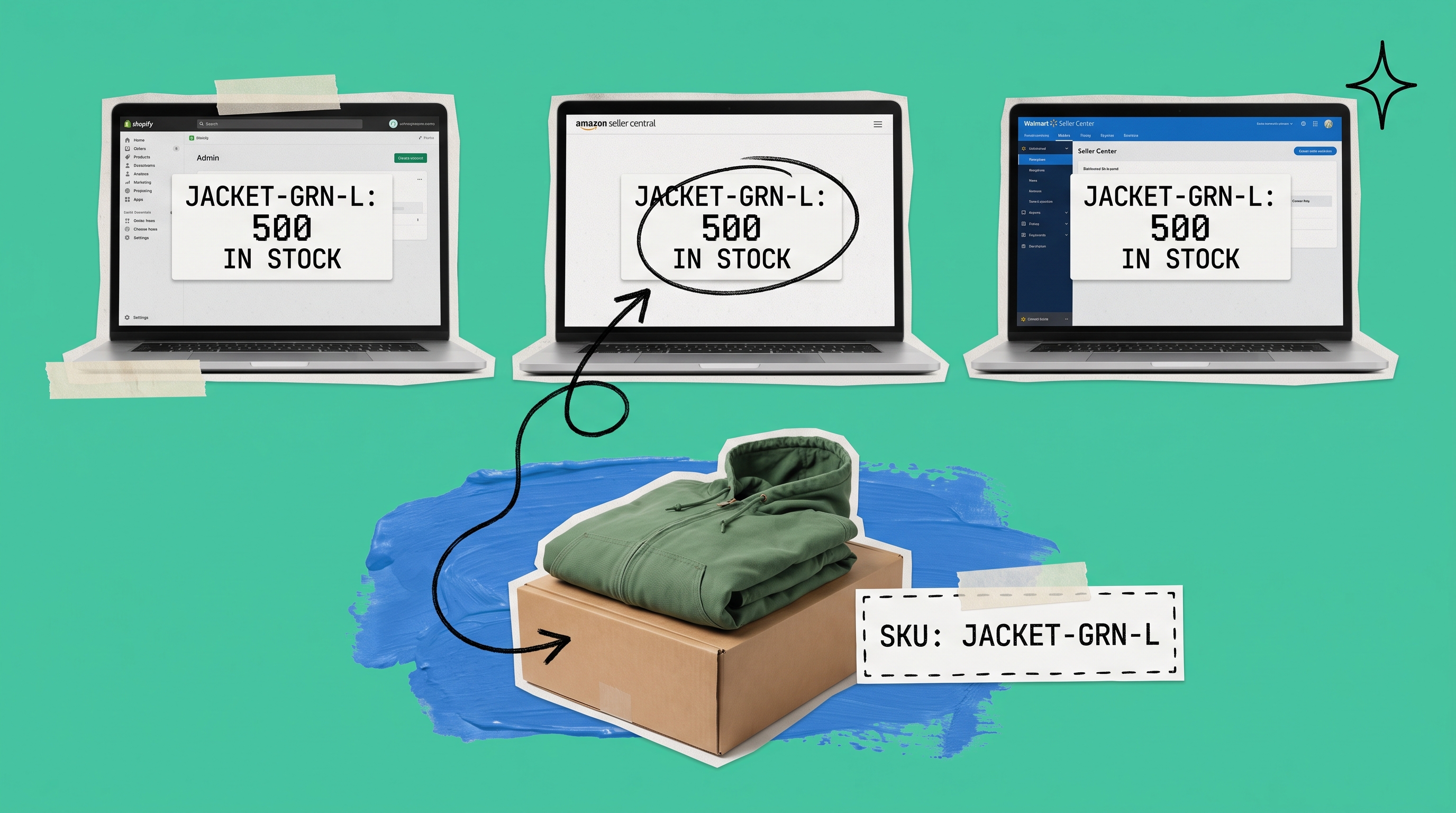
Real-time multi-channel inventory sync. Your finished goods inventory syncs across Shopify, Amazon, eBay, Walmart, Etsy, and any connected channel in real time. When you complete a production run of 500 units of JACKET-GRN-L, those units become available across all your channels automatically. When one sells, every channel's available quantity updates within seconds.
Automated order routing. Every incoming order gets routed to the right fulfillment location based on rules you set: ship from the warehouse closest to the customer, prioritize locations with full stock on the ordered SKU, or route certain product categories to a specific 3PL. You configure those automated routing and fulfillment rules once and they apply to every order from every channel.
Purchase order management. When OMS-level finished goods inventory drops below a threshold, you can trigger purchase orders to your manufacturing operation or to contract manufacturers. This keeps reorder signals in sync with actual channel demand rather than relying on a weekly ERP report that arrives after the stockout already happened.
Returns management. Returned units go through a configurable inspection and restock workflow before going back into sellable inventory. For brands where defect rates matter (apparel, consumer goods, supplements), this keeps your sellable count accurate and prevents restocking a damaged unit that generates a second return.
The result is that your manufacturing ERP and OmniOrders each do what they were built for, with clean data flowing between them. Production efficiency lives in your ERP. Fulfillment accuracy lives in OmniOrders. You stop reconciling the two systems by hand at the end of every week.
If you're working through how sales orders flow across your channels before and after connecting an OMS, the guide to managing sales orders across multiple channels covers the operational mechanics.
Connect Your ERP to Every Channel with OmniOrders
Your manufacturing ERP runs production. OmniOrders runs fulfillment. The two systems are built for different problems, and using both means each does its job without compromise.
If you manufacture, kit, or assemble products and sell across multiple channels, OmniOrders gives you real-time inventory sync, automated order routing, no-code fulfillment rules, AI-driven inventory forecasting, and returns management, all connected to your existing channels.
Start your free OmniOrders trial and see how multi-channel fulfillment looks when it's not a manual job.
Frequently asked questions
What is an ERP system in manufacturing?
A manufacturing ERP system is software that integrates production planning, bill of materials management, materials requirements planning, shop floor scheduling, and cost accounting into a single platform. It tracks what goes into your products and what comes out, giving you visibility into production costs, raw material needs, and finished goods inventory. Most manufacturing ERPs are designed around production workflows and are not built to manage multi-channel ecommerce order routing or fulfillment.
What is the difference between a manufacturing ERP and an OMS?
A manufacturing ERP manages the production side of your business: raw materials, work orders, production schedules, and costing. An order management system manages the fulfillment side: incoming orders from multiple sales channels, inventory allocation across locations, carrier selection, and shipment tracking. The two systems address different problems. Fast-growing ecommerce brands typically need both: an ERP to run production and an OMS to run fulfillment.
Do small businesses need a manufacturing ERP?
It depends on your production complexity. A small business making 10 to 20 SKUs with simple BOMs might manage production adequately in a spreadsheet or a basic inventory app. Once you have multi-level BOMs, multiple production lines, or raw material purchasing that needs demand-driven timing, a manufacturing ERP saves significant time and reduces costly production errors. Several cloud options (Fishbowl, Odoo, Katana) are priced specifically for smaller manufacturing operations.
What is process manufacturing software?
Process manufacturing software is ERP designed for production that creates output in batches or continuous runs rather than individual discrete units. It's used in food and beverage, cosmetics, chemicals, and supplements, where products are mixed, blended, or processed in bulk. Key features include batch tracking, yield management, recipe scaling, byproduct handling, and lot traceability for regulatory compliance.
How do I connect my manufacturing ERP to my ecommerce channels?
The most scalable approach is to add an order management system between your ERP and your sales channels. The OMS pulls finished goods inventory from your ERP, allocates it across your channels, receives incoming orders, routes them to the right fulfillment location, and sends shipment confirmations back to each channel. This keeps your ERP focused on production while your ecommerce operations get the real-time channel sync and order routing they need. Direct ERP-to-marketplace connectors exist but become harder to maintain as your channel mix grows.
Start your 14-day free trial
See how OmniOrders connects your sales channels, 3PLs, and carriers into one operational layer — free for 14 days, no credit card.