Sales Order Management: Process, Best Practices & Software (2026 Guide)
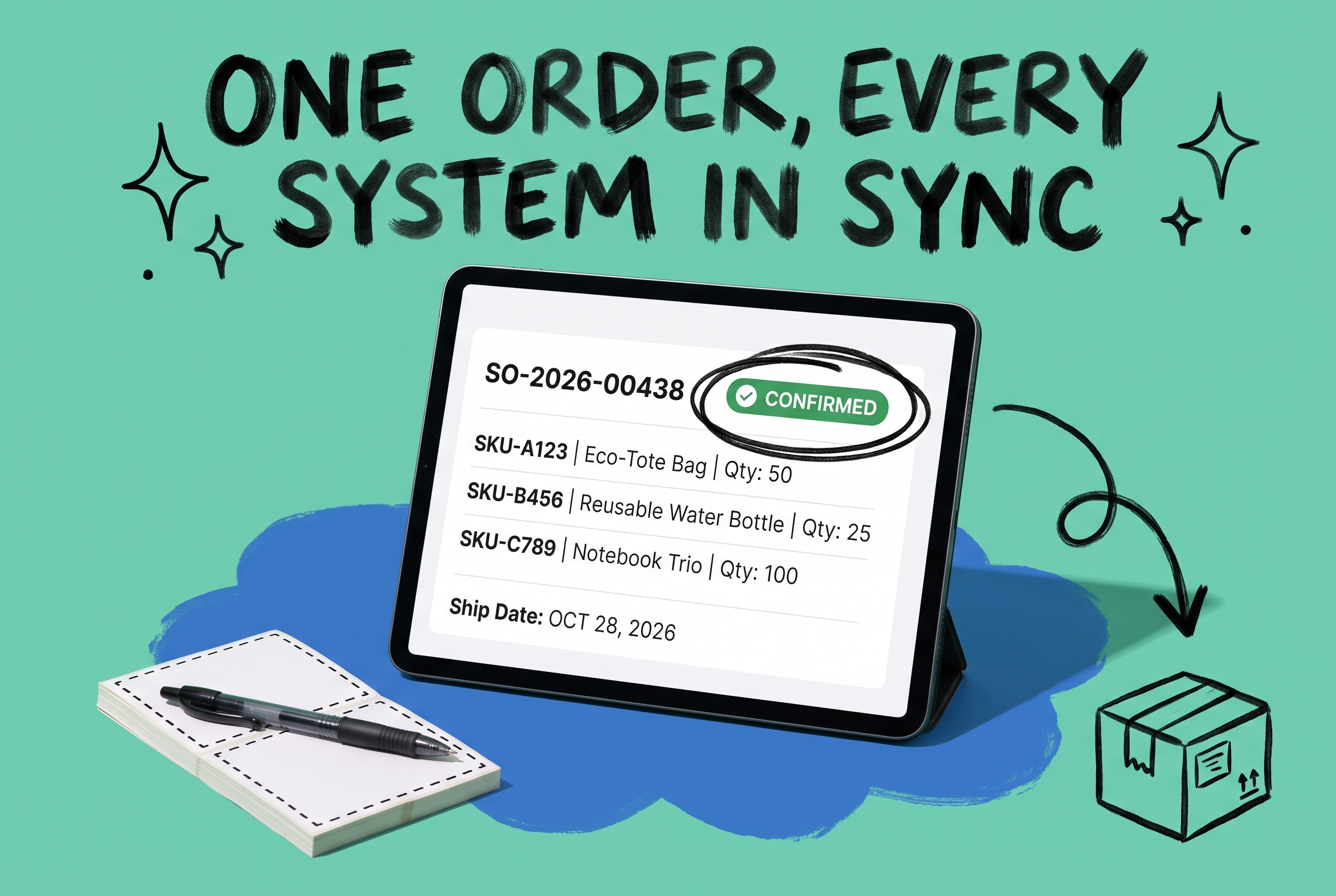
A sales order turns a customer commitment into a fulfillment instruction.
That's it. A customer agrees to buy something, you create a sales order, and that document coordinates everyone who touches the order — warehouse, shipping, accounting — until the goods are delivered and the books close.
Most operations teams treat sales orders as overhead: something to click through and move on. But the SO is also your primary audit trail, your inventory reservation mechanism, and the synchronization point between every system that handles an order. When it breaks, everything downstream breaks with it.
This guide covers what a sales order is, how it differs from purchase orders and invoices, the step-by-step process, where manual workflows fail at scale, and what to look for in sales order management software.
What is a sales order?
A sales order (SO) is a document a seller creates internally to confirm and authorize fulfillment of a customer's purchase request. It records what was ordered, quantities, agreed pricing, payment terms, and delivery instructions.
When a customer sends you a purchase order, your sales order is what you create in response — the internal record that says we've accepted this, here's what we're going to ship.
The SO triggers work across your operation. Your warehouse picks against it. Your shipping team labels against it. Your accounting team invoices from it. Every downstream action traces back to that single document.
What a typical sales order includes:
- Customer name, billing address, and shipping address
- Line items: product name, SKU, quantity, unit price, and extended total
- Payment terms (Net 30, prepaid, COD)
- Requested ship date and promised delivery window
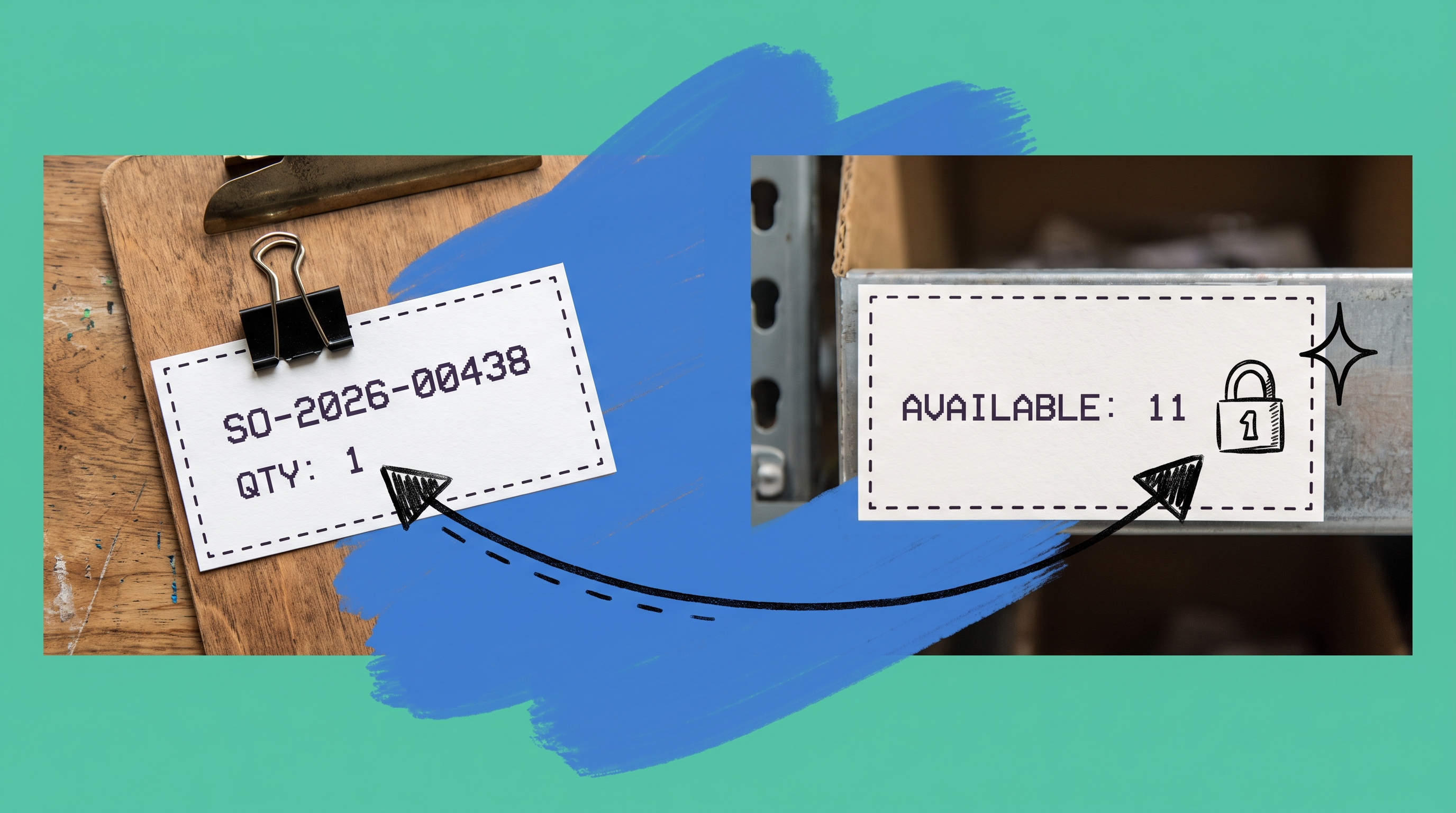
- A unique SO number (SO-2026-00438, for example) and optionally the customer's PO number
Sales order vs purchase order vs invoice
Three documents, one transaction. Each covers it from a different angle.
Document | Created by | What it says |
|---|---|---|
Purchase order (PO) | Buyer | "I want to buy X at price Y" |
Sales order (SO) | Seller | "I've accepted this and will fulfill it" |
Invoice | Seller | "Here's what you owe me" |
Sales order vs purchase order: Your customer creates the PO. You create the SO. They're two versions of the same agreement — one in each company's records. Most B2B businesses match PO numbers to their internal SO numbers so both sides have a shared reference during disputes.
Sales order vs invoice: The SO authorizes internal fulfillment. The invoice requests payment. The SO comes first. You generate the invoice after the order ships — not before. Invoicing before fulfillment creates revenue recognition problems, and it confuses customers who get billed for something still sitting on the warehouse floor.
The sequence: PO from customer → SO created internally → fulfillment → invoice → payment.
The sales order process, step by step
1. Order intake
Orders come in through whatever channels you run: Shopify, Amazon, a direct EDI connection, phone, or a sales rep entering it manually. The channel doesn't matter. What matters is whether they all end up in one place.
2. Verification
Before generating an SO, you check three things:
- Stock availability: Is the item on hand at the relevant fulfillment location?
- Customer credit: Is the account current, or is there a hold?
- Pricing: Does the order match your system or what was quoted?
A failed check puts the order on hold. Somebody contacts the customer. This is where manual processes turn a five-minute review into a half-day problem.
3. SO creation
Order cleared. Your OMS assigns a unique SO number, timestamps the record, and pulls in the customer's addresses, payment terms, and shipping preferences from your account master.
4. Inventory reservation
The system reserves the ordered quantity against available stock. If you ship from multiple warehouses, routing logic decides which location fills the order. This reservation happens at SO creation — not when a picker walks to the shelf.
5. Pick, pack, ship
A picking list derived from the SO goes to the warehouse. Staff pick items, verify counts, pack to spec, and print shipping labels that reference the SO number. Every scan ties back to the SO record.
6. Fulfillment update
Order ships. SO status changes. Tracking number attaches to the record. The customer gets a notification. Your customer service team can see status without calling the warehouse floor.
7. Invoicing
The invoice generates from fulfilled SO data. Quantities, prices, and payment terms carry over without rekeying.
8. Payment and close
Payment received. SO closes. Data flows into inventory reconciliation and accounting.
Where the process breaks down
The eight steps work fine on a whiteboard. Here's what actually happens when orders come from more than one place.
When your Shopify, Amazon, and wholesale EDI connections each live in separate systems, someone has to manually reconcile them. At 40 orders a day, it's annoying. At 400 orders a day, you're hiring a person to do a job a system should do.
When you ship from multiple warehouses without real-time inventory sync, you'll oversell. Your warehouse starts picking against an SO for a unit that was already sold on another channel, nobody caught it in time, and now you have a customer waiting for a shipment that isn't coming, a picker standing at an empty bin, and a conversation nobody wants to have. That failure typically costs more than the order.
When SOs are created manually, errors compound. Wrong SKU. Wrong ship address. A price from the old catalog. These don't surface until the wrong item is already on a truck.
When status visibility is poor, your sales reps are calling the warehouse, customer service is guessing, and your warehouse manager is answering phones instead of shipping orders.
Each failure has the same root cause: systems that don't talk to each other.
Best practices for sales order management
Reserve inventory at SO creation. If you wait until pick time to reserve stock, two SOs can race for the last unit. Reserve when the SO is created. Lock it.
Centralize order intake first. Every channel needs to flow into one system before anything else works. You can't route intelligently or catch oversells if orders live in different places.
Automate the verification step. Build rules that flag credit holds, pricing mismatches, and stock gaps automatically. A rule that fires in real time is worth more than a manual check that happens the next morning.
Define routing logic before peak season. If you have multiple fulfillment locations, write the logic down before you need it. Ship from the closest warehouse. Use your negotiated carrier rates at a specific location. Hold orders above a certain value for credit review. The edge cases are where money leaks.
Connect your OMS to your carrier accounts. Rate shopping at the SO level, before the box is sealed, lets you pick the right service level and price. Waiting until after packing limits your options.
Keep SO data tied to inventory movements. Every pick against an SO should update on-hand quantities. Every return should reference the original SO. This is how inventory numbers stay accurate across channels.
Archive, don't delete. Closed SOs are your audit trail. They resolve disputes, support tax reviews, and let you pull up an order that shipped 14 months ago when a customer calls. Keep them.
What to look for in sales order management software
Sales order management software — usually called an OMS — connects your storefronts, warehouses, carriers, and accounting tools. Here's what matters when evaluating one:
Multi-channel order ingestion. It pulls orders from Shopify, Amazon, WooCommerce, and direct EDI connections without manual re-entry. If you're copying orders between systems, the OMS isn't working.
Real-time inventory visibility across locations. Before you commit to a ship date, you need to see what's actually in stock and where.
Rule-based routing. Closest warehouse, cheapest carrier, preferred location for certain product categories — your rules, applied automatically to every order.
Carrier rate shopping at the SO level. Compare rates before you pack, not after.
Shared status view. Sales, customer service, and the warehouse floor should see the same SO record — not three different systems that might or might not be in sync.
Automatic invoicing. Fulfillment should trigger invoice creation in your accounting system. No manual export.
Peak volume capacity. The system should handle a Black Friday spike without manual workarounds. If it can't, it's not a production system.
How OmniOrders manages sales orders across channels
OmniOrders is a multi-channel OMS for brands selling across Shopify, Amazon, eBay, WooCommerce, and direct EDI connections.
Orders from every channel create SOs automatically. No manual entry. No copy-paste between systems.
Inventory allocation happens at SO creation. OmniOrders checks available stock across all connected fulfillment centers and reserves against the right location. If a SKU is oversold somewhere, the flag fires before the warehouse starts picking.
Routing runs against rules you configure: ship from the closest warehouse, use your negotiated rates at a specific location, hold orders from new accounts for credit review. You set the logic once; it applies to every order.
Rate shopping runs when the SO is ready to ship. OmniOrders connects to your carrier accounts and returns live rates. Your team selects the service level, or you configure automatic selection based on weight, zone, and delivery window.
Fulfillment status flows back to the originating channel when the order ships. Customer notifications trigger automatically. Customer service sees tracking in the OMS.
Invoicing connects to QuickBooks and major ERPs. Fulfilled SO data flows out without a manual sync step.
If you're running into the problems described above, see how OmniOrders works →.
Frequently asked questions
What is a sales order?
A sales order is a document a seller creates to confirm and authorize fulfillment of a customer's purchase. It records what was ordered, quantities, pricing, payment terms, and shipping instructions — and it triggers every internal step that gets the goods out the door.
What's the difference between a sales order and a purchase order?
A purchase order comes from the buyer: "I want to buy X." A sales order comes from the seller: "I've accepted this and will ship it." Same transaction, two records — one in each company's system.
What's the difference between a sales order and an invoice?
The sales order authorizes fulfillment. The invoice requests payment. The invoice comes after the SO is fulfilled, not before. Invoicing before fulfillment creates accounting and customer experience problems.
When should you create a sales order?
After verification: items are in stock, the customer's account is in good standing, and pricing matches the order. Creating an SO before verification commits resources you might not have.
Do you need sales order management software?
At low volume, a spreadsheet or basic ERP handles it. As channels and fulfillment locations multiply, manual processes create oversells, routing errors, and status blackouts. An OMS automates intake, routing, and tracking — and typically pays for itself when it prevents the first oversell.
Start your 14-day free trial
See how OmniOrders connects your sales channels, 3PLs, and carriers into one operational layer — free for 14 days, no credit card.