Stock Replenishment: The Complete Guide to Automated Reordering Across Every Channel
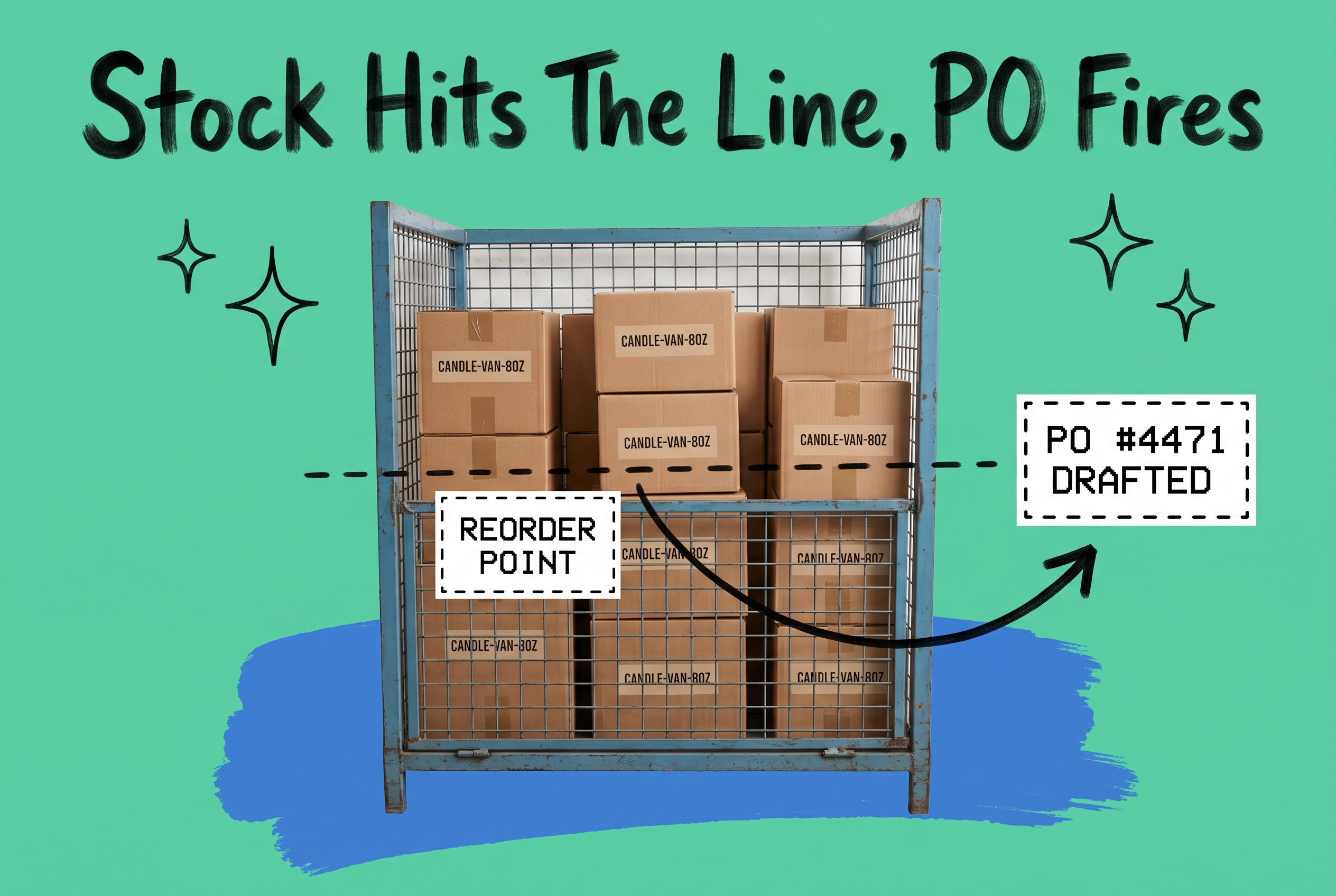
Stock replenishment is the process of restoring inventory to a target quantity when on-hand levels drop below a reorder point, ensuring orders keep shipping without interruption. You define the threshold, set a target order quantity, and the system fires a purchase order to your supplier the moment stock crosses that line. For multi-channel e-commerce brands, doing this manually with spreadsheets means you are always reacting to yesterday's numbers. Automating it means your stock never quietly runs out across Shopify, Amazon, and Walmart while you are focused on something else.
What Is Stock Replenishment?
Replenishment is different from general inventory management. Inventory management tracks what you have. Replenishment decides when to get more of it.
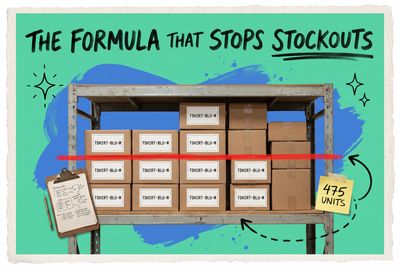
The trigger is usually a reorder point (ROP), a quantity you set in advance based on how fast a product sells and how long your supplier takes to deliver. Say you sell TSHIRT-BLU-M at 50 units per week, and your supplier needs 10 days to fulfill. A sensible reorder point is about 72 units (50 / 7 x 10), plus a safety stock buffer for demand spikes. When your on-hand count hits 72, you order more.
Simple on paper. Complex when you have 400 SKUs across five channels and three warehouse locations.
The Main Inventory Replenishment Strategies
No single replenishment strategy works for every product. Most brands use a combination depending on product velocity, supplier lead times, and storage costs.
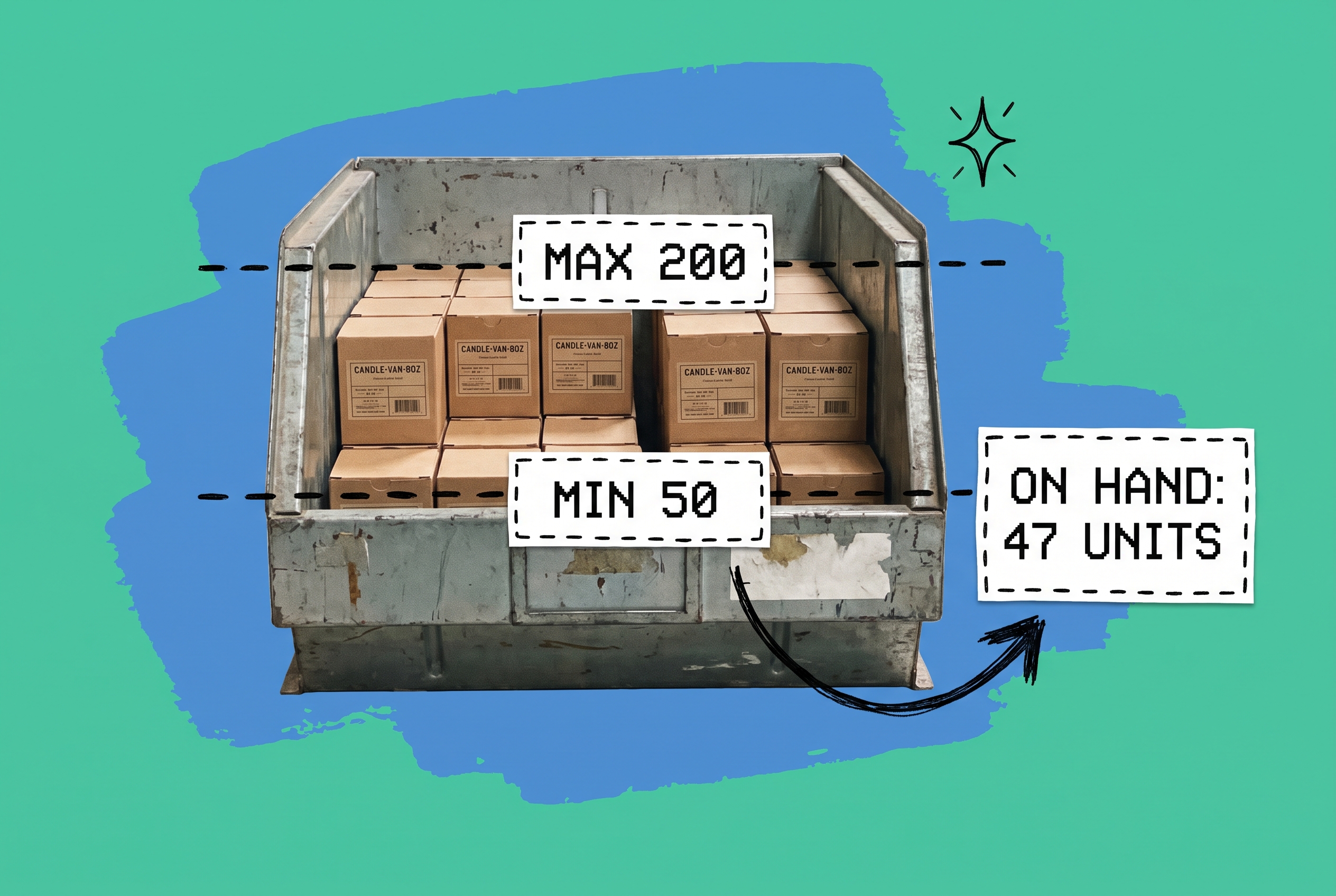
Min-max replenishment sets a floor and a ceiling. When stock hits the floor (the reorder point), you order enough to reach the ceiling (the target quantity). This is the most common approach for steady-selling products. A min of 50 and a max of 200 for CANDLE-VAN-8OZ tells you exactly when to order and how much to order, every time.
Demand-based replenishment ties order quantities to projected sales rather than fixed thresholds. If your candle sold 20% faster than usual over the last 30 days, a demand-based system orders more than static min-max would suggest. OmniOrders' AI-powered inventory forecasting uses this logic to recommend quantities that account for seasonal trends and channel-level velocity.
Periodic replenishment schedules reviews at fixed intervals, weekly or monthly, regardless of current stock. It fits businesses with long supplier lead times or products that are difficult to ship frequently. The risk: stock can drop to zero between review periods if a demand spike lands between cycles.
Just-in-time replenishment keeps almost no safety stock and orders only what you expect to sell immediately. It lowers storage costs but creates real vulnerability when a supplier runs late. Most e-commerce brands with large catalogs find it too risky unless they work with highly reliable suppliers and short lead times.
What Triggers a Replenishment Order?
The trigger is everything. Order too early and you tie up cash in excess stock. Order too late and you oversell, backorder customers, or lose the sale to a competitor who had the item ready.
Reorder point is the most reliable trigger for high-velocity products. Calculate it with: (average daily sales x supplier lead time in days) + safety stock. For a product selling 15 units per day with a 7-day supplier lead time and 30 units of safety stock, your ROP is (15 x 7) + 30 = 135 units.
Safety stock protects you against two uncertainties: demand spikes and supplier delays. A lead time that averages 10 days but occasionally stretches to 14 days means you need extra coverage. Calculate safety stock as: (maximum daily sales - average daily sales) x maximum supplier lead time. For a product with 20-unit max daily sales, 12-unit average daily sales, and a 14-day maximum lead time: (20 - 12) x 14 = 112 units of safety stock.
Replenishment triggers in e-commerce can also be event-based, not just quantity-based. An incoming purchase order from a large wholesale account, a promotion going live next week, a forecasted demand spike for a seasonal SKU. These signals require a system that acts on conditions, not just counts.
Why Manual Replenishment Breaks Down Across Multiple Channels
A spreadsheet-based replenishment process breaks for a predictable reason: it is always looking backward.
You pull a stock report on Monday, calculate what to order, send POs on Tuesday, and by Thursday your Amazon velocity has doubled because a competitor went out of stock. Your reorder quantities are already wrong. And you have no way of knowing that the 80 units at your East Coast warehouse need replenishing while your West Coast location has 300 sitting idle.
The deeper problem is that each channel consumes inventory at different rates. Shopify, Amazon Seller Central, Walmart, and eBay all pull from the same physical pool, but manual processes treat them as separate piles. You end up with oversells on one channel and dead stock on another.
This is why brands running on a centralized order management system gain a meaningful operational advantage: inventory moves in one system, and replenishment triggers fire against the real total rather than a channel-by-channel snapshot that is already hours out of date.
How to Automate Stock Replenishment Without Spreadsheets
OmniOrders replaces the manual PO-and-spreadsheet cycle with rules that fire automatically when stock conditions are met. You build these no-code automation rules once, and they run continuously without anyone checking a report.
A basic replenishment rule looks like this: when any SKU in the "Apparel" product group drops below 50 units combined across all channels, create a draft purchase order for 150 units from the assigned supplier and flag it for review. That draft appears the moment the threshold is crossed, at 2 AM on a Sunday if that is when inventory drops to the line.
More advanced rules layer on conditions. You can set a rule that fires only when stock drops below the reorder point AND the SKU has sold more than 20 units in the last 7 days, filtering out products that dropped because of a return adjustment rather than real demand. That prevents over-ordering slow-movers based on one-time inventory corrections.
When you are ready to generate the actual supplier order, OmniOrders handles purchase order creation with supplier contacts, unit costs, and expected delivery dates pre-populated. No copy-pasting from a spreadsheet into an email.
Multi-Location Replenishment: Getting Stock to the Right Warehouse
The real complexity for growing brands is not just "do I have enough?" It is "do I have enough at the right location?"
A product at full stock nationally can still cause an oversell if all the units sit in one warehouse while orders stream in from the opposite coast. A multi-location warehouse setup lets you set replenishment thresholds per location. Warehouse East triggers at 40 units, Warehouse West at 60, because West ships higher volume.
This also enables internal transfer-based replenishment. When West drops below its reorder point but you have surplus at East, a rule can trigger a transfer request rather than a supplier PO, saving lead time and avoiding minimum order quantities. You are moving stock you already own.
This per-location, per-channel visibility is one of the areas where OmniOrders differs from tools built for single-warehouse operations. Tracking and replenishing inventory at the location level against one real-time count is part of the platform, not a workaround.
Building a Replenishment System That Actually Works
Start with your fastest-selling 20% of SKUs. These are the products where a stockout costs real revenue, and where getting replenishment right has the biggest payoff. Set reorder points based on actual 90-day velocity data, not estimates. Build safety stock that covers your supplier's maximum lead time, not average.
Set up stock level monitoring and automation rules for those high-velocity products first. Once those are running reliably, expand to the rest of your catalog. For slower movers, a periodic review cycle, weekly or bi-weekly, is often more practical than automated triggers. The cost of maintaining complex rules for a product moving 3 units per month rarely justifies itself.
One thing to build into your calendar: review your replenishment thresholds every quarter. Velocity changes. Suppliers adjust lead times. A reorder point set in January based on Q4 data will produce the wrong order quantities by April. The rule itself is not the answer. The habit of reviewing and adjusting it is.
Stop Running Replenishment From a Spreadsheet
Stock replenishment is one of the most consequential operational decisions you make repeatedly, across every SKU in your catalog. Getting it wrong means stockouts, split shipments, oversells, and customers who buy from someone else. Getting it right means cash deployed efficiently, suppliers managed proactively, and inventory positioned where demand actually is.
OmniOrders centralizes replenishment across every channel and warehouse location, with no-code automation rules that fire on the exact conditions you set. Define your thresholds once, let the system monitor inventory around the clock, and spend your time reviewing exceptions rather than rebuilding spreadsheets.
Start your free OmniOrders trial and see how automated replenishment works across your channels.
Frequently asked questions
What is stock replenishment?
Stock replenishment is the process of restoring inventory to a target quantity when on-hand levels fall below a reorder point. It ensures you have enough product to fulfill incoming orders without interruption. The trigger can be quantity-based (reorder point), time-based (periodic review), or demand-based (tied to projected sales velocity).
What is the difference between inventory replenishment and inventory management?
Inventory management covers the full scope of tracking, counting, and controlling stock across locations and channels. Replenishment is the specific decision within that scope: when to reorder, how much to order, and from which supplier. Replenishment depends on inventory management data (current counts, velocity, location levels) to make the right call at the right time.
How do I calculate a reorder point for an e-commerce product?
The standard formula is: (average daily sales x supplier lead time in days) + safety stock. If you sell 10 units per day and your supplier takes 8 days to deliver, and you want 20 units of safety stock, your reorder point is (10 x 8) + 20 = 100 units. Recalculate this number whenever demand patterns or lead times change.
What is min-max inventory replenishment?
Min-max replenishment sets two thresholds for each SKU: a minimum quantity (the reorder point) and a maximum quantity (the target stock level after restocking). When on-hand inventory drops to the minimum, you order enough to reach the maximum. A min of 30 and a max of 150 for a product means you order 120 units whenever stock reaches 30.
How does automated replenishment work for multi-channel sellers?
For multi-channel sellers, automated replenishment works by tracking total inventory across all channels in a single system, then generating a purchase order or internal transfer when any SKU hits its reorder point in aggregate, not per channel. This prevents oversells on active channels while stock sits unused elsewhere, and removes the manual work of checking each channel separately.
Start your 14-day free trial
See how OmniOrders connects your sales channels, 3PLs, and carriers into one operational layer — free for 14 days, no credit card.