EDI Integration for Ecommerce Sellers: Onboarding with Walmart, Target & Big-Box Retail
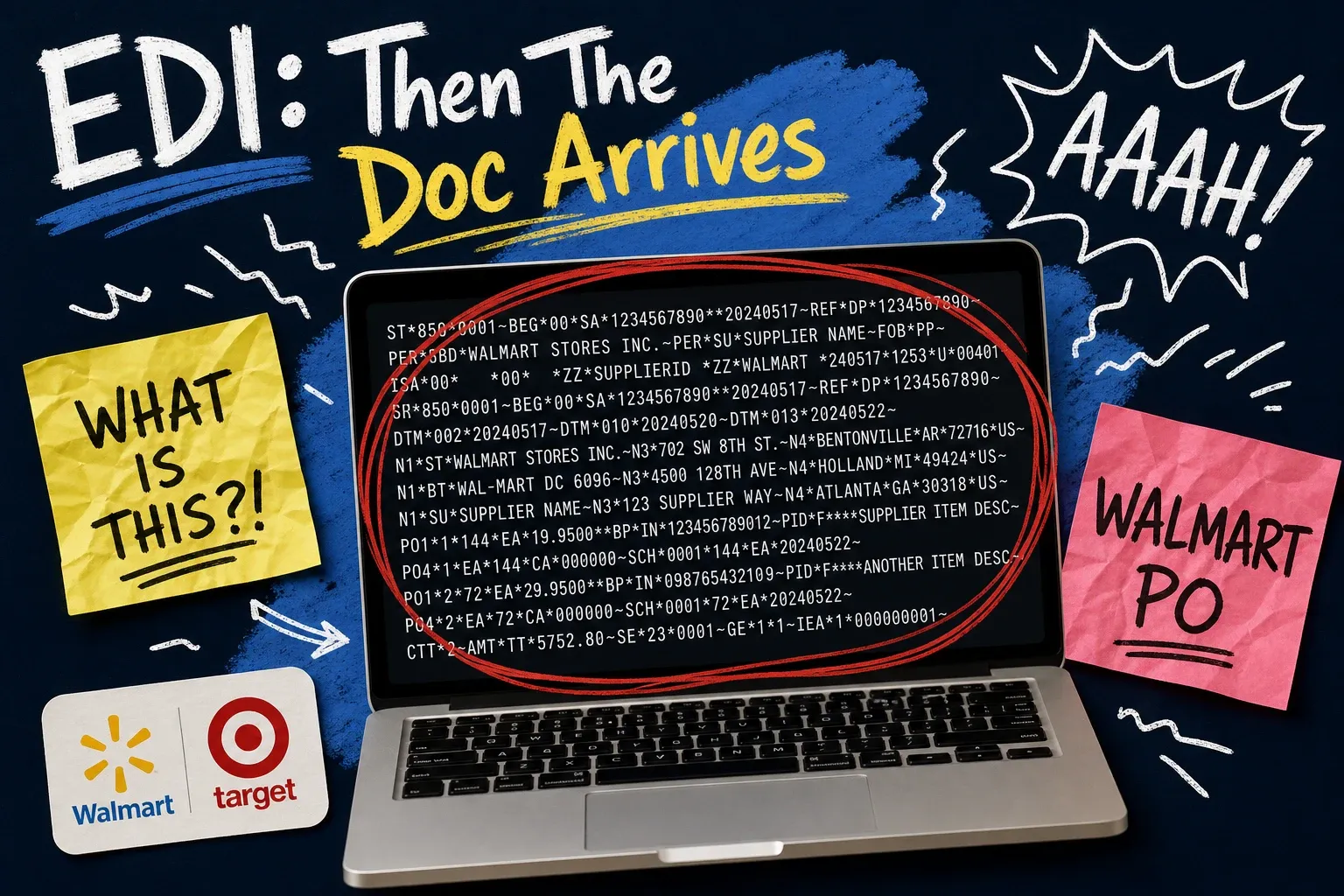
Getting your first purchase order from Walmart or Target is a milestone. Then the compliance document arrives.
Suddenly you're staring at a requirements checklist: EDI, ASN, 850, 856, 810, SSCC labels, routing guides. It reads like it was written for a Fortune 500 logistics team. It wasn't. But you still have to meet it.
EDI integration is the infrastructure layer that connects your order management system to a retailer's supply chain. Get it right and purchase orders flow in automatically, invoices clear without disputes. Get it wrong and you're looking at chargebacks that can wipe out your margin on an entire shipment.
This guide explains what EDI integration is, how the three core transaction sets work, what Walmart and Target specifically require, and how to decide between a standalone EDI translator and an OMS with EDI built in.
What is EDI integration?
EDI stands for Electronic Data Interchange. It's a standardized format for transmitting business documents — purchase orders, invoices, shipping notices — between trading partners' systems, without human intervention.
EDI integration means your systems are connected to a retailer's systems so documents move automatically, in the correct format, on the retailer's timeline.
When Walmart sends you a purchase order, they don't email a PDF. They transmit an EDI 850 — a structured data file — directly into your system. You fulfill the order, send back an EDI 856 (advance ship notice) before the shipment arrives at their DC, then send an EDI 810 invoice. Miss any of those transmissions, or send them malformed, and the retailer issues a chargeback.
EDI Transaction | Document Type | Direction | When |
|---|---|---|---|
850 | Purchase Order | Retailer → Seller | When PO is issued |
856 | Advance Ship Notice (ASN) | Seller → Retailer | Before shipment arrives |
810 | Invoice | Seller → Retailer | After shipment |
These three are the minimum EDI capabilities every big-box retailer requires. Some add 846 (inventory inquiry), 997 (functional acknowledgment), and others once you're live.
The three EDI transactions every seller needs to know
EDI 850: Purchase Order
The 850 kicks everything off. It's the retailer's official order — item numbers (usually UPCs or GTINs), quantities, ship-to locations, required delivery windows, and routing instructions.
Your system needs to receive the 850 and turn it into an internal order. Walmart and Target use their own item identifiers that have to map to your SKUs. If that mapping is wrong — a mismatched UPC, an incorrect case-pack quantity — the order won't process correctly, or you'll fulfill the wrong thing and find out via a compliance violation.
EDI 856: Advance Ship Notice
The ASN trips up most new suppliers. It's not a casual shipping notification. It's a precise data file that tells the retailer exactly what's in each carton, how those cartons are stacked on each pallet, and what label and carrier information applies.
The 856 has to reach the retailer before the truck arrives at their DC. At Walmart, that window is tight — often a matter of hours after carrier pickup, sometimes less depending on the DC's receiving cutoff. Miss it and you get a late-ASN chargeback. Send pack/tier data that doesn't match the physical pallet and you get a compliance violation. Both cost real money.
EDI 810: Invoice
The 810 must match the original 850 exactly — same items, same prices, same quantities. Retailers reconcile invoices against purchase orders automatically. A price variance of a few cents creates a discrepancy that holds up payment. Getting this right means your OMS pulls cost data directly from the original PO and transmits it faithfully, not from a separate pricing table that might be out of sync with what was ordered.
Walmart and Target onboarding: what's actually different
Both retailers route EDI through third-party networks called VANs (Value Added Networks). Walmart primarily uses SPS Commerce and CommerceHub. Target uses CommerceHub and its own EDI portal.
Walmart onboarding:
Walmart's supplier setup runs through the Retail Link portal and the SIM (supplier information management) system. You'll connect EDI through their approved provider list. Their compliance requirements are in the Walmart Supplier Requirements manual — the EDI section specifies ASN timing, SSCC-18 barcode requirements on every pallet and carton, and routing guide compliance in detail.
Common chargeback triggers at Walmart:
- Late or missing ASN
- ASN data that doesn't match what was physically shipped
- Pallet labels that are missing, non-compliant, or placed in the wrong position
- Delivery outside the routing window
- Wrong carrier used (violating the routing guide)
Target onboarding:
Target onboards through their Partners Online portal. The transaction requirements are similar, but there are differences around case-pack specs and direct-to-store versus DC routing rules. Target's vendor compliance guide is detailed about label placement — in some areas more prescriptive than Walmart's.
Both retailers run test transaction cycles before go-live. You send test 850s, 856s, and 810s through their staging environment. That's where setup errors surface — which is where you want to find them, not in a chargeback three weeks after your first live shipment.
ASN accuracy and chargeback traps
ASN errors are where most new big-box suppliers lose money fast.
The ASN drives the retailer's receiving process. Picture your warehouse team on a Tuesday afternoon when a Walmart PO arrives for 1,200 units, carrier pickup is Thursday, and the DC's ASN cutoff is two hours after pickup. That's not a lot of time to get pack/tier data right if you're building it manually. The retailer's warehouse uses your ASN data to plan dock space, unloading schedules, and putaway. If your ASN says 48 cases on a pallet and 52 show up, their system flags a variance — and a chargeback follows whether the discrepancy was your error or the carrier's.
The most common ASN mistakes:
- Wrong pack/tier data — cartons per pallet layer and layers per pallet must match the physical pallet exactly. If you're building pallets in the warehouse and then entering the data manually into a web portal, this goes wrong under time pressure.
- Late transmission — sent after the carrier picked up, or past the retailer's cutoff. Some DCs want the ASN before the truck leaves your dock.
- Missing SSCC — every pallet and carton needs a GS1-compliant Serial Shipping Container Code. Getting your label format certified takes time; start before your first live PO.
- Item-level mismatches — UPCs or GTINs in the ASN that differ from what's physically in the carton.
If you're manually building ASNs — pulling data from your warehouse system, formatting it, transmitting through a web portal — the error rate climbs as order volume does. Friday afternoon, three open Walmart POs, and a carrier arriving in two hours is not the moment you want to be hand-keying pack/tier data.
The fix is automating ASN generation from your warehouse's pick-and-pack process, triggered by a scan event at the dock and transmitted without a manual step in between.
EDI translator vs. built-in OMS EDI: the real trade-off
When you're setting up EDI for Walmart or Target, you have two main paths.
Option 1: Standalone EDI provider
Companies like TrueCommerce and DiCentral offer EDI translation as a standalone service. You connect your OMS or ERP to their platform; they translate transactions and pass them to the retailer's network.
The problem: your order management system and your EDI layer are two separate systems with a sync step between them. When a purchase order arrives, it hits the EDI translator first, then gets pushed to your OMS — and that translation step is where mapping errors and sync delays happen. You're also maintaining two vendor relationships, two support channels, and two sets of mapping files to update whenever a retailer changes their label spec or transaction requirements.
Option 2: OMS with EDI built in
Some order management systems — OmniOrders among them — have SPS Commerce and CommerceHub integrations native to the platform. Purchase orders route in as orders directly. ASNs generate from the same fulfillment data your warehouse already uses. Invoices pull from the original PO data in your system.
Fewer moving parts. The 850 maps directly to an order in your OMS. The 856 comes from your pick-and-pack workflow. No middleware, no separate login, no mapping file maintained in two places when Walmart updates a requirement.
For brands entering big-box retail for the first time, the question is whether you want to manage an OMS and a separate EDI translator, or an OMS that speaks the retailer's language natively. If your OMS already has the connections you need, a standalone translator adds cost and complexity without adding capability.
Frequently asked questions about EDI integration
What does EDI stand for?
EDI stands for Electronic Data Interchange. It's a standardized format for exchanging business documents — purchase orders, invoices, shipping notices — between trading partners' systems without manual entry.
What is an EDI 856?
The EDI 856 is an Advance Ship Notice (ASN). You send it to a retailer before a shipment arrives at their warehouse. It tells them what's in the shipment, how it's packed at the carton and pallet level, and what carrier and tracking information applies. Most big-box retailers require the ASN to arrive before the truck does. Late or inaccurate ASNs are the most common source of supplier chargebacks.
What EDI capabilities do I need to sell to Walmart?
At minimum: 850 (receive purchase orders), 856 (send advance ship notices), and 810 (send invoices). You'll also typically need 997 (functional acknowledgment) and GS1-compliant SSCC labels on every pallet and carton. Walmart routes EDI through SPS Commerce and CommerceHub.
What's the difference between an EDI translator and an OMS with native EDI integration?
An EDI translator is middleware that sits between your order management system and the retailer's network, converting data formats in both directions. An OMS with native EDI integration does that conversion internally — horders flow directly in and out of your OMS without an extra system in the middle.
How do I avoid EDI chargebacks from Walmart or Target?
The most common causes: late or missing ASN, ASN data that doesn't match the physical shipment, non-compliant pallet labels, delivery outside the routing window, and PO/invoice mismatches on the 810. Most are preventable with automated ASN generation tied to your warehouse pick-and-pack process and clean item-master data — accurate UPCs, case quantities, and cost prices in your OMS before the first PO arrives.
Getting EDI right before your first live PO
The sellers who get through big-box onboarding without a chargeback spiral treat EDI as infrastructure: set up correctly before the first PO, automated where it matters, and maintained as part of regular catalog hygiene.
That means accurate item-master data before your onboarding test cycle — correct UPCs, case dimensions, cost prices. Automated ASN generation tied to your warehouse's pick-and-pack process, not a manual step that scales badly under volume. And an OMS where the EDI connection to Walmart or Target is already built, not added through a separate service that creates another failure point.
If you're preparing to onboard with Walmart or Target and want to see how OmniOrders handles EDI natively through SPS Commerce and CommerceHub, explore the integrations or book a demo.
Start your 14-day free trial
See how OmniOrders connects your sales channels, 3PLs, and carriers into one operational layer — free for 14 days, no credit card.