Amazon Warehousing & Distribution (AWD) Explained: Where It Fits Your Multi-Channel Fulfillment
Most guides on Amazon Warehousing & Distribution stop at cost comparisons with FBA. You'll get a fee table, a storage rate breakdown, maybe a verdict on whether AWD is "worth it."
That's the wrong question — especially if you sell on more than one channel.
AWD isn't a replacement for FBA. It's not a competitor to your 3PL. It's a specific layer in a fulfillment stack, and whether it makes sense for your business depends on understanding where it sits and, critically, what it can't do on its own.
This guide covers all of it: what AWD is, how it differs from FBA, where it genuinely fits a multi-channel strategy, and what you need above it to keep orders routing correctly across every sales channel you operate.
What Is Amazon Warehousing & Distribution (AWD)?
Amazon Warehousing & Distribution is Amazon's upstream bulk storage service. You ship large inventory quantities directly to AWD fulfillment centers at lower storage rates than standard FBA. From there, Amazon automatically transfers that inventory into FBA as your Amazon listings sell and stock levels drop.
The core mechanic: instead of manually creating FBA replenishment shipments every few weeks, you maintain a larger buffer in AWD and let Amazon handle the move. Fewer inbound shipments to plan. Less risk of FBA stockouts during peak periods. Lower carrying cost for the bulk inventory sitting in reserve.
In one sentence: AWD is upstream buffer storage with automated FBA replenishment.
AWD vs. FBA: Two Layers, Not Two Options
AWD and FBA are commonly compared as alternatives. They're not — they're different layers in the same stack, solving different problems.
FBA (Fulfillment by Amazon) handles the customer-facing side: picking, packing, and shipping Amazon marketplace orders. Your inventory sits in FBA fulfillment centers, customers order on Amazon, Amazon ships it. You pay per-unit fulfillment fees plus FBA storage fees, which get expensive for slow-moving or long-held inventory.
AWD sits upstream. It doesn't touch customer orders — it's strictly a bulk storage layer that feeds FBA automatically. Think of it as a warehouse that talks directly to your FBA operation, pushing inventory forward as it's needed.
Together, the flow looks like this: you ship a pallet of 500 units of TSHIRT-BLU-M into AWD. As your Amazon sales work through that SKU's FBA inventory, AWD triggers a replenishment transfer. FBA stays stocked without you manually managing every reorder threshold.
For high-volume Amazon sellers with predictable demand, this removes a real operational burden.
The Part Most AWD Guides Don't Cover
Here's where the standard explainer stops — and where the actual complexity starts.
If Amazon is your only channel, AWD is straightforward to evaluate. But most growing brands aren't Amazon-only. They're running a Shopify store, selling on Walmart or eBay, managing wholesale accounts, maybe running ship-from-store for certain SKUs.
AWD is an Amazon-only system. The inventory sitting in AWD doesn't "know" about your Shopify orders, your Walmart listings, or the 3PL that ships your DTC parcels. Amazon won't route a non-Amazon order through AWD — that's not what it's designed for.
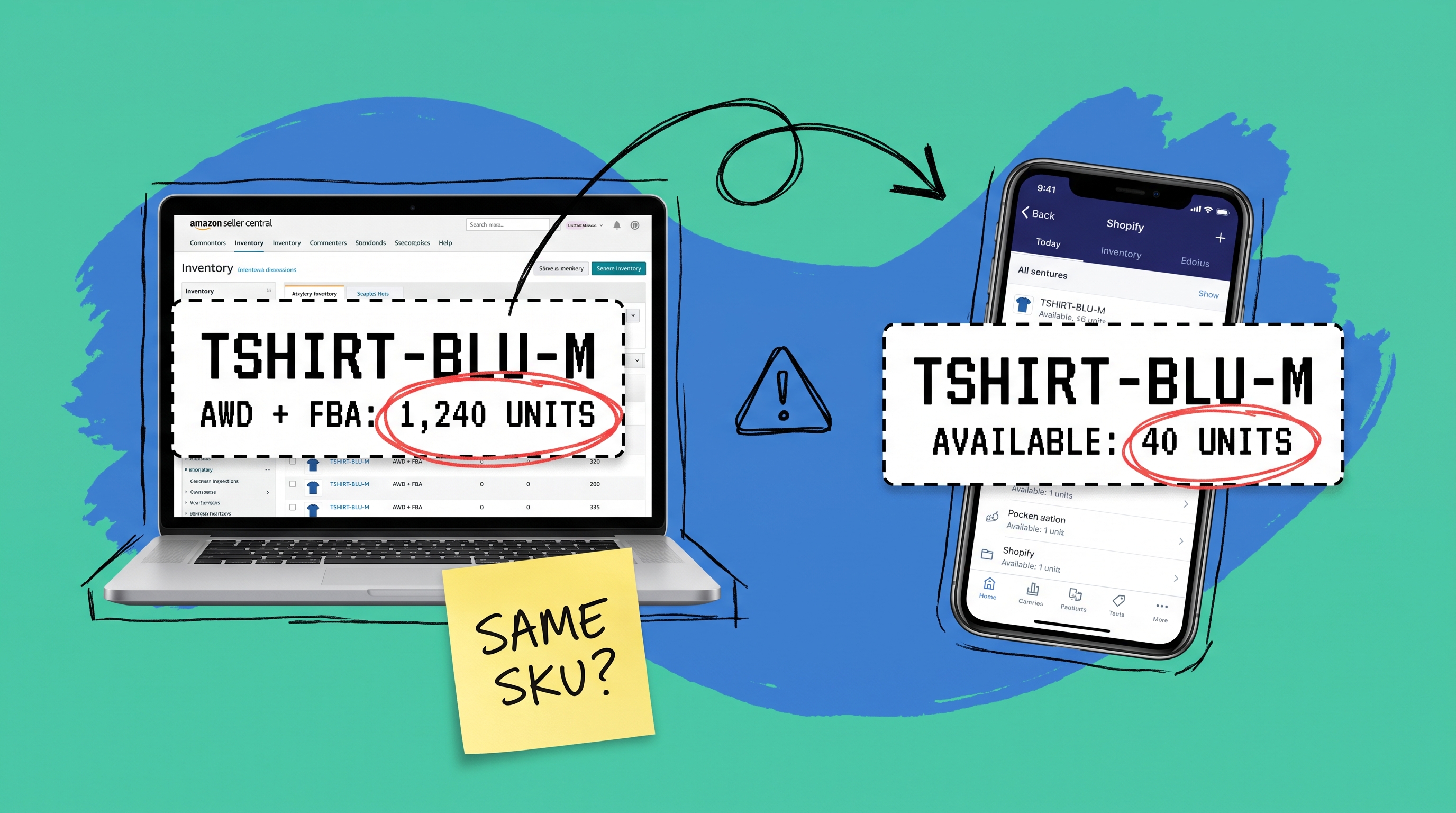
The problem shows up when you don't have a unified layer above AWD and FBA. You end up managing two separate inventory pictures: what Amazon says you have across AWD and FBA, and what your other channels think you have. Without something connecting them, errors accumulate fast.
You sell a unit on Shopify that Amazon has already earmarked for an FBA replenishment. You have 400 units sitting in AWD that your Walmart listing doesn't know about, so you're showing lower availability than you actually have. A manual update doesn't fix this — it just creates a new window where the two pictures are out of sync.
This two-picture problem doesn't stay manageable as you grow. It compounds.
AWD in a Multi-Channel Fulfillment Stack
The productive framing isn't "AWD vs. FBA" or "AWD vs. 3PL." It's: how do these nodes fit together, and what sits above all of them?
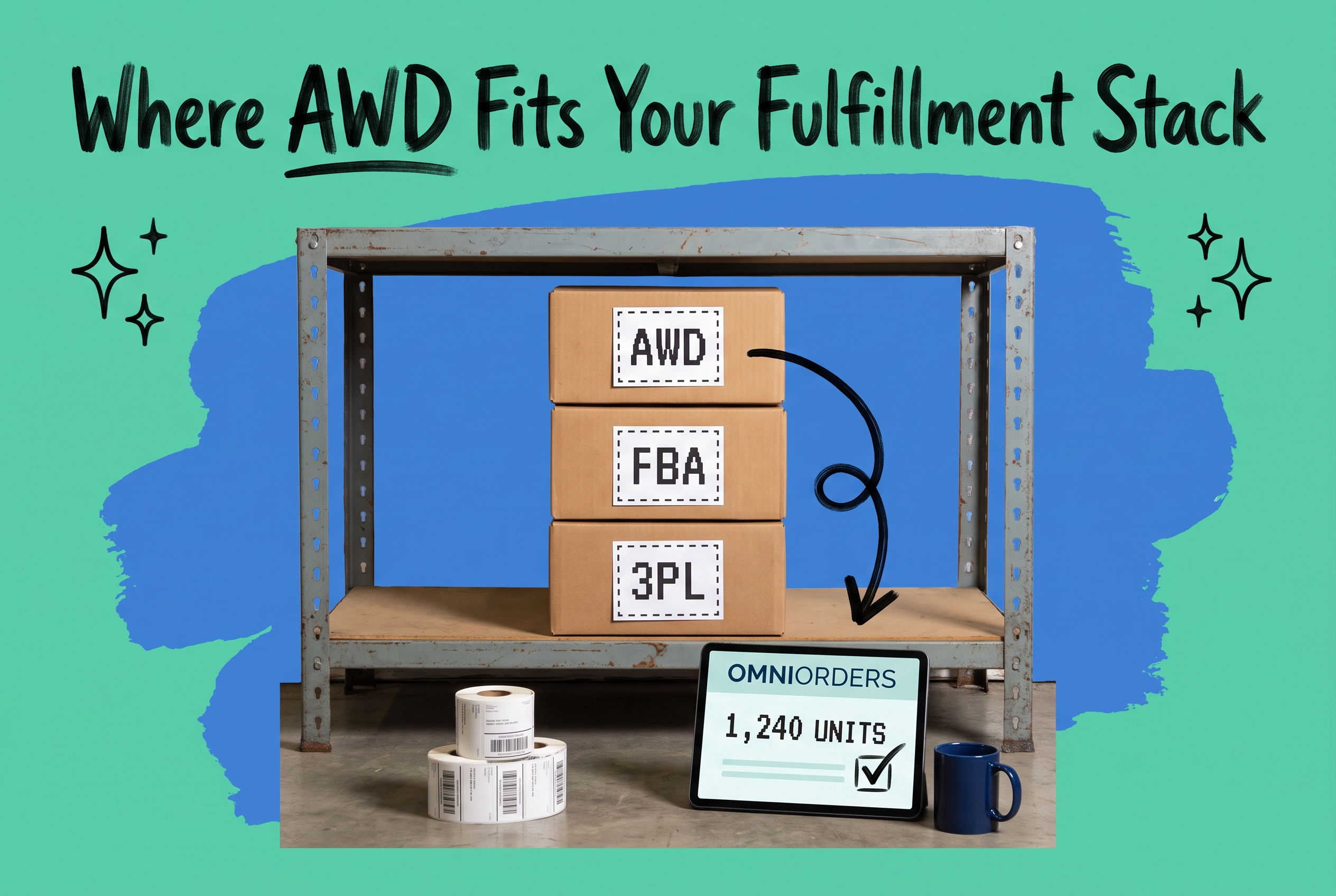
A typical multi-channel fulfillment stack for a growing brand looks something like this:
- AWD — upstream bulk storage; feeds FBA automatically
- FBA — fulfills Amazon marketplace orders
- 3PL or warehouse — fulfills Shopify, Walmart, eBay, and DTC orders
- OMS (Order Management System) — sits above all of them; sees total inventory across every node and routes each order to the right place
AWD and FBA handle the Amazon side cleanly. Your 3PL handles the DTC side. The OMS is what makes the whole thing coherent — it knows a unit in AWD is earmarked for FBA replenishment, so it's not available to promise on Shopify. It updates your Walmart listing when FBA stock shifts. It prevents the two-picture problem.
Without that top layer, you're running your business off a collection of channel-specific dashboards that go stale between updates.
WMS vs. OMS: The Layer You Actually Need
If you've been searching for an "amazon wms system" — a warehouse management system that can give you visibility across Amazon's infrastructure — it's worth clarifying what you're actually looking for, because it changes what you need to buy.
A WMS (Warehouse Management System) operates inside a physical building. It manages receiving, bin locations, pick-pack workflows, and outbound shipments from a specific facility. Amazon runs its own WMS inside AWD and FBA fulfillment centers. You don't get access to it; it's Amazon's internal system.
An OMS (Order Management System) operates above the warehouse layer. It doesn't care which WMS a given fulfillment node runs internally. It cares about which orders exist, what inventory is available across all locations, and where each order should go. For a multi-channel brand, the OMS is the system you actually control.
The OMS receives an order from Shopify, checks available inventory across your fulfillment nodes, and routes it to the right place. It pushes an update to Walmart when FBA stock shifts. It gives you a single reliable number — total available units — that accounts for what's reserved, in transit, and live across every node you operate.
How OmniOrders Connects AWD to the Rest of Your Stack
OmniOrders is built around exactly this problem: giving multi-channel brands a single place to see and manage inventory, orders, and fulfillment across every channel they operate.
Pull order data from Amazon, Shopify, Walmart, eBay, Etsy, and more into one dashboard. Track available inventory across FBA and any 3PL or warehouse you use alongside AWD. Set up automation rules — no code required — to route each order to the right fulfillment node. FBA handles your Amazon orders. Your 3PL handles DTC. The rule runs automatically; you don't decide manually for each order.
When FBA inventory dips toward a reorder threshold, OmniOrders' AI-powered forecasting and inventory sync surfaces the signal before it becomes a stockout — giving you time to push a replenishment to AWD rather than reacting after the fact.
The integrations layer connects directly to your sales channels and fulfillment partners, so the inventory data moving between AWD → FBA → 3PL → your storefronts flows through one system rather than a set of dashboards you have to reconcile manually.
The result: AWD does its job — keeping FBA stocked at lower storage cost — while your non-Amazon channels run without blind spots. You can see how the platform scales with your channel mix on the OmniOrders pricing page.
When AWD Makes Sense (and When It Doesn't)
AWD isn't the right tool for every seller. Here's a clear-eyed view.
AWD fits well when:
- Amazon drives a significant share of your revenue — typically 40% or more of total order volume
- You have predictable, stable demand that justifies holding bulk inventory upstream
- FBA replenishment has become a recurring operational headache: too many manual reorders, stockouts before you can react, long supplier lead times
- You have the purchase order volume to meet AWD's minimum shipment requirements
AWD is less useful when:
- Amazon is a small slice of revenue and the operational overhead doesn't justify the storage savings
- Your SKU catalog is highly seasonal or fast-turning — AWD-to-FBA transfer times (which aren't instant) can create gaps during unexpected demand spikes
- You need to redirect inventory to DTC channels quickly and can't absorb the time lag of moving units out of AWD
One practical point worth building into any AWD plan: the replenishment transfer from AWD to FBA takes time. If you're treating "units in AWD" as "immediately available on Amazon," your forecasting is off. Set your AWD replenishment triggers to account for realistic transfer lead times, not theoretical ones.
One Stack, Fully Visible
AWD is smart infrastructure for high-volume Amazon sellers. The storage savings are real, and automated FBA replenishment removes a genuine operational burden. But AWD alone doesn't give you multi-channel visibility — that requires a system above it that sees every channel, every fulfillment node, and every order at once.
OmniOrders gives you that layer: real-time inventory across every node, automated order routing, and forecasting signals that keep AWD working as intended rather than becoming another silo to manage alongside everything else.
Start your free OmniOrders trial and connect your channels in one place.
Frequently asked questions
What is Amazon Warehousing and Distribution?
Amazon Warehousing and Distribution (AWD) is Amazon's upstream bulk storage service. You ship large inventory volumes to AWD fulfillment centers at lower storage rates, and AWD automatically replenishes your FBA inventory as it sells — reducing the risk of stockouts and removing the manual work of FBA replenishment.
What's the difference between AWD and FBA?
FBA handles picking, packing, and shipping Amazon marketplace orders to customers. AWD is an upstream bulk storage layer that feeds FBA inventory automatically as it depletes. They're designed to work together, not as alternatives to each other.
Is AWD the same as FBA warehousing?
No. FBA includes both warehousing and customer-order fulfillment for Amazon orders. AWD is strictly upstream bulk storage — it doesn't fulfill customer orders directly. AWD holds your reserve inventory and replenishes FBA automatically.
Does AWD work for multi-channel fulfillment?
AWD manages Amazon-channel inventory only. For multi-channel fulfillment — across Shopify, Walmart, eBay, and DTC — you need an order management system that connects your AWD/FBA inventory to your other sales channels and fulfillment nodes.
What is an "amazon wms system" and do I need one?
Amazon's WMS is their internal warehouse management software — you can't access it directly. What multi-channel brands need is an OMS (Order Management System) that sits above the warehouse layer, connecting your Amazon inventory (FBA + AWD) to your other channels and fulfillment partners.
Start your 14-day free trial
See how OmniOrders connects your sales channels, 3PLs, and carriers into one operational layer — free for 14 days, no credit card.