The RMA process for multi-channel sellers: returns across Shopify, Amazon, and Walmart
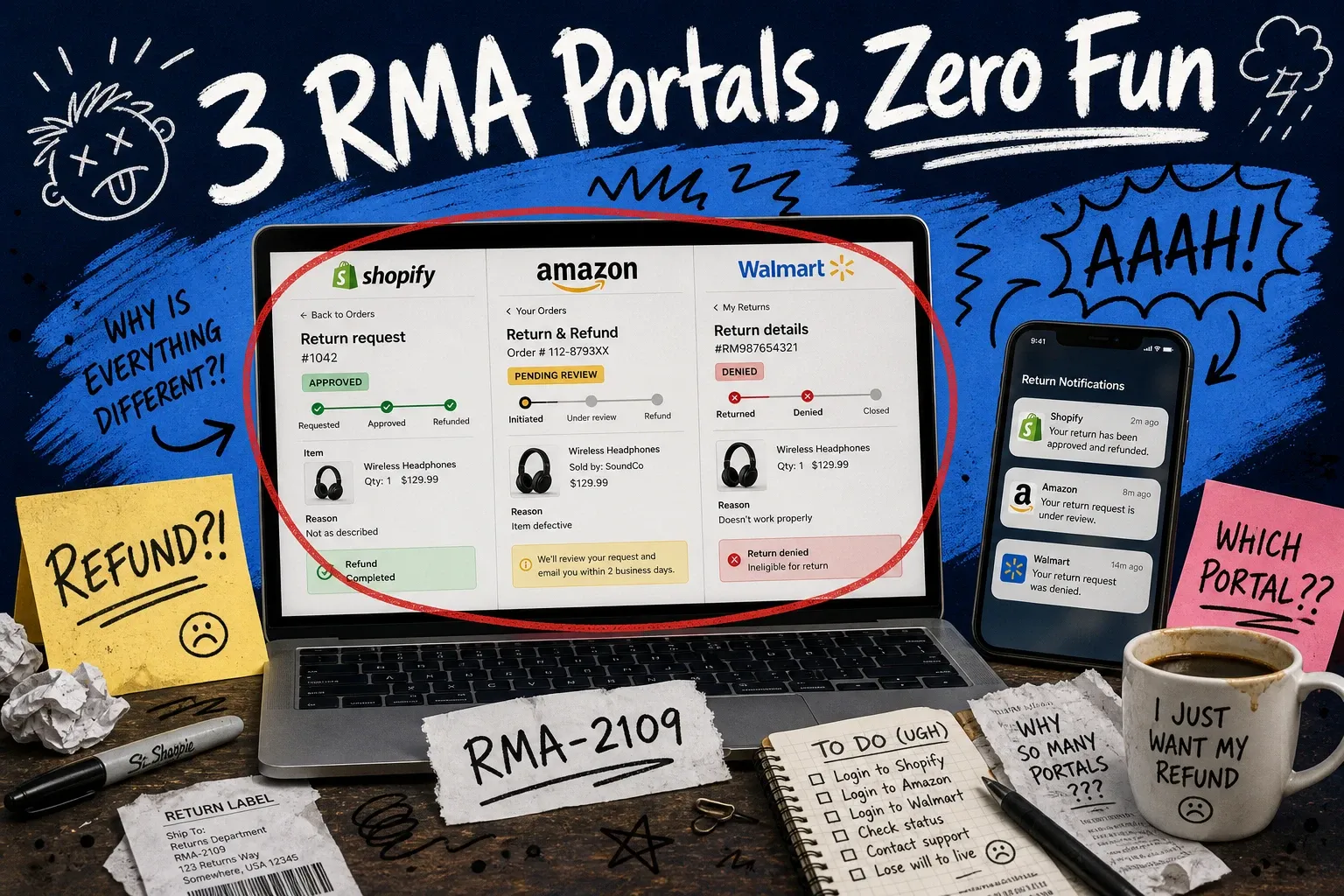
You handle returns on Shopify one way. Amazon has its own flow. Walmart Marketplace does it differently again. The rma process — the sequence from customer request to restocked inventory — isn't one operation when you're selling across channels. It's three.
That fragmentation adds up quietly. A returned item on Amazon FBA sits in an Amazon warehouse while your Shopify inventory count doesn't reflect it. A Walmart return gets processed through the marketplace portal, but your finance team is reconciling refunds manually against a settlement export at month-end. The inventory exists somewhere. Your system just doesn't know where.
This guide breaks down how each channel handles the rma process, where the seams are, and what it takes to bring them together into a single reconciled view.
What is an RMA?
RMA stands for return merchandise authorization. It's the workflow that governs how a customer sends a product back — and how you process it on your end, whether that means restocking, refunding, or disposing of the item.
The rma process typically runs like this:
- Customer submits a return request
- Seller or platform approves and issues an RMA number
- Customer ships the product back
- Seller receives and inspects the item
- Seller processes the refund and updates inventory
Simple on paper. The challenge is that each sales channel runs its own version of this workflow, with its own approval rules, timelines, and inventory implications. None of them connect by default.
What goes on an RMA form?
An rma form captures the information you need to match a return to an order and decide what to do with it. Standard fields include:
- RMA number — a unique identifier that ties the return shipment back to the original order
- Order number and date
- Items being returned — SKU, quantity, description
- Return reason — defective, wrong item, changed mind, etc.
- Item condition on return — new, opened, damaged
- Requested resolution — refund, exchange, store credit
- Return shipping instructions — label provided by seller or customer-arranged
The field structure looks similar across platforms. What differs is who fills it out, who approves it, and what happens to the data once it's processed.
The Amazon FBA rma process
If you're using Fulfillment by Amazon, Amazon handles returns almost entirely on your behalf. That's useful — until you realize how little visibility you have into what happens to those items.
When a customer returns an Amazon FBA order:
- Customer initiates in the Amazon portal. Amazon's default return window is 30 days. Customers select a reason and Amazon auto-approves most requests without notifying you first.
- Amazon issues the return label. The item ships back to an Amazon fulfillment center, not to you.
- Amazon inspects and grades the item. Sellable items go back into your active FBA inventory. Unsellable or damaged items are flagged — you can request reimbursement or a removal order.
- Amazon refunds the customer and deducts from your seller account.
- You see the result in Seller Central. Your returns data updates, but pulling it into your own inventory records requires either manual work or a connected system.
The friction points:
- Amazon can approve returns outside your stated return policy. You find out after the fact.
- Returned inventory goes back into Amazon's warehouse. If you're managing inventory across other channels, that stock isn't visible from your side.
- Reimbursement for lost or damaged returns requires filing claims manually. Easy to miss at volume.
The Shopify returns (RMA) process
On Shopify, you control the return workflow. That means more flexibility — and more hands-on work.
When a customer wants to return a Shopify order:
- Customer initiates the return. Through a self-service portal, an email to support, or Shopify's native return request feature. Your setup determines how much of this is automated.
- You approve and issue the RMA. Review the request, confirm it fits your policy, and approve. Shopify can generate a return label through Shopify Shipping, or you handle that separately.
- Customer ships the item back to your location. Not to Amazon. Not to a marketplace warehouse. To your warehouse or 3PL.
- Your team receives, inspects, and makes a decision. Sellable condition means it goes back into Shopify inventory. Damaged condition means a write-off or quarantine.
- You process the refund in Shopify admin. Mark the return received, issue the refund.
Shopify returns are transparent and controllable. They're also labor-intensive at scale. Every return is a task that lands on someone's desk — receive the item, inspect it, decide what to do, update the count, issue the refund. If you're handling 50 returns a week across multiple SKUs, managing returns is its own job.
And when you restock a returned item in Shopify, that inventory update doesn't automatically sync to Amazon or Walmart unless your systems are explicitly connected.
The Walmart Marketplace returns process
Walmart Marketplace returns mix elements of both FBA and Shopify, with some Walmart-specific rules that catch sellers off guard.
When a customer returns a Walmart.com order:
- Customer initiates the return on Walmart.com. Most categories have a 30-day return window. The customer picks a reason through the Walmart portal.
- Approval. Depending on your Seller Center settings, Walmart may auto-approve or route to you. Walmart can override your return policy for certain item categories.
- Return routing. This is where Walmart diverges from the others.
Store returns are different. Customers can drop returns at any Walmart location, which means the item goes into Walmart's physical return processing — not back to your warehouse. You receive a deduction in your settlement report. The item doesn't come back.
For direct-to-seller returns, the item ships to your fulfillment location and you handle it like a Shopify return.
- Walmart refunds the customer and adjusts your account.
- You reconcile the deduction. Walmart's settlement reports show return adjustments. Matching those to your inventory records requires comparing two systems.
RMA process comparison: Amazon FBA vs. Shopify vs. Walmart
Amazon FBA | Shopify | Walmart Marketplace | |
|---|---|---|---|
Who approves returns | Amazon (mostly auto) | You | You (Walmart override possible) |
Return destination | Amazon warehouse | Your location | Your location or Walmart store |
Physical item recovery | Sometimes | Yes | Sometimes |
Inventory update | Amazon FBA only | Your Shopify inventory | Walmart inventory only |
Refund handling | Amazon-managed | You manage | Walmart-managed |
Reconciliation effort | Moderate | High | High |
Each channel has its own rules, its own destination for returned items, and its own inventory implications. None of this connects by default.
Why per-channel returns management breaks down
Running returns inside each platform's native tools works when you're single-channel. Add a second or third channel and you're managing three separate reconciliation problems at the same time.
Here's a realistic Thursday afternoon: you sell the same SKU on all three channels. Returns came in across the week. Your ops team is sitting with:
- An Amazon FBA return that got restocked at an Amazon warehouse, but your master inventory count hasn't updated yet because you haven't pulled this week's FBA reconciliation report
- A Shopify return that arrived at your 3PL two days ago. The team restocked it, but the inventory sync to Walmart runs on a 4-hour delay — it's showing out of stock on Walmart until the next push
- A Walmart store return that appeared as a deduction in your settlement export. The item is gone. Someone needs to manually reduce the inventory count, and that person is you, at the end of an already full day
Multiply this across 30 SKUs and a busy returns period and the manual work compounds fast. Finance is reconciling three separate refund flows at month-end. Ops is checking three portals to figure out where returned inventory actually is.
The rma process itself isn't broken. What's broken is running returns processing as three separate operations with no shared data layer between them.
How a unified OMS handles multi-channel returns
When returns management runs through a centralized order management system, the fragmentation changes.
All return requests surface in one place. A return initiated on Amazon, Shopify, or Walmart appears in the same queue — so your team isn't switching portals to understand what's open and what's already handled.
When an item gets restocked — a Shopify return to your warehouse, an FBA item graded sellable by Amazon — the inventory update flows to your master count and syncs across all active channels. The Walmart listing reflects the new stock. So does Shopify.
Returns management software that connects across channels gives your finance team a single reconciled view instead of three separate exports to cross-reference at month-end.
The aggregated view also surfaces patterns the per-channel view hides. If a specific SKU is generating returns on all three platforms for the same reason — a sizing issue, a product description mismatch, packaging damage in transit — you see that across channels in one report. Without it, you're making that connection yourself by comparing three separate return reason reports, probably in a spreadsheet.
OmniOrders connects your Shopify, Amazon, and Walmart returns data so inventory and order records stay in sync across all three channels. If returns reconciliation is a recurring time sink for your ops or finance team, it's worth seeing how the unified view changes the workflow.
Wrapping up
The rma process makes sense in theory. Authorization, rma shipping, inspection, restock, refund. Clean.
What's genuinely hard is running that sequence three times over, in three separate systems, where none of the inventory or finance data flows to the same place. Amazon keeps returns data in FBA reports. Shopify keeps it in your admin. Walmart keeps it in settlement exports.
The per-channel approach holds up when returns volume is low. When it starts to crack — wrong inventory counts, reconciliation errors, a growing list of manual corrections — that's usually the sign to stop managing returns as three separate problems and start managing them as one.
Start your 14-day free trial
See how OmniOrders connects your sales channels, 3PLs, and carriers into one operational layer — free for 14 days, no credit card.