Amazon FBA vs FBM vs Seller Fulfilled Prime: How to Choose Your Fulfillment Model in 2026
Amazon FBA vs FBM vs Seller Fulfilled Prime: How to Choose Your Fulfillment Model in 2026
Amazon gives you three ways to fulfill orders. Pick the wrong one and you're either paying fees you don't need to, struggling with Buy Box eligibility, or running an operational overhead that kills your margins on the back end.
This guide breaks down the real differences between FBA, FBM, and Seller Fulfilled Prime — what each model actually costs, how each one affects your Buy Box performance, and the specific situations where one beats the others. We'll also cover something most comparisons skip: how multi-channel brands can use FBM or SFP alongside a good order management system to recapture margin they're bleeding to FBA fees on stock they already have in their own warehouse.
The Three Models, Briefly Defined
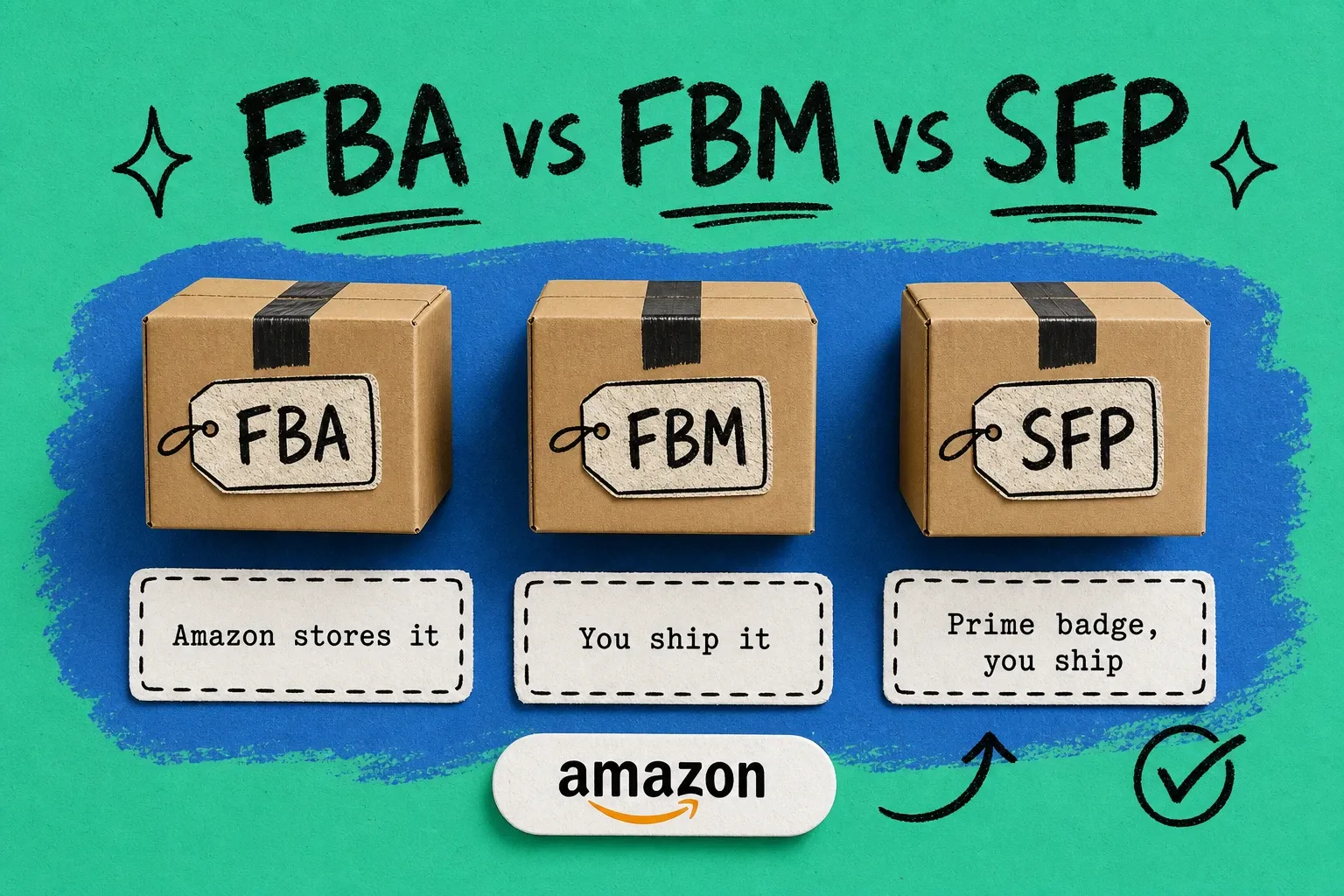
Fulfillment by Amazon (FBA) — You send inventory to Amazon's fulfillment centers. Amazon stores it, picks and packs each order, ships it, and handles customer service and returns. Prime badge included. You pay FBA fulfillment fees, referral fees, and storage fees. You don't touch the order after it's received at an Amazon warehouse.
Fulfillment by Merchant (FBM) — You (or your 3PL) fulfill orders directly from your own storage. Amazon is purely a sales channel. You set your own shipping speeds and manage your own logistics. No Amazon storage or fulfillment fees, but also no automatic Prime badge, and Buy Box is harder to win without Prime.
Seller Fulfilled Prime (SFP) — You fulfill from your own location but meet Amazon's Prime shipping requirements (next-day or two-day delivery). You get the Prime badge, full Buy Box eligibility, but you're responsible for delivering at Prime SLAs. Requires Amazon approval, a qualifying carrier network, and consistent on-time delivery performance.
FBA vs FBM vs SFP: Side-by-Side Comparison
FBA | FBM | SFP | |
|---|---|---|---|
Who fulfills | Amazon | You / your 3PL | You / your 3PL |
Prime badge | ✅ Automatic | ❌ No | ✅ If approved |
Buy Box competitiveness | High | Lower (no Prime) | High |
Amazon storage fees | Yes | No | No |
FBA fulfillment fees | Yes | No | No |
Your shipping costs | No | Yes | Yes |
Returns handling | Amazon | You | You |
Operational lift | Low | Medium–High | High |
Good for | Fast-moving, Prime-dependent SKUs | Slow-moving, heavy, or already-warehoused items | Brands with fast fulfillment ops who want Prime without FBA fees |
What FBA Actually Costs (and Where It Bleeds Margin)
FBA fees are more layered than most sellers realize when they start. The headline fee is the fulfillment fee — charged per unit, based on size and weight. In 2026, a standard-size item under 1 lb runs roughly $3.06 in base fulfillment fees. Heavier, oversized, or bulky items can climb to $10–$25+ per unit before you add referral fees.
But the fulfillment fee is just the start. FBA's real cost structure includes:
Storage fees. Monthly storage is charged per cubic foot of space your inventory occupies in Amazon's network. Long-term storage fees kick in for inventory older than 365 days and get expensive fast. If your product has seasonal peaks, you may be paying to store inventory through slow months.
Inbound placement fees. Amazon now charges brands to place inventory at fulfillment centers close to likely customers (Inventory Placement Fees, introduced in 2024). Skipping this usually means your items get shipped from a distant warehouse — slower delivery and worse conversion.
Inventory placement requirements. Depending on your product category and size tier, Amazon may require you to split shipments across multiple FCs. This adds inbound shipping complexity and cost.
Returns. Amazon accepts returns generously. You pay a returns processing fee on each returned unit. Disposable items and high-return-rate categories feel this hard.
The total landed cost of FBA — referral fee + fulfillment fee + storage + inbound + returns rate — often surprises brands who calculated margins against the headline fulfillment fee only. For brands already warehousing their own inventory, this is where the FBM or SFP case starts to get interesting.
What FBM Costs (and When It Wins)
FBM's cost structure is simpler: your referral fee, your carrier rate, and your warehouse labor. No storage fees, no inbound placement costs, no FBA fulfillment fees.
Where FBM tends to win over FBA:
Large, heavy, or low-velocity items. FBA charges by cubic foot for storage and by weight for fulfillment. Heavy items that don't turn fast get expensive fast. If you're selling something like equipment, hardware, or bulk consumables with slow Amazon velocity, FBM often wins on margin.
Items you're already warehousing. If you're fulfilling Shopify and wholesale orders from your own DC or 3PL, you're paying to store that inventory anyway. Routing Amazon orders through your existing fulfillment operation (FBM) means you're not duplicating storage costs.
Hazmat and restricted items. FBA restrictions on certain product categories (batteries, chemicals, liquids) push sellers toward FBM regardless of margin preference.
SKUs with low Amazon velocity. If a product moves 10 units/month on Amazon but 200 on Shopify, FBA storage fees for that SKU may outweigh the Buy Box advantage. FBM the slow movers; FBA the fast ones.
The Buy Box disadvantage is real. Without Prime, FBM sellers win the Buy Box less frequently, especially in competitive categories. This has a direct impact on conversion rate. The question is whether the margin saved on FBA fees outweighs the revenue impact of lower Buy Box percentage — and that math is product-specific.
What Seller Fulfilled Prime Costs (and Who It's For)
SFP is the middle ground: you get the Prime badge and Buy Box parity with FBA sellers, without paying FBA storage or fulfillment fees. You do pay your own shipping costs, and the shipping rates need to get you to Prime SLAs.
That's the catch: to qualify and keep SFP status, you have to:
- Maintain ≥ 99% on-time delivery
- Achieve ≥ 95% tracking rate
- Keep order defect rate below Amazon's SFP threshold
- Use Amazon-approved carriers (carriers that meet Prime delivery SLAs)
Achieving Prime SLAs from your own warehouse typically requires a combination of same-day/next-day carrier relationships, the right pickup windows, and reliable warehouse labor. A carrier rate shopping tool — integrated with your order management system — is essentially required to consistently hit the cheapest rate that still meets SLAs.
SFP is a fit for brands that:
- Already operate at scale with fast, reliable fulfillment ops
- Sell products where FBA fees are a meaningful margin hit
- Have carrier relationships that can reliably hit 1–2 day ground delivery in most of the US (or have a multi-warehouse footprint to shorten distances)
- Want Buy Box competitiveness without splitting inventory into Amazon's network
The Multi-Channel Angle: Using an OMS to Make FBM or SFP Work
Here's the angle most comparison guides miss, and it's the one most relevant to brands scaling beyond Amazon into multi-channel operations.
If you're selling across Shopify, Amazon, Walmart, and wholesale, you're probably already warehousing significant inventory. That inventory is sitting in your DC or 3PL, fulfilling orders from every channel. When an Amazon order comes in, you have a choice: fulfill it through FBA (which means pre-positioning inventory in Amazon's network separately) or fulfill it via FBM from your existing stock.
For a single-channel Amazon seller, this isn't interesting. For a multi-channel brand, it's a real margin decision.
The operational challenge with FBM at scale is order routing. If you're getting 400 Amazon orders a day alongside 600 Shopify orders and 200 wholesale orders, manually deciding which warehouse to ship each Amazon order from — and choosing the right carrier to hit either Prime SLAs or standard shipping SLAs — isn't workable. You need routing logic.
An order management system handles this automatically:
Routing Amazon FBM orders to the right warehouse. Define rules — route Amazon orders to whichever warehouse has stock, or whichever is closest to the delivery address, or whichever has the cheapest carrier rate. The OMS applies the rule on every order without manual decisions.
Rate shopping across carriers for Prime SLA compliance. For SFP specifically, every order needs to go out on a carrier that can hit the SLA. An OMS with multi-carrier rate shopping compares live rates from USPS, UPS, FedEx, and regional carriers, filters for SLA-eligible options, and picks the cheapest qualifying label. This is how SFP actually pencils out — without rate shopping automation, you're either overpaying on shipping or dropping SLAs.
Inventory sync across channels. When an Amazon FBM order draws down your warehouse stock, your OMS updates inventory on Amazon, Shopify, Walmart, and any other connected channel simultaneously. This is what prevents the oversell risk that scares brands away from FBM — if your channels aren't synced in real time, FBM feels dangerous.
Mixed model strategy. Many brands run FBA for their top-velocity Amazon SKUs (where Prime matters most and FBA fees are justified by the conversion lift) and FBM for slower-moving or heavier items. An OMS lets you manage both without separate systems — FBA items route to Amazon's FCs for replenishment; FBM orders route to your DC.
How to Choose: A Decision Framework
Use this rubric to evaluate which model makes sense for a given SKU or your overall Amazon strategy.
Start with FBA if:
- The product is lightweight, fast-moving, and genuinely Prime-dependent for conversion
- You don't have a fulfillment operation (warehouse, 3PL) already set up
- The product is in a competitive category where Buy Box win rate meaningfully drives revenue
- You don't have existing warehoused inventory of this SKU
Switch to FBM if:
- The item is large, heavy, or slow-moving on Amazon — FBA storage and fulfillment fees eat your margin
- You already warehouse this inventory for other channels — why pay twice?
- The product has FBA restrictions (hazmat, liquids, certain batteries)
- Amazon velocity is low enough that Buy Box impact is acceptable vs. fee savings
Evaluate SFP if:
- You want Prime eligibility without FBA fees
- You have reliable fulfillment ops that can hit 1–2 day delivery
- You have or plan to implement a carrier rate shopping solution to manage SFP economics
- Your products have enough Amazon velocity that Buy Box win rate is critical to revenue
A practical starting point: If your combined FBA fees (fulfillment + storage + inbound + returns) are eating more than 20–25% of your Amazon revenue, run the FBM math on your top 10 SKUs by warehouse cost and see where you net out.
How OmniOrders Supports FBM and SFP at Scale
OmniOrders is built for multi-channel brands managing orders across Amazon, Shopify, Walmart, and wholesale from their own warehouse or 3PL. For brands running FBM or SFP on Amazon, the relevant capabilities:
Multi-carrier rate shopping. Compare rates across USPS, UPS, FedEx, DHL, and regional carriers at label time — automatically filtered for SLA eligibility. This is how SFP math works: picking the cheapest label that still hits Prime delivery requirements.
Smart order routing. Define rules for which warehouse ships which orders. For brands with multiple locations, route Amazon FBM orders to whichever location minimizes carrier distance (and cost) while hitting the SLA.
Real-time inventory sync. FBM orders draw from the same warehouse inventory as Shopify and Walmart. OmniOrders syncs stock levels across all channels in real time, so oversell risk goes to near-zero.
Mixed FBA/FBM strategy. Manage FBA replenishment orders alongside FBM fulfillment from a single dashboard. Route fast-movers to Amazon FCs; fulfill slow-movers from your own warehouse.
If you're running FBM or SFP and managing fulfillment manually, the routing and rate shopping overhead is probably your biggest operational constraint. See how OmniOrders handles multi-channel Amazon fulfillment →
The Bottom Line on Amazon FBA vs FBM vs SFP
No model is universally better. The right answer depends on your SKU mix, fulfillment infrastructure, and Amazon velocity.
FBA is still the default for good reasons — low operational lift, automatic Prime, and strong Buy Box. But it's not always the cheapest option once you factor in the full fee structure, especially for brands that already own their fulfillment infrastructure.
FBM wins on margin for heavy, slow-moving, or already-warehoused items. The Buy Box penalty is real but quantifiable — run the math on your actual products.
SFP offers the best of both worlds if you have the fulfillment speed and operational discipline to hit Prime SLAs. It requires real tooling (rate shopping, routing automation) to be viable at volume.
For multi-channel brands, the smartest play is often a mixed model: FBA for your highest-velocity Amazon-native SKUs, FBM or SFP for everything you're warehousing anyway. An OMS is what makes that mixed model operationally manageable.
Frequently Asked Questions
What is the difference between Amazon FBA and FBM? FBA (Fulfillment by Amazon) means Amazon stores and ships your products from their fulfillment centers. You pay FBA fulfillment and storage fees but get the Prime badge automatically. FBM (Fulfillment by Merchant) means you ship orders yourself — no Amazon storage or fulfillment fees, but also no automatic Prime badge, which affects Buy Box eligibility.
Is FBM better than FBA? FBM can be more profitable than FBA for specific SKU types — particularly heavy, bulky, slow-moving, or Restricted items where FBA fees are disproportionate. For lightweight, fast-moving products in competitive categories, FBA usually wins because the Prime badge drives conversion. The right answer depends on your product's fee profile, Amazon velocity, and whether you already warehouse the inventory elsewhere.
What is Seller Fulfilled Prime (SFP)? Seller Fulfilled Prime is Amazon's program that lets you earn the Prime badge while shipping orders from your own warehouse or 3PL. You fulfill the order (not Amazon), but you must meet Amazon Prime shipping SLAs (typically next-day or two-day). SFP requires Amazon approval, carrier relationships that can hit Prime delivery speeds, and consistent on-time delivery performance.
How do Amazon FBA fees compare to shipping your own orders? FBA fees include a per-unit fulfillment fee (roughly $3–$25+ depending on size and weight), monthly storage fees per cubic foot, and inbound placement fees. FBM and SFP avoid all of these — you pay only your actual carrier cost and warehouse labor. For many brands, FBM or SFP net margin is higher than FBA once all FBA fees are accounted for, especially for slow-moving or h
Start your 14-day free trial
See how OmniOrders connects your sales channels, 3PLs, and carriers into one operational layer — free for 14 days, no credit card.