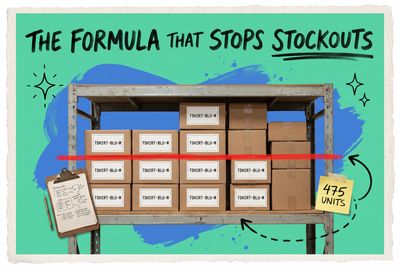
Inventory Control System Guide: Types, Features, and How to Choose the Right One
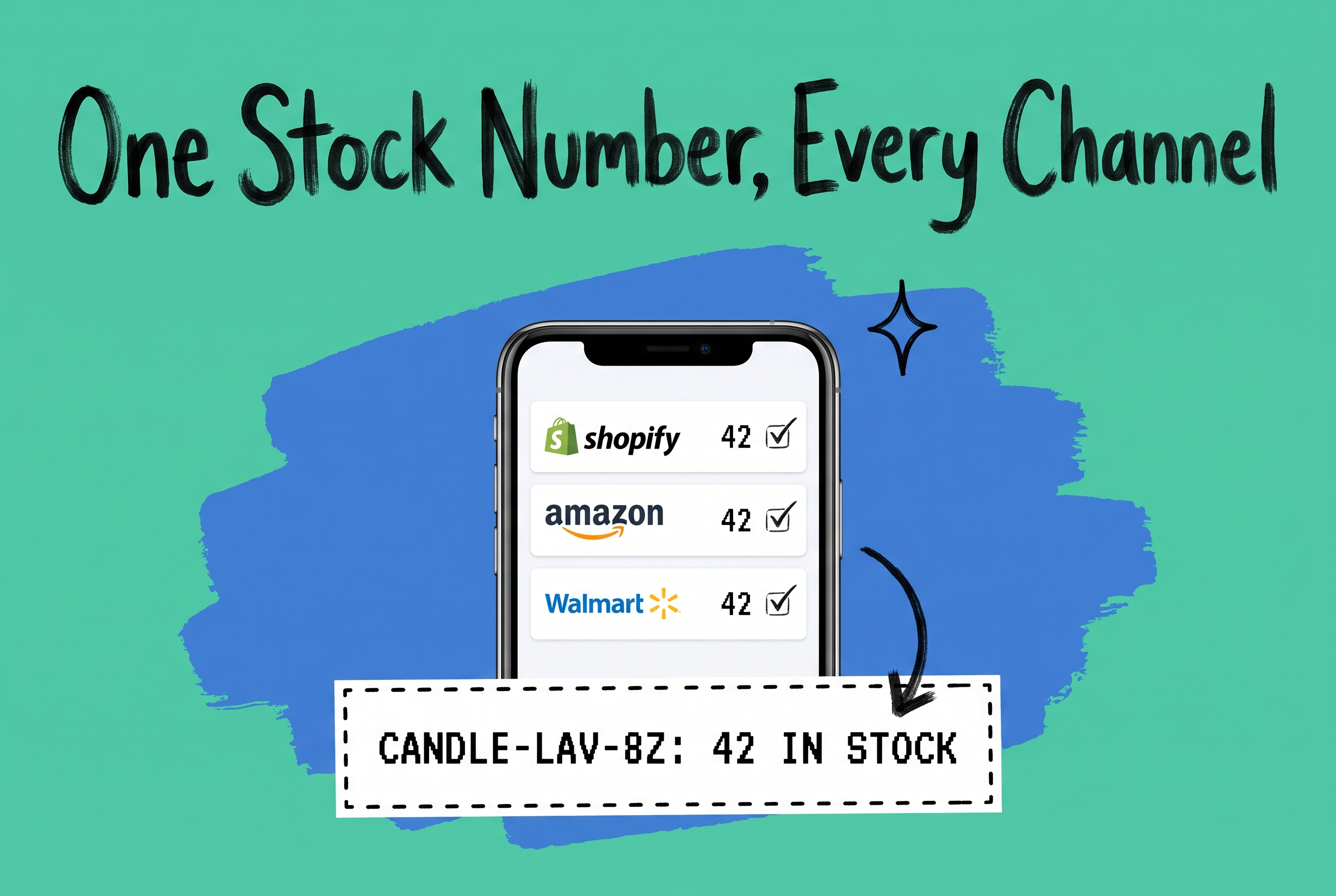
An inventory control system is software that tracks, manages, and maintains the accuracy of your stock levels across every location and sales channel. It records every unit movement, from receiving to picking to shipping, so your reported inventory count matches what's actually on shelves. For multi-channel ecommerce brands, this means the system needs to see stock across every warehouse, 3PL, and platform where orders come in, not just a single facility.
That second part is where most warehouse-only inventory tools fall short.
What Is Inventory Control?
Inventory control is the ongoing process of tracking stock quantities, locations, and movements to prevent overselling, stockouts, and unnecessary holding costs. It covers three core activities: knowing what you have on hand, recording every movement as it happens, and using that data to make restocking and routing decisions.
Without a proper system, you're working from lag. A sale comes in on Shopify while the same unit is already committed on Amazon. Your warehouse system shows 50 units of SKU WIDGET-BLK-L, but the physical count turns up 41 because last week's returns weren't processed correctly. Those discrepancies cost money in cancelled orders, emergency restocking fees, and customer service hours.
Dedicated inventory management software replaces that manual guesswork with automated tracking across every demand source, giving you one accurate number per SKU at any moment.
Types of Inventory Control Systems
Inventory control systems generally operate under two models, with different stock rotation and cost accounting methods layered on top.
Periodic vs Perpetual Inventory
A periodic inventory system updates stock counts at set intervals, such as weekly or monthly cycle counts. Between counts, your system doesn't record what moved. It's cheaper to operate and adequate for low-volume businesses, but between reconciliation windows you're blind on what you actually have available to sell.
A perpetual inventory system updates your counts in real time after every transaction: a sale, a return, a receiving receipt, a warehouse transfer. Every movement is logged the moment it happens. For any brand selling across multiple channels simultaneously, perpetual tracking isn't optional. When Shopify, Amazon, and Walmart are all drawing from the same inventory pool, a 24-hour lag in your counts means oversells.
Inventory Control Methods
Your inventory control method determines the order in which stock rotates and how you value the cost of goods sold:
- FIFO (First In, First Out): The oldest stock ships first. This is the standard for most consumer goods and keeps your cost of goods sold aligned with your earliest purchase prices.
- LIFO (Last In, First Out): The newest stock ships first. Less common in ecommerce; used in some industries for tax accounting purposes, though it is not permitted under IFRS accounting standards.
- FEFO (First Expired, First Out): Expiration-date-driven rotation for food, supplements, cosmetics, and any product with a sell-by date.
- Weighted Average Cost: Your inventory is valued at the running average cost of all units on hand, recalculated after each purchase receipt. Common for brands with large SKU counts and fluctuating supplier prices.
The method you choose affects both how your warehouse picks stock and how your accounting reflects unit costs. Your inventory control software needs to support whichever method fits your product type and accounting requirements.
What to Look for in Inventory Control Software
Not all inventory control software handles the same scenarios. These are the capabilities that separate tools that work from tools that create new problems.
Real-Time Stock Updates Across Every Channel
When order #52017 ships SKU HOODIE-GRY-XL from your warehouse, your Amazon and Walmart available quantities need to drop before another order can be placed against that same unit. Systems that batch inventory updates every 10 or 15 minutes will oversell during peak traffic. Real-time sync isn't a nice-to-have for multi-channel brands; it's the baseline requirement.
Multi-Location Inventory Visibility
If you fulfill from more than one warehouse, 3PL, or retail location, you need visibility into stock levels per location, not just an aggregate total. Knowing you have 200 units means nothing if 180 of them are at your West Coast facility and the customer is in Miami. Location-level data is what lets you route orders to the right fulfillment point and avoid cross-country shipments when stock is available closer to the destination.
Reorder Points and Low-Stock Alerts
Manual restocking decisions are slow and inconsistent. Good inventory control software lets you set reorder points per SKU so that when CANDLE-LAV-8Z drops below 30 units, your system either creates a draft purchase order automatically or alerts your buying team. This keeps your planning ahead of stockouts rather than reacting after the fact.
Returns Management
A return that doesn't update inventory is a unit that disappears from your count. Your system needs to process returns from every channel, decide whether returned units go back to sellable stock or to a damage queue, and update your on-hand number immediately. Returns handling is where a surprising number of inventory systems get sloppy.
Audit Trail and Reporting
You need to know not just what your current count is, but what it was last Thursday and why it changed. Every adjustment, write-off, and transfer should be logged with a timestamp and a user attribution. Without that audit trail, reconciling discrepancies becomes a guessing game.
The Multi-Channel Blind Spot That Warehouse-Only Tools Miss
Most inventory control systems were designed for a single warehouse. They track what moves in and out of that facility well. What they can't see is inventory committed through other demand channels: units reserved for pending Amazon orders, stock tied up in a wholesale EDI feed, or units held pending return inspections that haven't been physically restocked yet.
If your inventory control software only sees your warehouse, your available-to-sell number is wrong the moment you add a second channel.
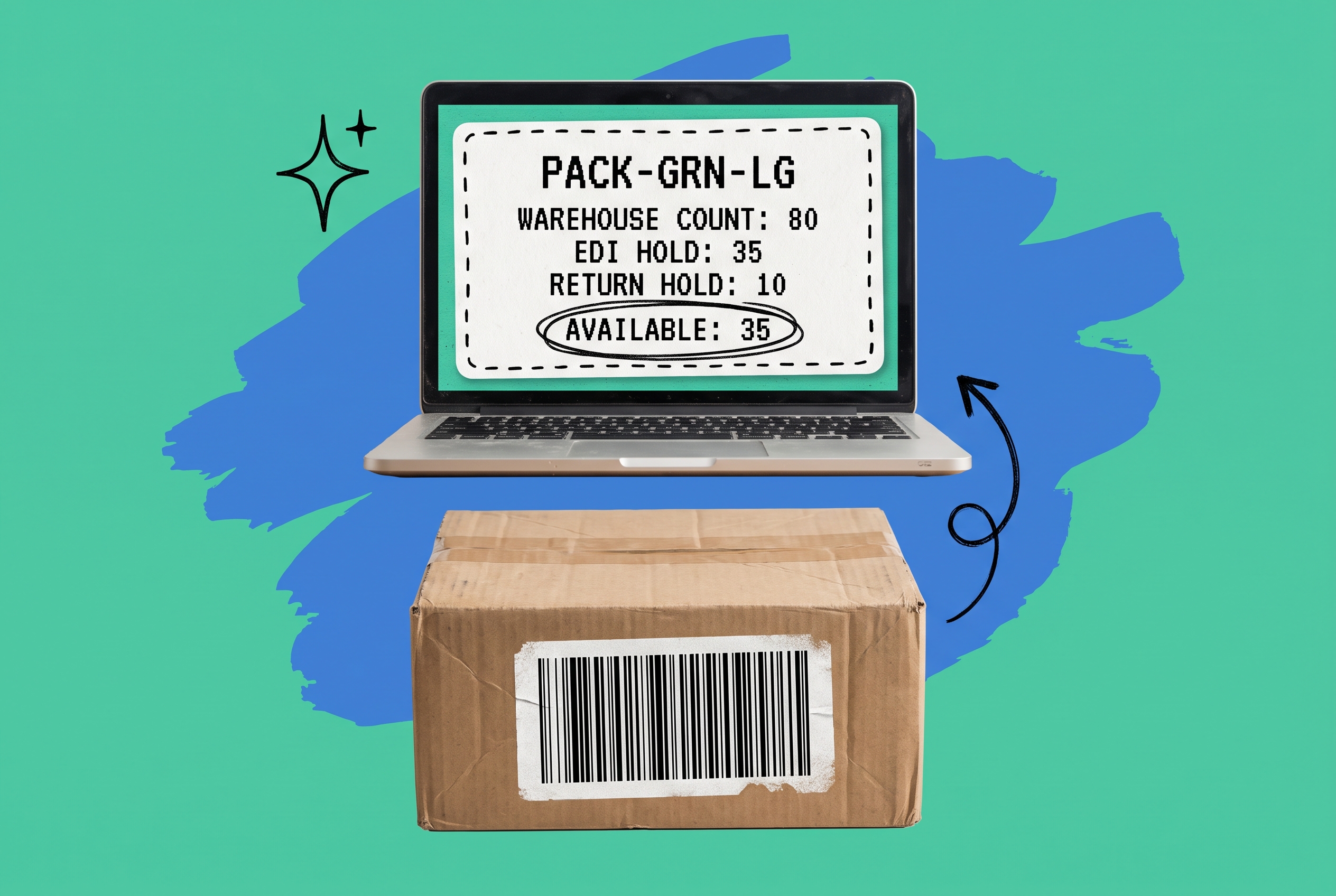
Consider a brand selling 300 SKUs across Shopify, Amazon, and a wholesale B2B program. Their warehouse system shows 80 units of SKU PACK-GRN-LG. But 35 are already allocated to a wholesale purchase order processing through an EDI connection, and 10 are on hold pending Shopify return inspections. Their real available-to-sell quantity is 35, not 80. A warehouse-only system has no visibility into any of that.
This is the specific gap that keeping a single source of truth for inventory across your stores and marketplaces closes: one live number that every channel reads from, adjusted in real time as commitments and releases happen anywhere in your operation.
How OmniOrders Handles Multi-Channel Inventory Control
OmniOrders is built as a unified platform that connects your inventory, orders, and fulfillment operations so every channel works from the same data. When an order comes in through any connected channel, whether Shopify, Amazon, Walmart, eBay, or Etsy, available quantity decrements across every other channel simultaneously. There's no sync window, no batch update, no lag where a second sale can commit the same unit.
For brands with multiple fulfillment points, OmniOrders shows you live stock per location so routing decisions are based on what's actually available and where, not an aggregate total that obscures the distribution of your inventory.
The no-code automation engine lets you build operational rules without any code. One example: if stock at your Chicago warehouse drops below 40 units of any SKU in the SEASONAL-KNITWEAR group, automatically trigger a transfer request from your Atlanta location. Configuring these inventory automation rules uses a rule builder in the platform interface that any ops manager can work with, no developer involvement required.
OmniOrders also integrates the order management system layer with inventory data, so when your routing logic chooses between fulfillment locations, it reads live inventory counts and carrier rate estimates together, not from separate disconnected systems.
AI-powered inventory forecasting helps you see which SKUs are trending toward stockout ahead of a promotion or a seasonal peak, so you can replenish before demand spikes rather than scrambling to explain delays after they happen.
Choosing the Right Inventory Control System
A few direct questions cut through a lot of vendor demos:
Does it update all your channels in real time? If the answer involves phrases like "near real-time" or "within a few minutes," ask what that means during a peak sales window. Syncs that work fine at 50 orders per hour may back up at 500.
Does it support every location where you hold stock? Confirm that your 3PLs and secondary warehouses are all tracked, not just your primary facility. Ask to see how channel connections are actually configured in the live product, not just on a spec sheet.
Are the integrations you need live today? Connectors listed as "on request" or "coming soon" are roadmap items, not live functionality you can use on day one. Only count integrations you can connect and test before you sign.
How does it handle multi-channel returns? Walk through the return flow for each of your channels. Returns processing is where most inventory systems show their weakest seams.
Can you automate inventory tasks without writing code? Reorder rules, transfer triggers, and low-stock alerts should all be configurable by your operations team. If every workflow change requires an engineering ticket, you'll hit operational bottlenecks faster than you expect.
Get Accurate Inventory Across Every Channel You Sell On
Inventory control only works when every channel, location, and order stream feeds the same live count. A system that only sees your warehouse leaves every other platform selling from numbers that are already outdated.
OmniOrders centralizes inventory, orders, and fulfillment in one platform so your Shopify store, Amazon listings, and Walmart channel all read from the same quantity. When a unit sells anywhere, every other channel updates in real time.
Start your free OmniOrders trial and see what accurate multi-channel inventory actually looks like.
Frequently asked questions
What is an inventory control system?
An inventory control system is software that tracks stock quantities, locations, and movements across your business in real time. It records every inbound receipt, sale, return, and warehouse transfer so your available quantity stays accurate at all times. For multi-channel brands, this includes syncing those counts across every connected sales platform simultaneously, so the same unit can't be sold twice.
What is the difference between a periodic and a perpetual inventory system?
A periodic inventory system updates stock counts at fixed intervals such as monthly cycle counts, while a perpetual inventory system updates counts in real time after every transaction. Perpetual systems are the standard for ecommerce brands because they prevent overselling by keeping available quantities current across all channels as each order is placed and fulfilled.
What inventory control methods do ecommerce brands use most?
FIFO (First In, First Out) is the most common method in ecommerce because it ships the oldest stock first, keeps inventory fresh, and aligns cost of goods sold with earlier purchase prices. FEFO is used for products with expiration dates, such as supplements or cosmetics. Weighted average cost is popular for brands with large SKU counts and variable supplier pricing because it simplifies cost accounting.
How does inventory control work across multiple sales channels?
A multi-channel inventory control system maintains one shared inventory pool that all connected channels read from. When a unit sells on any channel, the system decrements the available count across every other connected platform immediately. This prevents the same unit from being sold twice. The system sits between your sales channels and your fulfillment operations, acting as the central record of what's actually available to sell.
What should I look for when choosing inventory control software?
Prioritize real-time sync across all your sales channels, multi-location stock visibility, automated reorder triggers, and returns management that works across every channel you sell on. Confirm that the integrations you need are live today rather than on a roadmap, and check whether the platform lets your team build automation rules without writing code. Verify that pricing stays manageable at your projected order volume over the next one to two years.
Start your 14-day free trial
See how OmniOrders connects your sales channels, 3PLs, and carriers into one operational layer — free for 14 days, no credit card.