Amazon to QuickBooks Integration: How to Reconcile Seller Settlements Without the Spreadsheet Mess
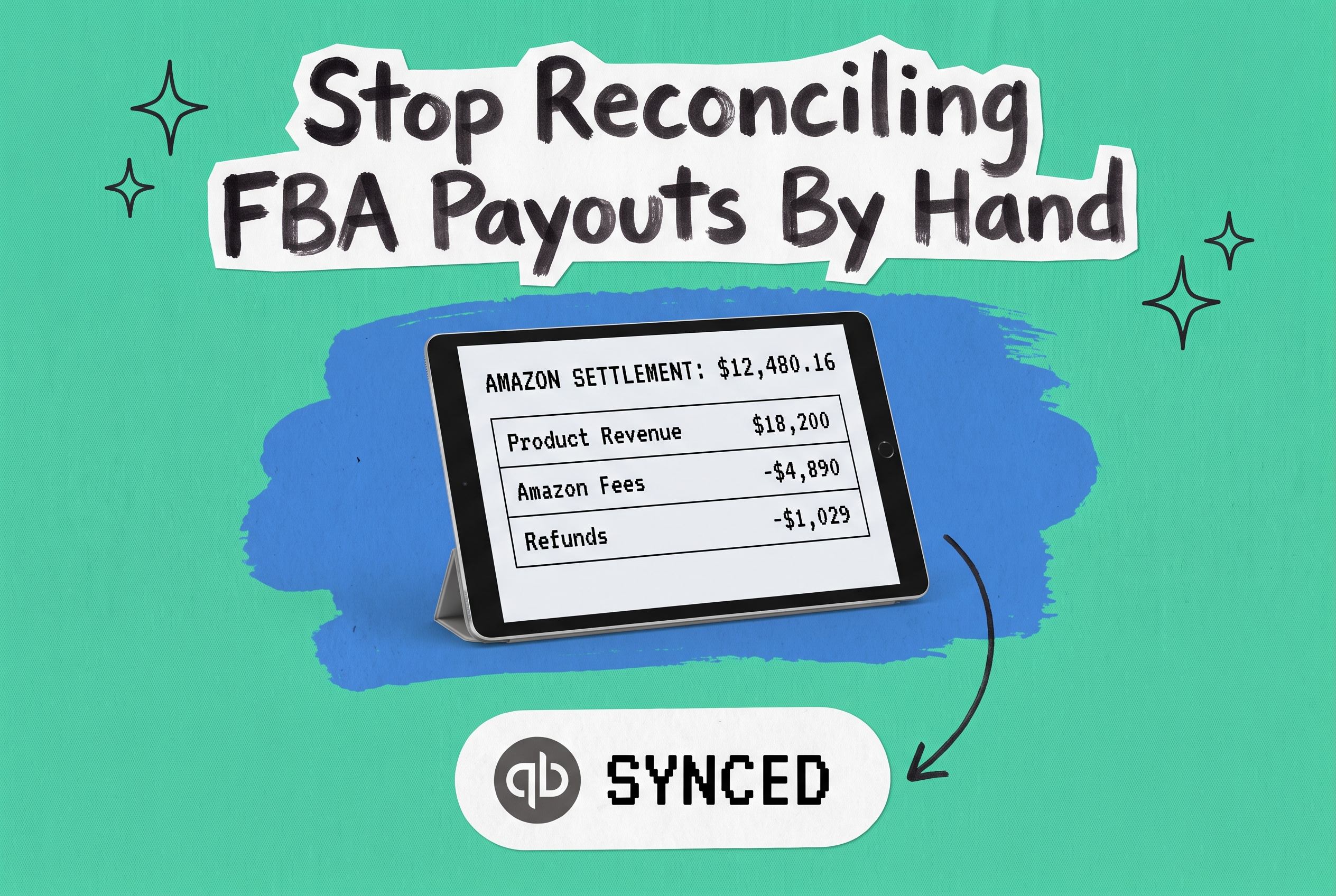
Every other week, Amazon deposits money into your bank account. The number looks simple until you open the settlement report: gross sales, referral fees, FBA fulfillment charges, storage fees, refunds, reimbursements, adjustments. Dozens of line items — some credits, some debits — collapsed into one net payout.
If you're trying to reconcile that in QuickBooks, you already know the problem. The settlement doesn't equal your revenue. The fees aren't cleanly separated. And if you're selling on Amazon alongside Shopify, eBay, or Walmart, you're doing this across multiple platforms with different payout cycles, different fee structures, and no single source of truth.
Getting QuickBooks and Amazon to talk isn't complicated. Getting them to produce accurate accounting is a different matter.
Why Amazon Settlement Reports Are a Reconciliation Nightmare
Amazon settles payments every two weeks. Each settlement covers a rolling window of orders shipped, refunds processed, and fees charged during that period. The resulting report includes:
- Gross sales revenue from shipped orders
- Amazon referral fees (typically 8–15% of the sale price, depending on category)
- FBA fulfillment fees per unit shipped
- Storage fees charged monthly
- Refunds and associated restocking fees
- Reimbursements for lost or damaged inventory
- Subscription fees, advertising costs, and other adjustments
The payout Amazon deposits is the net of all of this. But your revenue — for accounting purposes — may span multiple accounting periods. An order placed on the 28th of the month and fulfilled on the 3rd of the next belongs in different periods depending on your revenue recognition policy.
Importing settlement reports line by line into QuickBooks turns your books into a noise machine. You get thousands of micro-transactions, fees buried in transaction detail, and reconciliation that takes hours every cycle.
What a "QuickBooks Amazon Integration" Usually Means
When most people search for a QuickBooks Amazon integration, they're looking at accounting connector tools — products like A2X, Synder, ConnectBooks, and Link My Books. These pull Amazon settlement data and post summarized journal entries to QuickBooks.
They work well for a specific use case: you sell primarily on Amazon, bookkeeping is the main goal, and you want clean settlement-to-journal-entry mapping without custom spreadsheets.
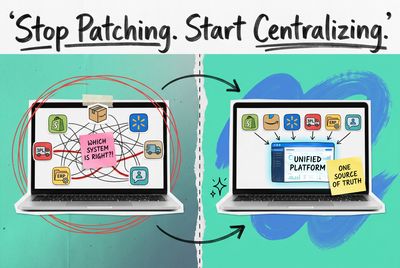
The limitation shows up fast when you scale. Accounting connectors handle one channel at a time. If you sell on Amazon, Shopify, and eBay, you're managing three separate integration setups, three different payout schedules, and three sets of accounting entries — with no platform that understands your total business picture.
They also don't know anything about your inventory, your order routing, or your fulfillment workflow. They see the settlement; they don't see what generated it.
The Real Problem: Accounting Accuracy Depends on Operational Clarity
Your QuickBooks entries are only as clean as the data feeding them.
If your order management is messy — returns not matched to original orders, inventory adjustments not tracked, multi-location stock not reconciled — your accounting reflects that mess regardless of which connector tool you use.
The accounting layer shouldn't be where you figure out what happened. It should receive clean, structured data that tells it what happened.
That's where an order management system (OMS) changes the picture. An OMS like OmniOrders sits between your sales channels — Amazon, Shopify, eBay, Walmart — and your fulfillment and accounting workflows. It centralizes every order, tracks every return, and maintains a single inventory record across all locations.
When your OMS knows exactly what was ordered, fulfilled, returned, and adjusted, the path to clean QuickBooks entries becomes much shorter.
What Good Amazon Accounting Actually Looks Like in QuickBooks
Before choosing any integration tool, it's worth establishing what the output should look like.
Revenue recognition by fulfillment date, not settlement date. An order shipped on March 29 belongs in March even if Amazon doesn't settle it until April 5.
Fee separation. FBA fulfillment fees and referral fees are cost of goods sold (or cost of revenue) line items — not contra-revenue. Treating them as revenue reductions distorts your gross margin.
Refund matching. A return should reverse the original revenue entry and restore the related inventory cost, not just appear as a negative in your settlement report.
Reimbursement handling. Amazon sometimes reimburses you for lost or damaged FBA inventory. That's other income — not product revenue.
Period-accurate storage and subscription fees. Monthly storage fees show up in your settlement, but they belong to the specific period they cover.
When you have clean operational data from an OMS, you can generate channel-level summaries that map directly to these requirements — one journal entry per settlement period per channel, every number in the right account.
OmniOrders and the QuickBooks Connection
OmniOrders connects Amazon orders, inventory, and fulfillment data into a single platform alongside your other sales channels. It maintains real-time stock counts across all your storage locations — FBA, your own warehouse, 3PL partners — and routes orders to the right fulfillment point automatically.
QuickBooks is an integration on the OmniOrders platform. That means the operational data — what shipped, what was returned, what inventory moved — can flow into your accounting workflow with the structure needed to produce clean journal entries.
For multi-channel sellers, this matters more than it sounds. When OmniOrders consolidates Amazon orders alongside Shopify, eBay, and Walmart, your accounting gets a single consistent data source rather than several parallel integration pipelines running independently.
Why Multi-Channel Sellers Need More Than an Accounting Connector
An accounting connector solves one piece of the puzzle. But consider what you're actually managing when you sell across channels:
- Different payout schedules. Amazon settles bi-weekly; Shopify Payments settles daily; eBay has its own cycle. Accounting entries land at different times, making period-end reconciliation complicated.
- Different fee structures. Referral fees on Amazon are calculated one way; Shopify transaction fees another; eBay final value fees a third way.
- Shared inventory. A unit sold on Amazon reduces stock that could also sell on Shopify. Without a central inventory count, you're reconciling discrepancies after the fact.
- Returns that touch multiple systems. A customer returns an Amazon order but the item came from your warehouse stock. Who owns that inventory adjustment?
None of these problems live in your accounting software. They live in your operations. An OMS resolves them at the source.
When OmniOrders centrally manages orders and inventory across all your channels, the downstream accounting entries are grounded in operational reality. You're not reconciling discrepancies; you're recording what actually happened.
Common Mistakes in Amazon QuickBooks Integration Setup
Importing every transaction line item. Settlement reports contain hundreds of individual lines per cycle. Importing each one creates thousands of micro-transactions that clog your QuickBooks chart of accounts. A summarized journal entry approach is cleaner and easier to audit.
Confusing settlement date with revenue date. Revenue belongs in the period the order was fulfilled, not when Amazon paid you. Some connector tools default to settlement date; check this before going live.
Lumping fees together under "Amazon fees." FBA fulfillment fees and referral fees should be tracked as separate line items for accurate margin analysis. Grouping them makes it hard to know where your margin actually goes.
Missing reimbursements. Amazon's reimbursement payments for lost or damaged inventory often get miscategorized as product revenue. They're recovery of inventory cost — different account, different treatment.
Not reconciling inventory after returns. When a customer returns a product, the inventory should return to available stock or be flagged as unsellable. If your OMS doesn't capture this, your QuickBooks inventory value drifts from reality over time.
Clean Operations, Clean Accounting
A QuickBooks Amazon integration doesn't have to be a quarterly ordeal. The sellers who find reconciliation straightforward tend to share one thing: their operational data is clean before it reaches accounting.
When you know exactly what shipped, what was returned, what fees were charged, and what inventory exists across all locations, producing accurate journal entries is mostly mapping — not investigation.
OmniOrders centralizes the operational side: orders from every channel, inventory across all locations, fulfillment routing, returns handling. That foundation means your accounting integration receives structured, reliable data instead of settlement reports that need hours of interpretation.
If your Amazon accounting has been a spreadsheet project, it's worth asking whether the problem is the accounting tool — or the operational data feeding it.
Ready to centralize your multi-channel operations? Start your free OmniOrders trial and connect your Amazon store alongside every other channel you sell on.
Frequently asked questions
Does Amazon have a native QuickBooks integration?
Amazon doesn't offer a direct, built-in QuickBooks integration. Amazon has its own reporting tools within Seller Central, but connecting that data to QuickBooks requires a third-party integration — either an accounting connector like A2X or Synder, or an OMS like OmniOrders that handles the operational layer and connects downstream to QuickBooks.
What's the difference between an accounting connector and an OMS for Amazon accounting?
An accounting connector maps Amazon settlement data to QuickBooks journal entries. It's focused on the accounting layer only. An OMS manages orders, inventory, and fulfillment across all channels and connects that operational data to QuickBooks. If you sell on multiple channels or need accurate inventory tracking, an OMS gives you a cleaner foundation for everything downstream — including accounting.
How do I reconcile FBA payouts in QuickBooks?
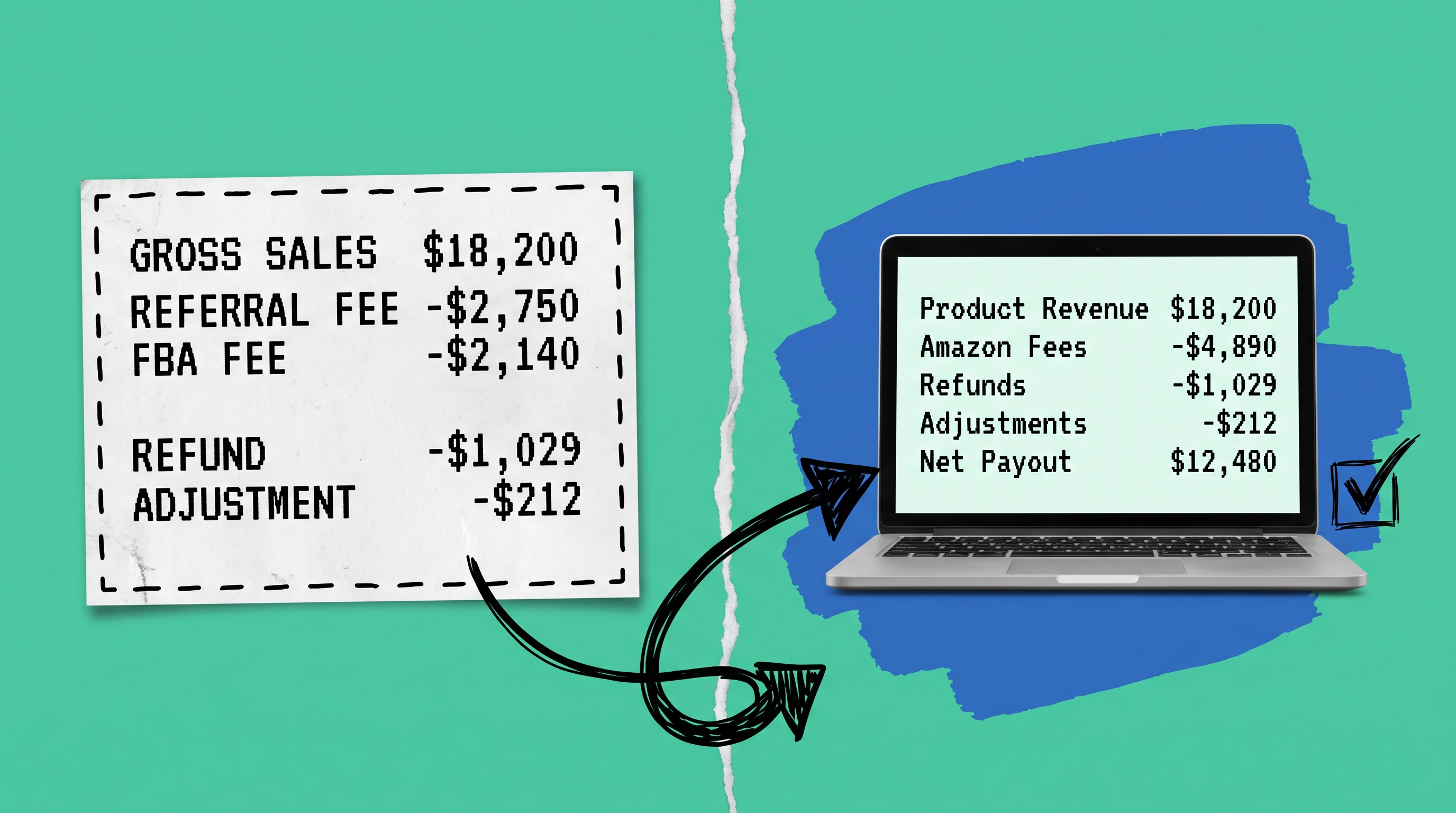
The cleanest approach is to avoid importing raw settlement line items. Instead, produce a summarized journal entry for each settlement period: total product revenue, total fees (referral + FBA fulfillment), total refunds, total other adjustments, and net payout. Each maps to a specific QuickBooks account. When you're running an OMS, the operational data makes these summaries straightforward to generate accurately.
Can I integrate multiple Amazon marketplaces with QuickBooks?
Yes, though the complexity increases with each marketplace. North American, European, and other regional Amazon marketplaces each have their own currencies, fee structures, and settlement cycles. Handling this well typically requires an OMS that consolidates multi-marketplace Amazon data — alongside other channels — into a single operational record before it flows into QuickBooks.
Start your 14-day free trial
See how OmniOrders connects your sales channels, 3PLs, and carriers into one operational layer — free for 14 days, no credit card.